Film cameras
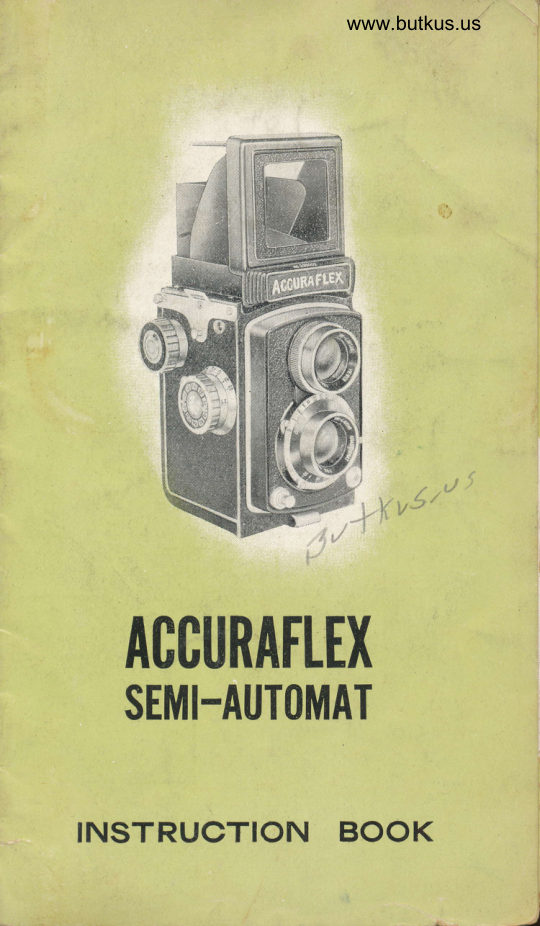
Accuraflex-semi automatic camera User manual
User manual for Accuraflex-semi automatic camera. 11 pages in English. Read the original PDF, download or print a copy without registration.
11 pagesEnglish4.0 MB PDF
Loading your manual…Open PDF directly
Document details
- Brand
- Accuraflex-Semi
- Model / document
- Accuraflex-semi automatic camera
- Document type
- User manual
- Language
- English
- Pages
- 11
- File size
- 4.0 MB
- Category
- Film cameras
- Document date
- Not specified in catalog
Search available document text
Find a term, then jump to its page in the original PDF. Image-only pages may not be searchable; check the PDF for exact wording and diagrams.
Page 3 · Read text
LOADING THE FILM

   Open the Back Lid Lock (zo) by turning the
Iever toward the position marked  "Or' (fis. a).
Push the iid backward, (fig.5).


               (fig. a)                        (l'ig.5)
    Insert thq film spool into the chamber (fig. 6)
and pull out the leader-plper, inserting  it
into the slit of Take-up Spooi,  (fig. 7). Keep
winding the Film Winding Knob (1) until the
triangular marks appear on
the edge of the leader-
paper and stop when they
           'thealisn with    Red lvlark
(2I) on the gamerd, (fig.8).
    Close the Back Lid and
push the Locking lever to
,,L".
                                                  (fie- 6)
View original page 3Page 4 · Read text
www.butkus.us


                (tis. 7)                     (fig.8)
    While depressing the Film Transport Button
 (3) wjth one finger/ simultaneously push down
the Reverse Button (4) with other finger, so
                rrs"tha'L the mark       will appear in the Film
n^..-+;-^\./\J     LI-II    Llr-r\-,   \AI.;.rdOwY v  II1\-.{\J     vv  (2)|  lJ  )    ..
   Then turn the Film Winding Knob until it
stops, and "I"  wili appear in the Fiim Count-
ing Window.
   Now the film is ready for the first exposure.
After each picture is taken, depress the Film
Transport Button and wind the Film Winding
Knob until it stops again with Fikn Counting
Window registering the next number.  Repeat
the same procedure until all 12 exposures are
taken.
View original page 4Page 5 · Read text
FOCUSING
                Lift the Finder Hood (16). push 1iqhtly the
f;       Sport Finder FIap (1s) ,  so that the magnifying
         lens snaps into position. While looking at theE
       image appearing on the ground glass screen,
        focus the lens by turning the Focusing KnobFiI          (5) forward or backward, until the image is ciear.
           To close the Finder Hood, press down liqhtly
       and it folds up in a single action.
           For eye'level heiqht subjects use the Spcrt
       Finder by depressing the Center Flap until it
        folds down completely. To close the Sport
        Finder FIap, press the Sport Finder Button (18).

nr     SETTING THE SHUTTER
          Turn the Shutter Speed Dial (6) to desired
       exposure setting and press do'arn the Shutter
       Cocking Lever (T) as far as it will qo.

      SETTING THE LENS APERTURE
           Adjust lens opening by turning the lensft
       Aperture Lever (9) to desired opening. Thel        pointer of Jever indicates aperture being used,
             .ii:-.$'-'-+,                   #,-     ffiF
View original page 5Page 10 · Read text
www.butkus.us
                 FILM INDICATOR
        The film indicator is an added feature for convenience
       in knowing what type of film hes been loaded in ihe camera.
      For example, if an Easiman Super XX f'lhn or equivalent is
      being used, turn the dial on the film indicator (,|3) to coincide
     no. 100 with the red dot. The numerals in black are for
      black and white films and the numerals in red are for color
       films. You may foliow instructions as given in each package
       of film but the expcsure index below may also serve as your
       ouide.
                 Ansco Supreme           Eastman Super XX
                 Agfa Isopan F           Aqfa Isopan  I SS
                                                           lOO         Daylisht ASA 50 WESTON 50  ASA 1OO WESTON
         Tunssten ASA 32 WESTON 32  ASA BO WESTON 64
/lnclicator turningr nibs
View original page 10Page 11 · Read text
rrrr}JvrTrnnnriadLvv   anci Guaranteed
      by  the
DJ"^*n^-a^hi^I  IrU    L\r\,    r UlJrrf   V  Tmnnrlinrvf rariJvr      Lrrf  v   anrlura\4
  Distributing Corp.,
    New York


                           iSRINTED IN JAPAN
View original page 11From the M. Butkus archive. Original publisher and archive notices are retained.
Check the model and edition against your equipment.
PDF verified 2026-10-10.