Film cameras
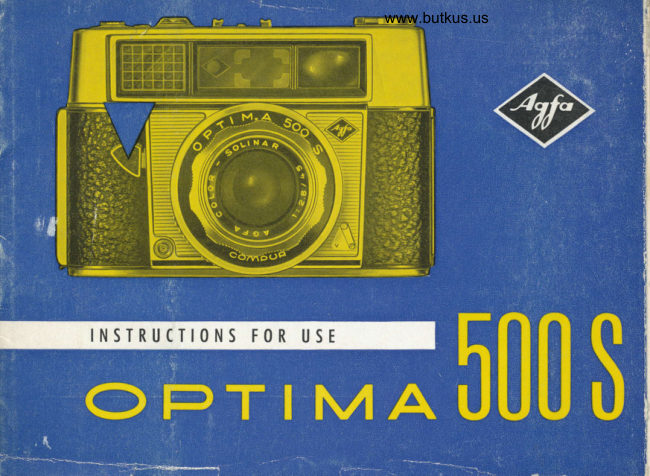
Agfa Optima 500S User manual
User manual for Agfa Optima 500S. 23 pages in English. Read the original PDF, download or print a copy without registration.
23 pagesEnglish6.8 MB PDF
Loading your manual…Open PDF directly
Document details
- Brand
- Agfa
- Model / document
- Agfa Optima 500S
- Document type
- User manual
- Language
- English
- Pages
- 23
- File size
- 6.8 MB
- Category
- Film cameras
- Document date
- Not specified in catalog
Search available document text
Find a term, then jump to its page in the original PDF. Image-only pages may not be searchable; check the PDF for exact wording and diagrams.
Page 4 · Read text
Venmo @mike-butkus-camera  Ph. 2083
PayPal Name  Lynn@butkus.org      www.PayPal.me/lynnbutkus
View original page 4
Page 5 · Read text
EXPLANATION                    CONTENTS                                     Poge   ADJACENTOF
ILLUSTRATION
Q Cotch for comero bock                  Rongefinder                                      2
@ Ropid tronsport lever                    Focusing symbols                                 3
@ Mogic releose lever                   Holding the comero                            4
@ DIN/ASA scole                    Green signol-exposing                          5 -  for setting film speed                                   Ropid tronsport lever                             6
@ Window for green
   ond red signol
                                                      *@ Accessory shoe             F                                rih types              m
@ Rewind cronk                        Looding the comerq                           . 819
@ Coble releose socket                    Film counter                                  l0
@ Setting window for                       Setting the film speed                        10/ll
  A : Automotic mechonism             Deloyed ociion                                                          I I  J :  Flosh ond  B : Time exposures                 Without the outomotic mechonism           12113
@ Setiing mork                      Time exposures                             12
    ror Tocustng symbots                 Floshtechnique  :  :  .  :  :  :  .  .        :r,t14
@ Focusing ring                        Agoinst the light
@ Deloyed oction mcchonism             ond close-up exposure reodings              14
@ Flosh contoct                                  Filters                                          t5
                                      Explonotion of outomoiic operotion             15@ Window fo,r setting flosh   guroe numoers                      Rewinding ihe film                              16
View original page 5Page 6 · Read text
www.butkus.us

 The optimo 500 s is one of the comeros of the successful Agfo optimo
 series which in recent yeors hos estoblished such o good repuiotion
 oll over the world.
We congrotulote you on choosing this comero
   becouse its opticol performonce sotisfies the highest demonds
   ond its fully outomotic operotion is unexcelled.
You ore holding q smqll mirocle in your honds: the fully sutomotic
mechonism of your comero ihinks, colculotes ond octs for you. This
meons the down of o new ero in photogrophy ond o genuine qdvonce
in fechnicol development.
A green signol oppeors in the viewfinder ond slight pressure on the
mogic lever produces o successful snop, eoch exposure gives o good
picture ond losting pleosure.
The coupled rongefinder ensures shorp focusing ond, if you ore in o
hurry, you con use the focusing symbols.
You will probobly wish to get fomiliorized with this mosterpiece of pre-
cision. on poges 2Io 6 you will find brief operoting instructions; tech-
nicol odvice ond useful phoiogrophic hints ore given on poges 7 to 16.
View original page 6
Page 7 · Read text
Exqkt focusing


                                    The built-in coupled rongefinder is very eosy to
                                         operote ond ollows exoct focusing of your sub-
                                                  iect in split-seconds.
                                                         In the centre of the viewfinder imoge you will see
                              o diomond shoped portion which is yellow-col-
                                       oured. At first, this centre imoge will be se-
                                         poroted into two horizontolly disploced outlines
                                         (upper  ill.).
                                                           lf you move the focusing ring with both index
                                                 fingers (middle  ill.) you will find thot the outlines
                                       of the double centre imoge coincide. With the
                                      cqmerq held horizontolly the imoge outlines move
                                           sidewoys; when held upright they move verticolly.
                                  As soon os the two outlines converge meosure-
                                ment is completed ond the comero exoctly
                                                    (lower  ill.).     ;q;t',:'::i     t;'' ffi               focused                                                     ore qlso indicoted on the lower                                          Exqct distqnces
                                              port of the focusing ring. The white mork obove
                                             the word "Compur" indicqtes the octuol distonce
                                               setting (from 31/+ ft./l m. to infinity).


          www.butkus.us
View original page 7Page 8 · Read text
www.butkus.us... or symbols for snopshots


There ore three focusing symbols on the lens
 mount of your comero. According to lhe distonce
from the subiect you set one of the lhree follow-
ing symbols ogoinst the white mork: (lnter-
mediote settings ore olso possible.)

                                              Subiect distonce

             Close-ups               6 ft. (1.80 m.) AQ
           Groups               12y2ft. (3.80 m.)  ixf
              Distont views                infinity
  "ftfs                             (londscope)

There is no need to set the focusing symbols
absolutely exactly because uniler reasonabty good
lighting conilitions the automatic lens stop and
shutter speed control increases the effectiae focus-
ing range to a mudt greater extent than indicated
by the figures gioen here.
View original page 8Page 9 · Read text
View your subiect


                          When phoioqrqphinq  it is importont to hold the comero
                                        steodv. You iholld t6erefore toke your Optimo in-both
                                 hondi ond broce vour orms ogoinst your body. Plqce
                                the index finger bf your right hond lightly. on. the
                                  moqic releose lever. When you look through the vtew-
                                         findlr vou will see o lumin6us frome which surrounds
                                     the subiect ond shows you the exoct picture oreo.
   As the luminous frome is coupled with the focusing ring it moves outomoticolly when the
    focusing ring is turned, qnd the exoct picture oreo-(porollox compensotion) will be shown
   even fo-r clo-se-ups BU;fi.). Viewfinder'correction  leiises (-1.0 to -4.0 dioptres) for persons
   with defective viiion focilitote focusing. To toke upright photos, operotelhe releose button
   with your thumb or index finger os illustrqted obbve. T6 ensure iorrectly exp-og_e_{ photo'
    groplis it is importqnl to set the correcl film speed on lhe cqmerq (see poges l0/ll).


    4
View original page 9Page 10 · Read text
www.butkus.us
                                     Green signol ... expose


When viewing your sub-      Nole!
 iect hold ihe comero ob-     The outomotic
 solutely steody for obout     mechonism is
one second. When the      connected whengreen signol oppeors in                              the A ond the     ffiihe viewfinder do noi                            white mork ore inchonge comero position
                                                                                                                     gond releose,  i. e. press         line.                $
                                                                                                                       sthe mogic releose lever    A percepfible  click    r*slowly down os for os      slop ensures lhe
possible.                       correct selting.
 lf no exposure lokes     Green signol:                                                                                                              frB
ploce remove your fin-       "All cleor"          Lger from the lever.            for your phoio-
Notel lf no signol op-       gropn.                           ,FlE@                           *Tpeors in the viewfinder                                               nI
          ropid trons-                                          r-operoieport lever first.             Red signol:
lf there is not enough      Stop-
light-shown by the red     do not photogroph.
signol-time exposures          L  Jor flosh will then helo'you (see poges 12l13).
View original page 10Page 11 · Read text
lnstqnt reqdiness

                                                                                            . . . c<ln be obtqined with the ropid tronsport
                                              lever of your Optimq. Therefore, odvonce your
                                                film immediotely ofter eoch exposure. Just swing
                                         the lever forword to the stop to move the film
                                    on one frome. The film counter of the lower reor
                                    edge of the comerq shows you how mony ex-
                                            posures you still hove left.
                                                            lf the ropid tronsport lever will not move, the
                                      cqmero is olreody set for the next exposure. The
                                                shutter releose ond film tronsport ore fitted with
                                  o lock to prevent blqnk or double exposures.
                                                            lf you releqse the ropid tronsport lever before
                                         completing the full forword stroke it will return
                                         to its storting position. In this event you should
                                       swing the lever forwqrd ogoin os for os it will
                                             go, even if it is only in the holf-woy position.
                                        Eoery time the film is moped on the disc of the
    www.butkus.us                           rewind crank rotates in the opposite direction to
                                               that shown by the arrow, a sure sign that the film
                                                          is properly loaded and transported.
View original page 11Page 12 · Read text
www.butkus.us                                    Photogrqphy is more fun


                    when you hove mostered the hints mentioned qnd oreTECHNICAL                           thoroughly fomilior with your cqmerq too.
 SECTION                 First of oll, something obout films ond how to choose them:
                                  First use Agfo lsopon F. lt is o fine-groin block-ond-white
                              film of good contour shorpness ond consistent quolity.
                          For sports photogrophy the ropid Agfo lsopqn l5S film is
                                  iust right.
                       With Agfocolor films you con explore the world of colour.
                      These films hove been firm fqvourites for more thon
                            twenty-five yeqrr, becouse of their noturol reproduction
                           of boih postel o;'d brilliont colours. In oddition, thein high
                        speed hos mode the living snopshot in colour o procticol
                                    reolity.
                             For shorp, brilliont colour tronsporencies:
                                                 Agfocolor Reversql Film CT 18.
                     From your mounted tronsporencies  it is now possible to
                       hove CT colour prints mqde on poper.
                             For wonderful olbum colour prints:
                                                Agfccolor Negalive Film CN 17.
View original page 12Page 13 · Read text
Looding lhe cqmero  . .  .


       The film con be looded in doy-   drowing  it out firmly os for os   toke up spool by its milled disc
          light, but olwoys in the shode    possible.                                until one of ihe three slits ond
                 use of body shodow.    lnsert new film cossette with    its film perforoiion lug ore       -moking           First open the comero bock by   hole towords rewind cronK.   uppermost (ringed in  illusiro-
         sliding cotch in direction of or-   Push bock rewind cronk, if nec-    iion D).
        row until comero bock opens up.   essory, turning slightly bock-      It is best to press in the locking
       Drow out rewind cronk by in-   words ond forwords until the    button on the bose of the cqm-
         seriing your finger noil under-   recessed poriion engoges in    ero to ensure thoi the tronsport
        neoih the cronk, roising it ond   the hole of the cosselte. Turn   wheel moves freely.


                                                                                              Digitally signed by Mike Butkus
                                                                       DN: cn=Mike Butkus, o=Butkus camera manuals, ou=butkus.org,
                                                                            email=mike@butkus.org, c=USMike Butkus                              Date: 2023.04.25 19:50:27 -04'00'
View original page 13Page 14 · Read text
www.butkus.us ...issoeqsy


     Drow oul the film from the cos-  Now turn the loke-up spool   comero bock by pressing  it
     sette in the direction of the    slightly on.                 home firmly. Afier closing the
   I   orrow. lnserl the end of the                                comero set the film counter ot
      film in the slii of the toke-up  When just under hqlf on inch   ihe lower edge of the comero
     spool so thot the lug engoges   of ihe full film widih proiects    bock.
      in the second film perforotion.   from ihe cossette, close the


\,
s


&
View original page 14Page 15 · Read text
Film tronsport
Film speed

                                      Turn the disc of the film counter until the tip of
                                        the triongle iust before the number 36,20 61 12
                                       (depending on the length of film) is in line with
                                      Tne Trxeo morK.
                           When looding the comero, the stqrt of the film
                                                      is wosted by exposure to light qnd so you must
                                                   first moke two blonk expoiures before storting
                                      to photogroph.
                                  Operote the ropid tronsport lever with your
                                      thumb, swinq it forword o3 for os it will oo-ond
                                                 let it return-slowly. Then press down the-mogic
                                       releose lever os fbr os pdssible ond repeot t'6is
                                     procedure with the tronsport lever ond releose
                                        lever until the number 36, 20 or 12 is opposite
                                     the fixed mork, occording to the length'of the
                                                     film.
                                  The film counter indicqtes the number of expo-
                                          sures still left on the film.

                              Film speed
                            To ensure correctly exposed photogrophs it  is
                                       importont to set the c6rrect film speed on the
                                     comero. This is morked on the film pockoge ond
View original page 15Page 16 · Read text
www.butkus.usDeloyed qclion


should be set on the comero immediotely ofter
looding with film.
This is done by pushing the smoll orresting knob
in the direction of the orrow. The milled disc
con then be turned in either direction with o
coin. A setting of 40 ASA is shown in the lower
illustrotion on poge 10.

Deloyed qclion photogrophs
ore possible with oll outomotic ond flosh expo-
surei, but not with time exposures (B setting).
Ploce the cqmero on o firm support, preferobly
on o tripod. Set the deloyed oction lever to V
ond preis down the mogit releose lever qs fqr
qs it will go. lt will then be orrested in this posi-
tion. A buzzing noise indicotes thot the deloyed
oction mechonism is working;  it will releose
the shutter outomoticolly ofter obout 8 seconds.
                                         releose               photogroph                                the            the      tokingAfter                              'tf,epress                                             then                        o-na                              leverbullon               ogirin,                                       will     dodn
return to its originol position. Then lrqnsporl
the film.
View original page 16Page 17 · Read text
Time exposures


                                                        lf the signol in the viewfinder stoys red when
                                       viewing the subiect, lhis meons thot there is not
                                  enough lighi. In such coses time exposures or
                                              flosh will help you.
                                   For time exposures longer shutier speeds ore
                                    used which connot be controlled outomoticolly;
                                        these ore moinly used in poor light, for portroit
                              work or reproductions of pictures in ortificiol
                                                     light, ond for night phoiogrophy  etc.
                                  By meons of the setting key (1 in upper illustro-
                                             tion) the outomotic mechonism is disconnected
                                 ond the key is moved until the lelter B oppeors
                                    in the smoll window (lower illustrotion). The
                                             shutter then remoins open os long os the releose
lever is pressed down; the photogroph connot be roken with the comero held in your
honds, ond o tripod ond coble releose (8, moin illustrotion) must rherefore be used.
By moving the setting key @ the required lens stop con be set, e. g. f/11, os shown in the
lower illustrotion.


12
View original page 17Page 18 · Read text
www.butkus.usFlqsh exposures
Flosh mqde very eqsy


 t. A floshgun such os the Agfolux, Agfo lsi K or
   Agfo Tully K is ottoched by its foot to the
   occessory shoe on top of the comero ond
   the leod connected to lhe flosh contoct of
   the comero (13, moin illustrotion).
   Disconnect the outomotic mechonism by mov-
   ing the setting key (1, upper illustrotion) until
   the flosh symbol oppeors in the smoll window
   (see lower illustrotion). This gives o shutter
   speed of 1/so sec.
3. Determine guide number from the flosh bulb
   pockoge, toking into occount lhe speed of
   lhe film looded.
   Sei guide number. The window for setting lhe
   block guide numbers  is on the ring to the right of the window for rhe flosh symbol, look-
   ing ot the comero from obove. By meons of setling key @ the guide number on the flosh
   bulb corton is now set next lo the symbol corresponding lo lhot set on the lens. The
   verticol lines represent the setting mork. lf, for instonce, the guide number 90 is chosen
   for lhe group symbol the window opposite the flosh sign shows ihe lens stop 8, which  is
   the exqct Iens operlure required for lhe porticulor film speed ond sublect distonce.
View original page 18
Page 19 · Read text
Exposure hints

s*,                     .-!&.    zz',.        ...-g,-        -js
      Do not forget to set the correct        qbout 3 DIN or its ASA equivolent less thon
        distonce from the subiect on the          thot morked on the film pockbge.
         lens os well.                                  When photogrophing with reversol film, such os           lf you wish to work only with         Agfocolor CT18, with qn overcost sky the set-
        stop numbers you con set these          ting on the DIN/ASA disc should be reduced by
      by meons of the key @ in the       2 DlN, in dull weother even by 3-4 DlN, e. ci.
      window opposife the flosh sign          insteod of 18 DIN / 50 ASA, l6'DlN  / 32 ASA dr
         (see lower illustrotion on poge'13,          14 DIN /20ASA should be set. Do not forqet to        f.8 in the exomple shown).                 re-set the originol film speed ofter the exp-osure
         Similorly, when using on elec-         nos oeen mode.
        lronic flashgun the oppropriote       When o very controsty subiect hos to be photo-       guide numb-er should'be iet on        grophed ond it is wished to obtoin the iorrect
       your Optimo-os described on        exposure for on obiect which is smoll in com-
      poge i3.                               porison with its surroundings,  it is odvisoble to
     When returning the setting key         toke o close-up meosurement. lf this is not done,
    O to the A (:-outomotic)"Posi-        o person in o light dress in front of o dork wood
                                                                                           on       tion the setting key @ olso          (to give on exomple) could eosily produce        springs bock outomoticolly to its          incorrect reoding.
        originol position.                       In such coses opprooch with the comero to o
      Where cleor detqil is required in          short distonce from the subiect ond press down
       photogrophs token ogoinst the        the releose lever qently to the first pressure
         light it is odvisoble, when using           point. Hold the levelr in ihis position ond return
        the outomotic mechqnism. to set        to your originol stondpoint to toke the photo-
      the scole to o film speed of          groph.

           14
View original page 19Page 20 · Read text
fwww.butkus.usFully qulomotic operqtion
                      k
A leother cose designed to toke          of your Optimo 500 5 in brief  :
o lens hood ond iwo filters is
ovoiloble for this comerq.
       Fillers for your Optimo 500 S            The speciol shutter of your Optimo 500 S covers
  in screw mounts S of 35.5 mm. diom.          speeds of 1/go sec. to o fost 1/5ss s€c., the lens
    blockfor         ond                             stops ronge from f.2.8 to 22. When you presswhife    photogrophy
                     Reduce DrN score         the mogic releose lever down slowly the best                             setting by                                             shutter speed ond operture combinotion is fixed lisht yellow             I  I
mediumyellow   2  |    DIN           ond set. yef low-green     2  l                                 Then you releose the shutter by pressing theUV filter (ultro-violet)      no chonge
When removino the filter from the com-          lever right down. This single operotion is your
                       reset                          theero                 to   do not            foiget                                  originol         guorontee of o correctly exposed photogroph.           figure                    the                             in question.                          filmDIN/ASA                 for
For speciol photogrophs                                 lf you hove to chonge the direction of the com-with colour reversol film
Agfo Color Filter R 1.5     no chonge       erq before moking the exposure, toke your
NATARIX (Type 6713/355)                      finger from the mogic lever qnd stort ofresh.
FOR CTOSE.UPS
You con olso moke close-ups (below       When photogrophing  it is importont to hold the3y4 |l.ll m.) with the Optimo 500 S ifyou own the Agfo Notorix close-up ot-        comero obsolutely steody during meosurement
tochment. The Notorix viewfinder ottoch-        ond releose so thot the fully outomotic mecho-ment compensotes for porollox whenlining up your subiect.                       nism operotes properly.

                                                                                                                         l5
View original page 20Page 21 · Read text
Rewinding the film


                                       After 36, 20 or 12 exposures (occording to the
                                         lengih of film) the dot on the counter will be in
                                             line with the dosh before the "0". The film is
                            now finished ond hos to be rewound into its
                                                  light-tight cossette.

                                                  First press in the locking button on the bose of
                                     the cqmero, lift the cronk with your finger noil
                                 ond turn if so thqt the hondle points outwords.

                           Now turn the cronk in the direction of the qrrow.
                                   Rewinding is complete when the rewind cronk
                                           turns freely. You con now open the bock of the
                                   cqmero by pushing the locking lever to the right
                                          (see illustrotion A on poge 8). Then pull out the
                                   rewind cronk os for os it will go ond remove
                                  the cossette from the cqmero, ploce it in its
                                               light-tight pocking ond mork it os exposed. On
                                       operoting the ropid tronsport lever the locking
                                       button will spring out ogoin.
View original page 21Related documents and language editions
From the M. Butkus Camera Manual Library. Original publisher and archive notices are retained.
Check the model and edition against your equipment.
PDF verified 2026-10-10.