Film cameras
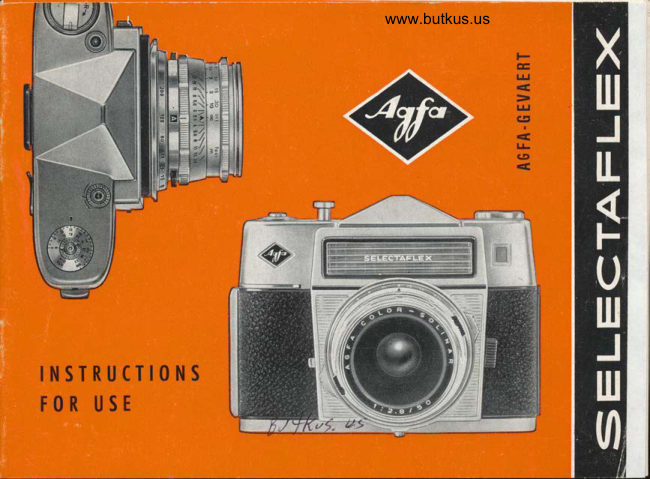
Agfa Selectaflex User manual
User manual for Agfa Selectaflex. 37 pages in English. Read the original PDF, download or print a copy without registration.
37 pagesEnglish3.1 MB PDF
Loading your manual…Open PDF directly
Document details
- Brand
- Agfa
- Model / document
- Agfa Selectaflex
- Document type
- User manual
- Language
- English
- Pages
- 37
- File size
- 3.1 MB
- Category
- Film cameras
- Document date
- Not specified in catalog
Search available document text
Find a term, then jump to its page in the original PDF. Image-only pages may not be searchable; check the PDF for exact wording and diagrams.
Page 3 · Read text
The Selectqflex reolly is o fine
comero.  lt hondles eosily, is styl-
ed on modern lines ond is reody
for qction in on instont unddr oll
conditions.
Just three simple operotions:
Focus the comero.
Set the required shutter speed.
See thot there is enough light.
Look through the viewfinder,
press the shutter releose ond the
green signol gives you the "oll
cleor" for o good photo.
We wish you mqny hours of en-
ioyment with your Selecioflex.

      AGFA.GEVAERT
View original page 3Page 5 · Read text
Perfect photos for your fomily olbum
ore yours with the new AGFA SELECTAFLEX feoturing the od-
vontoges of o reflex comerq with interchongeoble lenses ond sn
outomotic mechonism thot con be controlled os required. This mokes
the comero odoptoble to ony of the conditions likely to be en-
countered in proctice.
ln oddition the Selectoflex is fitted with o rongefinder, ond high-
closs Agfo interchongeoble lenses complete this comero's opero-
tionol convenience.
The lens stop setting is indicoted in the green signol of the view-
                                                               rTro tofinder qnd is outomqticolly controlled over q ronge o;
1/36s sec. Whotever setting you moy decide upon, the signol in
the viewfinder olwoys prevents you from moking ony errors.
lf you wish you con discontinue the outomotic mechonism com-
pletely qnd set shutter speeds ond lens stops occording to your
requirements.
We feel certoin thot the Selectqflex wiil come up to your expecto-
tions in every respect ond will help you to put your photogrophic
ideos into proctice.
View original page 5Page 6 · Read text
www.butkus.us


                                   Digitally signed by mike
                            butkusmike         DN: cn=mike butkus,
                           o=orphancameras, ou=29,
                            email=mike@butkus.org, c=US
                              Date: 2018.09.06 17:15:42butkus   -04'00'
    The film con be loqded in doylight, but    recess,ed portion fits over the centre core,
     olwoys in the shode-ot leost moking use    turn slightly ond press until the inner core
     of body shodow.                                  slips into the cossette hole.
                                               Turn tol<e-up spool by its milled disc   A  First open the comero bock by sliding  C
                                                                                              o        cotch in direciion of orrow until bock        until one of ihe iwo brood slits with
      springs up. Drow out the rewind cronk by   film perforotion lug (morked by o circle
      inserting your finger-nqil under the cronk    in the illusirotion) is uppermost.
      lever, lifting this up ond then drowing out   To ensure thot the tronsport wheel moves
                                                                                                                             locl<-     the cronl< os fqr os possible.                  freely if is odvisoble to press in the
                                                ing button on the bose of the comero.
   B lnseri film cossette with hole towords   Drow oui the film from the cossette in ihe
        rewind c,-onk. Posiiion cronk so thoi    direction shown by the orrow.


       2
View original page 6Page 8 · Read text
www.butkus.us

                                           therefore necessqry to moke two blonk
                                          exposures before siorting to photogroph.

                                         Film trqnsport
 Sefting the counter                     Use your thumb to operote the ropid trons-
                                            port lever by moving  it forword in o semi-The film counter is orronged of the lower                                                  circulor direction qs fqr os it will go ondedge of the comero bqck ond shows how                                           ihen qllowing it to return ogoin.mony exposures ore still left. The diol of
the counter hos three triongulor morks,
one eoch before the numbers 36, 20 ond
12. Depending on the lengih of the film
in the cqmero the oppropriote triongle
should be set opposite the fixed morl<
on the comero body. This is done by turn-
ing the smoll milled ring below fhe film
counter in lhe direction shown by the
orrow.
The beginning of the film is exposed to
light when looding the comero qnd it is
View original page 8Page 9 · Read text
leose should first be pressed. The shutler
                                             releose ond film tronsport mechonisms ore
                                                  fitted with o lock to prevent double ond
                                        blonk exposures
                                                            lf you should inodvertently releose ihe
                                           ropid tronsport lever ioo soon, the lever
                                         should be operoted ogoin until resistonce
                                                           is felt.


                                         Cqulion: When tronsporting the film, the
Then press down the shutier releose. This   disc of the rewind knob uspolly turns
procedure should be repeoted until the   os well ond it should not therefore be
fixed mork on the body of the comero is    hindered.
in line with the number 36,20 or 12, de-
pending on the length of the film.
lf, for some reoson, the ropid tronsport
lever connot be moved, the shutter re-
View original page 9Page 10 · Read text
www.butkus.us

                                      Your Agfo Selectoflex comero gives fully
ST() P                                outomqtic operoiion for oll films from
                                    9 to 33 DIN (6-1600 ASA).
                                                            lf you use o film hoving o higher speed
                                         thon 24 DIN (200 ASA) ond wont to dis-
                                          connect the outomotic mechqnism deliber-
                                             otely-i. e. set shutter speed ond lens stop
                                      by hond-the DIN-ASA disc of your com-
                                      ero hos to be resei to one of the blqek
                                       engroved numbers.
                                     Rongefinder
                                 The built-in rongefinder offers you two
Remember to set the speed of the film    possibilities for focusing the tomero   '
on the comero to be sure of correcily   By turning ihe focusing ring (see middle
exposed photogrophs wiih the comero's    illustrqtion poge 7)
oufomotic mechonism. The milled disc con    o) the entire subieci con be focused on
be iurned in both directions ond is sei      the ground gloss screen,
                                                                            bewith o coin until the required DIN or    b) ihe splii-imoge rongefinder con
ASA speed is opposite the setting mork.      used for quicl< ond relioble focusing.


6
View original page 10Page 11 · Read text
The split-imoge rongefinder is used to focus
ihe comero in the following monner:
lf you point the comerq of o verlicol seciion
of your subject, you will find thot two portions
of the imoge in the cenire circle ore loterolly
disploced. As soon os the disploced verticoi
lines shown in the upper illustrotion coincide
ond form o single imoge os shown in the lower
illustrotion, the comero is correctly focused.


IMPORTANT!
The Selecfoflex only operqtes outomoticolly if
the "A" is exoctly in the centre of the smoll
window ond ihe setting ring for the outomotic
mechonism is engoged.
View original page 11
Page 12 · Read text
www.butkus.us

Selecting the shutter speed                 First let us exploin the choice of q shutter
                                     speed in coniunction with qutomotic dio-On the Selectqflex you hove the oppor-                                    phrogm control.tunity of choosing the shutter speed your-
self.                                      Turn the shutter speed setting ring by the
                                       two milled proiections on the left ond rightThe shutter speed ring is sub-divided into                                                       until the desired shutter speed, or thot re-red ond block engroved volues. When                                         quired by the subiect, is in line with thethe red shutter speeds ore set (1/so to                                             setting mork. For quick moving obiects,1/sss sec.), the diophrogm is outomoticolly                                              such os in sports photogrophs,o short shut-controlled on operoting the shutter re-                                          ter speed will be necessory (1/s6s sec.),leqse. lf, on the other hond, one of the                                     whereos for londscopes o longer shutterblock engroved shutter speeds is chosen                                       speed (1/60 sec.) con be chosen to give the(l-t/rs sec.), the lens stop should be set                                                 benefit of greoter depth of field. lf the sub-by hond (see "Free choice of shutter speed                                                    iect does not cqll for ony pcrticulor shut-ond fens stop", poges 15116).                                              ter speed, it is qdvisoble to set 1/rzr sec.
                                              All shutter speeds hove click settings ond
                                            only the engroved figures should therefore
                                    be set, no iirtermediqte vqlues.
View original page 12Page 13 · Read text
Holding the cqmerq
When photogrophing it is irnporiont to hold the
comero steody. You should therefore toke your
Agfo Selectoflex in both honds ond broce your
qrms ogoinst yerrp body. Ploce the index finger
of your right hond on the shutter releose.

Photogrophs with the comero held in your honds
should only be tolcen ot shutter speeds o1 rTuo to
1/s6s s€c., or 1/so sec. if obsolutely necessory. When
using the longer ond heovier telephoto lens of,l35    .|80    or    mm. focol lenglh, higher shutter speeds
should be used in order to prevent blurring. Other-
wise fhe cqmerq should be ploced on o firm sup-
port or, better sfill, o tripod should be used.

In such coses o long coble releose is indispensoble;
this con be ottoched by screwing it inio the threod
of the shutter releose.
View original page 13
Page 14 · Read text
www.butkus.us

Line up your subiect-releose
When you look ihrough the viewfinder of your com-
ero ofter hoving tronsporied the film, you will,.see
o red dot ot the righi edge of the viewfinder. Even
slight pressure on the shuiter releose chonges the
red io green. On pressing the shutter releqse
furiher down, o resistonce of the pressure point
will be felt ond the correci lens stop is outomoti-
colly indicoted shortly before the exposure is mode.
This volue is visible in the white rectongle between
the two green fields; in the odiocent illustrotion o
lens stop setiing of f.ll  is shown.
                                                    theThun pr"ts the shutfer releose right {own to
stop without oltering the position of the comero.
lf the intended exposure does not toke
ploce ofier reoching the pressure point,
remove the finger from the shuiter re-
leose ond repeoi the operotion in o
new direction.
View original page 14Page 15 · Read text
reody been set, o coloured filier con be ploced
                                                  in front of the lens when using blqck-ond-white
                                          film (pleose see the notes on filters, poge 19).
                                           b) Under poor lighting conditions the shutteripeed
                                      chosen is too fost, in which cose q slower speed
                                     should be set. lf the red signol is visible in the
                                        viewfinder even when using o speed of 1/s0 sec.,
                                              floshlight or time exposure con be used offer
                                                     first disconnecting the ouiomqtic mechonism.

                           Double exposure lock
lf, on toking ihe first pressure point  Two exposures on one frome of film ore not pos-
with the shutter releose, the red sig-    sible with your Selectoflex becouse the shutter re-
nol is visible in the viewfinder, this    leose will noi operote until you houe trqnsported
moy be due to one of fwo reosons:    the film. lf you ore in doubt os io whether the film
o) Under good lighting condiiions   hos been moved on, o glonce in ihe viewfinder
   the shutter speed chosen is ioo    suffices;  if the subieci connot be seen on the
   slow, in which cose o foster   ground gloss screen, this meons ihot the mirror is
   speed should be set. lf the fost-   roised ond the ropid tronsport lever musi first be
   esi speed of 1/soo sec. hos ol-   operoied.

                                                                                                                                        'H
View original page 15Page 16 · Read text
www.butkus.us

lmportonce of lens stops             The depth of field is vorioble.  lt increoses
Just qs selecfion of the shutter speed ol-   os the operture becomes smoller ond the                                              distonce becomes greoter. lf the lens stopwCIys gives you the necessory control over                                             sef outomoticolly ond shown in the view-the length of the exposure, it is olso im-                                                finder on toking the pressure point with theportont to know the lens operture sef on                                                 shutter releqse is not sotisfoctory for youryour comerq. These porticulors-shown                                       purposes (becouse you rnoy require oin the green signol of the viewfinder-                                            smqller lens siop to give o greoter depihore required to provide you with informo-                                              of field or o lorger stop so thot the bock-tion obout the depth of field. Eoch of the                                     ground is deliberqtely blurred), it is pos-lenses for your Selecioflex is fitted with o                                                 sible to choose qnother shutter speed todepth-of-field scole which shows you the                                     see if this produces the required effect.opproximote zones of shorp focusing ot
oll times. lf, for exomple, you hove focus-
ed the comero to 10 ft. (3 m.) ond stopped
down io f.8, this zone extends from the
left-hond figure 8 to the right-hond figure
8 on the odiocent feet scole ond shows
thot the depth of field extends, in ihis
exomple, from obour 712 f!. (2.3 m.) to
142/o fr. (4.5 m.).


12
View original page 16
Page 17 · Read text
Deloyed sction releose
This con be used in coniunction with oll
shutter speeds.
When one of the red engroved shutter
speeds is set the diophrogm is conirolled
outomoticolly;  it is therefore odvisqble to
moke certoin, by tol<ing the pressure point
on ihe shutter releose, whether the green    outomoiicolly in obout
signol is visible in ihe viewfinder. When   l0 seconds. To orrest
using the block engroved shutter speeds,   the shutter releose o
ihe lens stop should be set by hond.        coble releose with lock-
ln such coses use o firm support for the    ing screw con olso be
                                                 used.cqmerq or preferobly o tripod. Set the
deloyed oction releose lever to V, press   After the exposure unlock the*shuiter re-
down the shutter releose os for os pos-   leose by turning it clockwise; it will then
sible ond lock by on qnti-clockwise turn    return to its originol position. Then trons-
to the stop (in the direction of the orrow).    pori the film.
A buzzing noise sforts immediqtely ond   With the qulomqtic mechqnism disconnect-
shows thqt the deloyed oction mechonism   ed deloyed oction exposures ore olso pos-
is operoting ond will releose the shutter    sible without locking the shutter releose.
View original page 17Page 18 · Read text
www.butkus.us

We hove olreody meniioned thqt the  The lens should now be set by turning
red signol coupled to the exposure meler   the ring by meons of the two buttons in
worns you of under-exposure ond over-  o clockwise direction (viewing the com-
exposure. lf, in spite of setting o shutter   ero from obove) until the desired"'lens
speed of l/eo sec., the red signol is seen   stop oppeors in the window. Porticulors
in the viewfinder when toking the first   of the correct lens siop ore given in the
pressure point on the shutter releose-with    insiructions printed on every pockoge of
the qutomotic mechonism disconnected-,    flosh bulbs.
flosh or time exposure con be used.    A speciol occessory shoe (type 6794) is
This is done os follows:                      supplied os on extro for ottqching o flosh-
                                         gun, such os the Agfolux K, Agfo Tully K
Without the qutomotic mechonism     or lsi K, ond is inseried behind the mount
                                                                                                      (4).When using films of higher speed thon   of the eyepiece
24 DIN or 200 ASA (morked red), the disc   Then plug the leod into the f,losh contoct
first hos to be reset to one of the block   of the comero (see illustr. poge 31).
engroved volues.
For flosh exposures then set the yellow
flosh symbol  (,, ) on ihe shutter speed ring
opposite the mork. This will then give o
constont shutter speed of 1/s0 sec.


14
View original page 18Page 19 · Read text
With on electronic floshgun it is possible
to sei shorter shutter speeds thon 1/s6 sec.
ond in such coses ihe lens stop required
is colculoted from the floshgun's guide
number.
For time exposures-i.e. shutter speeds   open os long os ihe releose buiton is
longer ihon 1/so sec.-you should use o    pressed.
tripod ond o coble releose with o long   For on exposure losting one minute or
plunger. Now disconnect ihe quiomotic    longer (setting to B) the shutter releqse con
mechonism by turning the ring by meons   be locked when hondled corefully. This is
of the block milled proiections  until ihe de-   done by pressing  it down os for os pos-
sired lens stop oppeors in the window.    sible ond turning  ii to the left (onti-clock-
lf you set one of the block engroved shut-    wise). After lhe exposure the-shutier re-
ter speeds (rltu, t/r,  tf +,                                                rf z qnd I sec.) op-   leose con be freed ogoin by turning  it to
posite ihe triongulor mork the shutter   the right.
operotes outomoticolly regordless of how
long you press the shutier releose down.    free cholce of shutler speed ond lens stop
For moking longer exposures sei the B   with oulomalic mechqnism disconnected
on fhe shutier speed ring in line with the   As you con see, the selective ouiomolion
triongulor mork. The shutter will then sioy   of ihe Agfo Selecfoflex offers you the

                                                                                                                              t5
View original page 19Page 20 · Read text
www.butkus.us

possibility of choosing the required shut-   ing o speed obove 24 DIN the DIN-ASA
ter speed.                                  disc of your comero should be resef so
It sometimes hoppens ihot experienced    thot one of the blqck engroved film speeds
omqteurs like to control both foctors,  i. e.    is in line with the triongulor mqrk. For
Iens stop ond shutier speed to suit their   photogrophs with the comero held in your                        tii
own requiremenls-possibly  to obtoin de-   honds you should select one of the higher
liberote over- or under-exposure or to   shutter speeds; when using o tripod ond
mqke speciol exposures. The Agfo Selectq-   the subiect does nof move you con set
                                                                                                                     inflex olso offers this PossibilitY.           one of the slower shutter speeds or,
                                           the cqse of time exposures, B in line withThis is how it is done:                                           the triongulor mork.First disconnect the outomotic mechonism
by turning the ring uniil the desired lens
stop oppeors in the window. For films'hov-                                   Rewinding the film       \
                                         After the lost exposure, shown by the
                                    number I on the film counter, the ropid
                                              tronsport lever usuolly connot be moved.
                                     The film now hos to be rewound into its
                                                    light-tight cossette by meons of the re-
                                     wind cronk.
View original page 20Page 21 · Read text
To do this, press in the locl<ing button in   con be opened by pulling the cotch to
the bose of the comero.                    the right (see fig. A on poge 2). Pull out
Lift the orm of the cronk with your finger-   the rewind crqnk os for os possible ond
noil ond swivel it outwords.                ihe cossette con then be eosily removed'
Now turn the rewind cronl< in ihe direc-   Put the cossette in its light-tight pocking
tion of the orrow. When you notice thot   ond mork it os exposed. On operoting the
the cronk turns more reodily, rewinding    ropid tronsport lever ihe locking button
is complete. Then the bocl< of the comero    springs out ogoin.

                                                                                                                                         t7
View original page 21Page 22 · Read text
www.butkus.us

                                       these films hove been greot fovourites
                                  due to the noturol woy they reproduceFilm  tips                        postel tints ond bright colours olike. Their
                                           high speed hos mode colour snopshots o
                                                          reolity.
Before inserting o new film os describ-                                           For shorp, reolistic ond brillionted on poges 2 to 3, here ore o few hints                                            colour fronsporencies  :on different kinds of film.                                     I
                                                 in doylight:
Moke o hobit of using the Agfo lsopon F             Agfocolor Reversol Film CT l8
or Perulz 17. They hove fine groin ond            or Perutz C 18;
good ocutonce.
                                                 in ortificiol light:
The Agfo lsopon ISS or Perulz 2I ore the             Agfocolor Reversql Film CK 20.
right films for sports photogrophy.                                 From your mounted tronspolencies you
Even in very dull weother you con  still   cqn hove CT colour prints mode on poper.
obtoin good photogrophs with Agfo lso-    For colour ond block-ond-white  prints:
pon Record.                                    in doylight ond ortificiol light:
Agfocolor films open up the world of   Agfocolor negolive film CN 17 Universol
colour to you. For more thon 25 yeors   or Agfocolor negolive film CN l7 5.

r8
View original page 22Page 23 · Read text
Chonge of exposure volues            dure of setting o longer shutter speed but
          through the use of filters   insteod the necessqry correction is mqde                                     through the film speed setting. lf, for
Filter ronge for Agfo Seleclsflex            exomple, o filter hos o foctor of 2, the set-
for block-ond-white photogrophy:            ting on the DIN scole will hqve to be re-
                                           red                                          uce       duced by 3 DlN, e.g. 14 DIN insteod of                                                  seiting                             DIN
                                       IZ DIN.
Agfo light yellow filter          I DIN                             When removing the filter, remember thqtAgfo medium yellow filter    2 DIN                                           the film speed counter should be re-set toAgfo yellow-green filter      2 DIN                                                            its originol DIN/ASA volue.Agfo oronge-red filter       6 DIN
Agfo UV filter            no chonge
for speciol colour reversol film exposures:
Agfo Colour Filter Rl.5    no chonge                                           Speciol exposure hinls
Diometer of screw mount 46 mm.
                                            ln order to obtoin sufficient detoil in the
Use of filters                           shodows for exposures ogoinst the light,
wilh qutomqlic mechqnism connecled           it is odvisoble to reduce the setting on
When using o fiher on the comero, it is   the film speed scole by 3 DIN when using
not necessory to odopt the usuol proce-   the outomoiic mechonism.


                                                                                                                19
View original page 23Page 24 · Read text
www.butkus.us

When using reversol film (e.g. Agfocolor   to the pressure point, holding it there,
CT18) ond ihe sun is hidden by clouds,    returning to ihe originol position ond
the film speed setting should be reduced   moking the exposure from there.
by 2 DlN, ond in dull weother by 3 to
4 DlN. This would meon o setting of  The reflex system
l6 DIN or l4 DIN respectively, insteod
of lB DlN. After moking the exposure,   The Selectoflex is o single-lens reflex com-                                            ero. The lens of the comero is used forre-set the originol figure.
                                         toking the photogroph qnd for viewing
Whqt is known os cl close-up reoding   the subiect.
is recommended  if subiect controst is too                                     The diogrom shows thot the imoge form-greot ond it is wished to obtqin correct                               ed by the lens is received by o mirrorexposure of o subiect which is smoll in                                  ond deflected upwords. By meons of therelqtion to iis surroundings. For excmple,                                         pentoprism in the viewfinder. on upright,
o girl in o light dress in front of o dork   unreversed imoge is obtqined.bockground would be over-exposed with-
out o close-up reoding.                 As olreody mentioned, the Selectoflex hos
                                  o quick-chonge mount so thot Agfo lenses
A reoding of this kind is token by op-   of vorious focol lengths-from 35 mm.                                                  .|80prooching the subiect closely with fhe   to    mm.-con be used. This greotly
comero, pressing the shutter releose down   extends the scope of the comero.


20
View original page 24From the M. Butkus Camera Manual Library. Original publisher and archive notices are retained.
Check the model and edition against your equipment.
PDF verified 2026-10-10.