Film cameras
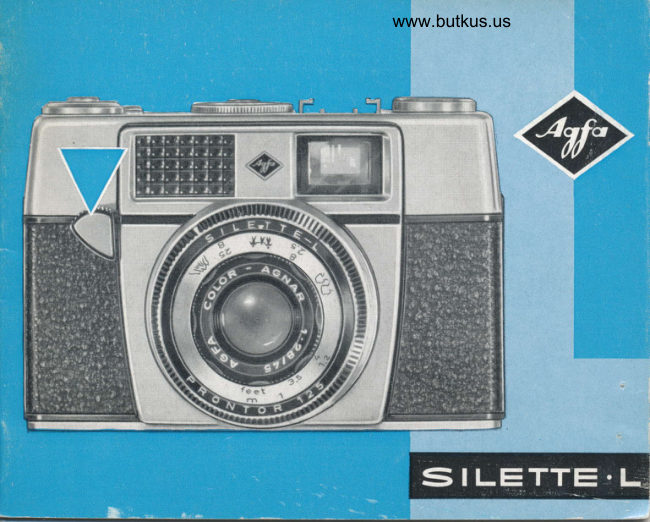
Agfa Silette L User manual
User manual for Agfa Silette L. 26 pages in English. Read the original PDF, download or print a copy without registration.
26 pagesEnglish6.2 MB PDF
Loading your manual…Open PDF directly
Document details
- Brand
- Agfa
- Model / document
- Agfa Silette L
- Document type
- User manual
- Language
- English
- Pages
- 26
- File size
- 6.2 MB
- Category
- Film cameras
- Document date
- Not specified in catalog
Search available document text
Find a term, then jump to its page in the original PDF. Image-only pages may not be searchable; check the PDF for exact wording and diagrams.
Page 3 · Read text
www.butkus.us


You ore now the proud owner of o new comero-the Agfo Silette L
    choice on which you ore to be congrotuloied. The comerq is-overy simple to use, os you will see from this exomple:
   A SET THE FOCUSING SYMB()T
          B MEASURE THE EXP()SURE
        C SET SHUTTER SPEED AND [EIIS STOP-
then iust press the shutter releose ond you will hove token the
photogroph.
The lens of the Silette L is fhe Agfo Color-Agnor t.2.8/45.
You will probobly wish to fomiliorize yourself with your new
comero ond leorn more obout its technicol possibilities. Pleose                                                                                                               iturn the pqges ond fold out the reor cover flop. After reoding the
odvice ond hints given in fhis little booklet you will soon be on
expert.
View original page 3Page 5 · Read text
Venmo @mike-butkus-camera  Ph. 2083
PayPal Name  Lynn@butkus.org      www.PayPal.me/lynnbutkus
View original page 5
Page 6 · Read text
W                                    -\


How to lood the cqmerd
The comero con be looded in doy-  3   li is odvisoble to push the locking
light, however not in direct sunlight     key in the direction of ihe smoll
but usrng pooy snooow.                orrow, so thot the winding spool con
                                be moved freely.
I   Firsf open the comero bock by
   pressing ihe cotch lo "open". Theh   Turn the spool by the milled ring un-
   slide off the bock.                            til the brood slit ond smoll lug ore
                                    uppermost. Drow out film from the
2  lnsert the cossette so thot iis hole    ciriseiie to ihe winding spool, hold-
   engoges with the rewind cronk.      ing the cossette wiih the other hond.


2
View original page 6Page 7 · Read text
www.butkus.us

                                                        lmportont!


4  Insert the end of the film in ihe slii of the wind-
   ino soool so thot the luq enooqes in the secono
film p"erforotion (see 6). Noiv tuin ihe winding spool
until the film is tout ond ihe teeih of the tronsporr                                  E]
wheel engoge cleonly in the film perforotions.                                        fI
5 When obout 1/srd inch full width of ihe film pro-                 E    jects from the cossette, close the comero by re-                                 tf
plocing ihe bock (coich io "open") in the groove                 E
ot on oblique ongle, slide it close to the top port
of ihe comero ond ihen press down slightly. Con-
tinue pressure on the bose plote, slide the bock
right home ond sei the cotch to "shui".
View original page 7Page 8 · Read text
www.butkus.us


Film counter
On the lop plote olongside the ropid
tronsport lever is the film counter. ll
counts bockwords ond shows you ihe
number of exposures siill left on ihe
film. On its diol ore three triongulor
morks, one eoch before ihe numbers  When looding the comero the siort
36,20 and 12. According to the length   of the film is wosled by exposure to
of the film looded the oppropriote     light ond so you must first moke lwo
triongle should be set ogoinst lhe   blonk exposures before storting to
fixed mork. This is done by setting   photogroph.
the smoll milled wheel beneofh ihe
counter diol with your finger; move    Note:rewind Oncrqnktronsportingusuolly lurnsthe osfilmwell,the onddisc shouldof theit only in the direction of the orrow.     therefore not be hindered in ony woy.
View original page 8
Page 9 · Read text
www.butkus.us

Film tronsport                      releose until the number of expo-
                                     sures morked on the film corton isWith your thumb swivel the ropid                                      opposiie the fixed index mork on lhetronsporl lever round os for os pos-                                         film counter (see illustrotion below).sible ond lhen let it return io lhe
originol position. Then press down      lf the ropid tronsport lever is block-
ihe shutter releose. Repeot this oper-    ed, you will hove to press the shulter
otion of film tronsport ond shutter   releose first. This is becouse the
                                    releose ond tronsporf mechonisms
                              hove o .lock to ovoid double ond
                                     blonk exposures.
                                                   lf you should inodvertenily releose
                                  the tronsport lever too soon, it re-
                                          turns to its storting position ond must
                                       then be pushed forword ogoin os for
                                    os possible.
View original page 9Page 10 · Read text
ing to iis speed, ond il is therefore
                                      necessory io odiust lhe correct pro-
                                       portions for eoch exposure. This is
                                                    oll done for you by the built-in expo-
                                      sure meter.
                                                  First set the speed of the film on the
                             DIN/ASA scole of the exposure
                                       meter. This is done by turning ihe
                                       disc of the scole by meons of lhe
                                       smoll pin until the required speed is
                                      opposite the triongulor setting mork.
                                                 (ln our exomple o setting of 50ASA/ Exposure                                       18 DIN is shown.)
 The lens stops ond shulter speeds of                          Now poini your comero towords the your Silette ore the meons by which
you con odiust the comero to suit the    subiect. The light will then reoch the                                          photo-electric cell of the exposure porticulor light ond subiect.
                                   mefer ond you should be quite sure
Eoch film should only be exposed to    thot your finger does not cover lhe
o definite quontify of light, occord-   exposure mefer window.

6
View original page 10Page 11 · Read text
www.butkus.us

Then turn the outer milled ring on the
exposure meter until the needle vis-
ible in the window on too of the
comero is centered between the two
morks (see lower illustrotion).
You con ihen obioin the correct
exposure reoding from o combino-
tion of the shutter speed in the green
field ond ihe lens sfops on the disc.
In the exomple illustroied ihe follow-
ing settings would be possible'
Shutter speeds:  r/tzs rlao  rlso
Lens siops:                   f .5.6 f.8     f. l1
Eoch of these shutter speed ond lens
operlure combinotions will ollow ihe
some clmount of light to reoch ihe
film. The combinotion chosen by you
will therefore depend only on the
type of subiect. For o moving obleci
View original page 11
Page 12 · Read text
if is preferoble io use o shorter shut-
 ter speed such os 1fps, bul if greoter
 depth of field is desired o smoller
 lens stop such os f.11 should be set.
 lf the exposure meter reoding shows
 the block line of o shutter speed
 between two lens stop numbers, the                         www.butkus.us
 setting must be mode in the some
 monner on the diophrogm ring. On
ihe other hond, o setfing should nol   Setting shutter speeds
be mode belween two shutler speeds.   The shutter speed indicoted by the ex-
 Under poor lighting conditions  it moy   posure meier is set by turning the mill-
hoppen ihot none of lhe ovoiloble   ed ring @ to bring the figure 30,60 or
shuiter speeds oppeors in ihe green   l25exoctly opposite the selting mork.
field, olthough the numbers 1,2, 4, 8    In ihe illustrotion 1/oo sec. is shown.
moy oppeor to indicote how mony  Do not set intermediote vorues.
full seconds of o time exposure ore  When set to B, ihe shutter remoins
necessory for the vorious lens stops   open os long os the releose button
(with shutter set to the B position,    is pressed. For more detoils see
see poge 12).                      poge 12, "Time exposures".

8
View original page 12
Page 13 · Read text
www.butkus.us

Setting lens stops                    Pleose note:
The required lens stop is sel by turn-   Lorge stop :  lorge opening,
ing the block milled ring ot ihe reor                  but smoll depth of field
uniil the whiie triongulor mqrk is in
line with the lens stop number. The
illustrotion below shows o sefting of
f. 8. For more detoils of lens stops
ond depth of field see the section on                             I.ARGE
                                         STOP"Whot you need to know", pog. 15/16.
                                                                                    e. s. f.2.8
                                      Smoll stop : smoll opening,
                                                   but lorge depth of field


                                sMAtt
                          STOP
                                         e.g. f.22
View original page 13Page 14 · Read text
Focusing                              Focusing symbols
Three symbols focilitote focusing. De-                                                     Close-ups            6ft. pending on the subiect, you should set one of the three symbols re- AQ                          (1.80 m.)
                                              Groups            12j/z ft.
                                                                                  (3.80 m.)                 fx{

                                                                                         infinity                       "ftf(  Londscopes


                                       Additionol focus seltings ore orrong-
produced in enlorged form on ihe   ed on the focusing ring belween the
right to the white index mork.          symbols:
lf necessory, you con noturolly sel                                            block figures : metresthe lriongulor mork to ony position
between two symbols.                       green figures : feet

t0
View original page 14Page 15 · Read text
www.butkus.us


Holding the comerq

After focusing your Silette, you cqn   posure by pressing the releose but-
ioke the first photogroph.  lt is essen-   ton down firmly ond steodily os for
tiol io hold your cqmero sieody to   os possible.
obtoin shorp pictures. You should   To loke upright photogrophs, turn the
therefore toke your Sileite in both   comero through 90o ond operote the
honds, brocing your orms ogoinst    shutter releqse with thumb or index
your body. Hold the comero stroight    finger. Hold the comero in the mon-
without tilting it. Then moke ihe ex-   ner you prefer.

                                                                                                                                                                                          'lr
View original page 15Page 16 · Read text
In poor light
floshlight or iime exposures come to
your ossistonce. This is done os
 fo  I lows  :

Time exposures
First iurn the shutfer speed ring (8,
see moin illustrotion) until the setting
mork is in line wiih the B. On this
setiing ihe shutter remoins open os                                Time exposures ore used for photo-long os the releose button is pressed                                   grophing motionless obiecls such osdown,
                                       reproductions of pictures, documenis
Longer shutter speeds ihon r/s6 sec.   or postoge stomps ond for night
connot be used without supporting    phoiogrophy.
the comero ond o tripod ond coble
releose ore then necessory. The coble                                 Flosh mqde very eqsyreleose sockel is on the top plote of
the comero (see O in moin illustro-  A floshgun with o foot contoci should
tion).                             be used with the Silette L (e. g. Agfo

10
View original page 16Page 17 · Read text
www.butkus.us

lsiM or Agfo Tully M floshgun). The   should olwoys be set to 1/so sec. The
contoct with the comero shutter is    stops required should be token from
mode simply by sliding the floshgun   the instructions printed on eoch cor-
into the occessory shoe. For flosh    ton of flosh bulbs.
photogrophy ihe shutter speed ring  When using on electronic floshgun,
                         o smqll odopter will be necessory.
                                 The lens stop con be colculoted from
                                 the guide number of the floshgun.
                             Any shutter speed con be chosen.

                             Rewinding the film
                                      After the lost exposure, the counter
                                          will indicote 0 ond the ropid trons-
                                       port lever connot usuolly be moved.
                                   The film now hos to be rewound into
                                              its light-tight cossette by meons of
                                    the rewind cronk.
                                                   First slide the locking key on the reor
                                      of the top plote of the comero in the


                                                                                                            1?
View original page 17Page 18 · Read text
is done by moving the cotch on the
                                 bose of the comero to "open" ond
                                   then removing the comero bock to
                             one side. Pui the cossette inio its
                                                light-right pocking ond mork  it os ex-
                                    posed. On looding lhe comero with
                             o new film the locking key outomoti-
                                        colly returns to its originol position.
   \\:
direction of the orrow. Then roise the
cronk with your finger-noil ond swivel
outwords os shown in the upper illu-
strotion.
Then turn ihe cronk in the direction
of the orrow (see illustrotion). When
the rewind cronk turns much more
eosily, rewinding is complete ond
you con then open the comerq. This #

14
View original page 18Page 19 · Read text
www.butkus.us

 Film Tips                           For shorp, brilliont,
                                                reolistic tronsporencies    :
 Before looding your comero with film
 os described on poges 2 ond 3, here         Agfocolor Reversol Film CT lg.
 ore o few suggestions to help you in
 choosing the right film.                                    For wonderful colour prints:
 First of oll there is Agfo lsopon F, for
                                              CN lZ. block qnd white photogrophy.  lt hos        Agfocolor Negotive Film
         ond sood contour shorp-
 l:r:.nt"'"
For sports photogrophy the high-
speed Agfo lsopon ISS is the right F Whot you need to know
film.                                                                    rr-*_   . -..                            :Iry
Agfocolor films open up the world
of colour fo you. For more thqn  As menfioned in brief, two foclors
25 yeors these films hove been greot   ore involved in the exposure: lhe
fovourites due to their nqturol repro-    lens stop ond ihe shutter speed. The
duction of postel tints ond bright   following informotion is designed to
colours olike. Their high speed hos    fomiliqrize you with the ossociotion
olso mode colour snopshots o reolity.    of these two foctors.

                                                                                                       l5
View original page 19Page 20 · Read text
The lens slop regulotes the qmount   londscope in which the foreground
of light reoching the film. In poor   ond bockground ore to be shorp, o
lighting conditions the exposure   smoller lens stop will hove to be set
meter of your Silette L will therefore   ond q correspondingly longer shutter
indicote o lorge lens stop (e. g. f.2.8    speed.
or 4). lf the lighting is good the reod-
                                                                                                 ining will show o smoll stop such os   Depth of field is the shorp zone             .16.                           front of qnd behind the point onf.ll  or                                 which the comero is focused. This
The shutter of your comero offers the   shorp zone is vorioble;  it increoses
second possibility of controlling the   os the comero is stopped down ond
quontity of  light. A short shutter   the distonce increoses. To help you
speed, such os 1/rzs sec. will of course     in finding out how for this shorp zone
ollow less light to reoch the film ihon    extends, the toble on poges 18/19
o longer speed such os 1/6s sec. or   gives the exoct depth of field for
even 1/ss sec.                         every focus setting.
For oction photogrophs o shorter
speed should be chosen (tlt u) ond o
lorger lens stop used. On the other
hond, if you wish to photogroph o


16
View original page 20Page 21 · Read text
www.butkus.us

 Hints on meqsuring lhe exposure
 Experience shows thot the sky forms o. moior porl of the picture in londscopes.
 With.very few exceptions the sky,is lighter ti'ron the moin port of the subiect
ond the comero should therefore be pLinted ot the dorker'ports,  lf there ore
 greot brightness confrosts in the subiect, you will hou" to iecide which portsof the picture must                       .definitely be r"projr."d in the correct monner. For this
oreo of the iotol subiect-refer,red  io ot the impo*ont part of the subiect-
o close-up medsurement should be token. In such.orui, opprooch with thecomero to o short distonce from the importont port of in"' jrui".i ond turn
the outer milled ring of the exposure meter until the needle lies'between thetwo morks in the                    Any influence from lighter surrounding poit, ot                 .window.
the subiect is definitely excluded when the needle Jr tt"r" exposure meter does
not olter its position oppreciobly on opprooching closer with the comero.
Whgn J.sing colour revers.ql films (such os Agfoco-lor Reversol Film) ii is olwoys
odvisoble to toke o.reoding from the moii righdr portr of the'subJ"lt. Fo1.
photogrophs of subiecrs whi.h rock controst {'e. g.'in fog, d;ll ;;;;her  or
shode), you will hove to give o longer exposure-thon iniicot"a ry-ir,"
posure meter; it is then odvisoble to set the film speed scole to l5 insteod ""_of
to l8 DIN or o correspondingly lower ASA number. This oppi[";"t   ii.ol-our reversql films ond only for lhe cdses mentioned.
When photogrophing with colour negolive film the reoding with the exposure
meter should be token from the more importont dork port-ions of rtre suUgecr.


                                                                                                  17
View original page 21From the M. Butkus Camera Manual Library. Original publisher and archive notices are retained.
Check the model and edition against your equipment.
PDF verified 2026-10-10.