Film cameras
Argus Argoflex Model E User manual
User manual for Argus Argoflex Model E. 9 pages in English. Read the original PDF, download or print a copy without registration.
9 pagesEnglish1.6 MB PDF
Loading your manual…Open PDF directly
Document details
- Brand
- Argus
- Model / document
- Argus Argoflex Model E
- Document type
- User manual
- Language
- English
- Pages
- 9
- File size
- 1.6 MB
- Category
- Film cameras
- Document date
- Not specified in catalog
Search available document text
Find a term, then jump to its page in the original PDF. Image-only pages may not be searchable; check the PDF for exact wording and diagrams.
Page 2 · Read text
www.orphancameras.com

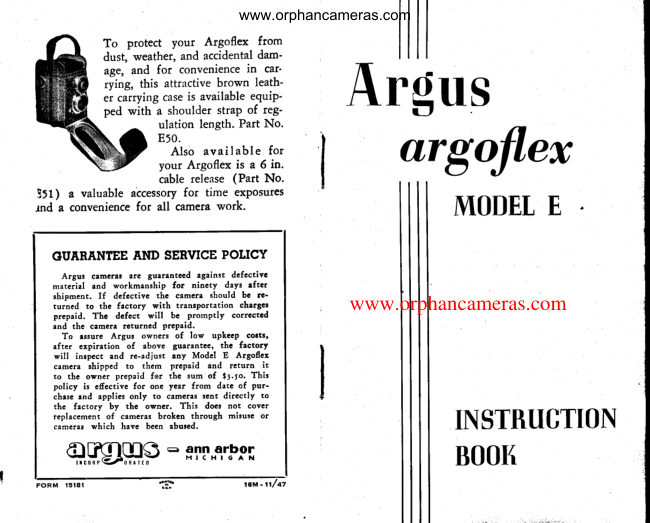
           To  protect  your  Argoflex   from
              dust, weather, and accidental dam'
             age, and for  convenience  in  car'
               rying, this attractive brown  leath-
              er carrying case is available equip'
           ped with  a shoulder straP of reg-         Argus
                       ulation length. Part No.
                    Et0.
                     Also available  for
                    your Argoflex is a 6 in.                urgofl,ex                    cable release (Part No.
 l:t;   a valuable accessoryfor time exposures
rnd a conveniencefor  all camerawork.                   MODETE

  GUARANTEEAND SERVICEPOTICY
      Argus  crmerar  arc  gu.rlntecd   rgainst  dcfectivc
     materiel  tnd  workmanship   for   ninety  days  efter
    shipment.    If   dcfectivc   the  camert  should  bc  rc'
     turned   to  the  factory   with  transportation   charger        www.orphancameras.com
     prepaid.  Thc   dcfcct   will   bc  promptly   correctcd
    and  the  camcrt  returned  prcpaid.
      To  rssurc  Argus  owners  of  low  upkeep  corts,
     eftcr   cxpiration   of  above  guarantee,  thc  factory
      will   inrpcct  and  re-edjust  eny  Modcl  E  Argoflcx
    camera  shipped  to  thcm   prcpaid  and  return     it
     to  the  owner  prepaid  for  thc sum  of   ir.lo.   This
     policy   is  effectivc  for  one yea:^ from  date  of  pur-
    chese end  applies only  to  ctmcres  sent  directly   to
     the  factory  by  the  owncr.   This  does not  cover
    feplacement  of  cameras broken  through  misuse  or
    cameres which  have  been abured.                         II\STRUGTION
                ='gT[,"llb^ol   ApQ[l€                BOOK

F O R M      l 5 t 8 l
View original page 2Page 3 · Read text
www.orphancameras.com

                                                                                                                                                                                                                     !    '                                                 I N S T R U C T I O N S                                       th     YOUR ARGOFTEX CAMERA                         l.  Locrd the ccmerc  cs shown  on                                               I
  Your Argoflex camera is a precisioninstru-           pqges 12 crnd 13,
ment of All-American manufacture.  It  isknown as a twin-lens reflex camera because        2. Open focusing hood by relecrsing
it  is equipped with two identical lenses,one             catch No. 8, Figure   l.                                                               !rhused as a view finder and focusing lens, the
other for actual picture taking.                   3.  Set shutter speed crdiustment No.
  The two f4.5 Varex lenses with which            5 crnd lens opening No. 12.your Model E Argus is equipped are three            F
element anastigmat lenses of 75mm. focal          4.  Focus  by  turning   lorurled   ring
length. Both the focusing and the taking            No. ll.lensesare identical and are accuratelv com-                V                                      "opticalpounded of a number of pieces of               5. Mcke exposure by pressing shut-
glass correctly chosen and combined to pro-                                                              ter  release  lever No.  6,  all  theduce crisp sharp negatives.The use of iden-,               F
tical lensesfor both focusing and taking as-           wqy  down.                                                                                      tsures Argoflex owners of  critically exact fo-                                                      6.  Advance  the  lilm  qlter each ex-cus. Color correction is achieved in  the
Varex lensesby exact computation and ac-             posure.                                                                                                                                                   :curate grinding which assures a precision                                                                                                                                                                                                                                                                                                                                                                                                                                           I
built piece of optical equipment.                                                            .W
                                                                                                      E,:t  .  Although your  Argoflex camera is rug-                   IMPONTANT
gedly built  to stand years of hard service,
it must be treated with the samecare as any                          If you are accustomed to using aother  high  quality  precision instrument.               reflex type camera, the above brief     V
Never attempt any  repairs yourself and               instructions will suffice.It  is strongly
never oil the camera mechanism.The deli-           recommended,however, that the ex-
                                                    perienced amateur as well as the be-cate adjustments in any camera demand an                                                      ginner read the step by step instruc-experiencedrepair man for the work, and
can be most satisfactorily done in our own               tions which are given on the following
Service Department. (See guarantee and             pages.
service policy on back of this book.)
View original page 3Page 5 · Read text
www.orphancameras.com
shutter speed adjustment-the       (5)  at  l/10  of a
second arid open    back of the camera by
depressing the two catches (2) at the tgp of
th6 cameia with  the thumb and forefinger.


                                               FlcunE2               Frcunnl-'tcunnt3
                                                 Mcrking Practice Exposures -  Now slip
                                                   the thumb  nail under the hood releasa


                                                  the cameraas shownin Fig. 5, lookingdown
  With the shutter open and the lens point-
 ed toward a light, move the stop lever (12)
 from f4.5 to  f lB and back again. Notice how
 the diaphragm closes and lets in less light
 through the-lens at each successivelyhigher                                                               will look exactly like your finished print. stop number.
   This adjustment, together with your shut-                                                Flcunp 4        Frcune5        Frcune5
 ter speed adjustment, enablesyou tq adapt
 your camera to various kinds of light con-
 ditions as well as to subjects with varying
 degreesof motion.
   For suggestedshutter speedsand stop-lev-
 e{ settingiusing Verichrome or Plenachrome
 fiirn out of doors, consult the table, Fig. 12.
View original page 5Page 7 · Read text
www.orphancameras.com
in Fig.  l. Again remember to wind the film           The Distqnce and Depth ol Focus Sccles
imme-diately after making the exposure.            The Argoflex is equipped with a distance
  To fold down the reflex hood for carrying,             scale ( I i)  f^ig. 7 and a depth of  field scale
first be sure that the magnifying glass is in             (16) FiS. 7. The distance scale is for use
the "down"  position. l'hen  fold  the right          when you wish  to estimate the distance
and left hood wings down, followed by the           between the camera and the subject and
rear hood plate. The front hood plate then             set the lens accordingly. This  is done by
folds into place and holds the entire hood             turning  the  dial   ( I I )  until  the  desired
in position.                                         footage is opposite the center mark  (17).
  Time ond Bulb Exposures-  For  taking             The depth- of field or depth of focus scale
time exposure with  either the "T"  or "8"                 is to indicate what objects in your picture
settings of the shutter, your camera must            are sharp from front  to rear.
be plated on a firm support such as a tripod              For  example,  if  you  were making  a
or table. The tripod socket (20), Fie. I I and             picture of a group of people which measured
supporting feet are built  into the . Argus               in depth five feet from  the front  row to
camera for this purpose. To avoid jarring             the back row, and you desired the faces in
the camera during exposure longer than             the front row  to be as sharp as those in
l/25  of a second, a cable release may be             the  back, you  can by  referring  to  the
used.  lt  may be screwed into  the cable            depth of  field table, determine what  lens
release socket (7)  Fie.  I and the shutter           opening you must use to be certain of a
operated without touching the camera itself.            sharp, clear picture.
  Close-Up Pictures-  For  taking  pictures            As shown in Fig. 7, at a distance of seven
at  distances closer than eight feet, extra              feet with  the lens wide open, the picture
precautions are required. In  any camera,           would be sharp from a point 5/2  f.eet be-itre finder and lens itself do not "see" or           yond the camera to a point a little less than            L,Ett
cover quite the same area, due to the slight             eight feet beyond the camera. If the closest
differericein position of the two lenses.At              object to the camera which you desire to
distances beyond eight feet, no correction           have sharp was five feet and the farthest
need be made for this error, but on extreme           one about ten feet away and you wanted
close-ups,the image on the ground glass or            both of them sharp in the picture, it would
in the direct view finder must be kept at           be necessaryto set the lens opening at 12.7.
least a quarter of an inch from  the top               This depth of  field scale will prove very
edge of  the finder. Allowing  this margin              helpful and  until  you  have  thoroughly
will  prevent the  cutting  off of heads or            mastered it,   it  would be well  to keep a
other parts of the subject.                             record of  the stop openings used in  the
                                                                                                                                        t 1                10
View original page 7Page 8 · Read text
www.orphancameras.com
                                                     beginners, Eastman Verichrome or Ansco
 various pictures and compare them with          Plenachromefilm  will be found most sat- your finished prints.                                                           isfactory. (The exposuretable furnished in
      TOADING YOUB CAMERA                      this booklet is designedfor use with Plena-                                             chrome or Verichrome film).
    After you             have followed                              the                                  foregoing                                                                  your                                                               load                                                 Always                                                               camera                                                                                                     in                                                                         subdued                                                                                'fo instructions                carefully,                     you  are                                ready                                                                  your                                              to               light.                                                               load                                                                             Argoflex,                                                                                                                  first                                                                          open                                                                                              the
 load your camera with  film.                       back of the camera by pressingon the two
   The Argoflex is designedto take either the           releases(2) Figure  l, and pull outward on
 Eastman 120 or 520, or the Ansco BZ or            the back. A swing-out take-up spool holder
 PB20 film. These sizesare standard and are            simplifies loading. I t  is releasedby pulling
 easily abtainable. (Your  Argoflex camera          outward on film winding knob (3) Figure l.
 makes 12 2y4 x 2rA inch  pictures on a          Drop the empty film spool into the holder,
 standard eight exposure roll). There is a            allow the holder to fall back in position, and
 wide selection of  film speeds available in            give the film winding knob a quarter turn
  this size, ranging from the fine grain East-             to engagewith the slotted end of the spool.
 man Panatomic X or Agfa Finopan film up         A couple of clockwiseturns will insure per-
 to the Eastman Plus X or Agfa Superpan             fect engagement.
 Supreme Film. For indoor use or where                                                      Figures 8 to l3 show the stepsin loading. high shutter speeds are required outdoors,                                                                                                     I nsert the  roll  of  film  in the lower com-
 Eastman Super XX  or Agfa Ultra-Speed          partment  ( Figure 9) , pull the end of the
 Panchromatic Film are recommended.For           paper up and across the two  rollers, in- normal outdoor use, and  particularly  for
FIGURE 8          FIGURE 9        FrcuREl0         FIGURE I I        FrcuRE12       FrcuRE13
View original page 8From the M. Butkus archive. Original publisher and archive notices are retained.
Check the model and edition against your equipment.
PDF verified 2026-10-10.