Film cameras
Argus Forty User manual
User manual for Argus Forty. 25 pages in English. Read the original PDF, download or print a copy without registration.
25 pagesEnglish2.6 MB PDF
Loading your manual…Open PDF directly
Document details
- Brand
- Argus
- Model / document
- Argus Forty
- Document type
- User manual
- Language
- English
- Pages
- 25
- File size
- 2.6 MB
- Category
- Film cameras
- Document date
- Not specified in catalog
Search available document text
Find a term, then jump to its page in the original PDF. Image-only pages may not be searchable; check the PDF for exact wording and diagrams.
Page 2 · Read text
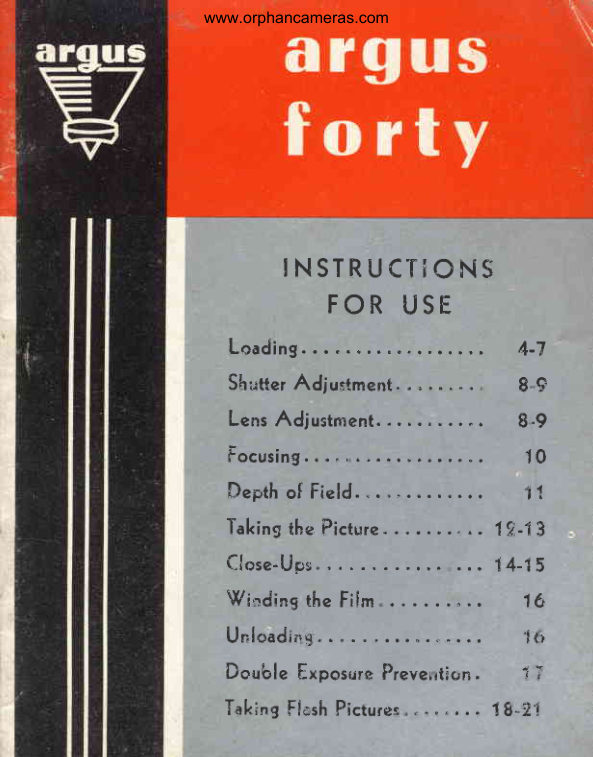
www.orphancameras.com


    INSTRUCTiONS
      FOR USE
  Loading                    4-7
  ShutterAdju-"tment          8.9
  LensAdjustment..         8"9
  Focusing                  10
  Depthof Field..                 ",1
  Takingthe Picture         . " .. 1fr-1t
  C l o s e - U p s                    . . . 1 4 - 1 5
  Windingthe Fiim               1(r
                                                 'l{.i  Unloading
  Doublef,xposrirePrever,tlon. 1 ;
  Tak;ngFlishFicturer". " "... 18-?'l
View original page 2Page 4 · Read text
www.orphancameras.com

                            rwin-lens rype camera wich
                             :reen. Like ocher cwin-lens
                             picrure before you cake ic.
                         co use as che mosr simple
                           vhich permics piccure caking
 indoors or ourdoors, in cloudy or btighc ireache. *iifi
 black and whice,  or  color  hh.    A?.ran..J   f."c,.ri.,
 usually reserved for  expensive cameras, like  built-in
 flash and double exposure prevencion, are representacive-
 o[ che advanceddesign of ihe Argus Foruy.
To  obcain che ucmosc frgry  yo"ur Argus  Forry,  read
 this inscrucrion book carefully'so you i"itt  choro.rghiy
underscandics operacion.


 I   rilm winding r
2  Shutter Release
3  Taking Lens
4  Uiewing Lens
5  Locking Gatch
6  Film window
7  Flash Gontacts
View original page 4Page 5 · Read text
www.orphancameras.com


          Use Only 620 Size Film
Due  to  its splendid lens and  shutter equipment,  the
Argus  Forry  permis  use  of  any type  of  black  and
white  or  color  film,  che selection being sovcrned  by
the type of pictures you want  to take.


                                               I

                           Open the back of
                              che camera by  lifc-
                                    ing up the locking
                                 cacch. The back is
                                hinged for conven-
                                  ience but  do  not
                                      lec ic drop or hinge
                                              lr:,.aybe sprung.
View original page 5Page 6 · Read text
www.orphancameras.com

                        2

                                Place empry  film
                                 spool in upper film
                                compaftment,   firsc
                              making  sure  film
                                 spool slor is engaged
                               wich winding knob;
                                  then pressorher end
                                       of  spool  in  place.


     3
Be sure ro load rhe
camera in subdued
lighc; noc in brighc
sunlighc. Insercroll
of film in lower film
cornpartmenc and
slide inro place en-
gaging spool pins.
Be sure film  is in-
serted wich end of
proceccive paper in
posirion  indicaced.
View original page 6Page 7 · Read text
www.orphancameras.com

                         4


                                     Pull  off about  six
                                                                             i n c h e s o f  p a p e r
                                 leader for threading.
                                  Caution:   Do  not
                                 thread pd.per leader
                              under  small metal
                                          roller  dt  bottom of
                                frame.


     5

Fold end of paper
(abouc one  inch)
and insercinto long
slot  of  the empcy
film spool. To Se-
cure end of paper,
give  the  winding
knob two  or three
turns.
6
View original page 7Page 8 · Read text
www.orphancameras.com

     6

Close camera back,
making sure ic  is
securely closed and
locked.


                         7

                              Turn  film winding
                            knob unril Figure I
                              appearsin rhe center
                                     of the red window.
                           The camera is now
                                ready for  the  firsc
                                  piccure.
View original page 8Page 9 · Read text
www.orphancameras.com

There are three adjustments ro make in caking piccures
with your Argus Forty :
     1.  Adjust   the  shutter  speed according   to
         the type  of subiect.
     2.  Adjust  the  lens according   to  the  light
         condition.
     3.  Focus the camet1,  accordin$  to the dis-
        tance  of the  subject.

                             To adjusc che shut-
                                     cer, place the rnoV-
                                 able indicacor op-
                                     posite the speed de-
                                       sired. (SeeExposure
                              Guide on opposice
                                page.)


To  adjusc the  apercure
 (lens opening) curn slide
 poincer to a posicion op-
 posice che desired f num-
 ber. (SeeExposureGuide.)


 8
View original page 9Page 11 · Read text
www.orphancameras.com

        FOCUSING

Focusing the Argus Forty  is accomplished by rotating
rhe fronc lens mounr until chedfscanceseleccedis opposice
the index marker ac chetop of the mount. All markings
are in  feec, and the Zs-fooc marking  is in red. When
used wich red iens and shucter setcings, this is the uni-
',rersalfocus posicion for all ave rage pictures of subjeccs
beyond Iz  feet
On the facittg ptge, tables are provided to indicate the
range o[ sharpness at  all combinations of  lens and
focus settings.


10
View original page 11Page 13 · Read text
www.orphancameras.com


                          Open the reflecting
                                view-finder hood,
                                using the thumb as
                                   indicated.


The \illianc  view-
finder shows you che
way the picturewill
look on the  film.
View original page 13Page 14 · Read text
www.orphancameras.com


                                                      ffi
                                   ffi
                                ffi


To take the picture, hold rhe cam era as illusrracedabove,
and composethe subjecr in the view-finder as you wanc
ic to appear in rhe flnished picrure. A lower or higher
camera posirion tr.ay be desirable ro geLjusc che effecc
you want.  Then, hold your breath for an inscancand
sqveezethe shutter releasesmoothlywith  rhe righc fore-
finger. Be sure ro pressreleaseas far as ic will  go, before
removirg finger. Tak e carenor ro jar rhe canneraor che
picture  rr'ay be blurred due  to  camera movemenc.
                                           13
View original page 14Page 15 · Read text
www.orphancameras.com


Argus Forty may be focused for  close-up pictures at
a distance of 3rl   feet. When  it  is necessaryor desirable
to  photograph a subject from  a closer posirion use
optical glass portrait and copy lenses.

A selection of such lensesprovide a wide range of utility
in close-up photography.

     Camera Focused on        3rh ft. Infinity (oo)
         Porrait  lens for use a[    20'   to 393f"
       Copying lens for use ar   L3r4' to L9rf"

The lensesare supplied unmounred, 30 mm.  in diameter
and an Argw adaprer ring, size 30 mm., holds them in
place on the camera lens.

Caution:  When  using  porrrait  or copy lenses check
distancescarefully wirh  a-tape measure or rule. Detailed
instrucrions are supplied wirh each lens.

Ask your camera dealer co show you rhese useful lenses.
l4
View original page 15Page 16 · Read text
www.orphancameras.com


   Taken ar 3Ll  feer,
     no porrraic lens


Taken ac 1B inches,using
    Porrraic 7D lens
                                  15
View original page 16Page 17 · Read text
www.orphancameras.com
   WINDING
     FILM
Afcer each picture is tak-
er, wind  uncil che nexc
figure appearsin che cen-
cer of che red window.
After all LZ piccureshave
been uken, wind  about
6 turns co take up  film
and proceccivepaper.


               UNLOADING
                    FILM
                         Open che back of the
                           camera by  lifcing rhe
                                locking cacch,and lifc
                            ouc the roll of exposed
                                      film.


L6
View original page 17Page 18 · Read text
www.orphancameras.com
 DOUBLEEXPOSUREPREVENTION
An unusual fearure of Argus Forty is double exposure
prevenrion. This means you cannor accidenrally take
rwo picrures on rhe same film.  Afrer taking a picrure,
the shutcer releaseis locked and anorher picrure cannoc
be taken wich Argus Forcy until rhe film  is wound.
This invaluable feacurewill  eliminare one of rhe mosr
common amaceur mistakes.
If  ir is desired ro incenrionally rake a double exposure,
rhis can be accomplishedby means of a small lever on
the fronc of the camera. When pressedupward,  ir  re-
sets the shucter for a second piccurewichouc rhe need for
winding rhe film.
],lote;  This  double -ex-
posure feature does noc
work  when  shuccer is
actuaced by a cable re-
lease.


                                                     L 7
View original page 18Page 19 · Read text
www.orphancameras.com


Argus Forcy rnay be used co take piccures wich  flash
bulbs wichouc special adjusrmenc. Synchronization  is
buik-in, and che only excra reqtrired is che Argus 76
Flash Unic.  This unic merely il.rgs inco the  .i-.rr,
like plugging in a lamp and you ar- ready ro rake flash
piccures. Before using che flash unic, inserc cwo fresh size
C flash bacceries,wich che brass caps uppermosc.
18
View original page 19
Page 20 · Read text
www.orphancameras.com


      To attach Flash Unic co
        the camera, inserc flash
       concaccpins inco che holes
      on the side of the camera.
      The camera is automar-
         ically synchronized. Cau-
        tion : do not have a flash
       bulb in Flash Unic when
        atrachirg.


;,#
                                                           It  is recommended tharffi&.
v                                   the  film  be  advancedv
                                   before fash bulb  is  in-
                                     serted.  After  atraching
                                 Flash Unic to the cam-
                                         er^, a flash bulb may be
                                    inserredin ic. Clean flash
                                   bulb concacc. Push bulb
                                            in as far as ic will  go.

                                                     19
View original page 20Page 21 · Read text
www.orphancameras.com

       FLASH T ABLES
 When taking flash piccureswich rhe Argus Forcy, Gen-
 eral Eleccric SM or Sylv ania SF flash bulbs or equivalenc
 are recommended. Using eicher of cheseflash bulbs, che
 shutter rr'ay be sec at any speed. Ocher flash bulbs of
 tlre wire-filled rype n\ay be used wich rhe shutcer ser ar
25 (I/2.5 second)only. This speedis marked in greenas a
reminder.  Refer ro che Table below  for  proper lens
sectings.

   FlashBulb   Shut-          Distancein Feet
                  ter
                                                     '!0Sylvania G.E. Speed3.5  4   5   6       I                                                1 5  25

  S F   S M      | 125      t22   f 1 6  f 1 6  f1 1   f8   f5.6
  S F   S M   1/50       t22   f 1 6  f 1 6  f l 1   f8   f5.6
  S F   S M  1/100    t22   f l 6  fl6    fl I   f8     f 5.6

  S F   S M   1 / 1 5 0t22   f l 6    f l 1    f l 1   f8   f5.6  f 4.5
Press25 s.P.#5 1125               t22  t22   f I 0   f l 1  f5.6

All  figures are based on use of Kodak Verichrome, Plus X  or Ansco Supreme
roll  film.  For  other  films,  refer  to  instructions  furnished  with  flash bulbs,
available from your Argus Dealer.
Caution:  Do not use flash bulbs in an explosive atmosphere. Use of a trans-
parent, protective screen is recommended as flash bulbs may shatter.
z0
View original page 21Page 22 · Read text
www.orphancameras.com


                          To cake picrures wich
                                     flash, check rhe  dis-
                              tance to be sure you
                                are neicher too  close
                              nor coo far, and follow
                              the instruccions on
                           page 20.


After che flash piccure
is caken, che flash bulb
rliray be ejected auro-
macically by pressing
the red butcon ac rhe
top of che Flash unic.
This prevens burned
fingers.
View original page 22Page 24 · Read text
www.orphancameras.com
  ;IMPORTANT


DO YOU PLAN TO TAKEA TRIP?
Or photographsomespecialevent? lf so,
you should exposea practiceroll or two
ol  f1lm, including a few flash pictures.
This will acquaint you with your new
camera and prevent the disappointment
of spoiling rn importantpicture through
l a c k o f f a m i l i a r i t y . '  '       '       '       '       '       '
View original page 24
Page 25 · Read text
www.orphancameras.com


                                                                                                                                                                         il
                                                                                                                                                                         i
                                                                                                                                       jr
            Your  Argus  Forty  camera was  thor-                f
            oughly  inspected an.l tesced before  ir
           was shipped from our factory, and when
            purchased from  an Authorized  Argus
             Dealer,    it   is  fully  guaranceed for  a
              period  of  one year againsc defects  in
           workmanship or material.
                      If  rhis camera develops defecrs in me-
                 tgrial  or workmanship    ic  will  be  re-
             paired  or  replaced  (our  option)   with-
             out charge.
             This guaranree is void  in che event rhe
              carrrera  has  been  damaged   through.
             accident, rnisuse, mishandling  or  for
            reasons beyond our  conrrol.
            IMPORTATIT
             Authorized   Argus   Dealers   sell  new
            Argus equipmenr ac full  lisc price; used
              or rebuilr equipment sold ar less then
                   list price is not guaranreed by rhc faccory.

            Argus Grrncrer lnc., Ann Arbor, tichigrn


Parttlo. 40131                                            Litho in U. S" A.
View original page 25From the M. Butkus archive. Original publisher and archive notices are retained.
Check the model and edition against your equipment.
PDF verified 2026-10-10.