Film cameras
Argus Minca 28 User manual
User manual for Argus Minca 28. 7 pages in English. Read the original PDF, download or print a copy without registration.
7 pagesEnglish1.1 MB PDF
Loading your manual…Open PDF directly
Document details
- Brand
- Argus
- Model / document
- Argus Minca 28
- Document type
- User manual
- Language
- English
- Pages
- 7
- File size
- 1.1 MB
- Category
- Film cameras
- Document date
- Not specified in catalog
Search available document text
Find a term, then jump to its page in the original PDF. Image-only pages may not be searchable; check the PDF for exact wording and diagrams.
Page 2 · Read text
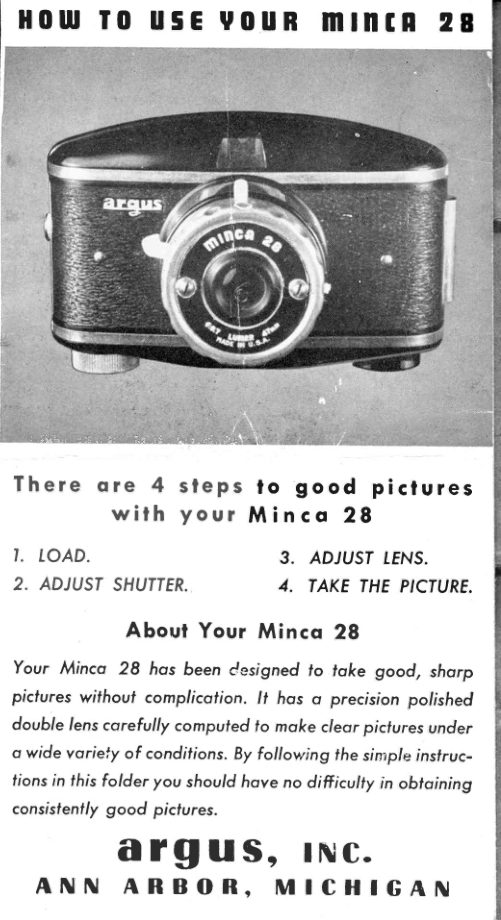
H0ltf I0 u5E v0uR mtnIR  2


                 , , , , , r, , , , ,       . . . . ' , . .     i :       1 . , , i   , , . i      r    :   . i ,   , : : .      , l   , :

T h e r e  o r e  4  s l e p s  lo good  piclures
       w i t h  y o u l  Minco  28
I. LOAD.                     3. ADJUST[ENS.
2. ADJUSTSHUTTER.       4, TAKE THE P'CTURE.

         Aboul Your Minca 28
Your Minco 28 hos been cesigned to loke good, shorp
picfures without complicofion. lt hos o precision polished
double lens corefully computed to moke c/eor picturesunder
o wide voriely of condifions.By f ollovringthe simp/e insf ruc-
lions in fhis f older you should hove no difficulty in obtoining
consisfently good picfures.
     a rg u s, lNC.
 ANN  ARBOR,   MICHIGAN
View original page 2Page 3 · Read text
lonlilnc IHE mlntR  28        .   lll I
                   ffi-


Remoyethe entire bock of    Plocefhe empfy spool oppo-   P
the comero by  sliding fhe    sife the film-winding knob,   o
lock in the direction indi-    toking core thot if is oll the  P
cofed by the orrow.        waY tn.                       s

  RIIIUSIINGSHUTTER  1En5


 Thereore two morkings on   On the top of the lens mounf
 lhe lens mount: "I,"  meon-   ore three morkings: ERTGHI
ing i,nsfonloneou, for snop-     ( f , I 6 ) ,  c L O U D Y  ( f : I l ) ,
shol picfures;"T,'' meoning  C O L O R   ( f , 9 . 7 ) .  S l i d e
 lime,  for  time exposures      f h e m o v o b l e   p o i n t e r
 (use fhis only   f or  inocfive   opposif e   f he one  which
 subjecfs,indoors, of  night,   o p p l i e s  ( s e e e x p o s u r e
 orun very dull light).           guide).
                        www.orphancameras.com
\
View original page 3Page 4 · Read text
5E SIZE 828 BlRTH'RND.UIHIIE


Ploce the roll of  film in fhe    Unroll obout 4  inches of
ofher comportment,with the   paper leoder ond inserf fhe
poper leoder in fhe posifion   end in the slof of fhe empty
shown obove.                 toke-up spool.

     EIIPOSUAE  GUIDE


  fhe lurnor lens on fhe  lfiinco 28  is uniyersol focus which
 meons piclures will be shorp regordless of  their disfonce.
 CAUIION: Do not foke close-ups of less thon five feef.

 With Block-ond-White  Film
     Use lens sefting  " BRIGHT" for  picfures in sunlighl
      '   Use lens seffing "CIOUDY"    for piclures in open
      shode or when lhe  sky ,s  slightly oyercosl  (foint      J
                                                                                                                                                                      Hu&id**.  :"  I      shodows)
                                             T     Use lens sefling "COIOR"    for picfures when fhe                                                                                                   t
      doy is dull ond oyercost (no shodows)
                                             T
  With Color Film                                     s
      Use lens sefling "COIOR"  ond foke piclures ONI,Y       I
                                                                                                   I        in brighl sunlight. Subjecl musl nof be shoded.
View original page 4Page 5 · Read text
OR IIOITRTHROME TOlOR FIlM


Reploce fhe bock, moking  Wind the film until the figure
sure  f he  lock  is secure fo     I oppeors in the cenfer of
ovoid occiden tol fogging of   fhe green window on  fhe
the film.                  bock of the camero.

 IRHING   THE  PITIURE


For horizontol pictures,hold    For  verticol  pictures, hol'l
lhe comero os shown obove    the comero os shown obove
     . sighf through fhe view-            . sighf through the vie:w-
finder, ond press fhe expo-    finder, ond press fhe expo-
sureleversmoolhly. BESURE  sure lever smoofhIy. BE SURE
T O H O I . D  C A M E R A       I O  H O I . D  C A M E R A
SIEADY.                STEADY.

                        www.orphancameras.com
View original page 5Page 6 · Read text
ltflnDlnGHlm  REMOUING


Moke   il o procfice  fo  wincl   After oll pictures ore loken,
film  lo  the nex t number os   wind film until oll is on the
soon os lhe  picture  is token    loke-up spool (obout 6  full
fo ovoid  toking two picfures    furns). fhen open comero os
on lhe some film.                in looding ond remove film.


     P0tnI5    I0   t0l,10llf

   l,  Set dio phrogm ol correcl sefling for prevoiling light
      condifions.

                        'tT"  2, Check "1" ond     leyer for " l"  seffing.

  3.  Hold comero steody ond rigid while slowly pressing
     shuffer lever.


  4, Do nol toke picfures looking into fhe sun. Alwoys
    hove fhe sun of your bock or overheod.


  5. Keep cenler of interesfo f picture in cenfer of opticol
     view finder.
View original page 6Page 7 · Read text
IRIPOTI


  A tripod is o 3 legged support for fhe comero. ,f ,s gen-
   erolly used for "T"  (lime) exposures. fhe threoded bush-
   ing  on  the bose  of  the comero occommodofes ony
  sfondo rd  tripod  for horizontol picfures. For verlicol pic-
   fures, use o  tilting tripod top. (Ask your photo deoler.)


I0R  EOOD PITTURES

      Alwoys roll film immediotely ofter toking  picture lo
       ovoid double exposure ond wosled ftlm.


     When toking time exposures use tripod or clomp to
       hold comero steody during exposure.


   8. When toking color pictures use color stop ond hove
       bright sunlighl on subjecf.


    9.  Never lood fhe comero or open fhe bock of comero
        in the direct sunlighf.

   PART NO.  19161          e/az-asu      PRINTEDIN U. S.A.                        www.orphancameras.com
View original page 7From the M. Butkus archive. Original publisher and archive notices are retained.
Check the model and edition against your equipment.
PDF verified 2026-10-10.