Film cameras
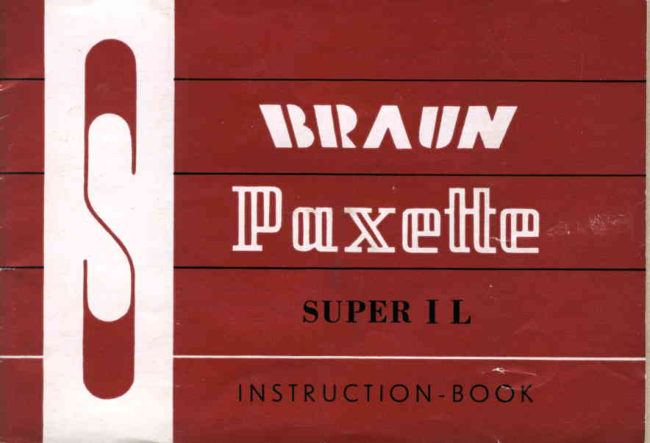
Braun Paxette Super I L User manual
User manual for Braun Paxette Super I L. 26 pages in English. Read the original PDF, download or print a copy without registration.
26 pagesEnglish2.1 MB PDF
Loading your manual…Open PDF directly
Document details
- Brand
- Braun
- Model / document
- Braun Paxette Super I L
- Document type
- User manual
- Language
- English
- Pages
- 26
- File size
- 2.1 MB
- Category
- Film cameras
- Document date
- Not specified in catalog
Search available document text
Find a term, then jump to its page in the original PDF. Image-only pages may not be searchable; check the PDF for exact wording and diagrams.
Page 4 · Read text
Muy  I be permitted  to introduee myself ?    and  I have been built in  the CARL  BRAUN
                                               'Works
                                  Camera           in  Nuremberg, Germany. Before
My name  is  the                         being sent out  into the wide world as a perfect
 suPER.]fmxe{tter L  andpairs first-classof busy handscamera,all  intentI  passedon improvingthrough manyand
                                        checking my many fine qualities. Now  it's entirely
                                     up  to you how well you  exploit my capabilities"
                                          This  unall  booklet  will   tell you  all you want  to
                                   know about me and my internal mechanism. One
                                             thing   I would  ask, though, before using me  for
                                           the  first time, please carefully read the contents
                                                 of  this  small  booklet  .  .       it  certainly  will  be
                                        worth  your  while.   All   of my  efforts and my
                                               strivings  will  be  to  solely  bring you  pleasure;
                                                                               I  trust that we  will  soon be good and,  I hope,
                                         inseparable companions.
                                          Hoping  to remain your very obedient
                            IPmxe{tter L


                      www.orphancameras.com
View original page 4Page 5 · Read text
To  open   the  Camera

Releasc  the  milled  locking   ring  on
the  eamera  base  by  turning     it  to
the   left. The  back   of  the  eamera
can  then  be  slid   off.
View original page 5
Page 6 · Read text
To   insert   the   film

                    Raise  the  film  cassette  retaining   lever  as

                          far  as   it   will   go, and  insert  the  cassette

                         into  the  film  chamber  Bo  that    it  engages

                           in  the  teeth   of  the  rewind   knob.  Then

                    swing   the   retaining   lever  outwarde  and

                     over  the  projecting  spool  end.


www.orphancameras.com
View original page 6Page 7 · Read text
Open the film pressure plate and pull out
the trimmed end  of  the  film  far enough
to be ineerted into the slot of the take'up
epool. At  the same time  ensuro that  tho
l.rg on the take-up spool hooks on to the
film perforation. Next, manipulate the rapid                                                                              Digitally signed by Mike Butkus
                                                                                                                                             DN: cn=Mike Butkus, o=Butkus camera manuals,
wind Iever until both sprockets of the film   Mike Butkus     ou=butkus.org,Date: 2024.06.17email=mike@butkus.org,00:08:13 -04'00'       c=US
transporter engage in  the film  perforation.
 (If  thero  is  noticeablo resistanco in  ad'
vaneing  the   lever,  press  the  release).
Lastly, swing the film pressure plate back
into the closed position.
View original page 7Page 9 · Read text
To  close  the Camera
To  close the camora tho back should be inserted betrveen the camera housing and  front
plate and the locking ring tightened by turning   it  to the right.


                      www.orphancameras.com
View original page 9Page 10 · Read text
The  exposure   counter


'fhc
     exposurc  counter reads backrvards from

36 to  l. indieating the number  of unexposed

frames  still  available.  Having  inserted  the

Iilm and closed  thc camera, set the eounter

on the red  spot  at figurc 36 by turning  the

toothed   rvheel  rvhich   is  underneath   the

maker's  name.  (With  a 20  cxposure  film,

on  the  green  mark   at  20.)  Advanee  the

film  trvice   (i.  e. advance  the  rapid  rvind

lever  trvicc as  far  as   it  rvill  go),  and  the

film  counter  shorrld then  read 36  (or  20).
View original page 10Page 11 · Read text
10    The  Rapid  Winder
      The ghutter winding mechanism,
        film  transport and  film  counter
       aro  coupled  and  operated by
     means of tho  rapid wind  lever.
      Advance  the  lever  as  far  as
       possible, then release it. allowing
            it  to spring back. Then advance
            it approximately  half  \tray until
      a  noticeable resistance ig  felt.
      You may transport the film also
      by  number of short movements
              "        of the  lever  to  the  right  until
       the resietance is  folt. The  film  is now transported, the ehuttor cocked, the exposure countor
       correctly eet and your Super Paxetto  I L  ie roady for the next ehot.

       Film   type  reminder
        Aftcr having inserted the film   it is advisable to sot the type of film on tho type reminder  disk,  i. o.
        for  Color-Artificial Light Film CK            .   for  Color-Daylight Film CT
        for  Negative.Artificial   Light  Film NK        for  Nogative-Daylight  Film  NT
        for  Black-and-White  Film  thc  black-and.rvhite  field
       Film  speed reminder.  The epeed of  the inserted  film  in DIN ond ASA can be eet on
       the speed reminder disc which  is abovo the rewind  lever.

                          www.orphancameras.com
View original page 11Page 12 · Read text
To  unload   the  Camera                                                                                                                                                                         l l
When  tho exporure  counter ehows  figurc    l,   thia meanr  that  tho entire  length  of  the  film
has been expoeed.
To  wind  back  the  film,  press  the  rewind  purh   button,  and  turn   the  rewind   lever
continuously  in  the  direction  of  tho  arrow.  (like  the  rapid  winder!).  Juet before  the
rewinding  operstion  ie completed,-still    a more marked  rosistanco  will  be noticeable,  indicatiug
that  the  ."d   of the  film  ig      held by the take.up  spool. A few more turne  will wind the
6lm  completely  into  the  casretto. The  camera can then be opened and the  film  changed,
Important:  The rewind  button  must remain  depreeeed throughout  the rowinding  operatioa.
View original page 12
Page 14 · Read text
Checking  the  Film  Transport                                                                                                                                      l 3
Thie can bo dono at a glanee. Onco the  film has been
inserted, tho film transport indicator which is visible in
the recess adjacent to the rewind lever should move in
the direction of the finder aperture.
If the indicator does not move while tho film  is being
transported, check to  ensure  that  the  film  has been
properly inserted into tho camera.

Checking  the Rervinding
To  check  tho  rewin d ing  action,  releaee tho  locking
etud during  the  rervinrling operation. If  the mechanism
is functioning properly a very definite resistance rvill be
noticoable. If no resistanee is  felt,  this means that the
film has been pulled out of tho cassette and cannot be
wound back.  This   fault  can  only  be  remedied  by
opening the camera in a darkroom.
Im portant: Do  not attempt  to  force  the  film  or  the
perforation of  tho  film  will  tear. \{Ihen continuing  to
rewind, press in the locking stud again.
View original page 14Page 18 · Read text
The  Self-Timer  on the Pronto  Shutter

The lever on the under side of the shutter
is pushed in direetion of the arrolv as far
as  it  rsill go. Sirnultaneouslythe annexed
button has to be pressed down.


The  Self-Timer   on  the  Prontor  SVS
Shutter

Tho  setting lever has to be pushed from
X  to grcen V.  This  can bo done  only
rvhen the shutter  is cocked.

Attention: When  setting V  ig used, the
shutter eetting B eannot be used. After the
delayed action mechanism has run  off, tho
setting lever goes back to X automatically.
View original page 18
Page 19 · Read text
l8    The  Depth   of  Field

      Tho depth of field comprises the
       area which  ig sharply defined by
       tho lens, from  tho foreground  to
       the background. Thig aroa or depth
       varioe according  to  tho aperture
       chosen, that is to say: largo aper-
        turo (f /2.8) -   little depth of field,
       emall aperture (f/16) -  great depth
        of  field.


      Tho depth  of  field  for  every aperture can be read  off the depth  of  field  ring between the
       focussing and  time  aotting  ring  of  the Paxetto. Thie  repeats on  the  left and on tho  right
         of tho  eetting mark  the range  of lene apertures.


                           www.orphancameras.com
View original page 19Page 20 · Read text
Flash  Synchronization     for  the  Prontor  SYS  shutter          19
                        The  Gauthier  Prontor SVS  ehutter  is  fully  synchronized  for
                                flash, and onables you to eot tho lever  in any desired position.

                         Three eettings are possible:

                              Sotting  I\I, yellow. Draw out head of setting lover and eet to M.
                                   ln  thig position, the M.type flagh lampe are ignited with ehutter
                        epoede of  l/30 sec. to l/300 eec. Setting M cannot be ueed for
                               eloctronic  flashee. The  delayod action  reloaee doee not  work.
                                                     lf no flash.gun ie attached the ehutter operates normally.

                             Setting X,  rod. Draw  out head of eetting lever and  eet to  X.
                                  In  thie  poeition  electronic  flash  shotg can be  taken  at  rny
shutter speed. For  flash lampa,  only- shutter speods up  to  l/30  gecond can bo used. Tho
delayed action rolease doea not work.   lf no flash unit  i6 ittached the sbutter operatet normally.
Setting V. green. Only  possible  rvith a cocked  shuttor, Push  tho  levor  to potition  V.  After
the deiaye[action   mechaniem has run  off,  the lever goes back  to X  automatically.
Thie  poeition  ie ueed  if you want  to work  with  the delayed action  roleaee. For  flasb rhotr
the aime  conditionr  apply as for  poeition  "X".
View original page 20Page 21 · Read text
20    Taking   a Picture

    The SUPER.]FmXg{tte            ,   ehouldbe held firmlv iu both handsrvith the
                                                    "
      rounded  bottom  edge resting  in  the palms  of  tho hands. When  the  shutter  is  released
       hold  the camera eteadv with  the  left hand.


      Releaso tho shutter gently and  deliberately  without  jerking    it,  moving  the middle  finger
       ouly and  not  the whole  hand.  Allow  the  finger  to  rest on  tho  releage lever  until  the
       release action  is completed. Remain  perfectly   still and composed while  taking  a  picture,
       especially when taking snapshots.  If you follow thego rules you  will  be delighted with  the
       excellent results achieved.


        )+   t<.   )<'   ,+   t<   )<-  )<-   )<-  )+   ,<-   -)<-  -x-   )e   )+   -)+  )<   )<-  t+   )<-   )<-  9e


                          www.orphancameras.com
View original page 21Page 25 · Read text
IERIIIS

          lt lh€ comelo is sold, lhe guolontgs cord ond th€ purdrose certlflcoleo  hov€ lo be tllled In immediolely.
    Th€ c€rtiflcole hos lo be signed by lhe  reloilet ond return€d to lhe
     below mentioned tlrm wilh the oddress ol lhe buyer.
     This guoronlee only covers producllon foulls whidr or€ confirm€C by
                                                        within                                                               lhe guoroniee     Corl Broun,              Comero-Werk,                               Niirnberg                                   ond                                        oppeoro  period.                                             improper            Excluded                                coused                                          by                                                       hondling                                                                         or me-                      ore domoges
     dronicol injuries.
@  Objecledthc filled comerosIn guoronteehove cordto belorelurnedlhe belowfor mentionedexominolionfirm,fogelh€rforwordingwilh
     drorges to be poid by sender.
@  Furtherledged.cloims on compensotion of indirecl domoges connol be ocknow-
                            CARt BRAUNCAMERA-WERKNURNBERG

     Nqme ond oddress of Agcnl


    Addressof Buyerr
    Nome r

      Street :

    C i t y ,                                    Slote:
                 www.orphancameras.com
View original page 25Page 26 · Read text
CERTIFICATE
            The com€ro os Der deloils oiven hos be€n sold lo-
              doy. For this cdmero the CEmero-WerkCorl Broun,
              Ntirnberg,or itsouthorised repr€sentolivegives o
    GUARANTEECF ONEYEAR
        (ARLBRAUII CAIUITRA.WIRI(NUT}IBTRG


The obove  mentioned comero wos sold  lo the person mentioned  below:          Stomp ond  slg-
                                                                                                          nolure of  ralo'lel
N o m g :

S t r e e t ,

City,                                   Slote:
View original page 26From the M. Butkus archive. Original publisher and archive notices are retained.
Check the model and edition against your equipment.
PDF verified 2026-10-10.