Film cameras
Candid Type Camera User manual
User manual for Candid Type Camera. 5 pages in English. Read the original PDF, download or print a copy without registration.
5 pagesEnglish0.7 MB PDF
Loading your manual…Open PDF directly
Document details
- Brand
- Candid
- Model / document
- Candid Type Camera
- Document type
- User manual
- Language
- English
- Pages
- 5
- File size
- 0.7 MB
- Category
- Film cameras
- Document date
- Not specified in catalog
Search available document text
Find a term, then jump to its page in the original PDF. Image-only pages may not be searchable; check the PDF for exact wording and diagrams.
Page 2 · Read text
www.orphancameras.com
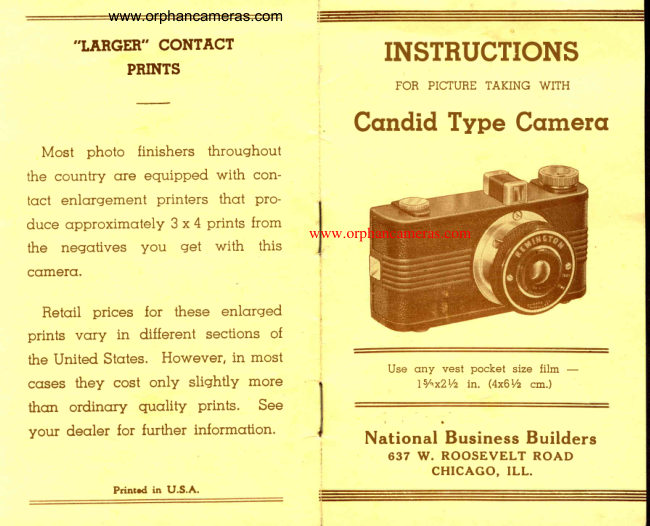
     ,,LARGER"
            CONTACT        INSTNUCTIONS           PRINTS
                                          FOR PICTURE TAKING WITH
                        Cqndid Type Cclmercl
  Most  photo  finishers  throughout
the country qre equiPPed with  con-
toct enlorgement  printers  thot  pro-
duce qpproximotely 3x4  prints from                                    www.orphancameras.com
the  negotives  you  get  with   this
cctmerct.

  Retoil  prices  for  these  enlqrged
prints  vqry   in  different  sections  of
the United Stotes.  However,  in most                                                      Use qny  vest pocket  size film
cqses they  cost onlY  sliqhtlY more                         ls/"x2Vz in. (4x6Vz cm.)
thcrr  ordinory   quolitY   Prints.  See
your  deqler  for further  informcrtion.                                      National Business Builders
                                                 637 \f,T.ROOSEVELT ROAD
                                              CHICAGO, ILL.
                    Prinrd    in  LI.S.A.
View original page 2Page 3 · Read text
www.orphancameras.com

      G U A R A N T E E
   This Cqmercr
    is  unconditioncrlly   guqrcnteed
   cgcrinst defective workmcrnshiP
   crnd  mcrtericrl for  Gr period   ol
  cFneyeqr.
  FOR SERVICE return ccmercr to
   fcrctory  with  this guqrqntee   crt'
   tcched  crnd  fifty  cents  in  coin
   or  stcrmps  to  cover  hcrndling
   crnd postcrge.


In  order  to secure the best results
from  this comercr, follow  the simple
instructions contcined in this booklet.
Plecrse reod  them  ccrefully  before                       6
tokinq pictures.
                                                                                  1. Spool holder knob
Clecn Lens Importqnt                                                    2. Shutter releqse lever
It is essenticrl thot the lens be cleqn                             3. View  finder
to  insure  securing  briqht  pictures.                            4. Winder  knob                                                                                  5. Exposure lever
Cleon with  cr soft cloth or hondker-                            6. Lens
chief before using comerq.                                           7. Cover cqtch
View original page 3Page 4 · Read text
www.orphancameras.com
                                         The  film  is now  properly  placed
To Locrd crnd Unlocrd Cqmerct                      in the cqmerq qnd shut.  Follow  di-
  Alwoys  lood ond unlocrd cqmero            rections  for winding  very  cqrefully.
in  cr subdued  liqht,  never  neor  o          A  compCIrtment  is  provided   for
bright  sunlisht.  Hold bock  of cqme-            corryins  on extrq  roll  of film  within
rc towqrd you ond push lock slides           the cose.
towcrrds ends  of cqse cnd  remove         To Wind  Film
back.  See thcrt the emPtY sPool  is            Turn  the  windinq  knob  slowly,
in the Top receptocle  (crlonq side of           while  wotchinq  the lower  red  win-
the windinq  knob) with  the notched           dor,v on bock  of comero.  When  the
end in contoct with the windinq knob.            figure    ' ' I' ' CIppeors in the center of
  Unscrew  the  small  spool  holder           the lower  red window  morked  (A)
knobs, ond ploce the film in the low-           the cCImerct is reody  for use.  See
er receptocle.  Screw  the knobs  in             illustrotion below.
ogqin. Now breok the seol in which
the roll is held in plqce.  Pull the end
of the red poper  towqrd  the empty
spool.  Threod  the end  of  the red                                    Top Window  B
pcrper throuqh  the broqdest  side  of
the  slit  of the spool. Now  turn  the
windinq  knob  two  or  three  times                                     Lower Window  A
towqrd  the  riqht  so that  the paper
will  beqin  to  roll  onto  the empty
spool.                                           l
  Reploce the bock, by  holdinq  the
bock of the comercr toward you, qnd       )                                                     As soon crs you hqve  tqken  the picture be
pressino  cotches  towqrds  ends  of             sure to wind number   I from (A) window  to (B)
ecrseqs in openino.. See thot catches            window.   You  crre now  reody  to snqp  your
ore snugly  in the slots provided.                 second  picture.   Repeot  process  qfter  every
                                                                       picture.
View original page 4From the M. Butkus archive. Original publisher and archive notices are retained.
Check the model and edition against your equipment.
PDF verified 2026-10-10.