Film cameras
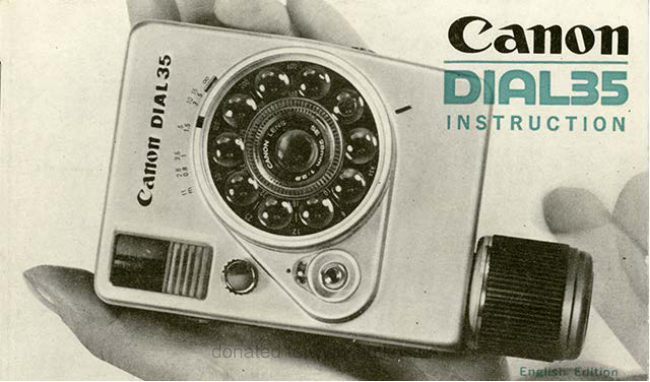
Canon DIAL 35Canon DIAL 35-2instruction User manual
User manual for Canon DIAL 35Canon DIAL 35-2instruction. 31 pages in English. Read the original PDF, download or print a copy without registration.
31 pagesEnglish2.8 MB PDF

Loading your manual…Open PDF directly
Document details
- Brand
- Canon
- Model / document
- Canon DIAL 35Canon DIAL 35-2instruction
- Document type
- User manual
- Language
- English
- Pages
- 31
- File size
- 2.8 MB
- Category
- Film cameras
- Document date
- Not specified in catalog
Search available document text
Find a term, then jump to its page in the original PDF. Image-only pages may not be searchable; check the PDF for exact wording and diagrams.
Page 3 · Read text
The Canon Dial 35-2 is a functionallybeautiful and
                                        unique half frame electric-eye(EE)camera. After
                                            the shutter is released the film  is automatically
                                   wound to the next frame. C,anoil                                        Enjoy taking snapshots with this smartly styled
                                  Canon Dial 35-2. DtGlL35-a


                               www.orphancameras.comt.i,Ft
View original page 3Page 4 · Read text
Viewfinder window

                                                                   l l l u m i n a t i n gw i n d o w

                             Focusing lever
                       Film sensitivityindex

      F i l m sensitivityadjusting lenses on a dial

                                Lens

                         Film sensitivity scale

                         Shutter speed index

i
                      Shutter releasebutton
                       Exposurecounter

                    EE-Flashchange button

                    F i l m r e w i n d i n gb u t t o n ( R )

                    Spring motor winding grip
View original page 4Page 5 · Read text
Ten Big Featuresof GanonDial35-2
   Automatic film winding and rewinding      The easy-to-usegrip has a built'in wrist
   poweredby a spring-drivenmotor.                strap.
   Automatic film setting for the first expo-      The camera is of unique designand con'
   sure by windingup a grip.                      structed for simple single-handedshoot'
   The reversibleexposurecounter is coupled                   i ng.
    to both film windingand rewinding.
   The accurate shutter speed priority EE
   mechanismautomaticallyselectsthe cor-
    rect aperture stop when the ca mera is
   aimed at a subject.
   Snapshotscan be taken by simply using
   the snapshot m ark.
   N ecessary infor m ation f or shooting pic-
    tures such as exposure,focus and compo'
    sition can be read at a glancein the bright
   and markedviewfinder.
   The filter factor is automaticallycorrected
   and so EE photographyis possibleas is.
   The horizontallypositionedpicturesare of
  24mm x 18m m h alf-f rame size.
4                           www.orphancameras.com
View original page 5Page 6 · Read text
Specifications
Type : Half-frame (24mmx18mm)  camera    Automatic Film Winding and Rewinding:
    using35mm film.                         Power drive system by spring motor.
Lens : CanonLensSE 28mm F2.8.5 elements       Over 20 continuous exposures possible
     in 3 components.                              with one full charge.
Focusing t Zone focusing method. Fixed fo-    Automatlc  Film  Setting  Device:  When
   cus shooting using snapshot mark.              spring motor is wound after film is loaded,
Shutter Speeds:  1/30, 1/60, LlL25, ll25O          film leader is automatically wound and
    sec.                                                film is set at first frame.
EE Exposure : Shutter speed priority type EE    Exposure Gounter  :  Automatic indicator
   exposureusing CdS meter. Manuallyop-        type coupled to winding and rewinding.
    erated aperture possible. One M2O type     Flash Synchronization  : X contact. Synchro-
   mercury battery used as power source.          nizeswith speedlightM and MF type flash
Meter Goupling Range: EV8-EVL7 at ASA        bulbs. Direct flash point for use with
    1 0 0 . F i l m s p e e ds c a l e :A S A t O - 1 O O O .       Canon Cube Flash D or Canon FlashD.
                                              Wrist Strap:  Built into bottom of windingViewfinder:  Bright frame marked viewfind-
                                                         grip.    er.
    Parallaxcorrectionmarks, aperturescale,     s i z e : 9 9 x 7 5 . 5 x 4 3 . 5 m m
   zone focusingmarks and snap mark indi'          (3-719"x 3r/x t-314"I
   cated insideviewfinder.                  Weight: 41.0grams (0.9 lb.)

                           ***#i   ;,,                                                                                            : . , - t ;
View original page 6Page 7 · Read text
Taking Pictureswith the GanonDial 35-2 is Very Simple


     L o a d t h e  f i l m .               Wind the spring motor.         Set the film speed.


                           www.orphancameras.com
View original page 7Page 9 · Read text
PreparationsBefore Shootingwith Canon  Canon
 Dial 35-2- Loading the Mercury  Battery     cltAl-3s-a
 Load the mercury battery, containedin a separate
 envelope,into the battery compartmentof the cam'
 era.  Since the mercury battery powers the CdS
 meter, the meter will not function unless the bat-
 tery is loaded.


     Lift the tip of the metal holder and turn  it to  1
     I the side.


          the mercury battery as indicated by the  6lnsert
   f  aiagram. In other words, the (-)side (the side
    with the central contact) should be on the top
    side.


                           www.orphancameras.com
ij.
View original page 9Page 11 · Read text
Camon
Loadingthe Film                             Btsl[-35-a
35mm film in cartridgesare used with the Canon
Dial 35-2.

 4 Open the back cover by pushingthe back cover
  il openingknob in the directionof the arrow'
       r When the back cover is openedthe exposure
      counterindicates"S" (startingposition)'


  fI Rotatethe grip clockwiseand check the rotation
 4  ot tne take'uP sPool.


                           www.orphancameras.com
View original page 11Page 13 · Read text
Camon
                                                                        t]!fid*35-#

       Tiehtenthe film by turning the grip'     6
     r3


         f|  Close the back cover by pressing down on it'
  0


                               www.orphancameras.comI
View original page 13Page 14 · Read text
Windingthe Film
    After closingthe back cover,turn the grip in the
    directionof the arrow to wind the spring motor.
   The exposure counter advancesfrom ,,S"  to
            , , 0 r r .
       r This means that the leader part of the film
      has advancedand the film is automatically
       set for the f irst exposure.

m  Keep winding the grip, even after the expo
{L  sure counter indicates " O ",  until the spring
   motor is fully wound. When fully wound, the
    grip will start to race.
        . Over 20 continuous exposuresare possible
      with a fully wound spring motor. When you
      wish to continue shooting some more, fully
     wind up the spring motor again.
           lf the springmotor is not wound,the f ilm will
      not advanceand the shutter reteasewill not
            f u nction.
     The exposurecounter dial is indicated by a
       figure for every f ifth exposure.
                                                    l3
View original page 14Page 15 · Read text
Canon
Setting the Film Speed                   DIRL35-P
,45 Turn the roulette on the outer side of the shoot'
 H  ,nt lens with your finger.
    Set the film speed graduationof the film to be4
{"  used at the index mark on the shutter speed
    ring.
   ASA  10  20  40   80  160  320   640
         16  32  64  L25  250  500  1000
       r  Film speedsof f ilm beingsold today for gen-
       eral photographicpurposesall fall within the
      above mentioned range.
       r  All the graduations click-stop at the index
      mark position. Correct exposurecannot be
      obtainedif the graduationsare not accurate-
         ly stopped at the click'stop position.


                            www.orphancameras.com
View original page 15Page 16 · Read text
Holdingthe Gamera
canon Dtal 35-2 is designedso that when you look
into the viewfinderthe upper part of the camera
touches your forehead naturally so as to prevent
jerkingof the camera position.
View original page 16
Page 17 · Read text
Photographic I nformation                ff'Am{-s$g
                                                                                        f;:5f;::11--i,:r ' :.:lnsidethe Viewfinder

 r Look into the viewfinder.
 r Insidethe viewfinderyou will see the frame for
  composingpictures,three zone focus marks, fo'
  cusing needle,blue zone for snapshots,aperture
  stops and meter needle.


                           www.orphancameras.com
View original page 17Page 19 · Read text
EE Photography

1. Checkto see that the EE-Flashchange button
    is pressed before performingEE photography.


2. Focusing
   Turn the focusing lever while looking into the
   viewfinderand set the distance needle at the
  zone focus mark which correspondsmost close-
    ly to the camera-to-subjectdistance.

           Long distance  mark
                  10 meters  and over.

          Medium  distance  mark  (snapshot  mark)
                   Approx.   3 meters

            Close distance  mark
                   Approx.    I meter         A
 . When you desire a more accuratefocus, turn the                                                                                     T
  focusinglever and set the index mark at the dis-
                                                                                   T  tance graduationto be used.                                                                            Y                  l}                                                           I
When shootingpictures out of doors,set the focus-        LongDistance MediumDistance    CloseDistanceMark
18                                                           Mark  More  Mark  About       AboutI meter              i
                            www.orphancameras.comthan 10 meter  3 meter(SnapshotMark)
View original page 19Page 20 · Read text
ing index, beforehand,at the snapshot mark. You
will be able to enjoy taking snapshotswith no trou-
ble at all. (See page 221
3. Framing the picture.
The area inside the bright frame is the area re.
corded on the film. However,parallaxerror is un.
avoidablewhen shootingat a close distance (1 me-
ter or less).
In this case,therefore,composeyour picturewithin
the parallaxcorrectionmarks.
4. Ghecking the exposure.
   A. When the meter needle is in the correct ex-
     posure indicatingwindow, it means that it is
     possibleto shoot with EE exposure. So, com-
     pose your picture and press the shutter but-
      ton.
   B. When the meter needle is inside one of the
     warning marks on both sides,it means that
      the shutter speed is either too fast or too
     slow for that subject under that certain light-
                                       19
View original page 20Page 21 · Read text
Canon
                                       DteL35-P

   ing condition. In such a case,turn the shut-                                                                  - t T - - l
   ter ring in the directionof the arrow and bring
   the needleinto the correct exposureindicat'
   ing window.
C. When even after the shutter ring is turned all
     t h e w a y . . .
     r  . . . the meter needle remains inside the
     flash mark, it meansthat  it is too dark.
    You must, therefore,switch over to flash
    photography.
     r  . . . the meter needle remains inside the
    over exposurewarning mark, it means that
        it is too bright. In this case, use ND4 or
   ND8 neutral density filter.
     r  lt is very convenient if the shutter speed
      is set to the index mark beforehand,such
    as 25O for very bright, L25 tor clear, 6O for
    cloudy and 30 for indoorsor rainy weather.
     r The figures above the correct exposure in-
     dicating window are aperture stops. The
     correct exposurecan be read by the posi-
                          www.orphancameras.com
View original page 21Page 22 · Read text
tion of the meter needle.
          r The sh utter button can be pressed even
      when the meter needle is insidethe warn-
        ing marks.
       However,correct exposure cannot be ob-
       tained in this case.
Pressingthe Shutter Button
The shutter button must be pressedgently in order
to obtain a clear unblurredpicture.
 r After the shutter is releasedand simultaneously
  with the return of the sh utter button to its former
  position,the spring motor automaticallywinds
  the film by one frame and cocks the shutter for
  the next shot.
 r Do not pressthe shutter button while the film is
  being advanced.
View original page 22Page 23 · Read text
ffal$eqnce
Usingthe SnapshotMark                                       fi]lfifi:]t-..{r,:j-fr

When shooting pictures out of doors,set the focus-
ing needleinsidethe viewfinder,beforehandat the
snapshot mark. You will be able to enjoy taking
snapshotsvery easily.


   Turn the focusing lever,while looking into the
   viewfinder,and set the focusing needle at the
   blue snapshotmark.


l v  i When taking snapshots out of doors, set the
   shutter speed at I25.


22                          www.orphancameras.com
View original page 23Page 24 · Read text
A sharply-focusedpicture can be obtainedwith-
                                             out focusing,regardlessof the camera-to-sub-                          f,                                                   ject distance, if the meter needle is inside theAdi,ust
     I                                         blue snap zone. Therefore, press the shutter
    I                                           button.
                                                                         r The meter needlewill almost alwaysbe within
                                              the snapshotzone under the brightnessneed-
                                         ed for taking snapshotsout of doors. There-
                                                   fore, it  will be convenient to use the snap-
                                           shot mark.
                                                                         r In case the needle goes out of the snapshot
                                        zone and into the white zone of the correct
                                         exposure indicating window, you must focus
                                        once again before pressing the shutter but-
                                                ton.


          E x p o s u r e           s n a p sh o t zo n e
View original page 24Page 25 · Read text
Canon
Rewindingthe Film                         DrAI-35-e

When the last frame of the film is exposed, the
 shutter button cannot be pressed even  if the
springmotor is fully wound. Therefore.rewind the
 f i l m .


   Push the " R " button (film rewindingbutton)in-
   wards while turning it clockwiseand align the
   white dot of the " R " button with the white dot
   on the cameraside.


   The film will be automaticallyrewoundjust as
   much as the spring motor is wound.2        . Approximately20 exposurescan be rewound
     with a fully wound spring motor.


                            www.orphancameras.com
View original page 25Page 27 · Read text
{'*h$nfi'.qq
FlashPhotography                                                            li-.l,! $i t.-:i i:;i-u?
  ':l Releasethe EE mechanism.
   ll TtreEE mechanismis released,when the auto'
   matic flash button is pulled,and shootingcan
   be performedat any desiredaperture stop.


   Set the shutter speed. S
 &' Turn the shutter speedring and set the desired
   shutter speed at the index mark. (See the
   followingchart)

FlashSynchronizing
Range


                                                   L l t 2 5


                                       O indicatessynchronization                            www.orphancameras.com
                                                             x indicatesnqn-synchronization
View original page 27Related documents and language editions
From the M. Butkus archive. Original publisher and archive notices are retained.
Check the model and edition against your equipment.
PDF verified 2026-10-10.