Flashes & lighting
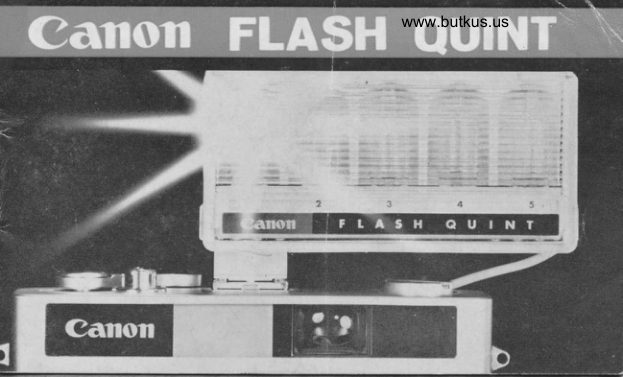
Canon Flash QUINT User manual
User manual for Canon Flash QUINT. 13 pages in English. Read the original PDF, download or print a copy without registration.
13 pagesEnglish1.7 MB PDF
Loading your manual…Open PDF directly
Document details
- Brand
- Canon
- Model / document
- Canon Flash QUINT
- Document type
- User manual
- Language
- English
- Pages
- 13
- File size
- 1.7 MB
- Category
- Flashes & lighting
- Document date
- Not specified in catalog
Search available document text
Find a term, then jump to its page in the original PDF. Image-only pages may not be searchable; check the PDF for exact wording and diagrams.
Page 3 · Read text
www.butkus.us


                                                     Pilot lomp
Boltery Housing Cover                            Exposure Scole Diol
View original page 3Page 4 · Read text
Up to FlYt perlect pictures ot OilE time  !


Conon Flosh Quint is on odvonced flosh
 unit for flosh photogrophy.
One of the remorkoble odvontoges  is
thol you con toke up to five piciures
continuously without chonging flosh bulbs.
Conon Flosh Quint is not only good for
Conon cqmeros but olso good for mony
comeros of other mokes on lhe morket.
View original page 4
Page 5 · Read text
Venmo @mike-butkus-camera  Ph. 2083
PayPal Name  Lynn@butkus.org      www.PayPal.me/lynnbutkus
View original page 5
Page 6 · Read text
www.butkus.us
five outstonding feotures of Conon llosh Quint
O    ll occepts up to five AG boseless type bulbs. Eoch of them con be floshed
every fime you releose lhe shutler bullon.
O    ll tokes only obout holf o second to fire the next shol on the woy of
confinuous picture toking.
O  With Conon Flosh Quint, you con do fost ond eosy looding of Flosh Quint
Bulb Holder (Quint Adopter) with five bulbs, in ony photogrophic  situotion.
Extro bulb holders looded with flosh bulbs will serve you like extro cortridges.
O  The buill-in bulb counler indico?es the number of flosh bulb for  the
nexl shol.
O  Conon Flosh Quint hos o simple exposure scole diql on the bock side
for exclusive AG type flosh bulb, so you con be free from colculolions of
lens operlure ond distonce.
View original page 6
Page 7 · Read text
How to lood o bottery
One l5-voltoge bottery, such os Evereody 504
l5 V, Toshibo W l0 F l5 V, or ony equivolent,
ocluoles Conon Flosh Quint.  Slide down the
botiery cover on the bock side ond lood the
bottery os illustroted.
Moke sure positive (*) ona negotive (-)   sides
of botlery lo correspond with the illustrotion of
bottery housing.
lf inserled oiher woy round,  it might couse
botlery exhoustion ond domoge of copocilor.
It is odvisoble to  loke out the boitery while                  tr@1f,
nol in use for ony length of time.               www.butkus.us
View original page 7
Page 8 · Read text
www.butkus.us
   How lo mount Conon Flosh Quinl
       Insert the occessory foot of Conon Flosh Quint into the occessory shoe of comero
     ond fix if firmly by the tightening ring.
      Plug lhe cord into the flosh coble socket.
I


     Turn the lightening
        ring lo the left.           CANON                         CAMERA CO,. INC.         h
View original page 8Page 9 · Read text
How lo lood AG bulbs
L  Open the fronl cover.
2.  Holding lhe unif ond giving o slighf push
    lo the boss of both sides of lhe bulb holder
   ond pull it up.
3.  Inserl five bulbs to eqch sockel ond ploce
    the bulb holder bock into the flosh unit.
4.  Close lhe fronl cover.
llow to check bulbs
Press the test buflon on the bock side ot
intervols of qbout holf o second ond see  if
the Pilot lomp blinks.
Be sure lo keep testing in lhis woy unlil the
figure "  l " comes in the bulb counler before
shoofing. This is imporlonf. The testing is
recommended before photogrophing.
View original page 9Page 10 · Read text
www.butkus.us
   Ffosh bulb counler                      u
    Every time you press the shutter button, lhe
     figure indicoted in the bulb counter odvonces
    by one number outomoticolly.
?   Another words. the number indicqted is  the


 I    number of bulb which is expected to flosh for                 Press fhe?tesl    the nexl shot.
t                                                                           button.

a

    *
View original page 10Page 11 · Read text
When it does not work
 Pleose check your flosh unit os follows.
 l.  See whether cord is plugged correclly.
2.  Toke out the bulb holder, ond see bulbs ore inserted properly
3.  Check whether ihe bottery is fresh, ond ploced correctly.
4.  Then moke tesls ogoin before shooting.
How to get correct exporure          %Flosh Quint hos o simple exposure Distonce Scole f                                                             t\-.B                                                 \/oscole diol on rhe bock cover.                              F Number {"^g;                  '*t ;l:^                      ror AG
                                     r".,,,,,',r"r.""il: ;::i ;,,;:''"'u"'v             S
View original page 11Page 12 · Read text
www.butkus.us
    By simply setting lhe sensitivity of the film looded, you olwoys get on ideo of
      correct exposure in combinoiions of lens operlure ond dislonce.
     There ore two dots on fhe diol indicoting BLUE for o doylighl type reversol color
       film ond CLEAR for moinly block-ond-white film. By turning the diol, you con set
       sensilivity of the film in use.
     For exomple,  if you hove o color film of ASA 160 doylight type reversoi in
,l    your comero, sel the BLUE dot to befween 100 ond 200 becouse the film hos
I       sensitivity of ASA 160. Oulside the diol, fhere ore o number of figures indicoting
      distonce in both feet ond melers.
     Corresponding F number on lhe diol to lhe desired distonce is lhe correcl lens
     operlure. For inslonce,  if you hove your subiect ot 9 feet owoy ond ASA 100
      block-ond-white  film in your comero. correct lens operture will be between F I I
     ond F 8 wiih o cleor AG bulb.
View original page 12From the M. Butkus archive. Original publisher and archive notices are retained.
Check the model and edition against your equipment.
PDF verified 2026-10-10.