Flashes & lighting
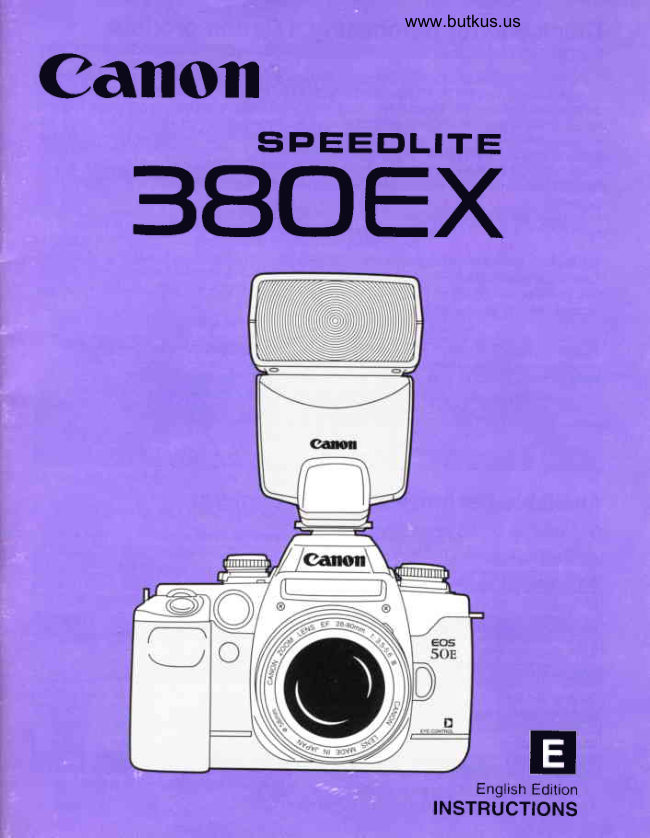
Canon Speedlite 380EX User manual
User manual for Canon Speedlite 380EX. 47 pages in English. Read the original PDF, download or print a copy without registration.
47 pagesEnglish3.8 MB PDF
Loading your manual…Open PDF directly
Document details
- Brand
- Canon
- Model / document
- Canon Speedlite 380EX
- Document type
- User manual
- Language
- English
- Pages
- 47
- File size
- 3.8 MB
- Category
- Flashes & lighting
- Document date
- Not specified in catalog
Search available document text
Find a term, then jump to its page in the original PDF. Image-only pages may not be searchable; check the PDF for exact wording and diagrams.
Page 1 · Read text
www.butkus.us
Canoil
 3AOEXSPEEDLITE


                                                    EnglishtrEdition
                             INSTRUCTIONS
View original page 1Page 2 · Read text
Thankyoufor purchasinga Canonr  product.;;{r{.F'lBItb#+frfi;'liltsi+i

The Canon Speedlite380EX is a Canon EOS-dedicatedautofocuszoom flash unit featuring
the newly-developedE-TTL (Evaluative-Through-The-Lens)auto flash control system. lt also
has two hew features:FP (Focal-Plane)flash and FE (Flash Exposure)lock. FP flash enables
the Speedliteto synchronizewith all shutterspeeds (high-speedsync) while FE lock locks the
flash exposurerehdingfor a specificarea. These new featuresare availablewhen Speedlite
380EX is coupledto a Type-Acamera (see below).
Other features includeauto flash-exposurecompensation,auto flash exposurewith a
manually-setshutter speed and aperture,second-curtainsynchronization,and multiple-flash
compatibility.
When used with a Type-B camera,Speedlite380EX operatesas a TTL autofocuszoom flash
unit.
The featuresavailablewith Speedlite380EX differ dependingon the camera it is used with.
Referto the table belowto check your cameratype.
This Instructionsbooklet has separate sections for Type-A and Type-B cameras. Read the
sectionswhich applyto your camera.

 Type-ACamera  E.TTL    EOS 50 EOS sOE EOS ELAN II EOS ELAN IIE
 Type-B Camera   TTL     EOS 650 EOS 620 EOS 7s0 EOS 850 EOS 630 EOS-1
                     EOS RT EOS 10 EOS 1OS EOS 7OO EOS l OOO
                     EOS REBEL EOS 1OOEOS ELAN EOS 1OOON
                     EOS REBELII EOS l OOOFNEOS REBEL SII
                     EOS 5 EOS A2 EOS ME EOS 5OO EOS REBELX
                     EOS 5OOOEOS 888 EOS.1N EOS-1NRS

AvailableFeatureswith EOS Cameras
 O: AvailableX: Not available.
 SpeedliteFeature              With Type-A Cameras       With Type-B Cameras
 E-TTL auto flash control              o                                 x*
 FP flash                        o                            X
 FE lock                        o                            X
                                                                          X Second-curtainsync                o
  Fill flash                       o                   o
 Slow-speedsync                  o                   o
 Bounceflash                    o                   o
  Multiple flash                            O*                  o
  Flash exposurecompensation         o                   o
  .  TTL auto flash controloperatesinstead.
  .*   Availableonly with the EOS-1N,EOS-1NRS, EOS A2|A2E.
View original page 2Page 3 · Read text
www.butkus.us

 GanonSpeedliteO80EXFeatures
 1  E-TTL auto flash control
    When Speedlite 380EX is used with a Type-A camera, E-TTL auto flash control takes
     over. Unlike the A-TTL and TTL auto flash systems which use a multiple-zoneflash
     meteringsensor,to read the flash exposure,the E-TTL auto flash system uses normal
     evaluative metering with the camera's metering sensor and controls the flash exposure     automatically.
    The E-TTL auto flash system thereby controlsthe flash exposurewith higher precisionand
     boosts the pedormanceof the AIM (Advanced IntegratedMulti-point)sfstem (which links
     the meteringand flash exposureto the focusingpoinl;.
    The E-TTL auto flash system controls the exposure of the main subject as well as the
    backgroundfor a balanced exposure. lt combines automaticexposure control for ambient
      lightand flash exposurecontrolfor both fill flashand low-lightconditions.
 2  FP flash (high-speedsync)
   When Speedlite380EX is used with a Type-A camera, it can synchronizewith all shutter    speeds.
    FP flash is effectivewhen you want to use fill flash for an outdoor portrait while creating
    backgroundblur with a large aperture.Or, when you want to producea catchlightin the
     subject'seyes in daylight.
3  FE lock
   When Speedlite380EX is used with a Type-A camera, you can lock the correct flash
    exposurereadingfor any portionof the picture
4  Flashexposureconfirmation
    The flash confirmationlamp on the back of the Speedlite lights for 2 sec. after the flash
     fires if the flash exposure was sufficient. lt thereiore givejyou  immediate feedback on    properflash exposure.
5  Auto zoom
   The flash head zooms automaticallyfor optimum flash coverage for lens focal lengths
    rangingfrom 24mm to 105mm.   .
6  Bounceflash
   The flash head can tilt upward up to 90" to bounce the flash.
7  Auto power oft
       lf the Speedlite has been turned on and it is not used for about 90 sec., it turns off
    automaticallyto conserve battery power. To turn on the Speedliteagain, press the shutter
    buttonor the Speedlite'stest firing button.

                                                                                                                       I
View original page 3Page 5 · Read text
www.butkus.us

I   Speedliteaccessoriesfor creativelighting
    Off-Camera Shoe Cord 2 connects the Speedlite off the camera while retaining E-TTL
    auto flash control. Accessoriesare also availableto set up multiple-flashsystems
    maintainingauto flash exposurecontrol'
SpeedliteGare
1  Speedlite380EX contains high-voltagecircuitry.Nev_erattempt to
   disassemblethe Speedlite.For any repairs,take the Speedliteto a
   Canon ServiceCenter.
2  Do not get the Speedlitewet. lf it is exposed to rain or snow, wipe
   immediatelYwith a dry cloth.
3 When the Speedliteis not to be used for an extendedperiod, remove
   the batteries.
4  Avoid putting the speedlite where it may be expo_sedto. high
   tempeiature6.High temperaturesmay cause the Speedliteto
    malfunction.


  Symbolsused in this Instructions:
  Q:Warning for preventingcameramalfunctionor damage'
    ffi :lnformationyou should know when operatingthe Speedlite380EX'
   -lii::Helpfultip for usingthe Speedlite380EXand takingpictures.
View original page 5Page 6 · Read text
Contents

. lf you have a Type-Acamera,read pages2-28 and 36-46.
. lf you have a Type-Bcamera,read pages 2-16 and 29-46.
View original page 6
Page 11 · Read text
www.butkus.us

  1. Installingthe Batteries
   Installone of the followingtypes of batteries:
  (1) Four size-AAalkalinebatteries(LR6 or AM-3)
  (2) Four size-AANiCd batteries(KR15or KR51)
                              1  Slide the battery compartment                                                                                         '                                  cover as shown by the arrowand
                                                flip it up.


                                  Insert the batteries with the              2 contacts oriented as shown in the
                                     batterycompaftment.Use four new
                                      batteriesof the same type.
                                                                                    .  To prevent faulty connections,make sure
                                                 the batterycontactsare clean.


                           ?  Closethe batterycompartment                              v                              coveras shownin thefigure.


1 0
View original page 11Page 12 · Read text
l. BeforeYouStart

   BatteryCautionsE
               . When replacing batteries, replace all four batteries at one time.
               .  Although ordinary, non-alkalinebatteries (RG or UM3) may be used, the
         number of flashes will be less.
               .  The contacts of NiCd batteries are not standardized. lf you want to use NiCd
            batteries, make sure the battery contacts touch the battery compartment's
           contacts securely.
               . When you will not use the Speedlite for an extended period, remove the
            batteries.
               .  In low temperatures,take two sets of fully-chargedNiCd batteries and keep
         one set warm in a pocket, etc., and use the batteries alternately.
               .  Speedlite380EX cannot be used with an externalpower source.

Battery Life and Recycling Time
      BatteryType         No. of Flashes      RecyclingTime
Size-AAalkalinebatteries
                        260 to 1800        0.1 to 7.5 sec.(LR6or AM-3)
Size-AANiCd batteries
                          75 to 500          0.1 to 4.5 sec.(KR15or KR51)
' The above figuresare based on Canon'sStandardTest Methodwith a new set of batteries.


                                                           1 1
View original page 12Page 13 · Read text
2. Mountingthe Speedlite   www.butkus.us


                                                the arrow.     oo @   1 Loosenit as shownthe lockingby     collarby turning

                              ll v - r---

     oo @         -)  onStipthethecamera'sSpeedlite'shotmountingshoe untilfootit
                                   stops.


                     Q Turn the lockingcollaras shown by                                                  -      oo @                                                                 t h e a r r o w a n d  t i g h t e n . ( T h e
                               mountingfoot's lockingpin extends
                                      intothe hot shoe.)
                                                                                    .  To detachthe Speedlite,turn the locking
                                                 c o l l a r i n t h e o p p o s i t ed i r e c t i o nu n t i l i t
                                              stops. (The locking pin retractsinto the
                                          mountingfoot )


       f=   Afihoughthe hot shoe on the EOS 650, EOS 620, EOS 750, and EOS 850 does
       IJJ  not have a locking pin hole, Speedlite 380EX can still be mounted on these
          cameras.


',2
View original page 13Page 14 · Read text
3. PowerSwitch
            - A O E O O             Set the power switch as
       24   28    35   50   70   105     follows:
                    O :To turn off the power.
                                                             |  : T o  t u r n o n  t h e p o w e r .  l f  t h e
                                Speedliteis left unused for about
                             90 sec., it turns off automaticallyto
                               save battery power. To turn on the
                                Speedliteagain, press the shutter
                              button or press the test firing
                                   button.
4. FP FlashSwitch

                  Use this switch to set high-
                   speed sync.
                    O  : For normalsync.
                                        lx: For high-speedsync.


  When Speedlite380EX is used with a Type-A camera and the switch is set for high-speed
   sync, using a shutter speed faster than the camera's maximum sync speed sets the high-
  speed sync mode and using a shutter speed slower than the maximumsync speed sets the
  normalsync mode.
  When a Type-B camera is used, normal sync mode is set regardlessof this switch'ssetting.


                                                      1 3
View original page 14Page 15 · Read text
5. PilotLampandTestFiring www.butkus.us

       O O O O I f O                    Setthe powerswitchto l.         24   28    35   50   70   105      1
                                                                                    .  The Speedlite starts to recharge. When
                                            rechargingis completed,the pilot lamp
                                                        lights.


                                       After the pilot lamp lights, press it                                                  )                                                  -                                         to test fire the flash. (The pilot lamp
                                               is also a test firing button.)


         l=l  The flash cannot be test fired while the exposure setting is displayed during the
             lll   halfway pressing of the shutter button and the four seconds after the shutter
            button is released.

 6. FlashExposureConfirmation

                           The flash confirmationlamp lights for
        O E E O O O                  2 sec. after the flash fires if the correct
        24  28  35  50  70 105       flash exposure has been obtained.lf
                                 the flash confirmationlamp does not
                                       light after the flash fires, the picture
                         may have been underexposed.Move
                                  closerto the subjectand try again.


1 4
View original page 15Page 16 · Read text
7. FlashCoverage

Speedlite380EX's flash head zooms automaticallyto provide adequate
flash coveragefor the lens focal length in use. Flash coverageis provided
tor 24mm to 105mm focal lengths.The correspondingflash coverage
indicatoron the Speedlitelights.
When a zoom lens is used, the Speedlite adjusts the flash coverage
automaticallywheneverthe lens is zoomed. The correspondingflash
coverageindicatorlights.
. When the flash coveragechanges,the Speedlite'sGuide No. also changes. See "Guide
  No." on page 44 to see how the Guide No. changes.
.    lf a lens wider than 24mm is used, the light will falloff at the picture'speriphery.
.  Usingany lens longerthan 100mmlightsthe 105 flashcoverageindicator.


                                                   I  Turnon the camera.                                                                                       I
                                 on Speedlite380EX.
                           2Turn
                            ?  Press the shutter button halfway.                               v                          The flash coverage indicator
                             correspondingto the lens focal
                                 lengthlights.


                                                            1 5
View original page 16Page 17 · Read text
www.butkus.us  8. AF-AssistBeam

     lf where you focus lacks sufficientlight or contrast,the speedlite'sAF-
   assist beam is emittedautomaticallyto help the camera autofocus.The
   AF-assistbeam is effectivefrom 0.7 to 10 meters(2.3to 33 feet).
  AF-assist beam activation
   Dependingon the cameraand the activefocusingpoint,eitherthe camera'sAF-assistbeam or
   the Speedlite'sAF-assistbeam is emitted.Speedlite380EX'sAF-assistbeam is linkableonry
    to the center focusing point. lf the camera has only one focusing point (AF frame), the
   Speedlite'sAF-assistbeam is emitted.lf the camerahas multiplefocusingpoints,the camera's
   AF-assistbeam is emittedinstead.with the Eos 50,Eos 50E,Eos ELAN tr,Eos ELAN tr E
   and EOS-1N,Speedlite380EX'sAF-assistbeam is emittedif the centerfocusingpoint is
    active.See page 46.
  9. ShutterButtonOperation
  The EOS camera'sshutter button operatesin two steps: Press it halfway
   or all the way.
                  When it is pressed
                         halfway:
                                   1) Autofocusis activatedto focus the
                                     subject.
                              2 ) T h e e x p o s u r e s e t t i n g ( s h u t t e r
                              speed and aperture)is also set at
                                   the sametime.

                  When it is pressed
                        completely:
                                   1) The shutteris releasedto take the
                                     pictureand then the film advances
                                        to the next frame.


1 6
View original page 17Page 18 · Read text
Spgedlite380EXwith Type-ACamerast!,with a Type-A camera, you can use Speedlite 380EX's E-TTL auto flash
system. The E-TTL auto flash system uses the camera's focusing point-
linked, evaluativemetering sensor to meter the flash exposure. Flash
exposure control is more precise, resulting in a balanced exposure for
both the subject and backgroundin fill-flashor low-lightconditions.
Automatic exposure control and flash exposure control are therefore
combined.FP flash and FE lock can also be easily set.

1. Fully-AutomaticFlashOperation
For fully-automaticflash operation,attach Speedlite38oEX to a Type-A
cameraand set the camerato ProgramAE ( e ) or FullAuto (E  ) The E-
TTL auto flash system then sets the camera'ssync speed and aperture
automatically.This mode makes flash photographyeasy and automatic
for low-lightand fill-flashconditions.
(1  ) Fully-AutomaticFlashOperation
                              Set the camerato ProgramAE (p  )                            1'                                  or FullAuto(E  ).
                                                                                            .    lf a Programmed lmage Control mode  is
                                                         set, the Full Auto mode takes effect

                            T u r n o n t h e S p e e d l i t e ' sp o w e r                                              -)                                 switch.


                                                           1 7
View original page 18Page 20 · Read text
lite 380EXwith
Fill Flash
      in daylight,you can use flash as fill light for harsh shadowsor dark,!ve.nbacklitportraitsubjects.


       *6


       With fill flash.                Withoutfill flash.

             a fully-automaticpicture-takingmode is used with Speedlite 3BOEX,the fitl    l=l  Wh9n
      l-|l   flash output may be reduced automatically to balance the exposure between the
         subject and background.This is called auto flash output reduciion.


                                                           1 9
View original page 20Page 21 · Read text
2. Flashwith OtherModes    www.butkus.us

 The E-TTL auto flash system can also be used with a Type-A camera set
  to Av (aperture-priorltyAE), Tv (shutterspeed-priorityAE), oI M
  (manuai;.Set the FP flash switchto the greendot (normalsync).
    t When you press the shutter button halfway,the shutter speed and aperturesetting are
    displayedas in any AE mode.
 ShutterSpeedandApertureSettingAccordingto Mode
            Mode                   ShutterSpeed             FlashAperture
     Full Auto and Programmed       Automaticallyset
    lmage Control                  (1/60-1/Xsec.)              Automaticallyset
                                    Automaticallyset
    P                                                ( 1/60-1/X sec.)              Automaticallyset
                                    Automaticallyset
    Av                            (30-1/Xsec.)              Manuallyset
                                 Manuallyset
    Tv                               (30-1/X sec.)                Automaticallyset
                                  Manuallyset
    M                            (buLb-1/Xsec.)            Manuallyset
     .  Manuallyset: Set by the user. Automaticallyset: Set by the camera.
     .   llX sec.: Camera'smaximumsync speed (see page 46).
     I When you press the shutter button completely,the Speedlitefires a test preflash
     immediatelybefore the shutter is released.The flash exposure reading obtainedwith the
     preflashis used to calculatethe optimumoutputof the main flash.
     I The exposurefor the backgroundis set with the shutterspeed and apeilure.

         l=l     lf flash is used in the DEP (Depth-of-fieldAE) mode, it will be the same as using
             ljl    flash in the ProgramAE mode.


20
View original page 21Page 22 · Read text
ll. Speedlite380EXwith Type-ACameras
(1) Flashwith Aperture-PriorityAE
When you want to control the depth of field or when you want the
backgroundcorrectlyexposed, use aperture-priorityAE. You set the
apertureand the camera sets the shutterspeed automaticallyto suit the
background'slight level.The E-TTL auto flash system controlsthe flash
outputaccordingto the apeftureyou set.
                              Set the camera to Av (aperture-                                                       I                                                        I  priorityAE) and set the desired
                                 aperture.


                           Check that the FP flash switch is             2 set to the greendot.
                              Press the shutterbuttonhalfwayto             3 focusthe subject.
                           Checkthat nothingis blinkingin the             4 viewfinderand press the shutter
                               b u t t o n c o m p l e t e l yt o  t a k e t h e
                                    picture.


          In low-light conditions, a slow sync speed is set automatically. A tripod is
       recommendedfor slow sync speeds.

                lf the maximum sync speed blinks,the backgroundwill be overexposed.lf the 30"
        sync speed blinks,the backgroundwill be underexposed.Change the aperture E          settinguntil the sync speed stops blinkingand stays on.


                                                      21
View original page 22Page 23 · Read text
www.butkus.us     ll. Speedlite380EXwith Type-ACameras
  (2) Flash with Shutter Speed-PriorityAE
  when you want to create a certain effect with the shutter speed, use
   shutterspeed-priorityAE. In this mode,you set the sync speed anywhere
   from 30 sec. to the camera's maximum sync speed. The camera then
   sets the apertureautomaticallyto obtain the correct background
  exposure.The E-TTL auto flash system controlsthe flash output
   accordingto the apeftureset automaticallyby the camera.

                            S e t t h e c a m e r a t o T v  ( s h u t t e r                               1                                                                                           '                                     speed-priorityAE) and set the sync
                              speed anywhere from 30 sec. to
                                    the camera'smax. sync speed.


                             Check that the FP flash switch is        24O        35D f ] - O50   70  105          )-                                     set to the greendot (normalsync).


                              ?  Press the shutterbutton halfwayto                                  v                                  focusthe subject.
                         A  Check that nothingis blinkingin
                             +  the viewfinder a-nd press ihe
                                    shutter button completelyto take
                                    the picture.

     H        l f  t h e a p e r t u r e s e t t i n g b l i n k s , t h e b a c k g r o u n dw i l l b e o v e r e x p o s e do r
       qr   underexposed.Change the sync speed until the aperturesetting stops blinking
          and stays on.
22
View original page 23Page 24 · Read text
(3) Flash with Manual Exposure
When you want to set both the sync speed and the aperture,use manual
exposure.The E-TTL auto flash system controlsthe flash output
accordingto the apertureyou set.
                                                        I  S e t  t h e c a m e r a t o M  ( m a n u a l                                                          t                               e x p o s u r e )a n d s e t t h e d e s i r e d
                                apertureand sync speed anywhere
                               from bulbto the camera'smaximum
                              sync speed.


                           Check that the FP flash switch is                                               )-                                  set to the greendot (normalsync).


                              Pressthe shutterbuttonhalfwayto             3 focusthe subject.
                        C h e c k t h e   i n f o r m a t i o ni n  t h e             4 viewfinderand press the shutter
                               b u t t o n c o m p l e t e l yt o  t a k e t h e
                                   picture.


                                                        23
View original page 24Page 25 · Read text
www.butkus.us  3. UsingSpecialFeatures

   with a Type-Acamera,speedlite380EXenablesFp frashand FE lock.
  (1) FP flash
  FP (focal-plane)flash, or high-speedsync, enabresthe speedliteto
   synchronizewith a shutterspeedfasterthan the camera'smaximumsync
   speed.
  when a sync speedfasterthan the camera'smaximumsync speed is set,
   Speedlite3B0EX automaticallysets the high-speedsync mode for auto
   flashexposure.
  FP flash can be used in the P, Tv, Av, M, and DEp modes.lt is effective
  when you want to use fill flash for an outdoorportraitwhile blurringthe
  backgroundwith a large aperture.lt can also be used to produie a
   catchlightin the subject'seyes or to eliminateharsh shadows.The result
    is best with a fast (large-aperlure)lens.
      .    lf a largeapertureis to be used,set the camerato the Tv, Av, or M mode.
                               1 S e t t h e d e s i r e d p i c t u r e - t a k i n g                                                    r                             mode.


         D                                                 - O O -                                 Slide                                      the                                        Speedlite                                            380EX's                                               FP                                                             I        24                  35                      50   70  105          -                                                                  f                                                                                     l a s h                                           s w i t                                                c h t o  t x  (                                                    h i g h - s p                                                            e e d
                                    sync).


             www.butkus.us

                      Q Press the shutter button halfwayto                              e                                  focusthe subject.
24
View original page 25Page 28 · Read text
ll. Speedlite380EXwith Type-ACameras

                                                                               .    lf the subjectis too far away for FE lock to
                                          b e s e t ,  I  b l i n k s . M o v e n e a r e r t o  t h e
                                             subjectand repeatsteps 2 and 3.
                       A Composethe picture.                                      T
                       E Within 16 sec. after releasingthe                                  rv                         FE lock button,checkthe displayin
                                                              t h e v i e w f i n d e r , r e c o m p o s e i f
                             necessary, then take the picture..
                                                                               .  Each time you pressthe FE lock button,a
                                              preflashis fired to obtain the correctflash
                                        exposurereadingwhich is then lockedfor
                                          16 sec.
                                                                               .  The FE lock is canceled16 sec, after the
                                  FE lock symbol( *  ) is displayedor when
                                             the CommandDial is turned.
With a Type-A camer?, the FE lock links to
the focusing point as follows:

    FocusingPoint SelectionMethod           FE Lock-LinkedFocusingPoint

    Automatic                            Center

                   With CustomFunction
                                        Center
                C08 set to 0.   Manual
                   With Custom Function
                                           User-selected
                C08 set to 1.
                   With CustomFunction
                                        Center
                C08 set to 0.
     Eye-controlled
                   With Custom Function
                                           User-selected*
                C08 set to 1.

         WathEye-ControlledAutofocus,if you press the FE lock button while pressing
           the shutter button halfway,FE lock links to the selectedfocusingpoint. E    Also, if you press the FE lock button before focus is achieved or without
           pressingthe shutter button, FE lock links to the center focusingpoint.
           Within 16 sec. after pressingthe FE lock button,you can turn the Quick Control
            Dial for exposure compensation.In this way, you can control the exposure for
           the background.
                                                        27
View original page 28Related documents and language editions
From the M. Butkus archive. Original publisher and archive notices are retained.
Check the model and edition against your equipment.
PDF verified 2026-10-10.