Flashes & lighting
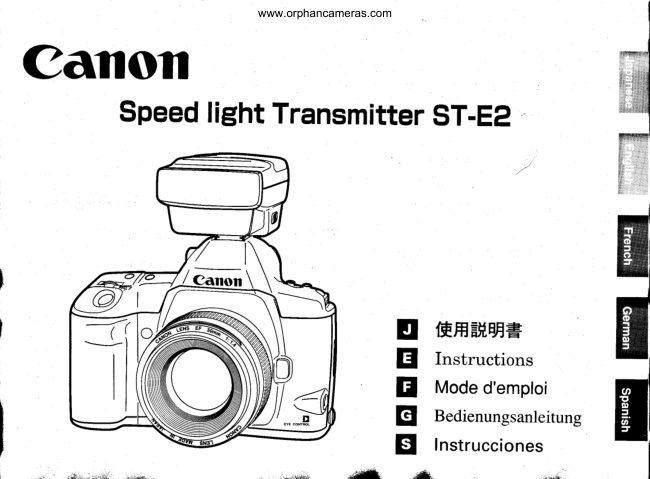
Canon Speedlite transmitter User manual
User manual for Canon Speedlite transmitter. 18 pages in German, Spanish. Read the original PDF, download or print a copy without registration.
18 pagesGerman, Spanish1.6 MB PDF
Loading your manual…Open PDF directly
Document details
- Brand
- Canon
- Model / document
- Canon Speedlite transmitter
- Document type
- User manual
- Language
- German, Spanish
- Pages
- 18
- File size
- 1.6 MB
- Category
- Flashes & lighting
- Document date
- Not specified in catalog
Search available document text
Find a term, then jump to its page in the original PDF. Image-only pages may not be searchable; check the PDF for exact wording and diagrams.
Page 3 · Read text
www.orphancameras.com
Thank you for purchasing  a Canon product.

Speedlite Transmitter ST-E2 is a wireless transmit-   This Instructions booklet assume that a Type A cam'
ter which can control up to two Speedlite 550EX   era is used with the ST-E2.
groups set as slaves.
The transmitting range is about L2 to 15 meters /
39.4 to 49.2 ft indoors and 8 to 10 meters 126.2 to    With Type B cameras (EOS cameras except Type
32.8 ft outdoors. With Type A cameras (EOS-3, EOS   A models), the ST-E2 can be used only for manual
Elan IIIIIE, EOS 50/50E, EOS 500N/RebelG, EOS    flash and multi-flash photography. See pages 23
IX, EOS IX7ltX Lite), the ST-E2 can execute the fol-     to 27 in this booklet and the Speedlite 550EX
lowing operations through wireless control:               Instructions.
o E-TTL autoflash                                              Symbols used in this Instructions booklet: . High-speed sync (FP flash) . FE lock                                       Q:  Warning for preventing camera or ST-E2                                                            malfunction.e Flash exposure compensation
o Manual flash (Flash output set with Speedlite)             ffi:  Supplementary notes for using the ST-E2                                                              with the camera.
o Multi-flash frring (Set with the Speedlites)                -$:'  Helpful  tip for using the ST-E2 and taking
                                                                pictures.
With the EOS-3, the following operations are also    o Keep this Instructions booklet handy for futurepossible:Flash ratio control between two Speedlite-                                                         reference.slarre groups, modeling flash firing, and linkage of
AF-assist beam to area AF.
                                                    This digital apparatus does not exceed the Class B
                                                               limits for radio noise emissions from digital appara-
                                                        tus as set out in the interference-causing equipment
                                                standard entitled "Digital Apparatus", ICES-003 of      I
                                                      the Industry Canada C€
   The  ( € Mark  is a Directive conformity mark  of the European
  Community (EC).
20
                                                             t,.i:1"*..'....- :l'.U                 i .J.2;.--"       ,".$a    -    .rzar                                                                                     IITI
View original page 3Page 4 · Read text
www.orphancameras.com
 Contents

 1.  Nomenclature........                                                                                          ........22
 2. Readyingthe ST-E2                                                                 .......28
 3. Readyingthe 550EX (SlaveSetting)                                              ............25
 4.  BasicWirelessE-TTL Autoflash Operation                                  .................26
 5.  Wireless Multi-Flash E-TTL Autoflash Operation                                  ......2g
 6.  Applications...........                                                             ........83
 7.  Troubleshooting                                                                    .............84


                                           Note
  A]l the operation instructions in this booklet assume that the ST-E2 and other relevant equipment are
  already turned on. Before proceeding,make sure the ST-82 and other equipment are on.
This device complieswith Part 15 of the FCC Rules. Operation is subject to the following two conditions: (1) This au"i.". r"uv
causeharmful interference, and (2) this device must accept any interierence received,in"cludinginterference that may cause "ot
undesired  operation.
Do    1oj      make any changes or modifications   to the equipment  unless otherwise  specified  in the instructions.    If such changes or
modifications  should be made, you could be required  to stop operation  of the equipment.
This equipment  has been tested and found  to comply with  the limits  for a class B digital  device, pursuant  to part 1b of the FCC
Rules' These limits  are designed to provide reasonable  protection  against harmful  iiterference   in a residential   installation.   This
equipment  generates, uses and can radiate  radio flequency  energy and, ifnot  installed  and used in accordance with  the
instnrctions,  may cause harmful  interference  to radio communicalions.
Howewer, there  is no guarantee  that  interference   will  not occur in a particular   installation.    If this equipment  does cause harmful
interference  to radio or te-levision reception, which can be determineh  by turning  the equipment  offand  on, the user is encouraged.
to try  to correct the interference  by one or more of the following  measures:
r  Reorient  or relocate the receiving  antenna.
.  Increase the separation  between the equipment  and receiver.
oCons u lt t hedea l e r o r a n e x p e r i e n c ed ra d io /TVte ch n icia n fo rh e lp .,.:--j.,l:l*j**l'i.',:...'..:.'.!];..''.
View original page 4Page 13 · Read text
www.orphancameras.com

Wireless Multi-Flash  E-TTL  Autoflash  Operation


In the example shown  for "Multi-      I Sample Multi-Flash  SetuP with  Slave  ID and Flash
Flash  with  a Uniform   Flash     Ratio Settings
Output,  " the  lighting  balance
 (flash ratio) was adjusted by PIac-
ing the slaves at different  dis-
tances to the subject. However,
with  "Multi-Flash   with  Slave ID
and Flash Ratio Settings,"  the
 flash ratio can be adjusted  with-
 out moving the slaves.
The flash  ratio can be adjusted              Indoors                                                       l2m  / 39.4ft
from 8:1 to 1 and from 1 to 1:8 in
 half-stop increments.


 30
View original page 13
Page 15 · Read text
www.orphancameras.com

Wireless Multi-Flash E-TTL Autoflash Operation

                                                                        (3) Camera and Slave(2) Setting  the A:B Flash  Ratio
                                                                 Positions
The flash ratio between slave A and slave B can be set to specify the
main flash and fill flash. The flash ratio can be set from 8:1 to 1 and   Positionthe ST-E2-attachedcam-
from 1 to 1:8 in half-stop increments. In terms of exposure stops, it   era and the two slaves to obtain
ranges from 3:1 to 1 and from 1 to 1:3. When the flash ratio is set, E-   the desired lighting  effect. See
TTL autoflash metering controls the flash output to obtain a correct   page 26.
exposure.

        8 : 1  t  4 : 1  t  2 = 1 r  1 : 1   .  1 : 2   .  1 = 4  r  1 : 8
                           I I - I I I I I I I I I I


                                   r ' n ' T
      1234o
  I  Check that the ST-E2's main     P r e s s t h e < < > o r < ) > b u t -    The modeling flash can be fired to                                                              see the lighting effects before the   I switch is set to < | >  , then 2 ton to select the desired flash
   press the < RATIO> button.            ratio.                             picture is taken.
    o The  flash  ratio  control  lamp
         lights  in red, and the resPective                 If the main switch has been set     (4)  Follow  the basic  proce'
        flash  ratio  indicator   lights.              bo (  | ), the buttons will not       dure for wireless
                                                Set                                           work.                                                       the main switch to       E-TTL  autoflash                                                         >.                                        < HOLD The flash  ratios  for the unmarked   indica-        ;tlii;i;:t, tors  ( r  ) are shown in parentheses below'                                    exposure  to take the
                                                                           picture. See page 26.
      8 : 1  .  4 : 1  .  2 : 1  .  1 : 1  .  1 = 2  .  1 : 4    '  1 : 8  :        - r r - r r - - r - r r r
 et      (5.6:1)(2.8:1) (1.4:1) (1:1.4) (1:2.8) (1:5.6)
                                                                                                                             ':;..,n*itsi                   :.,:;riii.+                ,1,.'.h'M*',,,;,b',tiile-*..
View original page 15Page 18 · Read text
www.orphancameras.com
Specifications

  Type                           550EX-dedicated, clip-on Speedlite tra.rsmittei  *ith  di.ect coiEG
  Compatible  Cameras             lypeAggp  cameras(ffi                  -
                              Type B EOS cameras (Manual flash)
  Channels                                             4
  Flash  Ratio  Control                 For A:B  ratio:  1:8 to 1:1 to 8:1. in half-sten  incro-o        1 3
  High-Speed  Sync (FP  flash)        Enabled  with  high-speed sync mode  lx
  Slave Operation  Confirmation       With test transmission button.

  Flash  Exposure  Confirmation                    l  Before  flash  frres during  FE lock
                                       Adequate   flash  exposure  indicated  by the    I  icon  lit  in the viewfinder.    Insufficient    flash  exposure  indicat-
                                       ed by the    I  icon blinking   in the viewfrnder.
                                     2  AfLer flash  frres
                                         ST-E2's  flash  confrrmation   lamp  lights  in green  for B sec.  Wireless  slave SE mode cancellation   Uancels when  the test transmission  button  or FE lock butfon  is nressod tn frrrn nn +ha al6-^    f
 Wireless Transmission              Infrared  pulse
 Transmission   Ranse               Indoors: Approx. 12 - 15 meters / 89.4 - 49.2 ft outdoors: Approx. s - ro --tersffil      -1t.8   ft
 Transmission  Coverage            t40'horizontal
  Battery Life                       Approx.  l.5uu transmlssrons  (At room temperature  and with  a new set of batteries.)
 AF-assist Beam                                                                                                            :- AF-assist         Beam  Effective  Range   Approx. O.Ato
 SE Feature                    Whi]ethepowerswitchissetto|orHoLD,thetransmitte"d
                               non-use.
 Power  Source                2CR2 lithium (6 V) batterv x 1
 Dimensions                 62 (W) x 51 (H) x 80 (D) mm /2.4(W\ x 2.o (H) '-3  j (D)
 Weight                      100 g / 3.5 oz (excludingbattery)
Wireless             Diffe           55OEX
 Wireless  Ooeration                   ST-E2            550EX (Master)               r AII data are based on Canon's Standard Test
 Flash  ratio  control                  2 sroups A. B           3 groups:A, B, C          Method.
 FEB                                           o                         r Subject to change without notice.
 Flash exposure comoensation
 Manual  flash                    Each slave is set            Set with  master
 Repeatine   flash                        manually.

                                                                    35
                                                                                                                         *lgh'                        '*i$ffil*-rif;:,ii*lr&
View original page 18From the M. Butkus archive. Original publisher and archive notices are retained.
Check the model and edition against your equipment.
PDF verified 2026-10-10.