Film cameras
Chinon Belami AF User manual
User manual for Chinon Belami AF. 15 pages in English. Read the original PDF, download or print a copy without registration.
15 pagesEnglish1.0 MB PDF
Loading your manual…Open PDF directly
Document details
- Brand
- Chinon
- Model / document
- Chinon Belami AF
- Document type
- User manual
- Language
- English
- Pages
- 15
- File size
- 1.0 MB
- Category
- Film cameras
- Document date
- Not specified in catalog
Search available document text
Find a term, then jump to its page in the original PDF. Image-only pages may not be searchable; check the PDF for exact wording and diagrams.
Page 2 · Read text
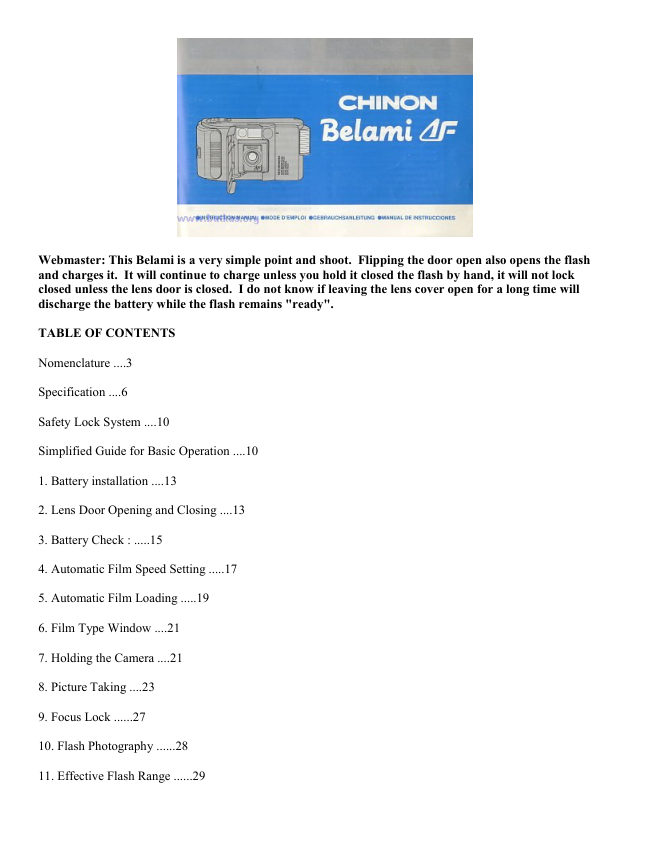
Webmaster: This Belami is a very simple point and shoot. Flipping the door open also opens the flash
and charges it. It will continue to charge unless you hold it closed the flash by hand, it will not lock
closed unless the lens door is closed. I do not know if leaving the lens cover open for a long time will
discharge the battery while the flash remains "ready".

TABLE OF CONTENTS

Nomenclature ....3

Specification ....6

Safety Lock System ....10

Simplified Guide for Basic Operation ....10

1. Battery installation ....13

2. Lens Door Opening and Closing ....13

3. Battery Check : .....15

4. Automatic Film Speed Setting .....17

5. Automatic Film Loading .....19

6. Film Type Window ....21

7. Holding the Camera ....21

8. Picture Taking ....23

9. Focus Lock ......27

10. Flash Photography ......28

11. Effective Flash Range ......29
View original page 2
Page 4 · Read text
12. Film Tip Mark                                     18. Film Guide

13. Take-up Spool                                     19. DX Contacts

14. Viewfinder Frame                                  20. Rewind Spindle

15. Sprocket                                           21. Film Type Window

16. Film Chamber                                      22. Film Pressure Plate

17. Rewind Switch


SPECIFICATIONS

Type: Motorized 35 mm full frame lens shutter compact AF camera with built-in retractable sensor flash,
retractable lens system, Programmed EE.

Lens F. No.: (F) 1: 3.9.

Focal length: (f) 35 mm.

Construction: 3 elements in 3 groups.
View original page 4
Page 5 · Read text
Finder type: Albada type with bright frame.

Finder magnification: 0.45x.

Finder coverage: 85%.

Dioptric factor: -1.0 dir pter.

Viewfinder frame indications: Bright frame, AF frame, Red low-light warning/battery check LED.

Focusing type: Infrared active AF system

Focusing range: 1.0 m (3.3 feet)--infinity.

Focus lock: Possible and cancellable.

Shutter type: Mechanical type.

Shutter speed: F3.9-1/125 see to F16.1 - 1/60 sec.

Exposure control: Programmed EE. F3.9, F8, F16.

Exposure photocell: CdS.

Film speed: Automatic seeing for ISO 100/200 and 400/1000 for DX trims. ISO 100 for non DX films

Film loading: Automatic film loading by built-in motor

Film advance: automatic by built-in motor.

Film rewind: Automatic rewinding activated by the rewind switch. Manual rewinding at the middle of the roll
is also possible.

Film counter: Additive and reverse counting type during the rewinding.

Auto rewind stop: Rewinding stops automatically upon rewind completion.

Flash type: Retractable electronic sensor flash

Flash G. No.: 8 (ISO 100.m).

Flash range: 1.3-3.2 meter (4.3' - 10.5') (ISO 400).

Recycle time: Approx. 3.5 sec.,

OFF flash mode: Built-in.

Flash ready lamp: Built-in.
View original page 5
Page 6 · Read text
Battery checker: guilt-in LED.

Strap: Hand strap/detachable.

Film type window: Built-in.

Power source: 1 x CR1 23A or DL1 23A lithium battery (3 Volt)

Dimensions: 126(W)x66(H)x38(D) mm (5.0 x 2.6 x 1.5").

Weight: 220 9 (7.7 ounces).

Specifications are subject to change without notice.


                                              * SAFETY LOCK SYSTEM
                                             The Chinon Belami AF incorporates a "Safety
                                               Lock" system that prohibits the release of the
                                                           shutter and film winding unless the film is
                                                       properly loaded and in the camera. For testing
                                                camera functions without a film cartridge,
                                                          release the shutter with the back over opened.


                                       SIMPLIFIED GUIDE FOR BASIC
                                  OPERATION

                                                A. Insert a battery (Fig. A).

                                                   B. Load the film properly and close the back
                                                    cover (Fig. 8).

                                                C. Open the lens door (Fig. C).

                                                D. Release the shutter until "1 " appears in the
                                                        film counter window (Fig. D).


                                                   E. Look through the viewfinder and point
                                                         the AF frame towards your subject. (Fig.
                                                           E).

                                                       F. Release the shutter by pressing the
                                                            shutter release button gently (Fig. F).
View original page 6Page 7 · Read text
G. When the roll of film is completed,
                           slide the rewind switch to the ON position
                           (Fig. G).

                    H. Remove the exposed film cartridge
                     from the chamber (Fig. H).


1. BATTERY INSTALLATION

The Chinon Belami AF uses a 3 volt lithium battery of the DL-123
or CR-123 type.

1. Open the battery cover to the direction of the anew mark to open
the battery cover
(Fig. 1).

2. Insert a battery in accordance with the positive "+" and negative
"-" marks shown inside the battery compartment (Fig. 2).

3. Close the battery cover (Fig. 3).


Note: When the camera is not in use longer time period, close the
lens cover and remove the battery and store them in a dry location.
This will prevent the possibility of battery leakage and damage to
your camera.
View original page 7Page 8 · Read text
2. LENS DOOR OPENING AND CLOSING

                                    1. Open the lens door in the direction of the arrow (Fig. 4)

                                    2. The lens door can be closed by gently pressing it back until it
                                locks in the closed position (Fig. 5).

                              Note:
                          The shutter cannot be released unless the lens door is fully opened
                                or during its opening and closing process.

                      When the camera is not in use, keep the lens door closed to protect
                                 the lens from accidental damage and to conserve the battery.


                                        · Once the lens door is opened, it automatically stops at the proper
                                 position for picture taking. Never force or push it further than its
                               intended position.


3. BATTERY CHECK

1. Open the lens door.

2. Cover the exposure window with your finger and press and hold the shutter release button
halfway (Fig. 6).

3. Check to see if the low-light warning/battery check LED (red) in the viewfinder lights up (Fig. 7).
If it does not light up, the battery is too weak and battery replacement with a new one is required.

Note: In cold temperature (less than 0°C or 32°F), battery performance will be effected. In such
conditions, keep the battery as warm as possible when using the camera.

Before installing the battery, always wipe it with a dry cloth to clean and dry the battery contacts.
View original page 8Page 9 · Read text
4. AUTOMATIC FILM SPEED SETTING

                                              1. Use of a DX coded color negative film is
                                   recommended. The proper film speed is automatically
                                           selected (Fig. 8).

                                     Note: DX color negative films of ISO 100, 200, 400 and
                                   1000 can be used with the Chinon Belami AF. It will
                                              select the ISO 100 setting for ISO 200 DX films and the
                                 ISO 400 setting for ISO 1000 DX films.


For non-DXing films, the ISO 100 speed setting will be automatically selected.

Recommendations for using ISO 400 and 1000 high speed films:

These high speed negative films are ideal for in door picture taking or outside with hazy or cloudy conditions.

Under very bright light situations, such as scenes at the beach or snow skiing, or when taking close-up pictures
with a flash, these high speed films may result in over exposed negatives. In such cases, use of slower speed
films such as ISO 100 DX film is recommended
View original page 9Page 10 · Read text
5. AUTOMATIC FILM LOADING

                                    1. Open the back cover by sliding the release button down (Fig. 9).

                                    2. Install the film cartridge. 10).

                                    3. Pull out the film Up from the film cartridge until it lines up with
                                 the film up mark and place it on the film take up spool (Fig. 11).

                                    4. Make sure that the film lies flat between the film guide rails
                                   (Fig. 12). Close the back cover.

                                    5. Open the lens door and release the shutter until "1" appears in
                                 the film counter window (Fig. 13). You are now ready to take
                               photographs.


Note:
· If the shutter and film advance system do not function properly after the film is loaded, reload the film.

· Due to the Safety Lock system built into the Chinon Belami AF, the shutter cannot be released if the back
cover is closed without a properly loaded film cartridge inside. For checking camera functions without film, the
back cover must be opened.

· Always load and unload your camera in subdued light, and never in direct sunlight.
View original page 10Page 11 · Read text
6. FILM TYPE WINDOW
The Chinon Belami AF incorporates a film type window in the back cover so that you can easily check the type
of film that is being used (Fig. 14).

7. HOLDING THE CAMERA
Always hold the camera securely. Make sure that your fingers do not cover the flash, picture taking lens or
exposure window when taking a picture.


8. PICTURE TAKING
Viewfinder information

(1) Bright frame

(2) AF frame

(3) Low light warning/battery check
LED (red)


1. Since the Auto Focusing system
measures the distance on subjects
which are positioned within the area
of the AF frame, always make sure to
point the AF frame toward your main
subject when focusing.

2. Always depress the shutter release
button gently to avoid taking blurred
pictures caused by camera shake.

3. Refer to section 9, focus lock, for
picture composition suggestions.


Note: The Auto Focusing system may not focus correctly with the following subjects.

a. Subjects with very low light reflectivity such as black hair or black clothing.

b. Subjects with shiny surfaces such as a car's exterior or water.

c. Subjects photographed through glass. If the low light warning LED lights up when the shutter release button
is pressed halfway, the sensor flash system will be automatically activated. Please refer to the Flash
Photography section. The effective Auto Focus range is 1.0 meter (3.3 feet) to infinity.
View original page 11
Page 12 · Read text
9. FOCUS LOCK

Focus lock is effective
when you want to position
your main subject off-
center in the picture taking
area.

1. Look through the
viewfinder and point the
AF frame directly at your
main subject and press the
shutter release button
halfway to lock the focus
(Fig. 15).


2. While pressing the shutter release button halfway,
compose the picture as you wish and gently press the shutter
release button all the way down to take the photograph.

Note:

· The focus lock system is cancellable by lifting your finger
from the shutter release button.
View original page 12
Page 13 · Read text
10. FLASH PHOTOGRAPHY
The Chinon Belami AF utilizes the Sensor Flash system to fire the
flash automatically when necessary (the low light warning LED in
the viewfinder will light up when the shutter release button is
pressed halfway if the flash will be used for that particular shot).
In such a case, release the shutter only after the flash ready light
has lit (Fig. 16). Note:

· In the Sensor Flash mode, if the shutter is released before the
flash ready light goes on, the flash will not Are or will fire at
reduced power and the picture will be under exposed. When the
lens cover opened and the flash is needed, this camera starts
charging automatically. But when shutter release button depressed
halfway, this camera does not charging. Take your finger off the
shutter release button at once. When the flash neon lamp is light
up, flash is fully charged, press the shutter release button to fire
the flash.


11. EFFECTIVE FLASH RANGE


ISO 100                     1.3 - 3.2 m                   4.3 - 10.5 ft

ISO 400                      1.3-4.6 m                    4.3-15.1 ft
View original page 13
Page 14 · Read text
12. OFF-FLASH PHOTOGRAPHY

Off-flash photography is recommended when taking a picture
in places that prohibit flash photography such as in an art
museum.

1. For Off-flash photography, push the flash back to its closed
position and hold it there while taking the picture (Fig. 17).

2. Removing your finger will allow the flash to pop back up
and return the Belami AF to the sensor flash mode.


13. REWINDING THE FILM

When a roll of a film is completely exposed,
the film advance motor will stop
automatically.

Rewind the film as soon as possible in the
following manner.


1. Slide the rewind switch on the bottom of
the camera to the ON position (Fig. 18).

2. Film rewinding will start. During film
rewinding, the frame counter will count in
descending order (Fig. 19).


3. The motor will stop automatically when rewinding has
been completed. Make sure that the frame counter indicates
"S". Open the back cover and remove the completed roll (Fig.
20).

4. The exposed roll of film should be processed promptly.
View original page 14
Page 15 · Read text
Note: If the film rewinding takes an unusually long time, replace the battery with a new one. Upon the
completion of the film rewinding and after the back cover is opened, the film rewind switch will be set to the
OFF position automatically. Never force it back to the OFF position either during the film rewinding process or
after the completion of the film rewinding.


CARE OF THE CAMERA


The Belami AF is a precision instrument. When used
with care it will provide years of trouble-free service.
Protect your camera from dirt, rain, dampness and
excessive heat. Avoid touching the lens. To clean the
lens, wipe it gently with a soft lintless cloth or tissue.
Do not use eyeglass tissues as they might damage the
lens coating. Do not open and touch the inside of the
camera as possible high voltage in the flash circuitry
can be dangerous.
View original page 15
From the M. Butkus archive. Original publisher and archive notices are retained.
Check the model and edition against your equipment.
PDF verified 2026-10-10.