Film cameras
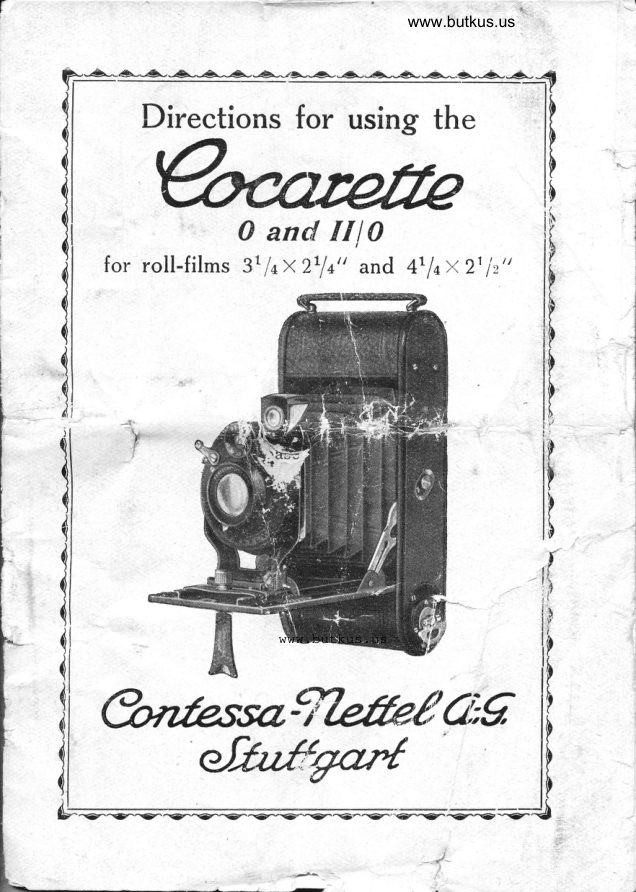
Contessa-Nettel Cocarette 0 and II/0 User manual
User manual for Contessa-Nettel Cocarette 0 and II/0. 11 pages in English. Read the original PDF, download or print a copy without registration.
11 pagesEnglish3.4 MB PDF
Loading your manual…Open PDF directly
Document details
- Brand
- Contessa-Nettel
- Model / document
- Contessa-Nettel Cocarette 0 and II/0
- Document type
- User manual
- Language
- English
- Pages
- 11
- File size
- 3.4 MB
- Category
- Film cameras
- Document date
- Not specified in catalog
Search available document text
Find a term, then jump to its page in the original PDF. Image-only pages may not be searchable; check the PDF for exact wording and diagrams.
Page 3 · Read text
www.butkus.us             \


                                                                                                                                                                                                                  -'
                                                                                     \,.
                         advantages of                                       the "Coca-                  -+\Y/hil"  retaining all the                                                                                                               'I                                                                                                             t' Y Y rette I(' 3/+*27,/o" and" Cocarette II I  4t/nx212",
we are now manufacturing these two models in a              \
somewhat simpler form and at a moderate price,
under the title "Cocarette 0" 3y4x2Y+" and "Coca-
 rette IIf 0" +/+x2L/2".
   Special attention is drawn to the fact that the
casing as well as the spoolholder device whidr is
one of the principal advantages _of our Cocarette
construction are the same as the Cocarette Camera
hitherto manufactured.
    y'-,*.,ery good irnitation lerther gcvering gives the
new,hbdel an eleg:aa! appearanc'e.- The somewhat
simfer form of the Ehna'bgard and focussing at a'near      distance, in addition to the simpler optical
 outfit, differ from the'better model hitherto manu-
factured. The new models are fitted with leather
bellows.
                                                               a
    .                                  .:'

             Description.
  The case of the camera is made of one oiece of                                ,
aluminium sheeting (German Patent). The' handy
form as well as the solid covering gives the "Coca-
rette 0" and "Cocarette II/0" an fine finish. The fol-
ding front (protected by patent) which fixes itself
automatically wheri drawn out, guarantees a parallel
and reliable guiding for the lens to the plane of
View original page 3Page 4 · Read text
the image and makes the camera ready for immediate
use, so that the tourist will be able at any time to
photograph anything of interest with the Coca-
                                     rette. Special
                                   attention should
                       be given to the
                                  filmholder.  \[rith
                                  the new construc-
                                     tion the film-
                                  spools can be very
                                     easily changed in
                                       day-light,'the                                  In      "Coca-
                                       rette 0" film-
                                spools of six ex-
                               posures 3rlaxztla
                                 indres and in the
                                  "Cocarette llfo._
                                     film-spools 'with
                                  6 pictures of
                                   2rlzx4l/a inches
                                are used. Both
                            models are pro-
                                 vided with a bril-
                             liantfoldingfinder
                               which can be
reversed for horizontal pictures. Taking greater
stability into consideration, the dimensions andweight
are as small as possible, viz. for the "Cocarette 0"             -16,5X3,5X7,8 cm, weighing 625 gr and for the
"Cocarette I[/0" 20 x 3,tx 8J cm, weighing 800 gr.


                                                      ?
View original page 4Page 6 · Read text
www.butkus.us

             DIRECTIONS
            FOR USE.
                 To load.
                       Take the camera in
                                the left hand (see
                                 sketch 2) and push the
                          button of the lock
                                    to the left whereupcn
                               the letter O (: open)
                         near the button be-
                             comes visible.
                                The coverwith
                                       the film holder
                                           is then drawn
                                   out of the
                                              boctlr of fhe
  camera (see
sketch 3).
  Take the film-
 spool from its
packing, put it in
the axis of the
film-spool holder
(see sketch 4) and
open cautious-
iy. Then take
the redicover-
paper of the
                      www.butkus.us film by
the poin-
 ted end
                                                  3 draw it                             Sketch
View original page 6Page 7 · Read text
between the
barq along the
frame towards
  the empty
spool and put
the end of the
paper into the
slit of the spool
  (sketch s).
  Turn the
 winder 2 or
3 times in the
 direction of
  the arrow
(sketch        6)            until
        paperthe                        Mike Butkus  Digitally   red                                                                                                                                                      DN:email=mike@butkus.org,Date:cn=Mike2026.01.25signedButkus,by10:41:48Mikeo, ou=Butkus.org,Butkusc=US-05'00'
  is taught.
   The film-                         Sketc.h 4
holding'frame
is then introduced into
the body of the camera
(see sketch 7).
  \7hen the side-wall is


                              Sketch 5
View original page 7Page 8 · Read text
www.butkus.us


 tl


                                       Sketch 6
           fixea again on ths cainera-case, 1:ush the qourrter-
         sunk button to the right.


I

I
View original page 8Page 9 · Read text
The letter C (:  closed) will then be seen near
           the button.
            The camera is now loaded and ready to wind off
             the film. Open the small slider at the back of the
\          camera (on the top)'ittand wind the cover-paper by            turning ihe wind"i    the direction of the'arroi
              until the figure 1 appears behind the red window
              (after about 18 turnings). The disc provided with
           our trade-mark in the back-wall of the camera can
          be removed by turning t/, to the leftf-1.    \(Ihen
          the camera is not in use, the opening serves to
            clean the backlens, for which purpose a soft piece
           of cloth is used.

                                                                                                                                         t:'

       To open the Cocarette 0 and II  I O.         _
             Press t'he left thu*U on the button at the sife'
             wall, the base board of the camera flies open auto-
             matically; press it down, until the two lateral props
            catdr audible. The base board being fited with a
            strong spring, it should be stopped a little when
            opening with the right hand. Then take the lens'front
        bv ths nickeled-plated handle below the lens with
            tliumb and forefinger of the right hand and pull out
            the front its full extent. The camera is now focussed
             for pictures at infinity ( oo ). If pictures of objects at
           a near distance are to be taken, the focussing lever
          below the lens is pressed up and the respective di-
            stance focussed on the scale by means of the former,
          whereby the lever is let into the respective notch of
           the scale'
                                                          .!.
View original page 9Page 10 · Read text
T                  j                                              www.butkus.us
             l

                            I


            I


                          i
                   The picture.  d

             1               Press the camera slightly against the body with
                           II            both hands. Obtain the group or landscape by means
             of the brilliant finder. If the group cannot be en-
                   seen in the finder, the distance between the +             tirely              pho{ographer and the object is too short. By press-
                ittg the wire release the shutter is released (see
             bJlow the description of the shutter).
                After each picture the winder must be turned in
            the direction of the arrow until the next figure
            becomes visible. \Uflhen closing the camera the ra-
                dial lever must be replaced again on infinity and
               the finder brought to its original position after having
             taken a horizontal picture. The front is then pushed
              back to the stop by pressing the two nickeled handles.
      i.         The lateral props are released by pressing them with
   {-          both thumbs and the base bcard can- be closed.
              Ifhen all e films are exposed the film is wound
              off by turning the film-key until the remainder of
             I             the red cover-paper is wound up. The camera is
             then opened, ihe film taken out, tlie empty spool
             put in its place and a new spool introduced in the
             place of the latter.
 sI          The disc provided with our trade-mark in the        i            back-wall of the camera can be removed by turning
        {               1/, to the left yft,
+                                                          '!'
                          Shutters.
            The 6(Cocarette" camers.s 0 and IIio are provided
                with the Peri shutter and Derval shutter, Both shutters
             are for snapshots                                           tlru, rlw and floo second, as well
             as for long and short time pictures, and set auto'
View original page 10Page 11 · Read text
matically; they are provided with the well known
iris diaphragm and both are handled in the same way
by setting the desired duration of exposure on the
little directing wheel.
  Being an everset shutter the beginner is warned
not to play with the shutter when the camera is already
loaded, as otherwise the film *ill be exposed.
                                     If for instance the e,r-
                       posure table shows 1/56
                       second of time for dia-
                     phragm 9, the latter is
                     put on the shutter by
                         turning the little regu-
                                lating wheel of the shut-
                        ter with the engraved
                          figure 50 (tluo second)
                         on the stroke-mark poin-
                          ting tc the lens cf lhe
                              interior fixed part of the
                         regulating wheel. By
pushing then the adjustable hand of the diaphragm
below the lens to figure 9 the aperture of the iris                                  -thediaphragm will be diminished in     intended way.
  In order to get the exact image, the finder is       -  the above described way and the releaseused in
of the automatic shutter can then take place either
by pressing the lever to the left of thi lens with
the finger or by means of the wire-release screwed
on the left side of the shutter.
       a
View original page 11From the M. Butkus archive. Original publisher and archive notices are retained.
Check the model and edition against your equipment.
PDF verified 2026-10-10.