Film cameras
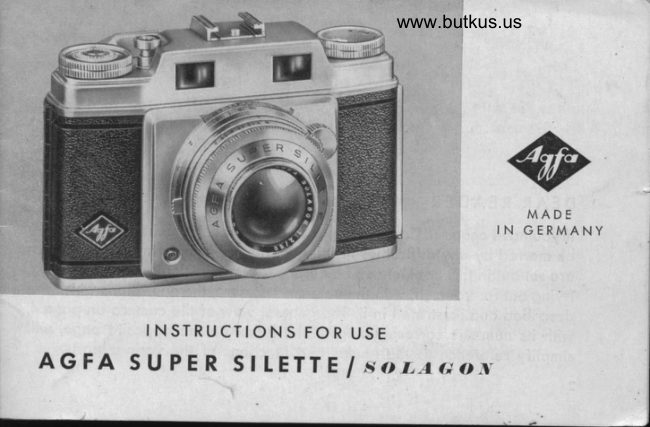
Agfa Super Silette Solagon User manual
User manual for Agfa Super Silette Solagon. 37 pages in German. Read the original PDF, download or print a copy without registration.
37 pagesGerman4.1 MB PDF
Loading your manual…Open PDF directly
Document details
- Brand
- Agfa
- Model / document
- Agfa Super Silette Solagon
- Document type
- User manual
- Language
- German
- Pages
- 37
- File size
- 4.1 MB
- Category
- Film cameras
- Document date
- Not specified in catalog
Search available document text
Find a term, then jump to its page in the original PDF. Image-only pages may not be searchable; check the PDF for exact wording and diagrams.
Page 2 · Read text
DEAR READER,
                lf you hove ocquired on Agfo Super Silette your enioyment of it should not
       be morred by ony difficulties in using it. The few simple instructions which
         ore set out in this booklet con be quickly leornt in o single coreful reoding,
          trying out for yourself, with the unlooded comerq, the operotions which ore
         described ond illustroted in it. The generol view of the comero on poge 4,
        with its numbers corresponding to the index on the opposite poge, will
         simplify reference to the nqmes ond functions of the vorious porls.

           2
\-
View original page 2Page 3 · Read text
www.butkus.us


A few triol settings of the coupled rongefinder, checked ogoinst the octuol
meosured distonces of the obiect on which the comerq is focused, will
 quickly convince you how simple to use ond how relioble  it is.
The 24 x 36-mm. Agfo super silette is designed to toke 35-mm. minioture
film, both block-ond-white ond, of course, .orou,. film (Agfocolor).
The Agfo Super silette is supplied with the six-elemen I t 2.ol5o mm. Agfo
sologon lens, o top-closs minioture Anostigmot of highest correction. bn
occount of its uniform definition over the whore ronge of stops ond even
of full operture, this lens hos goined enthusiostic friends omong omoteur                                                                          -willond professionol photogiophers.  lts synchro-compur  shutter                                                                                         light-
volue scole, built-in deloyed oction mechonism, ond X ond M flosh i  n-
chronizotion, will deol with oll requirements regording voriotions.


                                                             .i-                   ,                                       '     _-"-
View original page 3Page 7 · Read text
FILM TYPE INDICATOR
                                         Before looding the film into
                                           the comero  it is odvisoble to
                                         set the film type indicotor,
                                       which will be found on the
                                        foce of the rewind knob, so
                                              thot if o long intervol should
                                   elopse between exposures
          www.butkus.us                         there will never beony doubt
                                             Fis.3    os to whot type (or speed) of
                                              film is in the comero.
To set the indicotor, the rewind knob is pulled right out ond token between
index ond thumb os shown in Fig.3. The indicotor disc con then be rototed
by the milled edge pointing downwords until the required film designotion
oppeors in the window, for exomple'

6
View original page 7Page 8 · Read text
www.butkus.us
    8  40 100 160 Col Cot Cot Col        Col :  Colour film
r   ASA ese ASA AsA NT ND RT RD      N :  Negotive film                                                 R :  Reversol film                                      D :  Dovliqht
                                                                      Turigslen (Artificiol light)   OPENING THE CAMERA          T :
    The bock of the Super Silette is opened by sliding the lotch plote by its
     projecting lip (Fig.4) in the direction of the orrow.The bockwill then rpring
    up ond con be opened by
     the finger grip provided.


                                        Fis.4
View original page 8Page 9 · Read text
www.butkus.us                WITH THE BACK OPEN
                                      the two film chombers ore visible, on
                                        the left the empty chomber to toke the
                                      35 mm. cossette ond on the right (Fig.5)
                                    the fixed toke-up spool. For looding,
                                      the milled disc should be rototed until
                                        the slot with its tronsport cog is in the
                                         position shown.
View original page 9Page 10 · Read text
www.butkus.us
 INSERTING THE CASSETTE
 To insert the new cossette-this should be done if possible in subdued
 light-the rewind knob is pulled right out. With the new cossette inserted
 the. knob is then gently pushed bock, rototing it slightly, so os to
 with the spool of the cossette.                                "ngog"


Nole:
It is o structurol feolure of lhe com-
ero thot lhe rewind knob is rother
loose in its seoling.
View original page 10
Page 11 · Read text
THREADING THE FILM
                AND PULLING IT TAUT
                           The norow end of the film is now
                                   inserted into the spool slot os for
                               os the second perforotion; the per-
                                   forotion must engoge with the smoll
                            cog on the toke-up spool. The toke-
                          up spool is then turned by meons
                              of the milled disc until the film  is
                                  pulled tout. Only obout t7r" of the
                                         full width film should proiect from
                                 the cossette.


www.butkus.us
                                  Fis.7
View original page 11Page 12 · Read text
www.butkus.us
CLOSING
THE CAMERA
Hoving checked thot the
film perforotions ore en-
goging cleonly with the
teeth of the lower drive
sprocket the bock of the
comero moy be closed,
ond locked by pressing
with both honds, os shown
in Fig.8, until the cotch
snops to.


                                         Fis. 8
View original page 12Page 13 · Read text
EXPOSURE COUNTER
                                 Before the first exposure con be
                           mode the film counter must be set
                                     to the zero position.
                                The inner, milled, ring on the top of
                                       the diol, which is incorporoted in the
                                   ropid winding lever, is depressed
                                 with the thumb ond rototed onti-
                                    clockwise until the letter A is op-
                                         posite the index line on the rim (see
                                              Fig. 9). Two blonk exposures must
                            now be mode os follows:
Eoch time ihe lever  is operoted  it tronsports the film by one frome ond
of the some time winds the shutter.

12
View original page 13Page 14 · Read text
www.butkus.us
With the thumb of the rioht hond
 grip the edge of the le-ver ond
swing it firmly round os for os
 it will so (Fis. 10).
 lf the lever is found to be locked it mustbe. freed by first pressing the shutter
releose button.
Coution: In operoting the ropid windinq
         not rorget to pull it risht toiir":i.S:
Now depress the shutter releose
button which is beside the counter
diol ond repeot once oooin the
whole operotion of win-dino on
the film ond releosing the ihut-
ter. The exposure counter is now
set on one stroke oheod of "1".                                                                                              Fig. l0
Coulion:        The            rewind                  knob                            usuolly                                    rototes                                     os                                             the film is wound on:  it must not therefore beprevented         from                turning                       while                            the                                  lever is                                          operoted.
View original page 14Page 15 · Read text
DOUBLE AND BLANK EXPOSURE LOCK
The Super Silette hos o sofeguord ogoinst double ond blonk exposures.
Thot is to soy, it is not possible to moke two exposures on the some frome,
ond the film connot be inodvertently fed forword until on exposure hos
been mode. lf therefore it is found thot the releose button connot be
pressed, the film must be wound on by operoting the ropid winding lever,
or the lever wos not moved right up to ihe stop. This con be remedied,
without wosting ony film, by ogoin operoting the lever os for os it will go.
When it connot be moved the comero is reody for onother exposure.

EXPOSURE
Before moking the first exposure, the film should be moved on one frome
by operoting the ropid winding lever, so thot the exposure counter index
now reods "1" (see. poge 13).

14
View original page 15
Page 16 · Read text
www.butkus.us
      The hondling of the Synchro-Compur shutter fitted to the Agfo Super Silette
       colls for detoiled explonotion since the exposure (determined by rhe
        shutter speed ond the relotive operiure) is decisive for obtoining negotives
       of correct density.
       Pleose reod corefully the chopter referring to the shutter of your comeroI         (p. 2s-31).

   RANGE FINDING
      Ronge finding with the built-in coupled rongefinder is on extremely simple
       operotion, ond is corried out os follows, A glonce through the view-finder
      eyepiece will reveol thqt in the middle of the slightly tinted field-of-view
      there is q circulor centrol potch of o light blue colour.
       This centrol imoge, which is the port used for ronge finding, will of first
      oppeor double, consisting of iwo overlopping identicol imoges loterolly
       disploced relotively to one onother (see Fig. 11).
View original page 16Page 17 · Read text
It


Fig.Fig.1]11                                    Fis.12 5*
 lf the focusing lever 8 on the tube mouni {Fig.21 is now moved with the
middle or index finger of the left hond the overlopping imoges in the
centre will opprooch one onother ond ot one position of the focusing lever
will compleiely coincide (Fig. 12).
At this point the comero lens is outomoticolly focused on thot portion of
the subiect which is seen in ihe centrol blue imoge. This con be checked
by notihg the distonce which is now indicoted on ihe distonce scole by
the blocli index mork in the centre of the depth-of-field scole.

16
View original page 17Page 18 · Read text
www.butkus.us
      The focus settings. obtoined with the rongefinder con be obsolutelv relied
      upon; th.ey entirely.eliminor.e ony need Tor iudgins di;;;;-W6""-'ii.,"-      comero is used horizontol the inioges move';id;;;y;   *itn u"rii.;i'pi._        tures they move up ond down.
:r     Here ore o few hints:
      Cover up for o momenf with the finger the front viewfinder window on the       reteose              button srde.                                             lt will be found                                              thot the                                                     one                                                                          colour, is                                                imoge,-rilJying-now oll     more            ogreeoble,                         porticulorly                                  for selecting                                                            ln"                                                                             irul"it.''ay                                                    .ond      removing the, obstructing fini)er only when'it is deiii6J io ,r" ti;'-r;;o"-       trnder/ the qdvontoge is goined of o sudden chonge of colour in the sm"oll
       centrol potch which-showl up the double imoge rEry Ct"*lt:
     Moving subiects, such os processions, con be photogrophed with oreoter      certointy if the most suitbble distonce is firsr of oil .i".iJ"J ;;;:i'h.      dtstonce               scole                                      this.                                  distonce,                      set to                                 ond                                            the subiect                                                   wotched in t6!l,inou-';;""d"i'h";"       finder          os                        it posse.s                           into                            rhe                               ronse'of                                         shorp                                                        ioifi.  lit-ih;;;;;    do rs to wofch the procession in the rongefinder ond press the shutter
      releose ot the moment thot the two imosei i.i"iia"-  i" t[" l"iitiri .ir"iitr        circle, indicoting ihot the subiect is exoctiy in focrs.

                                                                                                                   t7
View original page 18Page 20 · Read text
www.butkus.us
      smoll error orises from the foct thot the view-finder is higher thon the
     comero lens. In proctice this only offects pictures in which the subiect is
       within obout 3-6 feet from the comero. To compensote for this the comero
      should be slightly tilted upwords when toking horizontol pictures; for
                          be turned slightly towords the viewfinder side.l      verticol pictures it should
    When toking oertical pictures  it is most convenient to use the thumb of the
       right hond to operote the shuiter releose.

   UNLOADING THE CAMERA
    When the exposure counter registers %,20, or 18, os the cose moy be,
      there is only enough film left for one exposure.  lf, in looding, too rnr.1., fi1.
     hos been wound up, it moy hoppen thot the film connot be wound on to
       this lost exposure the ropid film tronsport lever coming to o stop before
      the end of its trovel. In this cose, the lost exposure hos to be socrificed.

                                                                                                      19
View original page 20Page 21 · Read text
'lE
      'li
,iH       After the lost exposure, the film must
       I '{g,j.i    be wound bock into its light-proof
           cossette. To do this, the locking knob
      on the bose of the comero (see
             fig. la) should be depressed with the
             left thumb whilst with the right hond
          the rewind knob is pulled oui until the
             first slop (oppt.  I lt,;"), ond the film
        wound right bock by turning the knob
             in the direction of the orrow. This point
         hos been reoched when ihe film leoves
          ihe toke-up spool; this con be felt by
          the slightly increosed resistonce which
         hos to be overcome. The knob is ihen
         given o coreful further turn io see
                Fis. 14
                                                              20
View original page 21Page 22 · Read text
www.butkus.us
whether it con still be rototed ofter releqse of locking knob 13 (Fig. 2).
When this point is reoched rewinding should be stopped, for it muit be
remembered thot the processing loboroiory hos still to develop the film,
ond its end must not be ollowed to slip into the cossette. The bock of the
comero con now be opened os described on poge /. The rewind knob  is
pulled right out to the stop so thot the cossette con be removed eosily.
 It should be ploced os soon os possible in o light-tight wropping, ond for
convenience morked'exposed".
DIAPHRAGM  EXPOSURE TIME   DEPTH-OF-FIELD
The diophrogm scole of the Agfo Super Silette shows the following
stop volues:
2 2.8 4  5'6 8  ll  16.     Stops moy be set to intermediote holf-woy posirions.
stop: The choice of stop, or operture, colls for some more detoiled ex-
plonotion of its function. The light coming from the subiect hos to poss
through the iris diophrogm. This will ollow more or less of the light to poss
View original page 22
Page 23 · Read text
through, occording to whether it is fully open or closed down, but in ony
 cose it only ollows o froction of the light to reqch the film. The opertures
 corresponding to the numbers which oppeor on the diophrogm ring ore so
 chosen thot, commencing with the operture f/2.8, the next smoller operture
 (next higher number) reduces by one holf the light which is octuolly used
 in toking the photogroph.
Shutter speed: The omount of light needed to photogroph ony porficulor
 subiect on ony porticulor film is definitely fixed. There is q fixed relotion-
 ship between the shutter speed (or exposure time) ond the size of the siop,
ond in order to mointoin this relotionship the following rule must be ob-
served: The higher the stop number, the longer must be the exposure time;
the lower the stop number, the shorter the exposure time. For exomple,  if
the exposure toble gives on exposure time of 1/so second aI I/8, ond it is
 necessory to use 1/6s second in order to ovoid comero shoke, then this
shorter exposure time demonds o lorger stop so os to let through more
 light, ond the diophrogm scole must therefore be set to 5.6.

22
View original page 23
Page 24 · Read text
www.butkus.us
Depth-of-field: Similor to the exposure time, the ronge of shorp definition
in front of, ond behind, the distonce focused depends on the choice of
the stop number. With o smoll stop (stopping down) this ronge of shorp-
ness is considerobly enlorged ond is known os depth-of-field.  lts extent
increoses further with the obiect distonce.
The depth-of-field is thus o function of the stop ond the subiect distonce,
ond the exoct volues corresponding to o ronge of subiect distonces ond
f/numbers ore given in the toble on poges 34/35.
It deserves io be emphosized thot the volues of this toble hove been
colculoted for the highest stondord of negotive definition. A strict observ-
once of them is therefore necessory only in technicol photogrophy or  if
extreme enlorgement is desired. As regords the volues shown by the
depth-of-field scole of the comero they ore somewhot omple, but hove
proved to be sufficient for normol omoteur work. We refer to the illus-
trotion l5 on poge 24 showing the distonce set io l5 feet.


                                                                                                                                                                                                                                                                                                                                                                                                                                                                                                                                                              ' ::d
View original page 24Page 25 · Read text
With the lens stopped down
                                                    to 8 the ronge of shorp focus
                                                   will extend from obout l0
                                               to 30 feet.

www.butkus.us                                                      Fig. l5
    When the lighting conditions ore good the TWO-POINT-SETTING
       will simplify the procedure of stopping down ond increose the toking
      reodiness of your Super Silette.
       Set the diophrogm index to the red dot between 8 ond ll ond the focusing
      index mork to the red l0 or 30 of the distonce scole. The following zones
      of shorpness will be obtoined:
                      Distonce setting           Depth-of-field
                       t0 ft            Tftto15ft
                     30 ft            14 ft to infinity
View original page 25Related documents and language editions
From the M. Butkus archive. Original publisher and archive notices are retained.
Check the model and edition against your equipment.
PDF verified 2026-10-10.