Film cameras
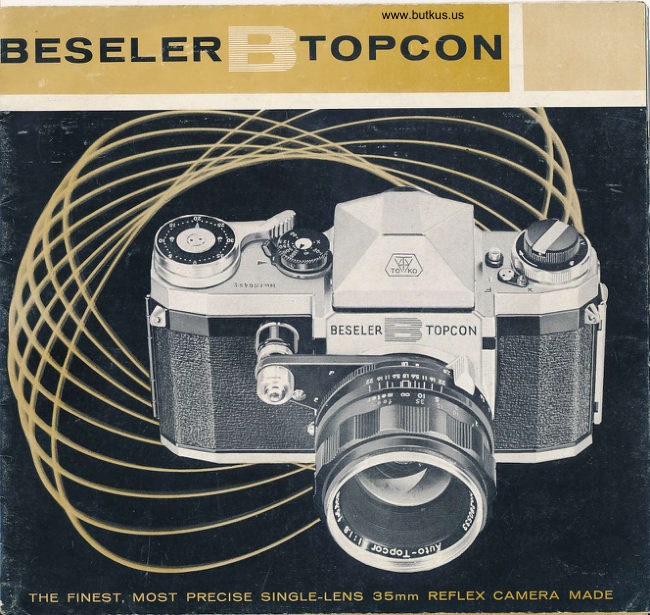
Beseler B User manual
User manual for Beseler B. 67 pages in English. Read the original PDF, download or print a copy without registration.
67 pagesEnglish6.0 MB PDF

Loading your manual…Open PDF directly
Document details
- Brand
- Beseler
- Model / document
- Beseler B
- Document type
- User manual
- Language
- English
- Pages
- 67
- File size
- 6.0 MB
- Category
- Film cameras
- Document date
- Not specified in catalog
Search available document text
Find a term, then jump to its page in the original PDF. Image-only pages may not be searchable; check the PDF for exact wording and diagrams.
Page 4 · Read text
F-


l.   Film winding lever         4.  Slcw speed shutter index        6o. Body shutter releqse
2.  Ex posure counter           5.  Slow speed shutter diol         7 .  Automotic diq phro gm releqse
3.  Exposure counter index    6,  Extended shutter releqse button   8.  Aperture ring lock
View original page 4
Page 5 · Read text
9 .  Diston ce focusing  rin g                      | 4.  A perture  rin g             19.  Film speed indicotor
10.  Distonce scole                                   I 5.  Shoulder slro p hook      20.  Rewinding knob with ro pid
I I .  Automotic dio phro gm lever          I 6.  Synchro-switch lever           rewind cronk
| 2.  De pth-of -field -scole             17.  Flqsh socket                 2l  .  Pento prism finder  cotch
13.  Aperture/Distqnce index                I 8,  Accessory knob            22.  Pento prism finder

                      www.orphancameras.com
View original page 5Page 6 · Read text
23.  High speed shutter diol      29.  Film tronsport  sprocket                35.  Spring plote
24.  High speed shutter index    30.  Film toke-up spool screw-heod        36.  Film pressure plote
25.  .Rewind button                 3l .  Film toke-up spool serroted fionge    37.  Film guide roller
26.   Tri pod  socket               32.  Film to ke -u p s pool  slit                38.  Finder eye-piece
27.  Lens locking lever          33.  Film toke-up spool                    39.  Focol plone shuttercurtqin
28.  Film cortrid ge  shoft         34. Bock cover lock                      40.  Film guide roil
View original page 6
Page 7 · Read text
INTRODUCTIONTO GUIDETO YOUR     lized to ossure thot every comero, lens or other
                                            Topcon products meets the exocting stondords EESEI.ER.TOPCONCAMERA                                                             of quolity ond workmonship thot hove become
 Your BESEIER-IOPCON comerq ond  its occes-     ossociofed with  the  Topcon trodemork  ond
 sories ore the products of  the Tokyo  Opticol      products of Tokyo  Opticol Compony.
 Compony, one of the lorgest combined optics
                                                 Your BESEIER-IOPCON comero  corries o dou- operotions in Jopon.
                                                        ble guoronfee thot you  hove  purchosed the
 For more thon o quorler  of  o  cen?ury, Tokyo       finest product your money con buy. Not  only
 Opticol Compony hqs ochieved world occlqim     does  it  meet  the  rigid  requirements  of   its
 for  fine lenses, binoculors,  microscopes, com-     world-renowned  monufocturer before   it leoves
 porotors ond o wide ronge of other precision       its Joponese  homelond,  but  in  oddition,   if
 opticol  instruments. From  its very  inception,  it        is subiected  to the  most stringent  inspection
 hos pioneered  in the  field  of  optics,  with o     procedures by  skilled foctory-troined  techni-
 vost reseorch loborotory  devoted  to constqnf     cions ot the Chorles Beseler Compony before
 improvement  ond  development  in  this exoct-           it reoches your deoler. Your BESELER-IOPCON
 ing science.            .\                           comero hos been designed for  long, rugged
 The Tokyo  plont, equipped  with the most mo-      precision performonce.  With  proper   core,   it
 dern equipment ond  focilities, covers neorly o        will  give you  o  lifetime  of  pleosont  service
 holf million squore feet. The lotest testing ond     ond  become  one   of  your  mosf  treosured
 inspection techniques or.d opporotus ore  ufi-     possessions.
I                          www.orphancameras.com
View original page 7Page 8 · Read text
GENERALDESCRIPTIONOF YOUR       the  mirror,  which  being  set  ot  on  ongle,
BEsE[ER.TOPCONCAI'IERA                    reflects the  imoge  up  to  the  ground-gloss
                                                  screen. The mirror  is ploced  in such o posi-
The EESEIER-IOPCON comero  which  you      tion os to  intercept the imoge which would
hove  iust chosen  is  o  single  lens  reflex     otherwise be proiected  onto the film plone;
comero with q focol  plone shutter ond tokes      therefore, when the mirror  is roised for  the
24 mm X 36 mm  size  pictures on  stondord      shutter  oction,  the  exqct  imoge seen  fully
35 mm block ond white or color films.          on the ground-gloss screen  is recorded  on
                                                    the  film.  The single lens system requires no
One  of  the  principol feotures of  the single
                                                     extro  occessories for  interchongeoble lenses
lens reflex comero is through-the-lens viewing                                                ond, therefore, is the ideol comero for those
ond    f ocusing. No  motter  whot  the    f ocql                                         who  constontly chonge lenses. The BESEIER-
length  of  the  lens used,  or  whether  used                                      IOPCON  comero  ond  IOPCOR  lens  is  o
with  extension  tubes  or  ottoched  on  the                                                combinotion not to be surpossed by onyone,
microscope, the finol subiect is viewed through     os the IOPCOR  brond  on  the  lens  is the
the  lens reflected  directly  on  the  ground-      sign  of  the  ultimote  in  lens  design ond
gloss screen thereby eliminoting porollox.  In     workmonship,  iust os  the BESELER-IOPCON
the mirror  reflex principle, the imoge of  the     brond denotes superlotive quolity in comero.
subiect is proiected by the comero lens onto    Some  of  the    f ostest lenses ore  ovoiloble
View original page 8Page 9 · Read text
for  the  flrst  time  without  ony  socrifice  of    SUI'IiAARY OF BESEI,ER-TOPCON
 resolving power  for  more speed.  All lenses
                                 PICTURE-TAKING STEPS hove either outomotic diophrogm  or  preset
 diophrogm  oction   f or  speed  photogrophy.          l.  Advonce the film winding  lever  (l)  with
 Lens mounting  is o modifled boyonet mount-         o  single 180"  stroke  or  severol quick
 ing, combining quick-chcnge eose with screw-        strokes until o   f ull stop  is mode.  This
 threod  precision.  This combinotion  of  the         oction simultoneously odvonces the  film
 single lens reflex sysiem ond superior  inter-        ond  the  exposure  counter,   cocks  the
 chongeoble lenses is ougmented with  hond-          shutter, chorges the mirror roising mecho-
  ling eose ond  fool-proof  operotion  which,        nism  ond  releoses  the  shutter  locking
  in coniunction with  the  full  complement  of         device.
  procticol  occessories,  mokes  this  comero
                                                             2.  Set the shutter 3peed by  lifting  the high suitoble for  every phose  of  serious photo-
                                                 speed  shutter  diol  (23l. ond  rototing    it grophy.
                                                                 until the desired number is opposite the
 This monuol hos been compiled  to  exploin
                                                      high speed shutter index (24); then drop
  in  detoil  the  operoiion   of  the  BESEIER-
                                                                into  position.
 IOPCON Comero ond ottempts, ot the some
 time,  to  give  you some of  the finer points      3.  Set  the  lens operture  by  pressing the
  of photogrophic  principles in order thot you         operture  ring  lock  (8) ond  rototing the
 moy  more   fully  enioy  your  picture-toking         operture   ring  (14)  until  the  required
 experience.                                          operiure is opposiie the operture/distonce
6                         www.orphancameras.com
View original page 9Page 10 · Read text
index  (13),' releose pressure ond   it  will  TOADING FIIM
    click into  position.
                                             The BESEI.ER-IOPCON comero   is  designed4. Push the outomotic diophrogm lever  (ll)
    of the stondord Auto-Topcor  f /1.8 58mm      to  toke  either  o  35 mm  film  in  doylight
    lens  oll  the woy  to  open  the  lens  to      cortridge or dorkroom looding film pocked in
   focusing position.                                cortridges, ond mokes 20  (or 36 exposures)
5.  Holding the  comei'o  ot  eye-level,  focus      oI 24 mm x 36 mm size pictures. Films should
    the  imoge  on  the  ground-gloss screen     not be looded or unlooded in direct sunlight
    ondf or the split-image rongefinder, inde-      or under strong ortificiol  illuminotion.
   pendently of eoch other or simultoneous-    OPEN'NG  CAMER,A  t
     ly,  by  turning   the  knurled  distonce         l.  Hold the comero  in  the  left  hond  with
    focusing ring  (9).                                 the lens borrel down or remove the lens
6. When  reody,  press the  shulter  releose        ond  ploce  comero  with  lens  oPening
    button  (6).  This oction  stops down  the         focing down.
    operture  to  the  preset  opening,  roises                                                            2.  Pull up the bock cover  lock (34) on the
    the  mirror,   opens  ond  closes  shutter,                                                                         left  side  of  the  body  which  will  gently
    returns the mirror ond releoses the wind-
                                                      spring the bock cover open.
    ing lever locking device.
7.   lf no chonge  is mode  in  operture ond    LOADTNG  FILM t
    shulter speed,  repeot  steps  l,  4, 5 ond      3.  Pull up the rewinding knob  (201 os  for
    6  for  the next exposure.                        os  it  will go ond insert the film cortridge
View original page 10Page 11 · Read text
into the  looding chomber  with  the  film       engoge the film perforotion on the screw-
     slit focing  the toke-up spool (331. Push       heod (30) protruding neor the slit on the
   the rewind ing knob  bock  into ploce ;   if                       l o w e r e n d o f   t h e   t o k e - u p s p o o l . ( l f    t h e
    the  film  cortridge  shoft  slot  (28) does            slit is not  visible, turn the spool  by  its
    not engoge, turn the knob  slightly until        serroted lower edge  (31)  until the  slit
      it  fits into the cortridge.                         oppeors.)
4.  Drow  ouf  o  short  length  of  film from
    the  cortridge  ond   insert  the  end  os     CI.OS'NG  CAMER.A:
   deeply os possible into the film toke-up      5. Moke sure thot the film perforotions fully
   spool  slit  (32l- ond,  ot  the some time,       engoge the film tronsport sprocket teeth


                                                   Digitally signed by mike
                                         butkus
                                         cn=mike butkus,   mike         DN:o=orphancameras,                                                         ou=29,
                                          email=mike@butkus.org, c=US
                                             Date: 2017.11.03 15:43:16   butkus  -04'00'
                         www.orphancameras.com
View original page 11Page 12 · Read text
(291 ond then corefully close the comero.        knob  in  the  opposite  direction  of  the
   Lock  firmly  by  pushing bock  the bock        orrow  engroved  on   it,  thus  indicoting
   cover lock (34).                                     thot the film  is odvoncing properly.
6.  After  the  film  hos been  looded,    it  is      7.  Push the film winding lever  (l )  with  the
    best to moke   it  o  stondord  routine to          right thumb os for os it will odvonce ond
    slowly  turn  the  rewinding knob  (2Ol in        then releose;  the  film  hos been odvon-
    the direction of  the orrow  in order  to        ced one frome ond the shutter hos been
    give  tension  to   the   film  inside  the        cocked.  Press the  releose  button  (6).
    cortridge. When  this is done eqch wind-        Repeot the o bove operotion  once more
    ing of  the  film will rotote the rewinding        ond the film  will be  in  position  for  the
View original page 12Page 13 · Read text
first exposure.                         sETTnrrGEXPOSURECOUNIER (21 :
                                                Rotote the exposure counier index  (3) by  l\lote:
                                                    the  two  smoll  studs  until  the  pointer  is  o. Although o  single l80o  stroke on  the
                                                 opposite  "O". The next winding oction  will     film winding lever will odvonce  the  film
                                                    bring  the  first  frome   into  position.  The      to  its proper  position, the some  result
                                               exposure  counter  index  rototes  clockwise    con be obtoined by severol quick, short
                                                   while the numerol  diol  remoins stotionory ;     strokes.  However,  in the  lotter cose the
                                                  thus the number of exposures con be reodily     oction must be continued  until  the  lever
                                                  reod  off  ot o glonce.    comes to  o  full stop.
  b. When  the thumb  is  releosed from  the     FTLM SPEED IND'CAIOR     :
   ,   lever,  it  will  return to  o position slightly    The ftlm speed indicotor (19) is incorporoted
     short of  its originol position when corried     on the rewinding knob os o reminder of the
      in the leqther cose. This pre-stroke thumb    ASA index number of  the  film  being used.    '
    gop  is ploced there to focilitote the next     White  numbers   f rom  50  io  800  represent
    winding oction. When the leother ever-     blqck-ond-white films, while yellow numbers
     reody  cose is closed, the lever  is eosily     from  l0 to 32  qre  for  color  films ond  the
    pushed bock into  its originol position.                                                  obbreviotion "EMP" stonds for "EMPTY". See
  c. When looding film, olwoys keep the lens     instruction sheet in the film pockoge for the
    covered  with lens cop  or,    if  the lens is     proper  film speed (ASA index number) ond
     detoched, cover lens opening with its cover.      set the film speed indicotor occordingly.
t0                         www.orphancameras.com
View original page 13Page 14 · Read text
UNLOADING FILM
After toking 20 or 36 exposures, qs the cose
moy  be,  the  fllm should not be odvonced
o ny more for   f eo r the film  will  teo r  or  pull
out  of the corrioge.  Even should you  |ry  to
odvonce the film, the wind ing  lever  will  not
odvonce  eosily  ond,   thereupon,  pressure
should immediotely be releosed

REW|NDING:
To  rewind,  depress  the  rewind  button  (25l-
in the bose of  the comero qnd  turn  it coun-
ter-clockwise until  it  stops  to  lock  in  ploce.
Unfold the ropid rewind cronk on the rewind-
 i ng knob (20) ond  turn  in  the  direction  of
the  orrow.  Rewind ro pidly  until there  is no
drog  which  is  indicotion  thot  the  film  hos
been completely rewound into the cortridge.

UNI.OADING:
Open  the bock cover, pull up  the  rewind ing
View original page 14
Page 15 · Read text
knob  (20l. os for  os   it  will  go  ond   lift out  REFTEXVIEWING  the  film  cortridge  corefully.  After  removing
  the exposed  film,  reploce   it  in  its originol    One   of  the  principol  odvontoges   of   the
  pocking for  protection.                                        BESEIER-IOPCONsystem of photogrophy  is the
                                                        single lens reflex viewing ond focusing system.
                                         No motter which finder is used-the  split-imoge
                                                         or  the  ground-gloss-the   subiect  is viewed
                                                             directly  through  the  lens ond, fherefore, the
                                                     porollox   problem  (common  with  comeros
                                                   hoving different locotions for the finder window
                                              ond comero lens) is entirely eliminoted.

                                                    PENTAPR'S'}I  F'NDER 3
                                                              In the BESEIER-IOPCON  mirror  reflex  system
                                                      the imoge  is proiected onto the mirror upside
                                           down o nd reversed from  lef t  to  right. When
                                                             this is reflected up to the ground-gloss, ond
                                              seen through the condenser lens, the imoge
                                                                     is seen right side up but still reversed left  to
                                                                right.  The  pento prism  finder  (221 on  the
                                            comero  is o five-sided prism which shows on
t2                          www.orphancameras.com
View original page 15Page 16 · Read text
imo ge  in  the  eye-piece  which  is  both  right
side up ond loterolly correct, ond of the some
fime,  enlorged   to   life-size  when  viewed
through the stondord Auto-Topcor f-58 mm lens.

The odvontoges  of  the pento prism finder ore
thot   it gives :

 l.  A right-side-up loterolly  correct  imoge ;
   po rticulorly voluo ble  for  moving  subiects.

2.  An eye-level focusing ond viewing system;
    especiolly suited for  verticol  pictures.

3.  Brilliont,  life-size imoge,  voluoble  when                                                   cotch  (21l. ond  slide  it out towords  the  bock
   keeping one eye on  the  finder ond one
                                                         covgr.
   on the subiect.
                                             To insert finder,  slide  it  in corefully  from  the
fO  REMOVE  FIIIDER:                                                bock cover  side  until   it snops  into  position.
The pentoprism  finder  is exchongeoble  with    No force  is required.
o  woist-level  finder  (similor  in  use  to  the
reflex hood  of  the  twin-lens  reflex  co mero).     WATST-LEVEL  FITIIDER:
To remove  finder,  toke  o  flrm  grip  on  the     As noted  obove,  the  imoge  proiected  onto
finder   in  the  comero,  depress  the  finder      the ground-gloss screen is  right  side up  but
                                                                                                             t3
View original page 16Page 17 · Read text
reversed   f rom  left  to  right.  When  viewed
 through the woist-level finder, (supplied os on
 occessory) this is the imoge os seen by  the
 eye. Since the imoge  is not  loterolly correct,
  this finder  is not suitoble  for  oction  shots in
 which the  subiect is constontly moving. How-
 ever,  it  is convenient for overheod  or  for low
 ongle  shots which  ore  owkwo rd  with  the
 pentoprism finder.

 The BESEI.ER-IOPCON woist-level finder   is o
 four-sided hood  with o spring-opening cover
 ond incorporotes on  integrol  mognifier. The
                                         - moin odvontoge  of  the  woist-level finder  is         the  cover  open,  exposing  the  ground-
 for those shots which coll for  criticol study of          gloss  screen  on  which   the  imoge   is
 the subiect for  interest ond composition, ond        viewed os o brilliont ond enlorged subiect
  it  is especiolly voluoble  for  criticol  focusing          iquivolent   to  the  finol  picture size.  To
 ot  close ronge  (with the use  of  the  built-in         close the hood, push down the coyer until
 m o gnifier).                                                                               it snops into ploce.

 o.  Reflex  Hood   :  Press the releose button       b.  Mognlfier:     For  greoter  mognificotion
      ot the reor  of the finder which will spring          or when more criticol focusing is required,
t 4                        www.orphancameras.com
View original page 17Page 18 · Read text
such os  for  close-up  work,   pull up  the
    reor  end   of   the  mognifier  which  will
    insiontly snop open.  A greoter  port   of                               Pentaprism
    the imoge seen in the ground-gloss screen
                                                                             Eye-piece
     is enlorged 8X by the mognifier. To close,
    reverse the qbove  oction.


FOCUS|NG  VtEWEn  SYSTE t| 3
                                                                             Condenser                           I#
The viewing system of  the BESEIER-IOPCON                                          Split-image
is qlso the focusing system of  the comero.                                        Kangefinder
Focusing is occomplished by  two  methods;                                     Groundglass
one  by  meons  of  the  ground-gloss screen
ond  the   other  by  using  lhe   split-imoge
rongefinder incorporoted  in the center of  the
ground-gloss screen.

o.  Ground-gloss    Screen:   One  side  of
    the gloss of  the  ground-gloss screen hos
                                                                                                                      -------rrJ                 MirrOi-     Fitmplane   been purposely roughened by obrosion to          ffiCamera lens
   moke  it tronslucent ;  thot  is, the imoge  is
    orrested   to  permit  observotion  by  the
                                                                                                                                                                                                                                               l 5
View original page 18Page 19 · Read text
photogropher.    In  the BESEIER-IOPCON
     comero, o condenser is instolled  in  od-                                         PRINCIPLEOF THE SPLITIMAGE
      dition to  the ground-gloss focusing screen                                        RANGEFINDER
      to greotly enlorge ond moke  brilliont the
    imoge  intercepted  on  the  screen.  This
     mognifier  greotly  helps  the  uninitioted
      into  the ground-gloss focusing method.
    When  in  doubi,  odiust   f he  focus,  fore
    ond  oft,  until the imoge  oppeors  ot  its
     greotest shorpness for the principol obiect.

  b. Spllt-lmcae   Rongeflnder:    The ronge-
     finder  element   ot  the  center   of  the
     ground-gloss screen consists of two  odio-
     cent  semi-circulor wedge-shoped  prisms
    which split the imoge. When the imoge is
     out of focus, the two  portions ore sepo-
     roted loterolly  ; when the imoge is in shorp
     focus, the two semi-circleswill be correctly
    motched ond fhe imoge  will  be seen os           Oui  of  focus                In shorp focus
    one unbroken whole. The moin odvontoges
t6                           www.orphancameras.com
View original page 19Page 20 · Read text
of  the split-imoge rqngefinder ore mo(e   tENS
positive cloriflcotion of imoge, eosy focus-
                                         The stondord  lens  of  the BESETER-IOPCON
ing under difficult conditions ond o meons
                                         comero is on interchongeoble AUIO-IOPCOR
for  obtoining  lhe correct distonce prior
                                               6 - element Gouss type  lens with o moximum
to  snop-shooting. However, focusing must                                        speed of  t/1.8 ond focol  length of  58 mm.
be  corried  out  ot  o  reosonobly  wide                                                                             It  hos  o   built-in outomqtic diophrogm  to
operture  ond   presents  some  difficulty                                                         focilifote  focusing under  oll  conditions.  For
ot  opertures smoller thon f/5.6  or  when      eosier reoding  of  the scole, the  lens borrel
focusing  with  wide-ongle  ond  telephoto       ofiers  q   block  enomel  bockground   with
lenses due  to  one   of  the  semi-circles     yellow numerols for  feet ond white numerols
becoming  dork  moking    it   difficult   to       for  meters.
obtoin  correct olignment.  This moy olso   FOCU5TNGrri  rrrus t
hoppen  when  the  comero  is  not  held                                             Since the lens proper  is the viewing-focusing
in  level  position when  focusing  by  this     system of  the single lens reflex comero,   oll
method.  However,  this  system  is much     focusing odiustments ore  mode  directly  on
eosier  to    f ocus under   difficult  lighting     the lens itself.  To obtoin  shorpness of  the
condition  thon  the  ground-gloss system     imoge on the ground-gloss screen or  in  the
becouse of  the  effect  of  the  condenser;     split-imoge rongefinder, the knurled distonce
which brightens the imoge  in  the  ronge-      focusing ring  (9), is turned fore  qnd  qft until
f,nder  to  o  higher degree.                     the imoge becomes shorp. The lens-to-subiect
                                                                                               t7
View original page 20Page 21 · Read text
distonce  con  then  be  reod   off  on  the      insteod  of  the  outomotic  diophrogm  found
 distonce scole (10) immediotely behind the     on   oll  AUIO-IOPCOR   lenses, the  knurled
   f ocusing  ring,  ogoinst  the  single  red-line     distonce   f ocusing  ring  is positioned  in  the
 index mork   (l 3) which  is locoted  on  the     middle  of  the  lens  borrel  ond  the  sqme
  depth-of-field  scole behind the  "1.8"   figure      red-line  index  mork  on  the  depth-of 'field
 qnd  which  is  olso  used  tor  the  operture     scole is used.
 index mork. Focusing is from  infinity to  1.6 ft.
  (0.5 meter).                                   tE fs oPENft\tG:
                                           The light imoge thqt enfers the lens is con-
 TVOTE:
                                                            trolled  by the  diophrogm   to  produce  o
  In  the  R. fOPCOR   interchongeoble lenses,
                                                groduoted  series  of   lens  openings  colled
 which ore  equipped  with  preset diophrogm
                                                   opertures  or  stops.  In  the AUIO-IOPCOR
                                                  stondord  lens,  the  following  opertures  ore
                                                    obtoinoble ond ore reod  off on the operture
                                                          ring   (l 4)  ot  the  reqrmost end  of  the lens
                                                    ogoinst  the   red-line  index  mqrk  on  the
                                                        depth-of-field  scole mentioned previously.
                                                  Aperture  1.8   l2l  2.8  4 5.6   I    ll   (16l. 22
                                             tT.T:'"                                               1/s 1/4 r/2 r 2 4 8  15 30

           Auto-Topcorf/t.e Se mm              From the obove,   it  will be noted  thot  eoch
t8 {fi#www.orphancameras.com
View original page 21Page 22 · Read text
operture ond  vice verso.  In other words,
                                                 selection of  proper  o perture  is  d irectly
                                          dependent on the correct exposure required
                                                                                              f or  o ny  given shutter speed o nd   f or  the
                                               required depth-of-field.
                                        The lens opening of the AUTO-IOPCOR lens
                                                               is odiusted by pressingthe operture ring lock
                                                       (8) o nd  rototing the  o perture ring  in the
                                              proper d irection until the required o perture
                                                              is opposite the red-line index mork. Releosing
                                             pressure on  the  operture ring  lock  brings
                                                  the ring to o "click" stop.

smoller o perlure  (higher  figures) t.quires    IENS DTAPHR.AGM SYSIEM :
double the exposure of the previous o perture       It  hos  been  previously stoted  thot  the
ond  thot stopping down the lens opening    operture controls the omount of  Iight possing
will require o corresponding increose in the     through the lens to  the film surfoce. Since
time the shutter r emqins open, if light condi-    viewing ond focusing ccln best be done ot
tions remoin unchonged. For exomple, if the    moximum operture whereos octuol exposure
shutter speed ot  t I 8  is 1I 60 seconds, it  will    moy coll for stopped down operture setting,
require 1 l3O seconds open  time   f or   t I | |    some device must be  built into the lens itself
                                                                                               t9
                                                                                                                                                                                                                                                       ri
                                                                                                                                                                                                                                                                                                                                                                                                            Iii[,
View original page 22Page 24 · Read text
ring (14) without ony difference in the      b.  Preset  Dlophrqgm
    result. The first operotion will open the          All  R. IOPCOR lenses hove preset dio-
   operture to  its moximum opening ond       ph ro g m mecho nism, consisting of  the
   octuote the spring mechonismwhile the        operture index mork (A) (white diomond)
   second operotionr by itself, will not close        o perture scole ring (B) ond knurled preset
   down the operture. Only the pressure on       diophrogm collor (C), in the order lrteh-
   the extended  shutter releose  or  the        tioned storting f rom the  f ront end of the
   outomotic diophrogm releose con stop        lens bo rrel. The o perture scqle ring ond
   down  the  operture  to  its preselected       knurled preset d io phrogm collor moy be
   opening.                               moved interlocked together or the lotter
2.  In order to focus the next frqme of wide      moy  be  moved independently of  the
   operture, the outomotic diophrogm lever
   must be cocked ogoin. In this cose, it  is
   not necessoryto touch the operture ring
      if no chonge in operture is required.
3.  lf, ofter cockingthe outomotic diophrogm
    lever,  o  chonge  is  required  in  the
   operture, the  desired chonge moy  be
   mode by simply re-setting the o perture
    ring.
                                                                                                          2t
View original page 24Related documents and language editions
From the M. Butkus archive. Original publisher and archive notices are retained.
Check the model and edition against your equipment.
PDF verified 2026-10-10.