Light meters
DeJur Photoelectric Exposure Meters User manual
User manual for DeJur Photoelectric Exposure Meters. 14 pages in English. Read the original PDF, download or print a copy without registration.
14 pagesEnglish1.6 MB PDF
Loading your manual…Open PDF directly
Document details
- Brand
- Dejur
- Model / document
- DeJur Photoelectric Exposure Meters
- Document type
- User manual
- Language
- English
- Pages
- 14
- File size
- 1.6 MB
- Category
- Light meters
- Document date
- Not specified in catalog
Search available document text
Find a term, then jump to its page in the original PDF. Image-only pages may not be searchable; check the PDF for exact wording and diagrams.
Page 1 · Read text
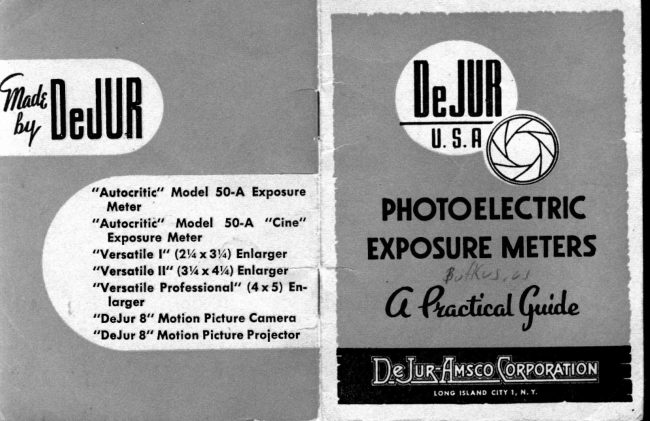
IeJ[|n

       "Aulocrilic" Model 50-A Exposure
        Meter       "Aulocritic"  Model  50-A  "Cane"   PHOTOETECTRIC
        Exposure Meter
       "Versqtile l" (2t/ax3volEnlorger               EXPOSUREMETERS
       "Versqtile ll" (3Vtx AVolEnlqrger
       "Versotile Professionql" (4 x 5) En-
          lorger
      "DeJ ut 8" Motion Picture Cqmerq       oMw      "DeJur 8" Motion Picture Proiector
View original page 1Page 2 · Read text
It  is simple  to operate a  f).,Jur  e\l)osure  meter.   lt was
                                                designed to comlline  Jlrecision rrtllr rd:-e  ilt olreraliolr.  Al-
                                                though    it  is a  precision  instnrlrrrnl   eorrtailring  minute,
                                                    accurately  llalanced  parts.  it  rc'rlrttr..q 1r() nr're  lltan  n()r-
                                                mal  care  to  insure   its  rendering   ar'('rrrate arrrl  faitlrful
                                                       service. The  movements  built  Inlo   l)';sr    ntrt(:rs are  inDe-JUR-AMSCOCORPORATIONaeeordanee  with  the  AS,\  sper:ihcatr'n5,  olfrrirrg  vou  a        ]ONG ISTAND CITY  I                                                  meter  that conforms  to the mosl  nr,,rlern develolrrnr[ts.
          NEW YORK                                                       Treat  your exposure meter as vnu  wr)ulo a  filre wateh.
                                               Your  exposure meter,  like  your  rratch,  will  give hrnger
                                                      serviee   if  you  will  protect    it  fr.,6              jar*.  extreme                                                                                                                       "url,l,.n
                                                       vibrations  and excessive dampn"..,r or  hrat.  51,ecial skill
                                 P'inted in U.S A.        is required   to  repair  a photoelectric   exposure  nreter, and
View original page 2Page 5 · Read text
5.  How   to  Operate    the  Calculator3.  Film  Erposure  Index
  Photographic  films differ  in respect to their sensitivity           The usual problem  in exposing g  fi!-   is to deterrrine                                                                                                        exposu-re                                                                                                            the                                                                                       and                                                                                    opening                                                                      diaphragm                                                                   rhe                                                                           lens                                                                                                                                                                                                li-"to    light.          Light                                intensity                  of                   the same                                              falling on various                                                                                                                                   to the given                                                                                              and                                                                                                                            film                                                                                                                to that                                                                                     tp""d                                                                                                        ( shutter                                                                                                                               ) appropiiate                  will                 producekinds                                   photographic       of film                                                       effects                               different
due to the inherent characteristics of the  film and the           conditions of illumination.
lieht to rrhich  it  is exposed.                                                     First,  find  the exposure index number  of  the  filn   in
  Films  of  different  light  sensitivity  are assigned dif -           the  list  of exposur"  ittd"*  numbers-; then align  tb"  ex-
ferent exposure index numbers. Daylight  and  artificial                ;";"t.   inde* bn one dial  of the calculator  with  the  di-
light affect the 6lm differently. Each film, therefore, has               iirio"   o"  the other  dial  corresponding  to the  light   in'
an exposure index for daylight and another for tungsten           tensity indicated by the exposure meter.
light (as the most frequently used artificial illumination ).           The resulting alignment  of the other two scales on the
                                                                         calculator  will"then'  shorv the desirable combinations  of
4.  Tlrc Calculntor                                                 .         exposure time and lens diaphragm opening.
  The calculator on the DeJur exposure meter  is com-                                                                                 In  the event that the meter  fails  to show the specificposed of a stationary and a movable  dial. Two  sets of                                                                                  film speed, shutter speed or lens stop YQu-shoulda-r9using or. havegraduated divisions are etched on each dial  in such posi-                                                            on your camera, the nearest factol        be used. Or,tion that the divisions on the two dials can be aligne.l.                                                                                          itt.'Utorf   between any trvo figures can be used, and  IThus the divisions representing the light  intensity on one                                                                   reading easily secured.dial can be aligned  with  the  divisions representing the
exposure index on the other dial. Note the two lines etched           To  illustrate,  the  film speed index  of  I  is not shown
on the scale glass These can be set over the speed number          on thttt"l",   Y€t you are working with-q film of this speod'
of the film in use by rotating the glass with the fingers.                        ili;;;it;;t       ih.  rp"r"  between 6 and 12 and the lens and
                                                                           shuttei speed tt"dittgt   will  be correct  for a film speed  The f-values and exposure times represented by scales                                                                               of 8.of graduations on the two dials can be similarly  aligned.
Thereby the calculator  provides a mechanical means for           The same holds true with  shutter speeds and lens dia-
rccurate  correlation  of the four  factors of  film exposure          phragms. Interpolation  can -easily pto"ide  the correct  ex'
previously mentioned.                                                                 ;;#t      ior  all  th.ttt"-t  speeds, film speeds and lens stops
  The  colored  dot  on  the  scale  glass  is  for  color  as               [i-.riting    the diaphragm  setting on the lens between                                                                                 t$'o stop$dcecribed  in Section  8.
                                                                                                                                                           1
View original page 5Page 6 · Read text
The reason some numbers are absent on the scaleg is for         f.values and exposures to which  your  c1llrcra cannot  rF
the sske of greater legibility  of the figures. It  is felt that         s€t   If you wish'to  usc thesc combination+  you ctn  earily
Gasc of reading  is to be preferred  to small, numerous and        approximate  them  by  using_ thc  ncrt  srGoSer exponrtt
hard-to-read scales.                                                  time, or the nert smaller f'value.

6.  Best Tim.e-Diaphragtn  Combination
  Which  of the foregoing eombinations of exposure time
and diaphragm opening should be employed ? Decision
on this point  will  rest largely on certain features of the
subject being photographed"
   Selection of one of the indicated combinations may be
made either because some particular diaphragm opening
or 8 certain shutter speed is required  for photographing
qhg subjegt efrectively. For example, the desired deprh ol'                                                              HONEYCOMB   LIGHT   BAFFLTfield might deternrine the optimum diaphragm opening;                                                                            The   correct   an(le   of   li$ht'acceptane       lot
or the motion of the subject might make a certain shutter                    averape oarnetas  and  lenJes  is redulated  by
spged preferable. ln  this connection, the lollowing  simple                               -""rri    ol a "honeycomb"     Iieht  baffie  located                                                                                                                                          photoelecttic                                                                                                                                      oi  the sensiiive                                                                                                           1ront                                                                                                                           inrules may be observed:                                                                            direcilv                                                                                                               5O'A                                                                                MODEL                                                                              AUTOCRITIC                                                                                                  the                                                                                                           cell  oi
   a)  \[ith  a given distance between camera and subject,                  and  AUTOCRITIC   MODEL    iO'A'CINE
and with a given lens, the smaller the diaphragm open-                      rneters.
hg,  the greater will be the depth of field.
   b) The faster the motion of the subject, the less should        7. How to Hold the Exposureffieter
be the exposure time  ( faster the shutrer speed ) . See table
of shutter speeds on page 23.                                    Whether  the  exposure meter  should  bc  held  8t  thc
                                                         camera position ot tlo."  to the subject; whether  it should
  The timediaphragp   combinations on the calculator are        be direcied  at the subject  or at the source of  light"  will
!o numorous that not  all of them can be directly  applied         depind  upon the kind  and amount  of  illumination  and
to  your camera. The  calculator  dials may show some        upon the nature of the subject.
View original page 6Page 7 · Read text
In outdoor, daylight photography in which the srrbject             b )  Distant  landscapes whicb  usually  present mist
is not surrounded by large areas of highlights or shadstvs,                   or haze thet  reduces the reflected  rays.
hold the exposure meter at or near the camera and point
it directly at the subject. The exposure time so determined            For indoor, daylisht photography with ample illumine-
will be called "the exposure at camera position."                       tion, use the same pto"Ldure as for outdoor photography'                                                           Under  certain            however, the  light may be so
    If the subject is placed against a bright background, the          poor  that  the exposure"onditiottt, meter does not  clearly  register
meter should be held about a foot a\vay from the subject,            at the camera position. In that case, hold the meter close
taking  care to see that  the shadow cast by the meter            to the subject and point   it  at the window  or doorway
itself does not influence the actual exposure. lf such close         through  *liith  the subject receives most of the illumina-
approach to the subject is not practicable, determine the            tion. The meter  in  this  position  will  indicate  the  in'
"exposure at camera position" and adjust this exposure          rensity of light incident on the subject.
according to the following:                                                          The light reflected by the subject will be of much lorver
    l. Scenes which  require  one-half the "exposure  at            irrtensity than the light incident upon  it and will, there-
    camera position":                                                  fore, require much Iottg.t  exposure to produce the de'
    a ) Subject  of  chief  interest surrounded by heavy             siretl photographic effect. Determine the exposure time
       shadows, as in photographs taken through a door-         corresponding io the incident light and m ultiply by I0 to
      way and in which the doorway is included.                    <llrtain tlte correct exPosure.
    b ) Subject of chief interest is part of large highlight                                                                                In phutographing by artificial  light, aim the meter at
        area, as for example, snow scenes in which detail                                                                    the subje.tl Fo.  pottraiture, ttota the meter about a foot
         of the snow itself is desired.                                                       away f.L,n the slbject.  If the entire figure is to be included
   2. Scenes which requirc twice the "exposure at camera             in the picture, Itoid the meter about three feet from the
      position":                                                      subject.
    a ) Subject  of  chief  interest surrounded by  large            Photographic emulsions have a higher speed in daylight
       areas of  highlights,  as a  ship  on  a  brightly-           than in tungsten light, because daylight contains a higher
         reflecting  body  of  water,  or  a  relatively  dark          percentage of the blue-violet actinic  light  to- which pho'
        object in a snow-covered landseape.                          iogr"phii  emulsions are most sensitive. Therefore, in using
                                                       l 0                                                                                                                                     l t
View original page 7Page 8 · Read text
the  calculator   for   artificial   illumination,   remember                     trlotion  picture  exposure  can be easily  calculgtcd  by
apply  the exposure index  for  "Tungsten"   light.                means of  the  other  DeJur  exposure meters as well  U
                                                                   your  lneter has a calculator  which  indicates exposnrre in
                                                             seconds and fractions  of a second, find the normal shutter
8.  Exposure      lo,   Color                                    speed of your camera at 16 frames per second. Most ama-
  The  Autocritic  50-A  is designed particularly   for  color            teur  motion  picture  cameras have a  shutter  speed  of
photography.  For  best results- with- color,  the  following             l/30  second at 16 frames per second. Since the shutter
steps sre suggested: -                                        speed is proportional  to the frames per second, the follow-
                                                                          ing  relation between frame speed and shutter speed will
    l.  Set the scale cover glass so that the etched lines ap-         show:     pear oyer the speed of the film  in use.
                                                              FRAME  SPEED           SHUTTER   SPEED
   2. Take a close-up reading  of  the  brightest color  in                                                                                 8 frames  per second                         l/ls   sec.      the scene. Note that Black and White are not to be
     considered as colors.                                                  16 frames  per second                  l/3O  sec.
                                                                             24 frames  per second                 L/45  8ec.
   3. Move the knurled  ring  so that  the colored dot  is                  32  frames  per  second                     l/60   sec.                    pointer     opposite               the                               indication.                                 Then read                                                                off                                                        the                  48  frames  per second                  l/9O  sec.         f.       stops -                 shutter                     speed                             combinations                                          as in                                                  Black                                                                             64 frames  per second                 1/l2O  sec.     and White.
    If an actual close up reading  is impossible, take sub-          To get the motion picture exposure, apply the exposure
stltuted  readings. For example, the palm  of your hand          index on the calculator  in the usual manner. Select the
instead of a person's face.                                              \     best exposure-diaphragm comhination by using the shut.                                                                                 ter speed corresponding to the frame speed of the carnera.
                                                                 Thus,   if  your camera has a normal  shutter speed of
9. Exposure  lo,  Motion  Picture Cameras             l/30  sec. and you want to photograph with a frame speed
 The DeJur  Autocritic  50-A Cine exposure meter has a           of  24, the applicable shutter speed is L/45 s€c. If  the
calculator on which the exposure is indicated in "frames          shutter speed does not appear on the calculator, use the
per second". The diaphragm opening for a given camera          next shorter exposure; in this case l/50  sec.
speed and  light  intensity  is shown directly on the cal-           Note  the numbers  8,  12, 16, 24, 32 and  the word
culator.                                                          "frames"  on  the  calculator. These numbers represent
                   L2                                          13
View original page 8Page 9 · Read text
{rames per second for a nrotion picture camera having a          Inatrently marked on the filter-mount is, therefore, likely
.shutter speed of  l/30th  second. l'lrey determine the cor'           to be inaccurate for  difTerent filnrs and under varying
rect "f   itop instead of the shutter speed. For exampte:          conditions.
Opposite l6-frames (nert to l/30th second) is "f" 4 in the                                                                         \\/hen using filters, consult a reliable table for the ap. illustration, opposite 24 frames (nexL to l/50th second) is                                                                   propriate filter                                                                                       factor for  tlre specific lilm and filter you                                                                                 'fhen"'f" 3.5, etc.                                                                are using.       determine the exposure for  unfiltered
  The correct diaphragm opening will be indicated bv           light in the usual rnanner and multiply by the filter factor
the f-r'alue aligned rr ith sclected €r[re5g1etime.                    to olrtain the exposurefor the filtered light.
                                                                                                               It must be remembered that filter factor tables are not
 IO.  Color  and   ilIotion   Pictttre  Cumerns.                  to be regarded as being conrpletely accurate. They will
   E.ractly the same tccltniqtre should be used for motion         serve, horvever, as a rough guide upon which to base in-
 pictures as for stills. Set the Film Speed. Take a close'tt1'            itial experience.
high light reading. Set the colured dot oppositethe pointcr                                                     Do not  try  to secu,re a d.irect reading by holding the indication.
                                                                                         filter ouer the cell ol the nteter! This does not result in
                                                                    the correct exposure for various technieal reasons which
 I I,  Correclion Iu,  Filters                          need not be gone into at this point. Adhere to the factor
    .\  pltgtsgral,[ic frlter pre\ents a                                            'l'he['art of  t[e  original        method of compensating for filters in exl)osure.
 lii:lrr f rcrttrI)assinginto tlte cantera.     intensitl' of liglrt
 rrr,licatetll,)  tlre erposure nteter will, then be greater
 tlrun thc inttnsitl uf the filtered liglrt entering the camera.       12. Use ol Exposure in Printing
 Ct,nsequcntlythe correct exposure for filtered light will                                                        The DeJur exposure meter can be used as an aid  in be greiter  tltatr the exposure short'n b1' the calculator for                                                                contact or  projection printing.  First determine by ex. unfiltered liglrt.                                                               periment the best printing time for a negative which  wiil  The ratio of the exposure for  filtered light  to the ex'
                                                          be used as your standard with a particular grade of paper posure for unfiltered light is called the flter  tuctor.
  The filter factor dependsupon the nature (color) of the        and developer. By measuring the  light  transmitted by
 filter, the quality of the light and the sensitivity of the         other negatives, you can compute the printing  time  re-
 film.  All  three conditions must be known  to determine         quired  for  these other negatives when using the same
 the appropriate  filter  factor. The  factor  usually' per'         type of paper and developer.
                                                                            l l                                               15
View original page 9Page 10 · Read text
Care must be exercised  in measuring  the  light  transn
mitted by the negative in such a way as to obtain aaerate
light  readings  representative  of  the  oaerall  density  of
the negative.
   ln contact printing,  place the exposure meter in such
position  that  the  light   f rom  the contact  printer  passes
through  the negative before reaching  the meter.
  In  projection  printing,  hold  the meter  either  in  the
plane of the printing  pal)er or at the lens of the enlarger,
so that the enlarger  light passes through  the negative.
lf the meter is held at the lens, a different standard will
have to be established for  various distances from  lens
to paper.
  Adjust  the  calculator so that  the 800 block on the
"Exposure Index" scale is aligned with the lowest block                                               W;) .-^'/ciuon the "Light"  scale of the calculator. For any light value
indicated by the pointer, the corresponding number on
the "Exposure Index"  seale will be an indication  of theaverage relative density of the negative. We  rvill call this           --'ys'{
number the density nurnber of, the negative.
  Suppose the standard negative has a density number              *Bg200 and requires 3 seconds to print on a given paper and
rvith a given developer; and suppose the density number
of another negative is 50; then this second negative will
require Y+ of 3, in other words, 0.75 second to print, using
the same paper and developer.  If a third  negative has a             AUTOCRITIC MODEL 5O.A
density of 400, then  similarly,   it  will  require 6 seconds
to prinL
                      16                                                       t7
View original page 10Page 11 · Read text
13. Zero Adiustment                                                 c(frrect combinations of exposure time  (shutter speed )
  To check the meter  for  its proper zero setting, hold        and lens diaphragm opening.
!'our hand over the cell rvindow so as to cut  ofr,all  light.          The  I\Iodel 50-A  is provided  with a honeycomb'l'his      tight-
i'tt"  pointer should now point to the lorvest mark on the         ba[He in   f ront  of  the photo-electric  cell.        bafile re.
scale, in  other words,  ir should indicate  zero light   in'            st.ricts the exposure meter's angle of  light  acceptance
tensity. If  it does not register zero, turn the zero set screw           to that of the average camera lens.
until ihe  pointer does register zero. Check the meter at
regular  intertak,                                                           6'Autocritid'                                                                  I5.  Detur             Model flO-A-Cine
                                                         The "Autocritic  Model s0-A-Cirre was designed in re-              ftAutocritid'                             IlIodeI 5O'A                 sponse to a demand for a direct-reading meter calibrated14. DeJur
                                                              ex pressly for  use with  motion  picture  canreras. In  ap.
  The Nlodel 50-A  is a direct-reading photoelectric ex'         pearanee, size, shape, workmanship and accuracy it dup-
posure meter. The pointer moves llong a series of red di'           licates  the  "Arrtocritic,"   the  only  important  difierence
i'irionr on the staiionary dial  of the calculator. These         being in the calculator scales.
divisions can be aligned witlr the exposure index num'
bers on the movable dial. The  t\vo etched lines on the         A lock-button  is provided on this rirodel by means of
st.ale glass are furnished as a convenienee in setting the         which  the calculator  dial may be locked. This  feature
meter."The glass should be rotated rvith the fingers until         enahles the dial to remain at a fixed film speed so that no
the space bJtween the lines is directly over the speed in         changing  of  position  is necessary for each reading.
use.                                                     The "A utocritic" 50-A can be used for motion picture
   In operation, first consult yogr  List  of ASA-Exposure         work as well as "stills,"  but the "Autocritic"  50-A Cine
 Index Numbers to determine the exposure index of  tlre            is faster in use due to the scales reading  in speeds and
 lilm you are using. Then hold the meter in the appropriate          lens diaphragm stops common on motion picture camera$
 position. The poitttet qill  then come to rest at one of the        Hence,  it  is a logical choice for those who confine their
 ied divisions or one of the intermediary white divisions        work to motion pictures exclusively.
on the stationary  dial. Adjust  the movable  dial so that
 the film's exposure index number  is aligned wit-l11he di'
 vision indicaied by the pointer. The "Time"  and "f'scales
 on the calculator-will  then be in position to indicate the
                  18                                          19
View original page 11Page 14 · Read text
.'AUTOCRITIC''            MODEL5O-A
   EXPOSUREMETER
   ..AUTOCRITIC"            MODEL5O.A
     .,CINE"        EXPOSUREMETER
  ..YERSATILE                    I"
      lzr/ax3r/alENLARGER
  ,.VERSATILE                        II''
    l3vqavqlENLARGER,   ,.VERSATI         LE PROFESSIONAL''
     (axsfENLARGER
   "De JUR8.' MOTIONPICTURE
   CAMERA
   "De JUR8" MOTIONPICTURE
   PROJECTOR  (
Seetheseproductsat your local pho-
tographicdealeror writefor literature.


               24                                                                                        rQgFrPxpx-e-4Q.rR
View original page 14From the M. Butkus archive. Original publisher and archive notices are retained.
Check the model and edition against your equipment.
PDF verified 2026-10-10.