Film cameras
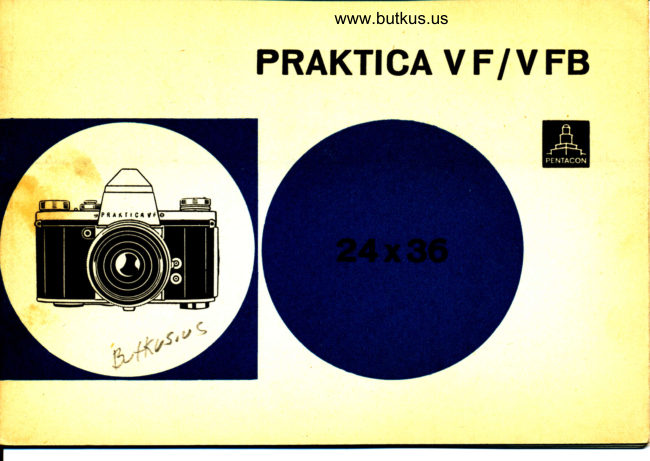
Praktica VF / VFB User manual
User manual for Praktica VF / VFB. 26 pages. Read the original PDF, download or print a copy without registration.
26 pagesOriginal document2.4 MB PDF
Loading your manual…Open PDF directly
Document details
- Brand
- Praktica
- Model / document
- Praktica VF / VFB
- Document type
- User manual
- Language
- Check the original document
- Pages
- 26
- File size
- 2.4 MB
- Category
- Film cameras
- Document date
- Not specified in catalog
Search available document text
Find a term, then jump to its page in the original PDF. Image-only pages may not be searchable; check the PDF for exact wording and diagrams.
Page 2 · Read text
Digitally signed by Mike ButkusMike               DN: cn=Mike Butkus, o=Butkus
                             camera manuals, ou=butkus.org,
                                email=mike@butkus.org, c=US
                                  Date: 2024.06.16 20:55:01 -04'00'Butkus
View original page 2Page 4 · Read text
Venmo @mike-butkus-camera  Ph. 2083
PayPal Name  Lynn@butkus.org      www.PayPal.me/lynnbutkus
View original page 4
Page 7 · Read text
The PRAKTICA VF is o single-lens reflex comero for the 24 x 36 mm picture
                   formot. The firmly built-in pentoprism reveols on upright, porollox-free finder
                imoge with sides unreversed.

Speciol feotures    Return mirror
          of the   Double focusing system
  PRAKTICA VF   Ropid lever wind
                 Coupling of shutter wind ond film tronsport
                  Lock ogoinst double exposures ond blonks
                     Focof -plone shutter for t/2 sec. to f566 sec. ond B
                   Synchronizotion  for electronic flosh ond bulbs
                  lnterchongeoble lenses with focol lengths from 20 mm to 1000 mm
                Automotic pressure diophrogm
               ond wide ronge of occessories
                 Subsequent model developed from the PRAKTICA VF:
               PRAKTICA VFB with built-in photoelectric exposure meter
View original page 7Page 8 · Read text
The following  1.  Remove comero bock.www.butkus.us
       items   2.   Insert film. Teeth of tronsport sprocket must cotch film perforotion. The
deserYe speciol          film must be drown tightly ocross the picture gote (octuote rewind knob
       ottention          (a) to tighten  it.
     (Abridsed       3.  Close comero bock.
    Instructions)       4.  Set film speed indicotor (9) on speed or symbol of film in comero.
                          5.  Cock shutter twice ond releose it eoch time (by meons of winding knob
                          (1) or ropid wind lever.
                            6.  Set exposure counter (16) on "0".
                            7.  Set the exposure speed by meons of speed setting ring (17).
      Only for    7ol Lift rewind knob (4) up os for os it will go. Set mork of stop volue diol
PRAKTICA VFB         with setting knob (11) ogoinst the corresponding  film speed. Push rewind
                    knob in.
      Only for    7b) Direct comero towords object. Turn speed setting diot (10) until follow
PRAKTICA VFB        pointer (14) coincides with meter needle (13).
View original page 8Page 9 · Read text
Hoving found the required combinotion of shutter speed ond operture,
     set the controls in occordonce with 7., 8. ond 10,
 8. Move setting knob (18) for speed groups to the mork for long or short
     exposure speeds (red or block mork),
 9. Cock the shutter (full turn of winding knob 1 or ropid wind lever,)
10. Turn operture setting ring (22) on lens mount to diophrogm stop required
      for exposure,
11, Focusing is performed by octuotion of distonce setting ring (21).
12. To moke the exposure, depress shutter releose (2) steodily os for os it                           .j
      will go.
13. After the fost exposure on the film lift the upper section of rewind knob
     (24) (in PRAKTICA VFB the rewind cronk), depress rewind releose knob
     (15) ond rewind the film in the direction of the orrow until resistonce
       is felt.
14. Open the comero ond remove the film.
View original page 9Page 10 · Read text
www.butkus.us Beside these items it is, of course, essentiol to study the complete instructions
for use corefully.
A surfoce-silvered                    mirror diverts                                     lens                               the                                           roys                                           so thot                                                   the                                                 imoge oppeors                                                                                                        'tiie -i"n"*onthe    ground gloss screen.                   When                                       shutter                             the                                            releose                                                                is                                                      depresied,
 rnirror moves out of the poth.of ro.ys ond mosks ony stroy iight coming on to
the ground gloss screen, so thot the roys moy foll on toihe-picture glt". A,
soon os the mirror.hos reoched its uppermosi'the     position, the shutter is"openedfor the exposure. Upon completion of     exposure, the mirror returns io the
45 degree viewfinder position. This meons thot the subject is olmost conti-
nuously visible.
Toking lens ond finder lens being one ond the some, there is no donoer of
porollox error. Everything thot you see in the viewfinder must neceisorily
oppeor on the film, even in extreme close-ups. Thus it is possible to work
with lenses of vorio.u.s Joco.l lengths, ond with occessory equipment, without
the need for ony odditionol viewing ottochments.
View original page 10
Page 11 · Read text
Inse*ing   Any kind of perforoted 35 mm film (block-ond-white or color) in the usuol                                                                                           the                                                               (5)                                                             remove                                                   upwords                                                        lock                                                ond                                  Push                                        the bock   the film   .o*ridg"t                  moy'Pullbe used.                                                                P!oc9                                                                     the full                                                                                                    it will go.                                                  os                                                      (4) os                                      knob                                                         for                             out rewind                      bock.
              cortridge"o..ro"   into spool chomber (6) with the cooted side of the film focing the              picture'gote, Push rewind knob (4) in ogoin, ot the some time moving it to
           ond fro to couse the cotch to engoge in the core of the cortridge' Insert the
             beginning of the film into the sliti of the toke-up spool (8), bend down 3 mm                "4              mm-of the protruding film ond drow it bock to orrest the bend in the                to
                    itit. notot" winding knob l)  to wind the film on to the toke-up spool (8)               until both sides Jf th" filr  perforotion cotch the teeth of the tronsport
             sprocket (7). Pull the film tight by turning rewind .knob (4). Reploce the           comero bock into its right-hlnd groove ond press it ogoinst the comero
            body to moke it snoP in.
Setting the   set the DIN or ASA volue of the film in the comero on the film speed indi-
film speed    cotor (9) on top of the rewind knob (for block-ond-white film the DIN or ASA
             numerol, for color film the corresponding symbol)'
                                                                                         5
View original page 11Page 12 · Read text
l:S
                                                                                                                                                                                                                                                                                                                                                        l:.'l'.rl
                              www.butkus.us                  lhe symbols on the film speed                                                     indicotor (9) signify the following:
                                      PRAKTTCA VFB)          €    B&W film (only on
                    [m:::i ::Hi;lill]ltrli:,:l  ,,,n,      @I      Negotive color film for ortificiol light           q      Negotive color film for doylight
      Olly lor   Pull out rewind knob (4) os for os it will go, Rotote stop volue diol withPRAKTICAVFB setting knob (11) to bring morking point oiwindow (12) to coincide with the
               speed volue (DlN or ASA) of the film in the comero. Push rewind knob (4)
                    in ogoin.
                                                             os for os it will go, or     - Cocking Turn winding knob (1) in the direction of the qrrow    the shutter give the ropid wind lever o full swing. The shutter is thus cocked, the film is
               odvonced by one frome, the exposure counter tronsported to the next num-
                   ber, ond the mirror georing is tensioned.
View original page 12Page 13 · Read text
The coupling of shutter wind ond film tronsport.eliminotes double exposures
                                                                                                    sec.             ond blonks.ihe shutter (focol-plone type) is colibroted in speeds from lz
                to l/soo sec' ond "B" (ony desired length of time)'

   Attention! Avoid inodvertent pressure on the rewind releose knob (15) while cocking the
                 shutter since this would couse on overlopping of the pictures.
  Setting the  Cock the shutter ond releose it (shutter releose 2). Repeot this procedure.   -;ilil;;               5.t tft" exposure counter (16) ogoinst the red morking point by turning the
    counter milled ring in the center of the knob.
 Determining Use o light meter or exposure ch-ort to find the correct shutter speed ond
,t uit"r sp""i   operture"setting for the existing light conditions ond the speed of the film in
ond operture the comero,
View original page 13Page 14 · Read text
Only for   Direct the comero to.wordswww.butkus.usthe object. Rotote speed setting diol (10) to bring PRAKTICAVFB the yellow follow pointer (1a) into coincidence with the meter needle (13) in
                 the light-meter window. The speed volues on diol (10) thus come to'stond
                 ogoinst the stop volues on diol (11). One of the r".ulting shuttey'opeiture
                   comb.inotions moy be used. for the exposure ond tronsf"rr"l to ;GJ:;ti'*g
                   ring (17) ond operture setting ring ei).
               The red ond block speed numerols on speed setting diol (10) corrbspond to
                   the.volues.given on.exposure speed scgie (19). fnJUiu" numerols on speed                    setting diol (10) indicote full seconds (B setiing).
    Setting the   Lift speed setting ring (17) ond rotote it until the red mork stonds opposite
exposurespeed the desired exposure-speed on the exposure speed scole (19). The setting                   ring clicks in when you let it go.
View original page 14Page 15 · Read text
speeds:                    exposure                shortBlock figures             -                                              :rlzsosec., 500     1/5ss sec.                        125                :llaosec,,             60           sec.,30:1/s0                              -rlrzssec',250                -
Red figures indicote long exposure speeds:
2:   t/z sec.,4:                         r/4 sec.,8 -   1/g sec.
Eoch stop indicotes one holf of the next longer speed or doubles the next
shorter speed on the scole. tf 6 sec. is not odjustoble'
The t symbol (speed l/ae sec,) is meont for exposures with electronic flosh
(see porogroph on Flosh Synchronizotion)'
The "8" setting is for time exposures.
lf the exposure  is to be mode ot "8", turn knob (18) for the speed groups setting
to the blqck mork. The shutter then remoins open os long os the releose is
being depressed. (Coble releose ond tripod should be used for time ex'
posures).
View original page 15
Page 16 · Read text
Attentionl Set the mork on knob (18).forwww.butkus.usthe speed groups setting ogoinst the  red
                    triongle or the block triongle on the ccmeio top in ociordonce with  the
                    desired shutter speed (red or block numerol).
                      T.he speeds moy be set before or ofter the shutter is cocked. The speed setting
                     ring moy be turned in either direction.

      Setting the   The modern lenses of the PRAKTICA VF, equipped with pressure diophrogm
        operture   or outomotic pressure dio_phrogm, ore set simply by moving the opertire
                     setting ring to the desired diophrogm numerol. On octuotion of the shutter
                     releose,_the diophrogm closes down outomoticolly. No extro settipg is nec-
                     essory. For checking depth of field, some lenses moy be closed doin to the
                      pre-set volue (by ring or lever movement) before the exposure is mode.


10
View original page 16Page 17 · Read text
Automotic On removol of the lens from the comero, the mechonism for the outomotic
diophrogm diophrogm releose in lenses with outomotic pressure diophrogm becomes
mechonism visible inside the lower port of the comero body.
           The mechonism con be disconnected by moving the red knob to the right
           ond put into working position ogoin by moving the red knob to the left.
                     lf lenses without outomotic diophrogm ore being used in the comero the
            mechonism hos to be disconnected. The return mirror, being olwoys in the
            450 viewing position, must first be corefully pushed upword by hond.

            Should the mirror be pushed up too for while the shutter is cocked, it will
            remoin up, ond o blonk exposure hos to be mode. lt is therefore odvisoble
             to chonge the position of the diophrogm mechonism with the shutter in
             releosed condition.

                                                                                                                11
View original page 17Page 18 · Read text
www.butkus.us        Focusing   The viewfinder of the PRAKTICA VF/VFB includes o Fresnel lens. In the center
                    of the lens is the split imoge rongefinder which is surrounded by o circulor
                    focusing oreo, The remoining section of the lens is meont to brighten up the
                     finder imoge ond should not be used for focusing.
                 The 2 methods of focusing:
       lst method   The split-imoge rongefinder is used when the subject reveols conspicuous
                    upright lines in the horizontol or conspicuous horizontol lines in the verticol.
            On rototion of distonce setting ring (21) the two port imoges move towords
                   or owoy from eoch other (see picture on the left). As soon os the verticol or
                     horizontol lines, os the cose moy be, of the two port imoges meet ond form
               one complete picture, moximum shorpness hos been ochieved (see picture
                on the right).
    2nd method   The circulor focusing oreo is used for objects in motion ond without distinct
                       lines. Focusing here is performed in the some monner os on o ground-gloss
                      screen.

12
View original page 18Page 19 · Read text
Toking lens ond viewfinder lens being one ond the some, there is no donger
of porollox error. Persons with foulty eyesight moy insert corrective lenses in
speciol mounts (rubber eye cup) into the eyepiece of the viewfinder, which
olso occepts other speciol finder ottochments.
Lenses with pre-set diophrogm ore set to the desired stop by meons of the
odjustoble operture setting ring. You moy now focus with the lens ot full
operture ond return to the preselected diophrogm stop without removing
the comero from your eye.
Further detoils moy be found in the printed motter issued by the lens
mon ufocturers.
The depth of field con be reod from the depth-of-field scole on the lens
mount. To the left ond right of the triongulor mork ore diophrogm numbers,
ond the distonce figures below these diophrogm numbers show the ronge
of shorpness.
                                                                            t3
View original page 19Page 20 · Read text
www.butkus.us
                                                                                                 the     '  Releosing Depress the shutter releose (2) steodily until the shutter runs down. ln                                                                                   releose. A red     the shutte-r center of the shutter releose is o threod to occept o coble
                 worning signol oppeors in the upper left-hond side of the viewfinder when
                  the shutter hos run down.
     Removing After the lost exposure on the fllm in the comero, depress rewind releose
        the filfi   knob (15). Lift upper section (zal of rewind knob (4) ond turn it oside until it
                        clicks ln,'thus forming o cronk which is turned in the direction of the orrow
   ''       ':               until the'exposed  film-is wound bock into the cortridge (noticeoble resistonce).
        Only for  Swing out rewind cronk (25) ond wind the film bock in clockwise direction.
  PRAKTICAV FB  Remo-ve the comero bock. Pull the beginning of the film out of the toke-up
                     spool. Toke the cortridge out of the comero.
              Do not remove the film in bright sunlight.

14
View original page 20Page 21 · Read text
is   Exchonging Cotch hold of the lens mount ond turn it out onti-clockwise. The new lens
       lenses  inserted occordingly.
                  All interchongeoble lenses hoving o metric threod 42 x 1 mm ond o focol
                 length from 2b mm to 1000 mm moy be used in the PRAKTICA. Mind the
                      linen.
       Flssh The PRAKTICA VF ond PRAKTICA VFB ore equipped with flosh contocts (3).
svnchronizotion                            (,T                               floshes' while the lower               li:u;tif:ff,*l    i:[""'il e'n:n,electronic


               The following toble shows the exposure speeds to be opplied for the vorious
                  flosh bulbs.

                                                                                                   15
View original page 21Page 23 · Read text
Mointenonce As high-closs precision instruments, the PRAKTICA VF ond PRAKTICA VFB
   ond core must be protected ogoinst shock ond dust.
             From time to time dust ond film deposits hove to be removed from the spool
              chombers ond picture gote with o soft lens brush.

  Attention! Do not touch the opticol ports (lens, viewfinder, ond ground gloss of pento-
                prism) with your fingers.
              These ports should be cleoned with o soft brush or soft, smooth piece of
                   linen.

            The surfoce mirror in the comero must be dusted very corefully with o fine
                lens brush only.

                                                                                                17
View original page 23Page 24 · Read text
www.butkus.us
  Accessories for  Everreody Cose
  PRAKTICA VF  Coble Releose           ond
 pRAKTICA VFB Sunshodes
                         Filters
                   Corrying strop, odjustoble
                   Set of lntermediote Rings
                   Speciol lntermediote Rings
                 Double Coble Releose
                  Set of lntermediote Rings with Plunger
                  Close-up Bellows Attochment
                   Focusing Slide
                   Focusing Telescope

18
View original page 24Page 25 · Read text
l-
   ,ii                Angle Finder    .                 Rubber Eye Cup
                                  TripodII .'$                  Universol     ,1j.,..                Copying Stond
                     Connecting Piece for Microscope
                       lrnoge Field Lens with Cleor
                     Gloss Spot ond Hoirline Cross


                          The detoils given ln this booklet orc subjcct lo dlt iqtions whlcfi moy rcsult from furthcr dcvelopmcnt  in thc
                              monufocturing  process.
                             Pleose reod these Instructions for Use corefully since we con occ€pt no liobility lor domoge coused by
                              imgroper hondllng of the equipment.

                                                                                                 19
View original page 25From the M. Butkus archive. Original publisher and archive notices are retained.
Check the model and edition against your equipment.
PDF verified 2026-10-10.