Flashes & lighting
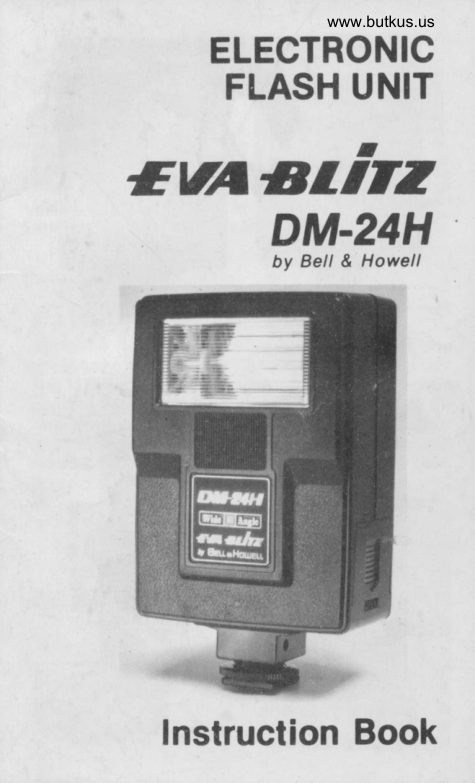
EVA BLITZ DM-24H User manual
User manual for EVA BLITZ DM-24H. 7 pages in English. Read the original PDF, download or print a copy without registration.
7 pagesEnglish1.7 MB PDF
Loading your manual…Open PDF directly
Document details
- Brand
- Eva
- Model / document
- EVA BLITZ DM-24H
- Document type
- User manual
- Language
- English
- Pages
- 7
- File size
- 1.7 MB
- Category
- Flashes & lighting
- Document date
- Not specified in catalog
Search available document text
Find a term, then jump to its page in the original PDF. Image-only pages may not be searchable; check the PDF for exact wording and diagrams.
Page 1 · Read text
www.butkus.us
    ELECTRONIC
    FLASH UNIT
EUTIST'.T2
     DM.24H             by Bell & Howell


  Instruction Book
View original page 1Page 4 · Read text
www.butkus.us
 1. PUT IN THE BATTERIES
Remove the battery Gover (4) and
 insert four AA batteries as indica-
ted inside. Two cells up; two
cells down. lf the cells are not
properly positioned, unit wlll not
operate. lf the cells are dead, the
Pilot Lamp (6) will not llght or will
be slow to light. lt is recom-
mended batteries be fresh.


2. ATTACH TO CAMERA
Slide the flash (2) on to your camera using the
accessory shoe on top, and tlghten Shoe Lock
Nut (1). lf your camera does not have a hot-shoe
contact, plug one end of the Synchro-cord (9)
into the synchro-cord Socket (3) and the other
end into the small socket on your camera,
marked "X". lf your camera has a hot-shoe then
you do not need the cord.
View original page 4
Page 5 · Read text
3. SELECT SHUTTER SPEED
 For between-lens shutters, any
 desired shutter speed may be
 used. Recommended shutter
speed is 11125 sec. For focal
plane shutters, set to "x" posi-
tion, or consult your instruction
book under electronic flash.


4. TURN THE FLASH "ON''
Switch on the unit (7). A "whin-
ing" sound will indicate that the
unit is working. When Pilot Lamp
(6) lights the flash is ready for
use. When not in use, switch off
to prevent batteries from dis-
charging.


 5. DETERMINE I/STOP
Look at the Flash Table (5) on the back of the
unit. Now you must know how far away the
person you are shooting is, so focus the camera,
or guess at the distance. Then look down from
that distance and across from your ASA film
number, and you will see the f/stop to set your
camera to. For example,  if your film ASA is 100,
and you are taking a picture 2O ft. away, the
f/stop would be I/4.
View original page 5
Page 6 · Read text
www.butkus.us


6. TROUBLE SHOOTING
(a) lf the unit won't  f lash it is probably the batter-
    ies. They are usually good tor a litile over 300
   flashes on Alkaline AA cells.
(b) lt could be something wrong with your
   camera and you should take your flash and
   camera (without film in it) to your favorite
   camera shop.
(c) lf your pictures are too dark, also bring the
   flash, camera, pictures and NEGATIVES to
   your camera shop.
(d) Always take the batteries out of your flash if
   you are not going to be using  it for a month
   or so.
View original page 6Page 7 · Read text
TECHNICAL DATA
Gulde Number: 40 with ASA 25
Power Source: four 1.5V AA cells
Recycllng Tlme: approx. 7-8 sec. with
Manganese or Alkaline cells.
Approx. 4-5 sec. Ni-Cad cells
Number ol Flashes:                                                                                                          i
approx. 60 with Manganese batteries
approx. 250 with Alkaline batteries
approx. 100 with Ni-Cad cells
Coverage: Vertical 52o, Horizontal 74o
Flash Duration: 1/1,000 sec.                                                                            I
                                                                                                                                                                          iColor Temperature: Daylight type film
Size: 2.7"(Wl x 1.6"(D) x 4.6"(H)
Weighl: 6 oz. (w/o batteries)
Accessory: Synchro-cord


o The number of flashes is based on triggerinl
  the flash consecutively at each 30 secondl
   until the pilot lamp requires 30 sec. to light
. Specifications and design are subject  tt
  change without notice.
View original page 7From the M. Butkus archive. Original publisher and archive notices are retained.
Check the model and edition against your equipment.
PDF verified 2026-10-10.