Film cameras
Fotron III instructions, stamp book, mailer User manual
User manual for Fotron III instructions, stamp book, mailer. 15 pages in English. Read the original PDF, download or print a copy without registration.
15 pagesEnglish3.4 MB PDF
Loading your manual…Open PDF directly
Document details
- Brand
- Fotron
- Model / document
- Fotron III instructions, stamp book, mailer
- Document type
- User manual
- Language
- English
- Pages
- 15
- File size
- 3.4 MB
- Category
- Film cameras
- Document date
- Not specified in catalog
Search available document text
Find a term, then jump to its page in the original PDF. Image-only pages may not be searchable; check the PDF for exact wording and diagrams.
Page 1 · Read text
www.butkus.us

    Fctttton ITI                 lNSTRUCTIONS
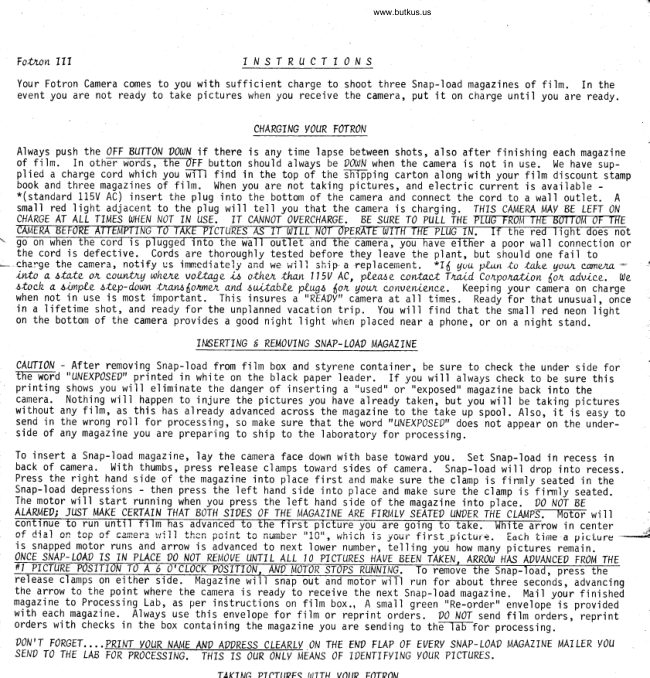
   Your Fotron Camera comes to you with sufficient charge to shoot three Snap-load magazines of film.  In the
   event you are not ready to take pictures when you receive the camera, put it  on charge until you are ready.


                                            CHARGTNG VOUR FOTRON
                                                                 'lapse   Always push the OFF 8UTTON r00JN if there is any time       between shots, also after finishing each magazine   of film. In othEF-FoTdSl-Th-ri-?FF button shouli always be 00{rrN when the iamera is not in use.- l,le have-sup-
   plied a charge cord which you frTTl find in the top of the SFr-pping carton along with your film discount stamp   book and three magazines of film. When you are not taking pictures, and electiic curient is available -   *(standard 115V AC) insert the plug into the bottom of the camera and connect the cord to a wal l outlet. A   small red light adjacent to the plug wi]] tell you that the camera is charging. THIS CATJERA M y BE LEFT 0N   CHARGE AT AtI TlIi,{ES OJHEi\I NOT IN USE. 'IT CN'INOT OVERCHARGE. 8E SURE TO PULL THE TTIIETWFTqE'KITTAft'O.IfrE W                                    cruR'K-IS-Tr-fi Tr'TdT- dpE\                                                                                 r a poor wall c6nnection or   the cord is defective. Cords are thoroughly tested before they leave the plant, but should one fail to
                                                                                                                                           qou.tL c.wtrets.         the camera, notify us imnediately and we '#ill shipa replacement. Itd quu ptun it lnke                                                                                                         ---cha:ge    ittr,.a, 6t4.te     countttq whetz voltn4e i.t otlLen tlutt l15V AC, plQnae contncl lnaLd. tozpottttion (ott advLce. We                     -orl   6toch a. simple step-douJn.LranA|ohnet anl, aui,table pLuqt (ott qow convewlenee. Keepin! your caniera on charge   when not in use is most important. This insures       camera at all times. Ready for that unusual, once   in a lifetime shot, and ready for the unplanned vacation trip.  You will find that the small red neon liqht                                                                                                                                                   -  on the bottom of the camera provides a good njght 1ight when placed near a phone, or on a night stand.
                                       II\BERTING 6 REM?7ING SNAP- L0A0 I,IAGAZINE
   CAUfl0N - After removing Snap-load from film box and styrene container, be sure to check the under side for   the u,ord " UNEXPOSEO" printed in white on the black paper leader, If you will always check to be sure this   printing shows you will eliminate the danger of inserting a "used" or "exposed" magazine back into the   camera. Nothing tvill happen to_injure the pictures you have already taken, but you will be taking pictures   lvithout any film, as this has already advanced across the magazine to the take u'p spool . Also, it-ii  easy to   send in the wrong roll for processing, so make sure that the word 'uNEXP0SE ,, does not appear on the undLr-
   side of any magazine you are preparing to ship to the laboratory for processing,
  To insert a Snap-load magazine, ]ay the camera face down with base toward you. Set Snap-load in recess in
   back of camera. With thumbs, press release clamps toward sides of camera. Snap-'load will drop into recess.   Press_the right hand side of the magazine into place first and make sure the climp is firmly sbated in the   Snap-load depressions - then press the left hand side into place and make sure thb clamp is-finnly seated.   The motor will start running when you press the left hand side of the magazine into p1ale. O0 NlT BE
   A\w"ltDt Jusr              MAKE 1ERTATN iHAT 8d7fi sitEs 0F THE MA,AITNE ARE FrRltLy SEATE, uNrER rfur cuups. -rrjtoF witt
                                                                                ow in center   nf  dir]  nn t^h                        ^f  ^!n6Fr   ii,',,il | l| +h^hliicii  n^in+iiu||rL +^Lu iiurfiDe-.,-A^-r nlhn"iu   ,           Jvu,   | ,! 5L.p'LLuie.   Eoch iime a pictrJre  *   4   is^snapped motol r!1s a1d arror,r is advanced to next lower number, telling you how many pictures remain.
  oNcE SNAP- Lolp 7s 'IN ?LACE O0 N?r REl/r)\E UNTIL ALL l0 PI1TURES HA7E BE€N- TkEN. ARRO0 HAs AOZ/iIll}ED FR,M THE
   release clamps 0n elther side.. Flagazine rvill snap out and motor will run for about three seconds, advancing   the arrow.to^the point where the camera is ready to receive the next Snap-load magazine. l4ail your finishei
  magazine.to Processing_Lab, as per instructions on film box., A sma11 grben "Re-oider', enve'lope-is provided  with each.magazine.. Always use this envelope for fjlm or reprint ordeis. 20 l\JoT send film oiders,'reprint   orders with checks in the box containing the magazine you are sending to thE-TaFfor processing.
                                        , .PRII.IT YOUR A/AI,{E AAI' AWRESS CLEARLY ON THE END FLAP OF EVERY SNAP-LOA' MAGAZINE MA-I LER YOU  sENDT0THEtABmtlusornuttryINGy0uRPIcTuREs.DON'T FORGET. .
                                          TAKT^lC D7?TI|Ptra lrtTTl,l V()llQ trr1TPt1ll
View original page 1Page 2 · Read text
TAKING ?TCTURES WITH VOUR F(0TRON
Before taking any pictures familiarize yourself with the buttons on the camera...the two top buttons nearthe oFF button, marked Il'lDdoRS and 0UT?00RS, and the two'lower buttons marked CLoSE and FAR. You will notethat-lfi-en you press the-TffiTdF buttoi--Th-ereading next to the CIOSE button is :[:Ffeet aid-the reading next
to the FAR button is 8- lZTeET. It is suggested that you measutE;and use the exact footage specified, onceyou becofrd fami'liar with the camera you will find yourself ab]e to judge these distances without measuring.Sunny days are always best for outdoor pictures. This is especially true.in the case of distant, or infinityshots, Use 1l/D00R button for medium or close pictures on extremely dull days - in deep shade - and for night
Dictures ou tsTilEl
Example of how to take an lN000R picture: Assuming you have loaded your Fotron with a Snap-load magazine and
the arrow points to the number T0, you are now ready to take your first  picture:
ONE.  . . . . PRESS THE TMOOOR BLTTTON
1WO.....CHECK FROTTT OF CMEP.i' AIIO WAIT FOR L'IGIITS ON EITHER S'IDE OF TENS OPENING TO BL1NK AT IEAST FIW TIMES.
THREE. ..CHECK OISTMCE BET\\)EEN SUBJECT AN, CAMERA N0 0€TE?,].['rN€ WIETqIER you Sflout, PRESS CLoSE 0R FAR \UftoN.
FOUR,...RAISE CAMERA TO EVE LEVEL AAI' CENTER EVE SO THAT YOU SE€. THE ENTIR€ REO EORDER lN THE VIEIIJFTNOER
       FRAME. 8E SURE SUBJECT 'IS WITHTN TflIS FRME.
fl UE. . , . PRESS BUTTON YOU HAW OETERMTNEO TO AE RIC,IIT FOR OTSTANCE BEII'EEN SUEJECI AN' CAMERA.
                                       'lensFotron is progranmed to move the     to proper range, adjust for proper exposure, set off electronic flash,trip shutter and advance film to next exposure. The camera takes care of all action the moment you press the
button, and you are ready to take the next shot as soon as the motor has completed advancing the film and the
blinker lights have flashed for a few seconds,
View original page 2Page 4 · Read text
COTG RATULAJ'OTS
                        .  .  . on becoming o palron ol  our unusuol progrdm,
             which includes the wonderfvl ,,Space Age,, Folron!
              ln return for your cooperation and to help you get
            the most enjoyment possible from your camera, we
             are pleased to furnish this Film Stamp Book, which
                entitles you to a FULL 91.00 REDUCTION from the
                retail price of EACH Snap-Load Magazine you order
            from Traid Corporation. There is no time limit for
             redemption of your Film Stamps.


            THIS BOOI( REPRESEIITS At{ ACTUNI CASH SAVI]IG OF
               $700.00, so keep it in a vfe place!
              When you order Snap.Loads, here's all you
                    l. Send vour order to Traid Corporation. p. o. Box r83s.
              GLENDALE. CALIFORNIA   9I2O9
                2. Enclose one Film Stamp tor each Snap-Load you order.
               3. Deduct $1.00 from the established retail price for each film
                  magazine you order and enclose check or money order for the
                      balance.
                    (Plcesc add srlcs trr rpplicrblc for your Strtc)

              That's all there is to it     your Snap-Loads will be             sent to you by return mail, postage paid, and yOU
           SAVE $1.00 FOR EACH MAGAZINE!
          PLEASE NOTE:
             Film Stamps are not transferrable or redeemable for
            cash and ONLY $1.00 may be deducted from the retail
               price of EACH magazine of film.
         We suggest you order three or more each time-you
              don't want to be caught short when those once-in-a-
               lifetime occasions need recording! You may buy film
               direct from your dealer at any time, at regular retail
                prices, but please don't ask him to honor Film Stamps;
            these stamps are good only when you order direct
             from Traid Corporation.


                                                                                                                                                                                                                                                  ,'-\-_
View original page 4Page 6 · Read text
doll'f     let those mogic momenfs
     slip by unrecorded . .   .


      Take a
     gl6tron
    Colon pictLrl^C!
      T(fDAY!


     coRPoRATtoNfaia
View original page 6Page 8 · Read text
Venmo @mike-butkus-camera  Ph. 2083
PayPal Name  Lynn@butkus.org      www.PayPal.me/lynnbutkus
View original page 8
Page 11 · Read text
rnaro COTOR PRll{T COUPON          .Lf+
                                         oneThis coupon tnay be used as payrnent for
color print rnade frorn any one of your Traid
color negatives. Just send negatives you
select and coupons to our Traid Processing
Laboratory.
    Issued by Traid Laboratory, Glendale' California
View original page 11Page 12 · Read text
www.butkus.usVVVVVVVYVVYYYVYV--

        TRAID trtrRP.
=                p. o. Box ta39
               GLENDALE, CALIF. 9I2o9
View original page 12Page 13 · Read text
FOTRON WARRANTY
      Your FOTRON CAMERA cotries o two yeot
      Worronty. Aftcr thc Wor:only cxplrotlon
       dotc, Troid Corp. will moke ony ncccssory
       rcpoirs for the lifc of the Comcro, fer thc
       qosl of lobor, porls, ond shlpplng chorgcr.
     No other wot?onty cr guoronlcc lr  implicd
       or cxprcssed.
     TRAID CORP., P.O.Box 1839, Olendale' CaIif'


T1 25-8 /65  - 50M
View original page 13Related documents and language editions

From the M. Butkus archive. Original publisher and archive notices are retained.
Check the model and edition against your equipment.
PDF verified 2026-10-10.