Film cameras
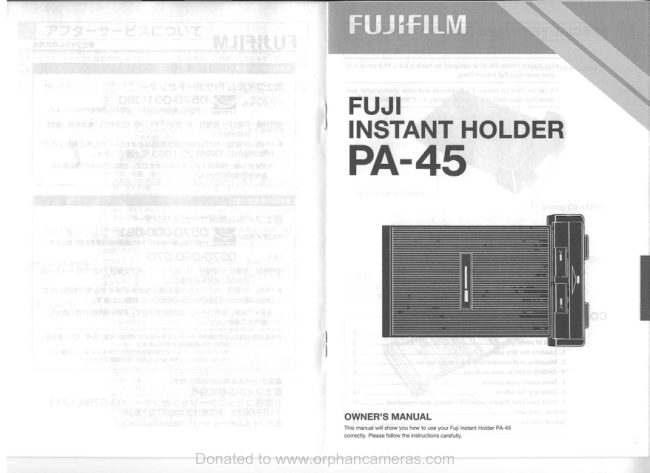
Fujica Instant Holder PA-45 User manual
User manual for Fujica Instant Holder PA-45. 9 pages in English. Read the original PDF, download or print a copy without registration.
9 pagesEnglish1.7 MB PDF
Loading your manual…Open PDF directly
Document details
- Brand
- Fujica
- Model / document
- Fujica Instant Holder PA-45
- Document type
- User manual
- Language
- English
- Pages
- 9
- File size
- 1.7 MB
- Category
- Film cameras
- Document date
- Not specified in catalog
Search available document text
Find a term, then jump to its page in the original PDF. Image-only pages may not be searchable; check the PDF for exact wording and diagrams.
Page 6 · Read text
DEVELOPING YOUR' PICTURE DEVELOPING YOUR PICTURE l 1101 I
<Development Time & Temperature> 3. DEVELOPMENT TIME AND FILM AND PRINT STORAGE
• FP-100C45, FP-100C45 Silk TEMPERATURE • Keep your film where it is cool and dry. If you are storing your film for a
35°C 30°C 25°C 20°C 15°C • The development time of Fuji instant films differs long interval, keep it in a refrigerator.
60 sec. 75 sec. 90 sec. 120 sec. 180 sec. with the ambient temperature. • Use your unsealed film pack and the film pack that is loaded in the
• Be sure to observe the accom panying time holder as soon as possible.
temperature charts. The time is counted from the • After your finished prints have dried, keep them where it is cool and dry
moment the film is pulled out of the camera up to and avoid exposing them to strong light for long periods.
the moment the negative and print are peeled apart. • If you are mounting your print on a paper backing, be sure to use the
• If the film is developed for a shorter time than right kind of glue because some glues can stain or discolor your print.
recommended, or if it is developed for more than
three minutes, you may get a substandard print or
one that is mottled and blemished. CAUTIONS: • Each sheet of film contains a caustic (high alkali) fluid
• For best results, use your fil m in temperatures which can cause alkali burn. Avoid contact with skin.
ranging from 15 to 35°C. • In case of contact with skin, wash off quickly with
plenty of water and in case of contact with eyes or
4. PULL OUT THE COLOR TAB mouth, flush off quickly with plenty of water then see
• Grip the center of the Color Tab with your fingers your doctor immediately.
and pull it straight out of the Holder slowly and with • Bend your unwanted negatives inward and discard
a uniform speed. Do not bend it toward anyone side them carefully, together with the paper separators
and do not stop once you start pulling. If you do, the and other film adjuncts. Do not leave them within
developing solution in the film may leak or it may not reach of children and animals and avoid contact with
be able to spread itself evenly over the entire picture books and reading matters, clothing, furniture, etc.
area and you may get a blemished print.
• As soon as you pull the film out of the Holder, start
counting the development time. While the film is
developing, do not rub or squeeze it or peel it apart
even slightly because you will spoil the print if you
do.
5. PEEL THE FILM APART
As soon as the development time is up, peel the film
apart quickly with a uniform speed starting from the
end nearest the Color Tab.
8 9
Donated to www.orphancameras.comView original page 6Page 9 · Read text
l;c  I SPECIFICATIONS


               Film ....................................... Fuji Instant Film 8.9 x 11.8 cm (4 x 5) peel apart type.
                                                             • Color film: Fuji Instant Color Film
                                                    FP-100C45
                                                    FP-100C45 SILK.
               Picture Size .......................... 8.9 x 11 .8 cm
               Film Ejection ........................ Manual pull out.
             Mounting .............................. Inserting camera's sliding lock into holder's sliding
                                              lock groove or inserting the holder between camera's
                                            focusing frame and camera body.
                Sliding Cover .•....••....•••.••.••..• Opens by sliding out in the same direction as the
                                                         film; provided with "Holder Open" mark.
             Dimensions & Weight..•.•..... 51 x 227 x 144 mm, 440 g.
               * Specifications are subject to change without notice.


14
                     Donated to www.orphancameras.com
View original page 9From the M. Butkus archive. Original publisher and archive notices are retained.
Check the model and edition against your equipment.
PDF verified 2026-10-10.