Light meters
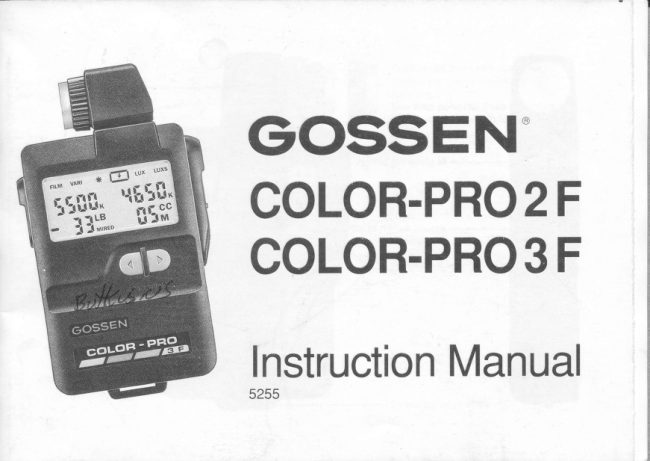
Gossen Color-Pro 2F / Color Pro 3F User manual
User manual for Gossen Color-Pro 2F / Color Pro 3F. 29 pages in English. Read the original PDF, download or print a copy without registration.
29 pagesEnglish5.2 MB PDF
Loading your manual…Open PDF directly
Document details
- Brand
- Gossen
- Model / document
- Gossen Color-Pro 2F / Color Pro 3F
- Document type
- User manual
- Language
- English
- Pages
- 29
- File size
- 5.2 MB
- Category
- Light meters
- Document date
- Not specified in catalog
Search available document text
Find a term, then jump to its page in the original PDF. Image-only pages may not be searchable; check the PDF for exact wording and diagrams.
Page 2 · Read text
Gontents                Page Measuring the flash Quantity liiFl        20
                                       COLOR-PRO                                                           3 F)                                                .    (only Display                    4                                           Measurements                                                               outside                                                                           theCOLOR-PRO 2F display                                                                                           21COLOR-PRO 3 F display                     I    measuring range
 Display duration               6   Technical data                        22
                                          About color temoerature                23How the COLOR-PRO 2 F and 3 F tunction
Preoaration                              7
Battery
Self-checking routine                       X
Basic values                                                          tt
Measuring range extension                                     I

The indlvidual functions
Adjusting the film type l@l sn6 l-vmr I     10
Color temperature measurement:
Continuous  light E;-l                    12
    Filter designations
   Kodak-Wratten  filters
Color temperature measurement:
   Flash lZl                            17
   Changing the flash sync speed
   (gate speed)                         18
Measuring the luminous intensity  l'jiiil     1B
(only COLOR-PRO 3 F)
View original page 2Page 4 · Read text
M Metering button
                                                        Socket to connect flash
                                                    sync cable


Values switch to adjust
the values
View original page 4Page 5 · Read text
Battery compartment with batterY
                                                                    (see page 7)


                                                       closed


                                               open


Switch for filter-value disPlaY
Top switch position:
  Conversion  filter in mired
Bottom switch position:
  Kodak-Wratten  filters                                                         Battery compartment cover
View original page 5Page 7 · Read text
GOSSEN's COLOR-PRO meters are colortem-   An entire series of flash sync speeds for flash
perature meters with digital displays. They    measurements.
accurately measure continuous (ambient) light
and flash within a wide range.                   Optional display switch for mired or Kodak-
                                               Wratten  filter values
Decades of knowledge and experience in the
manufacture  of exposure meters, is now being   COLOR-PRO 3 F additionally offers CC-filter
made available to the user, in the simplest     display, and measures both luminous intensity
manner possible, through microprocessor     (Lux) and flash quantity (Lux-seconds).
technology.
                                                  Swivelling head for exceptionally convenient
Outstanding features of the COLOR-PRO     use.
meters:
                                       Compact design.
Simple operation  - Only three typical operating
elements.                                    Automatic shut off.

Microorocessor controlled and monitored.

nit aOlusted and measured values seen at a
glance on the display.

Large and contrasting numeral display for
easy reading.
View original page 7Page 8 · Read text
@ @Display                     o @
COLOR-PRO 2 F disPlaY
Functions:
    .1      Film type setting                                                                                  .x'l
       Artificial light film 3200 K or 3400 K  @      TI                              [illtItItil^"      Daylight film 5500 K         @          a                          ELB                                 El                                                           Ll rrrrneo                                                                                                                   i           +  2 Variable film tyPe setting       @             t-I
      (deviating from 3200 K, 3400 K
     and 5500 K)          @@  3 Color temPerature measurement:                                                       "+" and "-" sign for filter values     Continuous light               8
                                              Lower left digital disPlaY  4 Color temperature measurement: Flash   9
                                                                    Filter value disPlay
   Reminder that film type has been adjusted                                                         - Conversion  filter (LB = light balancing) in
    to "VARl" function                              mired "MlRED"
 6  Upper left digital disPlaY                          - Kodak-Wratten  filter (see page 15)
    - Adjusted film color temperature in Kelvin    1O "BAT" warning sign for battery check
      "K"
    - Sync speed (gate speed) in seconds "s"    Unless otherwise speclfied, these instructions
    when measuring flash                    apply both to the COLOR-PRO 2 F and the
   Upper right digital disPlaY               COLOR-PRO 3 F. The displays illustrated in
    - Measured color temperature value In        this booklet are always the COLOR-PRO 3 F
      Kelvin "K"                                      version.
View original page 8Page 10 · Read text
Display duration

The display automatically turns off, i.e. there
are no readings, after 2 minutes of non-use of
the COLOR-PRO.
- The stored values are recalled by depres-
   sing either the function or values buttons.
- New measurements are instantly possible
  when the metering button is depressed.

The values of the last meter reading are stored
until a new meter reading is taken. The COL-
OR-PRO is fitted with separate memories for
continuous (ambient) light and flash meas-
urement.
View original page 10
Page 11 · Read text
How the COLOR-PRO 2 F and 3 F function
                                                                              LUxs                                     FILM vARr lEt     ,   Lux
Preparation

Battery                                       {                             I 1[[- 1[55il^The COLOR-PRO operates with a 9 V battery       -!  @(alkaline-manganese battery). Since the  +r     !::."   [5fr'meter's power consumption is minimal, the
battery has a long life. The "BAT" warning sign
is displayed when the battery is exhausted.
This means that the battery has to be changed
at the earliest possible opportunity.
Measurements cease to be possible if the
display only rndicates "BAT". The battery must
be immediately rePlaced.                   FILM VARI    {e      tux Luxs
To change the battery, open the COLOR-PRO
battery compartment. Remove the battery.
Clip the contacts onto the new battery and
insert in the battery compartment. Push back
the battery comPartment cover.              EBattery changing erases all stored values.
View original page 11Page 12 · Read text
Self-checking routine
The microprocessor performs a self-checking
routine as soon as the battery has been
connected. Every possible display segment
appears on the display during this routine.The duration of the self-checking routine  is  i,EEEffIXTEX[-
approximately 10 seconds, but it can be in-terrupted by depressing any button.      +T[E::,.Etr
The factory-programmed  basic settings are
automatically ad.justed as soon as the self-   COLOR-PRO 2F displaychecking routine has been completed.

Basic values
Film type:5500K=daylightfilm              l@ilEr tEilIZilEftEl

Flash sync speed (gate speed):1l125th second               i'[[[ff!xxFfiilF"
                   +XfiE::,"8 fiEfr?

                                   COLOR-PRO 3 F display
View original page 12Page 13 · Read text
Measuring range extension

Extremely powerful flash and very bright con-
tinuous (ambient) light can be measured by
using the special  diff user (+5 f stops). Change-
over is automatic by the diffuser itself.

Ranges:

Luminous intensity
Normal diffuser
    10 ... 62,000 lx
Special diffuser (+5 f stops)
    320 ...190,000  lx

Flash quantity
Normal diffuser
   5 ... 650 lxs
Special diffuser (+5 f stops)
    160  ,.. 20,800 lxs

The special diffuser for measuring range ex-
tension is identified bv "+5".
View original page 13Page 15 · Read text
2) In the lEiilfunction                                   ^-                                                                               LUXS                                             nlru lvlnt                                          --   |  *       LUXA film color temperature that deviates from the                                                      '
three common film types can be adjusted  in
this function. This is where individual color                       {5Tfiil-nuances can be taken into account, e.g. as
may be caused by your photographic equip-
ment or film processing.
o Select  f-vnnr I vvi1fi the function buttons
o Enter the desired color temperature with the
  values buttons. The longer you hold the
   button, the faster the values change.
   (Range: 2000 K up to 9900 K in mired
   increments.)
The last entered film color temperature is
stored in the meter until a new value is entered,
or the battery is changed.

(After the color temperature has been ad-
justed, the filter values of the last measure-
ment are automatically adjusted to the new   f ilm
color temperature when the continuous
(ambient) light or flash metering function is
selected.)
View original page 15Page 16 · Read text
Golor temperature measurement:
 Continuous light lEl

 Always measure the light that is falling on the
 most important part of the picture (light meas-
urement = from the object towards the light)
The diffuser surface must be pointing towards
the light source. No shadow should fall on the
 diffuser as this will provide incorrect readings.
o Select lT1 with the function buttons.
   (The last stored values appear on the dis-
   play )                                                                                      I
o Point the diffuser surface towards the light
   source.
o Measure by depressing the M metering
   button,
o The measured color temperature appears
    in the upper right digital disptay.


12
View original page 16Page 18 · Read text
LB +60 (= 60 mireds reddish/yellow filter)           lf necessary, the required CC filtration can be
corresponding with                         achieved by combining several filters.
KR 6 (= 6 dekamireds reddish/yellow filter)
                                             Examole:
Please observe the specifications of the filter CC 15 M means that, to compensate  for a high
manufacturer!                           share of green in the metered  light, you should
                                            use the magenta  filter 15 (= 6sns;ty 0.15); e.g.
GAUTION: To avoid over filtration do not use  Kodak-Filter CC-10 M plus CC-05 M.
filters that are stronger than those indicated by
the meter.

Only on the GOLOR-PRO 3 F:
o The filter value of CC filters (color compen-
   sating filters) appears in the right lower
   digital display.

The density of the required CC filter for the
measured light is specified by figures, while
letters indicate the Color.
Key:
M = m?genta (purple)filter (absorbs green)to
compensate for excessive green,
G = green filter (absorbs blue/red) to compen-
sate for insufficient green.


14
View original page 18Page 19 · Read text
Kodak-Wratten filters
(Filter values are displayed in the lower left
digital display when the switch in the battery
compartment  is adjusted to its bottom position;
see page 1).

The filter designations of Kodak LB filters do
not orovide direct reference to their conversion
values. To avoid time-consuming reference to
filter tables, GOSSEN has permanently pro-
grammed these filter tables into the micropro-
cessor of the COLOR-PRO,
For those using Kodak conversion  filters
(Kodak-Wratten  filters, Series Nos. 80, 81,82,
85), the meter can be switched over for direct
display of these filter designations with the
switch in the battery compartment.

(Note: Contrary to Kodak, some filter desig-
nation letters are displayed as lower-case
letters. The "81 E" display corresponds to the
Kodak  filter Bl EF.)
View original page 19
Page 20 · Read text
Different          displays:
   Display:o                                                                                     LUxs           "82 c" requires only the Kodak-     FILM vARl ^-                                                     lAl      t   LUx   Wratten filter 82 C.
o Display: ".80 d" requires the Kodak-Wrat-                                -l
   ten filter 80 D, plus an additional filter. The                                  r  r[-    latter is displayed when the values button A   1rilfi-
    is depressed; ".82" then appears on the
   screen.               'frild'"  ilfi'
   Marks in  f ront of the number indicate that the
   main filter must be supplemented by a sec-
   ond one, and this becomes visible when the
                                               LUX LUxs   corresponding values buttons are depres-     FILM vARr lEt     ,   sed.
    In this example the filter combination 80 D                               -!   + 82 is required.).                                 r  r[-o No  f ilter is required when "000" is displayed.   IIilil-           LB") lmage sharpness can be adversely influen-     ,                                                     fifi'ced by scattered light if several filters are    [l
mounted on the lens.  lt is, therefore, always
wise to keep the number of filters for conver-
sion/correction to an absolute minimum. Con-
sequently, the COLOR-PRO will always select
the smallest possible number of filters for any
given filter combination.
16
View original page 20Page 21 · Read text
Gotor temperature measurement: Flash l-r   I
                                                                                          LUxs                                              FILM vARr ,lc )Z   LUx
           Always measure the flash falling on the most
            important part of the picture. The diffuser sur-                                           )-a
                                               the flashgun,            face                    be pointing                                 towards                should                                                                                Ll x'                            should                              be allowed          and no                shadows                                                     to fall on   55[[-   5'! I            the diffuser surface as this will oive incorrect               -. LB         cc           meter results.                                                          a-!             I r,*eo    5  G
       o Select l-r  | 1a,116 the function buttons (Thetl                 last stored values appear on the display.)
       o Connect the meter to the flashgun via the
              sync cable..)
       o Point the diffuser surface towards the  f lash.I      o Depress the M metering button to fire the
                  flash, and measure. (The preprogrammed
                 flash sync speed (gate speed) is 1/125th
              seconds; for other speeds please turn to
             page 18.)
       o The significance of the individual displayed
ll            valuesmeasurement:conformsContinuouswith "Colorlight",temperaturefrom the
                fourth "o" onwards, on page '12.               Gaution:
                                                A change of the flash sync speed (gate speed)
                 .)                Flash-firing and infrared-firing devices can    (see page 18) cancels all results of the last
             also be connected to the SYNCHRO socket.      flash reading.
                                                                                                 17
View original page 21Page 22 · Read text
Ghanging the flash sync speed (gate speed)

A flash sync speed (gate speed) between 1/2
second and 1/500th second can be adiusted in
the functions l=:lanO fffif (only on COLOR-
PRO 3 F).
o Select lZl orl@l with the function button.
o Adjust the desired speed with the values
   buttons.

Measuring the luminous intensity l-rux I
                                                                                                                                 ^r--     ruxs(only COLOR-PRO 3 F)                     FILM VAR|  t6    ,   lt-uxl--
The diffuser surface must be pointing towards
   the light that is to be measured. No shadow                                                  !-!   should fall on the diffuser surface as this will              1{il"
   provide incorrect meter readings.
o belectl-r-uxlyyi16 the function button. (The
   value of the last reading appears on the
   display.)
o Measure by depressing the M metering
   button.


18
View original page 22Page 23 · Read text
o The measured luminous intensity in Lux (Lx)    Note: Use the GOSSEN CALCULATOR to con-
   appears in the upper right digital display.      vert Lux values into camera exposure settings
                                                        (shutter speed and aperture setting combina-
The display values are logarithmically scaled,     tion).
i.e. differing resolution at higher or lower lu-    This calculator disk enables you to directly
minous intensities. The resolution corresoonds    read off the other corresponding values of the
tothe 1/10 light-value increments customary  in     units Lux (lx), footcandle (fc), Candela/m2 (cd/
photography.                                m2) and footlambert (fL).

Color temperature and the filter data are auto-    Caution: Take the filter factor into account
matically established during the measure-    when filters are used.
ment. These appear on the display when
El   is selected with the function button @.
View original page 23Page 24 · Read text
Measuring the flash quantity lffil
                                                      LUx(only GOLOR-PRO 3 F)                      FILM VARI   ile   t                                                   lEl
The diffuser surface must be pointing towards                    sthe flash. No shadow should fall on the diffuser   'lI5surface as this will provide incorrect meter               {Til*"
readings.
o Select lEl  witl.'the function buttons. (The
    last stored values appear on the display.)
o Connect the meter to the flashoun with the
  sync cable..)
o Depress the M metering button to fire the
   flash, and measure. (The preprogrammed
   flash sync speed (gate speed) is 1/125th
  second. For other speeds see page 18.)
o The measured flash quantity appears in the
  upper right digital display in Lux-seconds
   (Lxs).
o The adjusted flash sync speed is indicated
   in the upper left digital display. (Example:
  420 Lux-seconds and 1/125th second.)
.)  FlashJiring and infrared-firing devices can
also be connected to the SYNCHRO socket.
20
View original page 24Page 25 · Read text
Measurements outside the measuring range
                                     FILM vARr tC   ,   LUx lEt
o There are no readings outside the meas-                                                                                                Lxs   uring range.              s                                                " [  " (= error)   'lI5o  lf it is too dark ortoo bright.),                              Lr                            "n display, and               t  appears in the top right digital
   alongside  it "Ll " for too dark, or "f-'" for too
    bright.


*)  Use special diffuser (+5 f stops) with power-
ful flash and intense continuous (ambient)
light!
View original page 25Page 26 · Read text
Technical data                                 Display ranges
                                                   Preset film color
Measuring mode Microprocessor-control-        temperature     2,000 to 9,900 K
                       led, triple range measure-       Flash sync
                ment of continuous           speeds         1/500 sec. to 112 sec.,
                  (ambient) light and flash        (gate speeds)   additionally 1/90 sec.
                                               Display duration   2 minutes, followed byLight sensor   Integrated triple silicon                                                                automatic shut off                 ohotodiode
                                               Storage of read-
Measuring ranges                               ings and settings  Values are stored until
Color temp.     2,000 to 40,000 K                                  reset or until battery is
LB filter value  -399 to +475 mireds, or                   changed
               change-over to corres-
             ponding Kodak-Wratten     Battery (alkaline)  9 V; battery check display
                           filter desionation                                             Dimensions        approx. 128 x71 x 24 mm
Additionally on                                                        (5.04 x 2.8 x 0.94 inch)
COLOR-PRO 3 F:                            Weight           approx. 130 g
                                                                      (without battery)CCJ|lter value     0 to 95 magenta
                0 to 95 green                Supplied with     1 special diffuser, case,
Luminous intensity 10 to 190,000 Luxl)                                 wrist strap, battery
              = LV 2 to LV 162)             1)With measuring range extension,
Flashlight quantity 5 to 20,800 lxsl)                        i.e. with special diffuser (+5 f stops)
                                                2)At ISO 100121"              = f|1.4 to f/902)
View original page 26From the M. Butkus archive. Original publisher and archive notices are retained.
Check the model and edition against your equipment.
PDF verified 2026-10-10.