Light meters
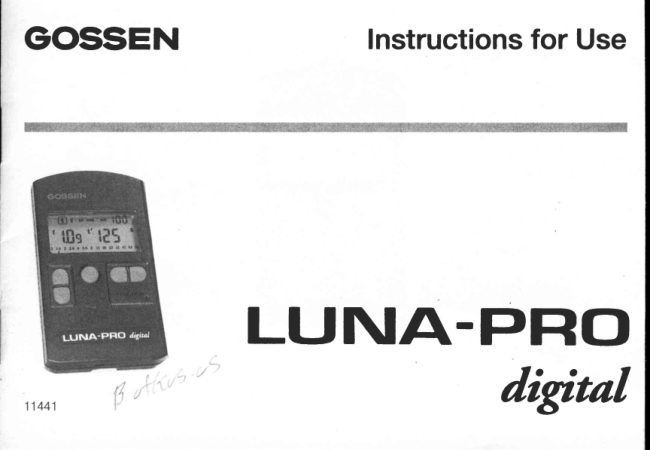
Gossen Luna-Pro Digital User manual
User manual for Gossen Luna-Pro Digital. 24 pages in English. Read the original PDF, download or print a copy without registration.
24 pagesEnglish0.9 MB PDF
Loading your manual…Open PDF directly
Document details
- Brand
- Gossen
- Model / document
- Gossen Luna-Pro Digital
- Document type
- User manual
- Language
- English
- Pages
- 24
- File size
- 0.9 MB
- Category
- Light meters
- Document date
- Not specified in catalog
Search available document text
Find a term, then jump to its page in the original PDF. Image-only pages may not be searchable; check the PDF for exact wording and diagrams.
Page 3 · Read text
Diffusersetting for incident light measurement


                                        Dffuser setting for reflected light measurement


                          Battery compartmentcover

                               Serialnumber

                               Battery
                          compartment

Eyefettor carryingstrap
View original page 3Page 5 · Read text
tYour GOSSEN LUNA-PRO digital  is an ex-    Featuresthat characterisethe
posure meter with digital display. lt is intended   LUNA-PRO digital:
for  all continuous light measurements, and
covers a wide measuring range with great      Two measuringmethods:
accuracy.                                            Incident and reflected light
                                                Microprocessorcontrolled
                                                           Digital LCD display in tenths stops
                                              Analog contrast display
A wealth of knowledge in the area of light mete-        Storage of settings and readings
ring, based on many decades of experience in       Programmableexposurecorrection
the manufacture of exposure meters, is now        Recall of all possible paired settings of a
being made availableto the user, in the simp-        givenreading
lest manner possible, through microprocessor       Aperture or shutter priority preselection
technology,                                   Covers the entire cine scale (frames per
As a resultof its very elaborateand precise cali-        second), including the W standard 25 and
bration, the LUNA-PRO digital rneasureswith      3O f.p.s.
the greatest accuracy, and operation is except-       Warning when range is exceeded
ionallysimple and convenient.                      Automatic battery check
                                                Auto off
View original page 5Page 6 · Read text
1  Display
1.1 Thedisplayanditselements
1  Functions
     |-]_| Shutterpriority
       lI   Aperturepriority
       Exposurevaluedisplay("EV")    lEUl                             =ulf,alil@                   IttH#l        Enterirrgthecorrectionvalue                   1                                                                  1.4 2 2.8 4 5.6lB; tt  t6 22132 45 64 90      trl
        Settingthefilmspeed                                                                I  r  I  r l   r   l .    I  ' i l   t i l n  I  r   l r    l [ l r      I  r  I  r  I      lr*l
z   Digitaldisplayof film speedASA (lSO)          5    6    7 8 9    1 0      1112
aU   Displayidentification"f" for aperture       B  Warningsign "BAT"  for batterycheck                                  rt
4   Display identification EVrr for exposure   9  Displayidentification" /"  tor fractionsof a
   value                                  second
5  Analogaperturescale                   10 Right-handdigitaldisplay
6  Left-handdigitaldisplay                         Exposuretime t lshutterspeed)
        Aperturef                                 Exposureextensionfactor
        FxposurevalueEV                      CINE(framesper second);
         Correctionvaluestops                          syrnbol: t
        Filmspeedin DIN                             Filmspeed in ASA
    Displayidentification"t"  for exposuretime    1 1 Unitsymbol"m"for minutes
                                                                           'S'                                       12 Unitsymbol    for seconds
View original page 6Page 7 · Read text
1.2 Displayduration                    2  Howthe LUNA-PROdigital
The displayis automaticallyshut off, i.e. there       functions
are no readings, if any control bt_rttonof the                                              2.1 Preparations
LUNA-PRO digital has not been used for 2
                                                 Batteryminutes.
                                      The LUNA-PRO drglital operateswith a 1,5 V    fhe stored valuesare calfedby depressing
                                          M-type  battery (alkaline-rnanganesebattery).    the functionor valuebuttons.
                                          Since the meter's power consurnptiorris rnini-   Renewedmeasurementis instantlypossi-
                                                    rnal, the batterywill last for a long time. When    ble when the meteringbuttonis depressed.
                                              the                                                          battery'ricapacitybecomesexhausted,theThe valuesof the last meter readingare stored                                    UBAT"                                                     syrnbol appears on the cJisplayas auntila new meterreadingis taken.
                                            warning;that the kratteryhas to be replacedart
                                                                tlie earliestpossibleo6r;tortunity.
                                        Measurernentscease to be possibleif the dis-
                                             play only irrcJicates"BAT". The Ltartteryrnust
                                       be immediately replaced.

                                     To change the battery open the battery com-
                                               partnrent crf the LUNA-PRO digital. Renrove
                                              the exhaustedbatteryand inserttlre new one.
                                       Ensure correct polarity 'r+r' and  rr-"f Push
                                        back the batterycorllpartnrentcover.
                                              Batterychangingerasesall stored values!
View original page 7Page 8 · Read text
Self-CheckingRoutine
    The microconrputerperforms a self-checking
     routineas soon as the batteryhas been insert-    ed. Everypossibledisplaysegmentappearson      trtlbdE trEfiilfi
    the displayduringthis routine.
    The duration of the self-checkingroutine is
    approximately10 seconds,but it can be inter-               ,lnilndnEtil;1.4 2 2.8 4  5.6 I  11 16 22 32 45 e4 90    ruptedby depressingany button.                                                    |
    The factory-programmedbasic settings are      '     autonraticallyadjusted as soon as the self-
{.    checkingroutinehas been cornpleted,
                                                                                                                                                                                                               i''

    Basicvalues
           tso     1aa/ 21 "
            c o R    o / 1 0
                     f       5.6
                     t       1/125
        EV     12
View original page 8Page 9 · Read text
2.2 fncidentandreflectedlightmeasurement     Measurementby the incident method is far
 with regard to its measuringpossibilitiesand    more accurateand reliableto establishthe cor_
 operation,the LUNA-PROdigifal was design_    rect exposuresettingthan the calculatingof a
 ed for professionaluse. Due to its adjustable  mean value obtained with the reflected light
 diffuserdome, the meter is easilyadaptedto all   measurementin your camera.In the lattercase,
 measuringmethodsused in practice.            the readingdepends upon the range of con_
 Incident fight measurement leads to particu-    trasts of tlre subject. However, there rs not
 larlypreciseexposures.with incidentlightmea-    alwaysa uniformdistributionof brightand dark
 surefirentthe LUNA-PRO digital, when used    areasof equalimportancewithirrthe subject.
 with the adjusted diffuserdome, points from
the subjecttowardsthe camerato measurethe    Incidentlight measurer-nentis also imperative
incident light. This guaranteesa precise ex-    with inaccessiblesubjects.For this purposeit is
posure in conformity with the correct tonal    necessaryto select a point that has the sarne
values of  the subject. This is  particularly   lightinglevel as the subject. And then a meter
importantwith inherenilybright or dark sub-    reading is taken that lies parallelwith the pro-
jects. Even in difficultexposuresituations.for    jected connectingline betweenthe actualsub-
instancewith contrastysubjects,incidentlight    ject and the camera. This very convenient
measurementwith the diffuser results in far   method of light meteringat a point with the
more accurateexposuresto satisfythe rnost   same lightinglevelis highlyrecommendablefor
discerningprofessionalrequirements.           outdoorshots.
View original page 9
Page 10 · Read text
The measurementis performed with a com-        lf readingsare to be taken exclusivelyby the
plete "180" turn" in front of the cameraso that     reflected light measuring method, then  it  is
the reading is taken with the meter pointing   advantageousfor the professionalto use a grey
towards the camera, i.e. opposite the actual    card (19o/oreflection)in this mode.
pictureshootingdirection.
Incidentlight measurement,i.e. with diffuser,   The reflectedlight method is used to measure
also gives a precise reading of the brightness    the subject contrast which is displayedby the
rangeof the lighting.                    LUNA-PRO digital on its analog scale (see
                                           Section3.2.2 Contrastmeasurementon page
Parallelto this, the LUNA-PRO digital also    13).
offers the reflected light measuring method.
In this mode the diffuserdome is pushedaside
to the left or right, and the meter is pointed
from the camera towards the subject. The
meter now only measuresthe llght reflectedby
the subject.Consequently,the readingalways
depends upon the inherentbrightnessof the
subject! This means that inherentlybrighter
subjectsare not preciselymeasuredand there-
fore rendereddarker.


1 0
View original page 10Page 11 · Read text
3  Theindividualfunctions
 3.1 Settingthefilm speed
                              l-l
    Select               with the frrnctionbuttons.           l,Sol
    Adjustthe requirecJISOvaluewith the value                 t    t  Ev con lgl
    buttons.(Display:left DIN value;right ASA
    value)                      LiOnce the film speedhas been set, it is transfer-    I-l      ilil
red to the memory of the LUNA-PRO digital
when the meter is adjusted to any operating
function,and remainsvisibleon the top right-
hand sir1eof the digitaldisplay.

Any changeof the film speeddirecilyinfluences
the storedpairedapertureand shuttervalues.

The selected film speed is retained in the
memory until it is changed in the describrecJ
manner,
View original page 11Page 12 · Read text
3.2 Themeasuringfunctions                     3.2.1 Shutter priority mode
Shutter priority in functio" I  t   l,                     Select fI    with the functionbr-rttons(the
     a readingis taken for the corresp.rorrding     last storedvalueappearson the display).
     aperture.(seeSection{3,2.1,page 12).          Adjust ttre desireclshuttterspeed with tl-rc
                                               valuebuttons,
Contrast measurementin functioniI,              Measureby pressingthe measuringbuttort
     (see Section 3.2.2, pagle 13).           M
Aperturepriorityirrfurrctio"l7l,                  The measured ape;rtt-trestop appears on      ar reading is tnken for the cclrresponditrg       the left-hancidigital display (accuracy:1/
      shutter speed (see Section 3.2.3, page       1Othstops),also as a rounded-offmark in
     1 4 ) .                                        the analogaperturescale.
                                                 Select alternativeaperture/shutterspeed-
Exposurevaluemeasurementin functio"lEUl,        combinationswittr the valuebuttons,
      the shutter speed  is preselectable, and
                        is given                         as         aperture      the
                                                                                                         t  Ev con  rso                    page                              15).     (see         Section 3.2.4,                                                                                         trlt-ltuu                          an analog value         II
CINE speed (franresper seconcl)in function                                                                  I                       s     (seeSection3.2..5,page 15).                           I    'I,il[ t'!ilil

Setect the requireclfunction witl-t the corre-      1 1.4 2 2.8 4 5.6 I  11 16 22 32 45 64 90                                                                                                                         I
spondingfunctionbuttons:


1 2
View original page 12Page 13 · Read text
3.2.2 Contrast measurement
    Select |-!-l   with the frrrtctiortbuttorrs.
                             truttorr                                                                  .r.rl   Keep                   M depressed          the measuring                                                                                                        t  €v coR  rso                                                                                                                                     I ) J H    while                               at various                                   areas of         II|          aimirrg                 the meter
    the sr rtrject,   The arralog apefture scale displatys the  f-    '1|,ililt'!ilil s
    stop series between two extrenre valttes,
    ancl with the actual rneasLtreclvalue flash-              |  1.4 2 28 3,5.6 B 11 t6 22 32 45 64 g0
    ing. The first rneasured f-stop is clisplayecl                                    l . r f i . l . l
   on  the left-hand side  of the  ciisplay. (lt
    rernains clisplayed as a  reference value
    (e.g of a grey carcJ)throughotlt the etrtire
      rr reasrrrirrg pr.ocedrrre.
    After the measuring button is relearserJ,the
    entire measured  contrast  range  is  cJis
    playeci on the analog aperture scale, ancJ
    the last measLrredvalue will cease to flash.

    Contrast range of the subject:
      without diffuser.
    Contrast of illuniination:
      wrth diffuser ort.
View original page 13Page 14 · Read text
3.2.3 Aperture priority mode
    Select     with ttrefunctionbuttons.       I=i-|
    Set the desired aperture with the value but-                      EV  COR  ,so                                                                         ![l]    tons.             nNote:                 ';In  t'l nsThe intermediate  1/l Oth stop  values stored         U
fronr the last measurernent appear when the         1 1 . 4 2 2 , 8 4 5 . 6 8 1 1    16 22 32 45 64 90
                                                                                                                                                    Iaperture is preset. These are invalid because
the valid 1/1 Oth stops will only appear after the
next meter reading is taken.

   Measure by pressing the measuring button
  M
   The measuredshutterspeedappearson
    the right-handdigital display - Automatic
   adaptationof the aperturein 1/101hstops
    to the measuredshutterspeed.
   Selectother pairedaperture/shuttervalues
    with the valuebuttons.
View original page 14Page 15 · Read text
3.2.4 Exposure value "EV"
    SelectlEyl  with the functionbuttons.
   Measure          by pressingthe measuringbutton                                           ,soLi                                                       t   f lFl                                                                                           ilil                                         "o*  M
   The measuredexposurevalue appears on                           s    the left-handdigital display (accuracy:1/         *'[il
    10th stops),and the apertureas a round-              Evllr
    ed-offmark in the analogaperturescale.         1 1.4 2 2.8 4 5.6 I  11 16 22 32 45 64 90
    Select with the value buttons other paired                                               I
    aperture/shutterspeed valuescorrespond-
    ing with this exposurevalue.

3.2.5 CINE scale (frames per second)
   Select               with the                      function                             buttons.                fI
                                  (f.p.s.)   Select                                  with the              trf    f  Ev coR rso trtrrf ulJ          the desired                  speed
   value buttons.For this purposeexceecl1/   B000ths. After approx.1 secondthe meter     I
   switchesover to CINEspeeds.The symbol                               l['r                              Ill        I   appears on the display. The cine         1 1 . 4 2 2 , 8 4 5 . 6 8                                                                 11 16 22 32 45 64 90
   speeds can be preset between B and 64
   frames/second.


                                                                           1 5
View original page 15Page 16 · Read text
Measureby pressingthe measuringbutton
  M .
   The measured aperlure appears on the
    left-handdigitaldispiay(accuracy:1/1Ottr
    stop), and additionallyas a rounded-off
   mark in the analogaperlurescale.
The displayedapertureappliesto a 180 degree
shutterblade.
Enter a COR value in the function       for                                                     trl
other shutterbladesas an extensionfactor
   V = 180":open apertureangle


3.3 Measurementsoutsidethe measuring
    range
                                                                     EV  COR ,so                                                                      lil[   The LUNA-PRO digital will not produce            II
   any useful readingsoutside its measuring
   range.
                                               .'E,'      lf  it is too dark or too bright, an       (-    error)appearson the left-handdigitaldis-     Irr
    play,and alongsideit " l-|  " for too dark,or         '    n   " for too bright.


1 6
View original page 16Page 18 · Read text
3.4 Settingandmeasuringcorrectionvalues
(SeeSection3.4.4 lmportantremarksconcern-
ing correctionvalues)

3.4.1 Seilingcorrectionvalues
                       t-l
    Select f"*l   with the function buttons.                      t    f  Evlgf ,so     fl-he last valid correction value appears on                         1ilil
    the display)
    Enter or change the correction value with                     Dl
    the value buttons.                                                         i   The extension factor is shown in the right-         t,[
   hand  digital display, and  the  correction
    value in stops in the left-hancJsection.
    Enter in 1/10th stops (small figure) within a
    range of + 7.9 exposure value stops.
   A figure preceded by "-" indicates an expo-                                                       t   t €vlgl ,so |ilil   SUreextendlrlg Correction.
   Example:
                - 3,1 stops equal factor E.6ln the event of an exposure shortening cor-       lr
recrion, clnly the left-harrcidisplay appears as
an exposure value difference in stops.

1 B
View original page 18Page 19 · Read text
3,4.2 Measuringcorrectionvalues
Correctionvaluescan also be directlymeasur-
ed. However,measurementdoes requirecon-
stant light.                                             t   t  'u lgll ,so lllil
   Depressionof the measuringbutton initia-
    tes a referencemeasurementthat is identi-    fiedon the digitaldisplayby "rF --"      r-F


    lnsertthe light-reclucingfiiter (e.g. neutrai
   densityfilter)in the opticalpath, and press            tf   Evl:gf ,so1ilil   the measuringbutton.
   The light reducingfactor in stops, and tlre   extensionfactor, automaticallyappear on    Dlr
   the display.                             I.il


                                                                           1 9
View original page 19Page 20 · Read text
Pressingthe functionbuttonstransfersthe
    correction values to the memory of the
   LUNA-PROdigital.                 tnEv    ,so                        r-l                                         1ilil
The box arounOHl     stillappearswhen a cor-rectionvaluewas entered.             'L|,ililEIt'5nns                                          IJIJ
The COR value is now automaticallyconsider-                                                          1 1 . 4 2  2 . 8 4  5 6 8 1 1  16 22 32 45 64 90
ed in all subsequentn'leasuringfunctions.                                       t


3.4.3 Cancellingcorrectionvalues
                            l-l
    Select                            fr,rnctionbuttorrs,                l"*l   with the
    Press rneasurin-c;                     button                                                            t   f EVlgl  ,so |ilil
    (disPlaY= "rF --").
    Select anv other function lvith a function
    button.    Correction value is cancelled, and the box    r-F
    around con  disappears.
View original page 20Page 21 · Read text
3.4.4 lmportantremarksconcerningcorrection      However, you can calibrateyour LUNA-PRO
     values                                         digital to the characteristicsof your camera,
                                            your brand of filnr, your processingrnethods,
The LUNA-PRO digital is a precision meter   and to your projector.
calibratedwith great accuracyto provideexact
exposuredata. Shouldyou stillnot be satisfied  We recommendthe followingprocedure:
with the resuits, then yoLl should remember   Take the readingsof a few normalsubjectswith
that there are inrlependentvariablesthat can    the utmost care by the reflectedattd incident
infltrcncethe successof your exposures:            light measuringmethorJs,and take five shots of
                                        each subject on cololtr reversalfilm, Tlre first
                                                 picture should be exposecJwith the exposureF:orinstance
   The "true" speed of your film can deviate    settirrgssupplied try the LUNA-PRO digital,
   from that on the pack.                  The exposure sottingsfor the rernainingshots
    Tlre "true" shutter speeds and f-stops on    are therr increasedancJdecreased,respectiv-
    your camera can differ slightly from the     ely, by half an f-stop and then a full f-stop.
    ratedvalues.                       Make a note of the sfrootingconditions.
    Deviationscafr arise when the film is pro-   Thesemust not changewhilethe five shots are
   cessed.                                      treing taken. |\Jow select frotl the processed
                                               pictures the one you consider to be optirnal
To the above must be added purely subjective   and compare its settingswittr ltre meter read-
factors and matters of porsonal preferencein    ings.
the assessmentof the finishedphotos.


                                                                   21
View original page 21Page 22 · Read text
lf you find that you prefer exposurestaken iryith   4   SefViCefemafl$
settings that differ from those supplied by the
ineter, then these settingscan be progra.irmecl                                                     In the event that yoLlrLUNA-PR0 digrta, is notinto your LUNA-PRO d'$tal                                            working to your corrplete satisfaction,please
                                        send it to:
wih your correction,the LUNA-PRO digitat will
give precise readingsto produce optimal expo'
sttreresurts
                            boggtthotocor'
                                                      p.d.soxsoo
                                                 565 East CrescentAve.
                                                       Ranrsev.N..1.07446 0506
View original page 22Page 23 · Read text
5  TechnicalData
                                                                           .1Measuringmethods    Incidentlight            Battery                x 1.5 V M-type;
                     Reflectedlight                                 battery condition indi-
Sensor               Siliconbluecell photo-                          catlon
                     diode                  Accessories         Case, neck strap, bat_
Measuringrange                                                                  tery'  and  Operating
(at ISO 100/21")     EV - 2.5 to + 18                                Instructions
Repeatableaccuracy    t 0.1 EV              Dimensions         approx.
                                                                     2-1/2" x 4-1/2" x 3/4"Exposuretimes       1/8000 sec.  io  60
                                        Weight(withoutbattery)approx.3.3Soz.                    minutes
Aperturestops          f/1 Iot/9O9/tO
Cine speeds       B to 64 f.p.s.,
                            inct. 25 and 30 [tV)
Adjustableand measur-
able correctionvalues  - 7 .9 to + 7.9
and
Extensionfactors     1.Oto 24O
Filmspeeds        ISO3 to 8000
Acceptanceanglefor
reflectedlight         25"


                                                                       23
View original page 23From the M. Butkus archive. Original publisher and archive notices are retained.
Check the model and edition against your equipment.
PDF verified 2026-10-10.