Light meters
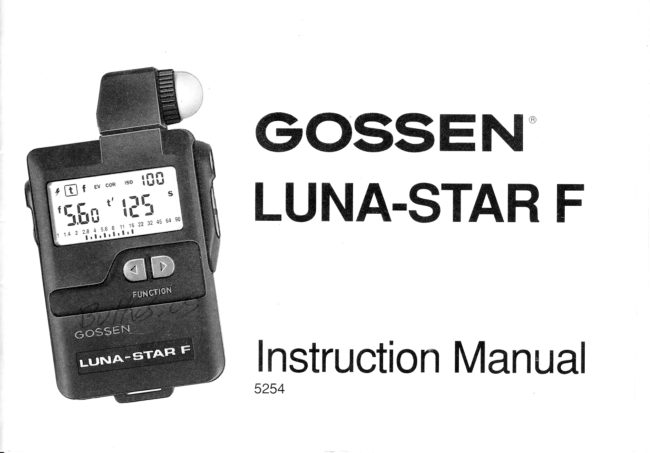
Gossen Luna-Star F User manual
User manual for Gossen Luna-Star F. 30 pages in English. Read the original PDF, download or print a copy without registration.
30 pagesEnglish2.4 MB PDF
Loading your manual…Open PDF directly
Document details
- Brand
- Gossen
- Model / document
- Gossen Luna-Star F
- Document type
- User manual
- Language
- English
- Pages
- 30
- File size
- 2.4 MB
- Category
- Light meters
- Document date
- Not specified in catalog
Search available document text
Find a term, then jump to its page in the original PDF. Image-only pages may not be searchable; check the PDF for exact wording and diagrams.
Page 4 · Read text
Contents                      Page                              Page
Viewsof the meter                 cover   Flash measurement                 1 4
and its controls                   1 & 2      - M u l t i p l e f l a s h
                                   Measurementsexceedingthe measuring
Display                             4   range                                '16t o
The displayand its elements           4   Displayexceedingthe displayrange
Displayduration                     5   Settingand measuringcorrectionvalues 1 7
                                                                   - Settingcorrectionvalues             1 7
How the LUNA-STARF tunctions         5     - Measuringcorrectionvalues          1 8
Preparations                        5   Cancellingcorrectionvalues           1 9
Battery                             5   lmportantremarksconcerning"Correction
Self-checkingroutine                 6   Values"                         20
Basicvalues
Measuringrangeextenslon            7   Technicalspecifications              2 1
lncidentand reflectedlightmeasurement

The individualfunctions                               I
Settingthe film speed                  9
Continuouslight measurement                   I
 - For shutterprioritymode "t"           1 0
 - For apertureprioritymode "f"          1 1
 - Exposurevalue(lightvalue)"EV"      1 2
 - CINEscale(framesper second)       1 2
 - Contrastmeasurement                                             I J


                                                                          *           - , & ; , ; .
View original page 4Page 6 · Read text
MeasuringbuttonM                                Socketto connectthe
                                                       flashsynchronisingcable

Buttonsto adjust the values
                                                  Synchronisingbutton q
                                                           to fire the flash
View original page 6Page 7 · Read text
Swivelhead with diffuserfor incidentlight            Batterycompartmentwith
measurement(see page 7)                       contactedbattery
                                             (see page 5)


Swivelhead withoutdiffuser
for reflectedlight
measurement(see page 8)          Close


                           Open


Specialdiffuser(+5 stops)
for measuringrange extension
(see page 7)
                                                   Batterycompartmentcover


               www.butkus.us
View original page 7Page 8 · Read text
Brief instructionsfor the most
importantfunctions


Serialnumber


 Batterycompartment
View original page 8
Page 9 · Read text
Your LUNA-STARF is an exposuremeterwith   DigitalLCD display'intenthsof stops
digital display from GOSSEN. lt measures
continuouslightand flash,and it coversa wide   Analoguecontrastdisplayin half stops
measuringrangewith greataccuracy.
                                   Programmableexposurecorrection
A wealth of knowledgein the area of light
metering,based on many decadesof experi-   Recallof all possiblepairedsettingsfor a
encein the manufactureof exposuremeters,is   reading
now being made availableto the user, in the
simplestmanner possible,due to micropro-  Apertureor shutterprioritypreselection
cessortechnology.The LUNA-STARF notonly
measureswith the greatest accuracy, but it   Extremelyconvenientto measureflashes
can also store the readings and complete
calculationsat the push of a button.lts opera-  Covers the entire cine scale (frames per
tion is exceptionallysimpleand convenient.   second),includingthe TV standard25 f.p.s.

Featuresthat characterisethe LUNA-STARF:   Warningwhen rangeis exceeded

Microprocessorcontrolled                  Automaticbatterycheck

Measuresreflectedand incidentlight, flash  Storageof settingsand readings
(with cord and cordless),and the share of
ambientlight.                            Automaticcut-off'

Calculationof multipleflash


                        www.butkus.us
View original page 9Page 10 · Read text
Display

The dlsplay and its elements

   Functions
     - Flashmeasurement
     - Continuouslightmeasurementwith
     shutterpriority                                   1 1 . 4 2 1 2 . 84
     - Continuouslightmeasurementwith                         r  I  r  l l t  I  r  I  t
     aperturepriority
     - Continuouslightmeasurementwith       5    6   7 8 9    1 0      1 1 1
     read-outof exposurevalues(EV)        7  Displayidentification"t" for exposuretime
      - Enteringthe correctionvalue                 (shutterspeed)
      - Settingthe film speed               B  Warningsign "BAT"for batterycheck
2  Digitaldisplayof film speed ASA (lSO)     9  Displayidentification"l" for fractionsof a
3  Displayidentification"f" for aperture         second
4  Displayidentification"EV"for exposure    10 Right-handdigitaldisplay
   value                                                          - Exposuretime t (shutterspeed)
5  Analogueaperturescale                                - Exoosureextensionfactor
6  Left-handdigitaldisplay                                 - CINE(framesper second);symbol:/
      - Aperturef                                                   - Multipleflash;symbol:F at 6
      - ExoosurevalueEV                                       - Filmsoeed in ASA
      - Correctronvaluesteos               11 Unitsymbol"m" for minutes
      - Filmspeedin DIN                   12 Unitsymbol"s" for seconds
View original page 10Page 11 · Read text
DisplayDuration                    How the LUNA-STARF Functions

When none of the control buttons has oeen   Preparations
actuatedduringthe last2 minutes,the display
is automaticallyswitchedoff, i.e.thereare no    Battery
readings.                            The LUNA-STARF operateswith a 9 V battery
- Thestoredvaluesare recalledby depressing  (alkaline-manganesebattery or correspon-
  the functionor valuesbuttons.             ding rechargeablebattery).Sincethe meter's
- Renewedmeasurementis instantlypossible  powerconsumptionis minimal,the batterywill
 when the meteringbuttonis depressed.       lastfor a longtime.Whenthe batter.y'scapacity
                                  becomesexhausted,the useris warnedby the
The valuesof the lastmeasurementare stored   "BAT"display.Thismeansthatthe batteryhas
untila new meterreadingis taken.The LUNA-   to be exchangedat the earlrestpossibleop-
STAR F is fitted with separate memoriesfor   portunity.
continuouslightand flashmeasurement.     Measurementscease to be possible if the
                                          displayonly indicates"BAT".The batterymust
                                     be immediatelyreplaced.
                                    To change the batteryopen the batterycom-
                                        partment of the LUNA-STARF. Remove the
                                       exhaustedbattery.Clip the contactsonto the
                                  new battery and insert in the battery com-
                                          partment.Pushback the batterycompartment
                                           cover.
                                          Batterychangingerasesall storedvalues.


                       www.butkus.us
View original page 11Page 12 · Read text
Self-CheckingRoutine

The microcomputerperformsa self-checking
routineas soon as the batteryhas been load-                               lzlr|trlalltrbdEElllled. Everypossibledisplaysegmentappears
on the displayduringthisroutine.
The durationof the self-checkingroutineis
approximately10 seconds,but it can be in-                                                           1,lE,EE#E,E',J1.4 2  2.8 4 5.6  I  11 16 22 32 45 64 90terruptedby depressingany button.                                               l r l r l r l r l r l r l r l r l r l r l r l r l r l
The factory-programmedbasic settings are
automaticallyadjusted as soon as the self-
checkingroutinehas been completed.


Basic values

          lso      100121'
       coRR   0/1.0
                 f        5.6
                  |       11125
      EV     12
        Flash  D 1/60
View original page 12Page 13 · Read text
MeasurlngRange Extenslon                   Incident Light Measurement- Reflected Light
                                     MeasurementExtremelypowerfulflashand very bright con-                     .7;3a*,aN     '  ''t
tinuouslight can be measuredby using the   With regardto its measuringpossibilitiesand
specialdiffuser(+5 stops).                   operation,LUNA-STARF was conceived for
Change-overis automaticby the diffuseritself.   professionaluse. Due to its swivel sensor
                                           (swivelhead),the meter is easilyadaptedto
Rangedata:     Flash   Continuouslight   universalservice.
(at ISO 1OOl21")                            Incident light measurementleads to particu-
 Normaldiffuser tl1 - 16  EV -2 to +18       larly precise exposures.With incident light
 Specialdiffuser f/5.6- 90 EV +3 to +23     measurementthe LUNA-STARF with adjusted
 (+ 5 stops)                                   diffuseris pointedf romthe subjecttowardsthe
                                   camerato measurethe incidentlightto guar-
The special diffuserfor measuringrange ex-   anteea preciseexposurein conformitywiththe
tensionis identifiedbv "+5".                  correct tonal values of the subject. This is
                                              particularlyimportantwith inherentlybrightor
                                        dark subjects.Even in difficultexposuresit-
                                             uations,for instancewith contrastysubjects,
                                            incidentlight measurementwith the diffuser
                                              resultsin far more accurateexposuresto sat-
                                                  isfythe most discerningprofessionalrequire-
                                       ments.Incidentlightmeasurementis also im-
                                          perativewith inaccessiblesubjects.For this
                                     purposeit is necessaryto selecta pointthat
                                     hasthe same lightinglevelas the subject.And


                        www.butkus.us
View original page 13Page 14 · Read text
then a meterreadingis takenthat lies parallel   ject. The meter now only measuresthe light
withthe projectedconnectinglinebetweenthe   reflectedby the subject.Consequently,the
actualsubjectand the camera.              reading always depends upon the inherent
                                         brightnessof the subject! This means that
Thisvery convenientmethodof lightmetering  inherentlybrightersubjectsare not precisely
at a pointwiththe same lightinglevelis highly  measuredand thereforerendereddarker.
recommendablefor outdoorshots.The meas-
urementis performedwith a complete"about   This mode is also used to measurethe subject
turn"in frontof the cameraso thatthe readrng  contrastwhichis displayedbythe LUNA-STAR
is taken with the meter pointingtowardsthe   F on its analogscale(seepage 13).
camera,i.e.oppositethe actualpictureshoot-
ing drrection.                                                    lf readingsare to be taken exclusivelyby the
                                            reflectedlight measuringmethod,then it is
Incidentlight measurement,i.e. with diffuser,  advantageousfor the professionalto use a
alsogivesa precisereadingof the brightness  grey card (18% remissioncapacity) in this
contrastrangeof the lighting.             mode.
Both kinds of lighting- flash and continuous
light- aremeasuredwithgreataccuracyby the
incidentlightmethodwith diffuser.

Parallelto thisthe LUNA-STARF alsooffersthe
reflectedlight measuringmethod.In this mode
the diffuserhas to be removed,and the meter
is pointedfrom the cameratowardsthe sub-

8
View original page 14Page 15 · Read text
The IndividualFunctions
Setting the film speed
                                                                ,    t    f  Ev coR lglo Select ISO with functionbuttons.
o Set the desired ISO value with the values
  buttons.(Display:left DIN value;rightASA                       Li  value)                                    [,il                 r-l
Once the film spe6d has been set it is transfer-
red to the memoryof the LUNA-STARF wnen
the meteris adjustedto anyoperatingf unction,
and it remainsvisibleat the top on the right-
hand sideof the digitaldisplay.Any changeof
the film speed directlyinfluencesthe stored
pairedapertureand shuttervalues.
Thisselectedfilmspeedwill be retainedin the
meter memory until you change it to a new
settingas describedaboveor untilyouchange
the battery.

Continuouslight measurement
TheLUNA-STARF is designedfor an exposure
valuemeasuringrangeof -2 to +1Bl+23(witha
specialdiffuser)at ISO 100121".

                        www.butkus.us
View original page 15Page 16 · Read text
It offersthe followingpossibilitiesdepending
on the applicationin hand:

a) With shutterpriority"t" the readingis taken
   for the correspondingaperture.
b) Withaperturepriority"f" the readingis
  takenfor the correspondingshutterspeed.
c) For exposurevalue"EV"the shutterspeed
    is preselectable,and the apertureis given
   as an analogvalue.
d) CINEspeed (framesper second)
e) Contrastmeasurementin the function"t"

The desiredcontinuouslightfunctioncan be
selectedwiththe correspondingfunctionbut-
ton.
                                                     tr.na) Shutter priority mode                                                                      f   ev con   tso                                                                                                                                   I I J | J                            tr
o Select "t" with the functionbuttons(the last                    'Ll,[I   ns  storedvalueappearson the display).o Adjust the desired shutter speed with the          "Iil u
  valuesbuttons.                                     1 1.4 2  2.8 4  5.6 I   1't 16 22 32 45 64 90                                                                                                                                           I
o Measureby depressingthe measuringbut-
  ton M.
1 0
View original page 16Page 17 · Read text
o The measuredaperturestop appearson the
  left-handdigitaldisplay(resolution:1/1Oth
  stops),and additionallyas a mark rounded
  off in the analogaperturescale.
o Selectother paired aperture/shuttervalues
   with the valuesbuttons.

b) Aperture priority mode

o Select "f" with the functionbuttons.
o Set the desired aoerturewith the values
  buttons.
o Measureby depressingthe measuringbut-
  ton M.
o The measuredshutterspeedappearson the
  right-handdigitaldisplay- Automaticadap-
  tationof the aperturein 1/1Othstopsto the
                                      EvcoR ,so                                                                                                ll:lI  fixed shuttersoeed.                           ,t   IIo Selectotherpairedaperture/shuttervalues
  with the valuesbuttons.                                   s                       'L!,[;:rt'![[
Note: The 1/1Othstop values stored from the
lastmeasurementappearwhenthe apertureis        1 1 . 4 2 2 . 8 4 I  5.6 8  11 16 22 32 45 64 90
preset.These are invalidbecausethe valid

                                                                          1 1
                       www.butkus.us
View original page 17Page 18 · Read text
1/10thstops will only appear after the next
meterreadingis taken.
c) Exposure value EV                                   ,   t   t lalcoR". Lll] ll
o Select "EV"with the functionbuttons.                          t'f        s                                                      I ft.          ft ft
o Adjust the desired shutterspeed with the   Ev lUi    -lUU  values buttons.
o Measureby depressingthe measuringbut-        1 1.4I  2 2.8 4  5.6 I  11 16 22 32 45 64 90
  ton M.
o The measuredaperturestop appearson the
  left-handdigitaldisplay(resolution:1/1Oth
  stops),and additionallyas a mark in the
  analogaperturescale.
o With the value buttons select other paired
  aperture/shutterspeed values correspond-
  ing to this ExposureValue.

d) CINEspeed (framesper second)                                                                       ,                                                                                                      f   sv con  rso  aI If-lJ Hl-l                                            II
           "t"                           buttons.           with               the functionso  Select                                                           t  Select        the            desired                speed (fo                                                              _l                          p s ) with the
  valuesbuttons.Forthis purposego beyond                                                I                       l['r  1/B000ths. Afterapprox.1 secondthe meter        1 1 .4                                                                2 2 . 8 4 5 , 6 8 1 1                            II1 6 2 2 32 45 64 90
  switchesoverto CINEsoeeds.Thesvmbol/

1 2
View original page 18Page 19 · Read text
appears on the display.Cine speeds are
  variablebetween8 and 64 frames/s.
o Measureby depressingthe measuringbut-
  ton M.
o The measuredaperturestop appearson the
  left-handdigitaldisplay (resolution:1/1Oth
  stops),and additionallyas a mark rounded
  off in the analogaperturescale.

The displayedapertureappliesto a 180 de-
greeshutterblade.Entera CORvaluefor other
shutterblades as an extensionfactor
       V = 1B0o:open apertureangle

e) Measuringthe contrast

o Select "t" with functionbuttons
o Keepmeasuringbuttondepressedfor some
  time and aim meterat the variousareas in          , E    f  ev con rso ll:!il
  your subject
o In the left digitaldisplay,thereappearsthe                         'L!,[I t'I[[   s
    f irstmeasuredaperture(f/stop).lt willstayon
  in the display as referencevalue (e.9. a
  neutralgrey card)duringthe entiremeasur-       1 1.4 2 2.8.4,5.6l r i l i r l r l  I  11 16 22 32 45 64 90
  ing operation.On the analogaperturescale,

                                                                  1 3
                       www.butkus.us
View original page 19Page 20 · Read text
Tl
F        the contrastrangebetweenthe two extreme
        valueswill come on. The actualmeasuring
        valueflashes.

      o Afterthe measuringbuttonis released,the
       entirecontrastrangemeasuredis indicatedon
       the analog aperture scale. The last value
-r    measureddoes not flashany longer.
       Contrastrange of the subject:withoutdiffuser
       Contrastof illumination:    withdiffuseron.

       Flash Readings

      Readings can be taken with or without syn-
       chronisingcable. When used in conjunction
       with a synchronisinge4ble,the flash is fired
       with the synch buttonl.
      o Select" 1" wilhthe functionbuttons.                                                                       t    f  ev con rsoL!l]  ll,r                           .A      o Adjust the desired synchronisingspeed         with the valuesbuttons.Synch range from             t-rrt    s                                           r        1 s to 1/1000ths (including1/90s).                                   II_1   U      o Depressthe measuringbutton M. LUNA-
      STARF is operablefor meteringfor a period       1 1 . 4 2  2.8 4  5.6 8  11 16 22 32 45 64 90
          of 45 s. (Meterreadinessprevailsas longas
         "F" remarnsvisibleon the display).
       1 4 ' '
                                                                                                                                                                                                                                          i
View original page 20Page 23 · Read text
Settlng and Measuring GorrectionValues
           (Pleasereferto "lmportantRemarksConcern-i,x            ing CorrectionValues",page 20)

             Settlng Correction Values

           o Selectwiththe functionbuttons"COR".
             (The last valid correctionvalue appears on
              the display)
           o Enteror changethe correctionvaluewiththe
             valuesbuttons.
            The extensionfactor appears on the right-
           hand digitaldisplay,the correctionvalue is
           shown                  on                       the left                                    in steps.                                                                    ,   t   f ,ulE 'so l[l]             Enterin                   1/1Oth                          steps                                (smallfigure)withina
            rangeof + 7.9 ExposureValuesteps.
           A figure preceded by " -  " indicatesan            exposureextendingcorrection.      -J                                   ! F,f,                In the event of an exposureshorteningcor-
              rectiononly the left displayappearsas an
            exposurevaluedifferencein steps.
            (Example:-3.1 stepsequalfactor8.6),t

                                                                                     1 7
                                www.butkus.us
View original page 23Page 26 · Read text
lmportant RemarksConcerning"Correction    methods,and to yo u r projector.
Values"                       We recommendthe followingprocedure
                                    Takethe readingsof a few normalsubjectswith
The LUNA-STARF is a precisionmeter cali-   the utmostcare by the reflectedand incident
bratedwith greataccuracyto provideyou with    light measuring methods, and shoot five
exact exposuredata. Shouldyou still not be   picturesof each subjecton colorreversalfilm.
satisfiedwith the results,then you shouldre-  The first frame should be exposed with the
memberthatthereare otherindependentvar-   exposuresettingssupplied by the LUNA-
iablesthat can influencethe successof vour  STARF. The exposuresettingsfor two of the
exposures:                             remainingshotsare then increasedby halfan
For instance                                 f-stopand afullf-stop,respectively,and forthe
- The "true" speed of your film can deviate  othertwo decreasedby halfan f-stopand a full
 from that on the pack;                         f-stop,respectively.Make a note of the shoot-
- The "true"shutterspeeds on your camera   ing conditions.Thesemust not changewhile
 can differslightlyfrom the ratedvalues;      the f iveshotsare beingtaken.Now selectfrom
- The "true"f-stopson your cameracan differ   the processedpicturesthe oneyou considerto
 from the specifiedones;                 be optimaland comparerts settrngswith the
- Deviationscan arise when the film is oro-    m o f o r       r a a r { i n n q
 cessed.
ln additionto thatpurelysubjectivefactorsand      lf you find thatyou preferexposuresthatwere
mattersof taste in the assessmentof the fin-   taken with settingsthat differ from those
ishedphotosmay be involved.              suppliedby the meter,then this valuecan be
However, you can  calibrate your LUNA-  programmedintoyour LUNA-STARF.
STARFtothe peculiaritiesof yo u r camera,                                                                                                                                  ; f
y o u r  b r a n d o f f i l m , y o u r   p r o c e s s i n g

20                                                                                                                                                                                                                                                                                                                                                                                                                                        l
                                                                                                                                                                                                                                        I
                                                                                                                                                                                                                                                                 .l

       ";  ;-.L    ..,,;   "   ij      :i::l     l', :-.                                                                                                                       .,-.',r1,:;!ii,1.                                                                                                         .i
View original page 26Page 28 · Read text
Care and Service

Your Gossen LUNA-STARF is a valuable
precisioninstrumentmadewithgreatcareand
accuratelycalibrated.lt deservesyour good
care!
Measuringcomparisionsof your LUNA-STAR
F withsimilaror othertypesof exposuremeters
cannotbe made properlywithoutspecial la-
boratoryequipment(opticalbench). Do not
attemptto open or repairyour LUNA-STARF.
Shouldyour LUNA-STARF require service,
send the meter(directlyor throughan autho-
rizeddealer),in the originalpacking,if possi-
ble, prepaidand insuredto:

BogenPhotoCorp.
565 E CRESCENTAVE,P O BOX506
RAMSEY,NJ 07446-0506
Telephone(201) 818-9500

A brief descriptionof the reason for sending
the metershouldaccompanythe package.


22
                                                                                                                                                          , "  r.            ,Jxi                                                                    .*
View original page 28Page 29 · Read text
Two state-of-the-artspecial meters from the GOSSENrange:


ULTRA.SPOT                      COLOR.PRO2 F
     1o Spot meterfor               COLOR-PRO3 F
                f lash                            Colortemperaturemetersfor
        continuouslight                                                     f lash
       and                                and
        zone system                            continuouslight
All settings,readings,an subjectcan be seen   Directdisplayof colortemperature,of mired
togetherin the viewfinder                        filter values and the Kodak-Wrattenfilter
                                             values
                                                              23
                       www.butkus.us
View original page 29From the M. Butkus archive. Original publisher and archive notices are retained.
Check the model and edition against your equipment.
PDF verified 2026-10-10.