Light meters
Gossen Scout 2 User manual
User manual for Gossen Scout 2. 5 pages in German. Read the original PDF, download or print a copy without registration.
5 pagesGerman0.4 MB PDF
Loading your manual…Open PDF directly
Document details
- Brand
- Gossen
- Model / document
- Gossen Scout 2
- Document type
- User manual
- Language
- German
- Pages
- 5
- File size
- 0.4 MB
- Category
- Light meters
- Document date
- Not specified in catalog
Search available document text
Find a term, then jump to its page in the original PDF. Image-only pages may not be searchable; check the PDF for exact wording and diagrams.
Page 2 · Read text
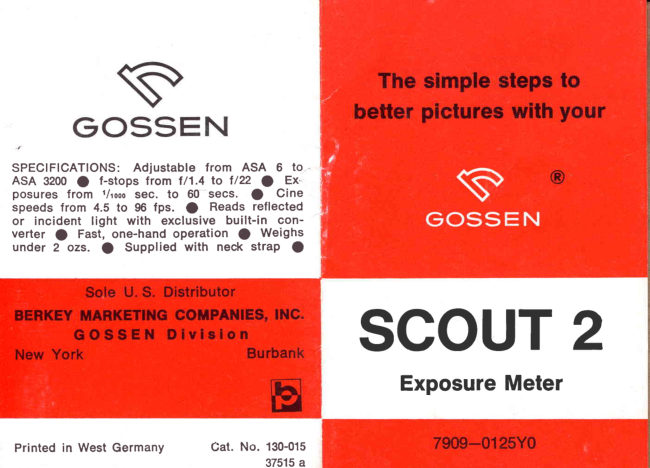
S

GOSSEN

SPECIFICATIONS: Adjustable from ASA 6 to
ASA 3200 @ f-stops from 1/1.4 to 1/22 @ Ex
Posures from ‘/io sec. to 60 secs. @ Cine
speeds from 4.5 to 96 fps. @ Reads reflected
or incident light with exclusive built-in con-
verter @ Fast, one-hand operation @ Weighs
under 2 ozs. @ Supplied with neck strap @

Sole U.S. Distributor

BERKEY MARKETING COMPANIES, INC.
GOSSEN Division

New York Burbank
Printed in West Germany Cat. No. 130-015

37515 a

The simple steps to
better pictures with your

®

SCOUT 2

Exposure Meter

7909—0125Y0
View original page 2
Page 3 · Read text
Congratulations —

on your choice of the SCOUT-2, a product of
GOSSEN, world-famous manufacturers of preci-
sion meters such as the LUNA-PRO, SUPER-
PILOT and others, used by millions all over the
world. We know that you will be pleased with
your SCOUT-2 and that it will help you toward
greater picture-taking enjoyment for many years
to come.

For good results right from the start, just take
a few minutes to become acquainted with your
new SCOUT-2 by reading the following simple
instructions.

To adjust your SCOUT-2 for the film in
your camera:

Turn the setting knob in the center of the
computer disc with a coin so that the ASA
number of your film is set to the white triangle.

FILM SPEED SETTING KNOB

ASA WINDOW

NOTE: You will find the ASA film speed number
printed on the film box or instruction sheet
supplied by the film manufacturer. The thin
lines between numbers in the ASA window
represent intermediate values as follow:

6 25 100 400 1600
8 32 125 500 2000
10 40 160 650 2500
2 50 200 800 3200
16 64 250 1000
20 80 3201250
25 = 100 4001600
View original page 3
From the M. Butkus archive. Original publisher and archive notices are retained.
Check the model and edition against your equipment.
PDF verified 2026-10-10.