Light meters
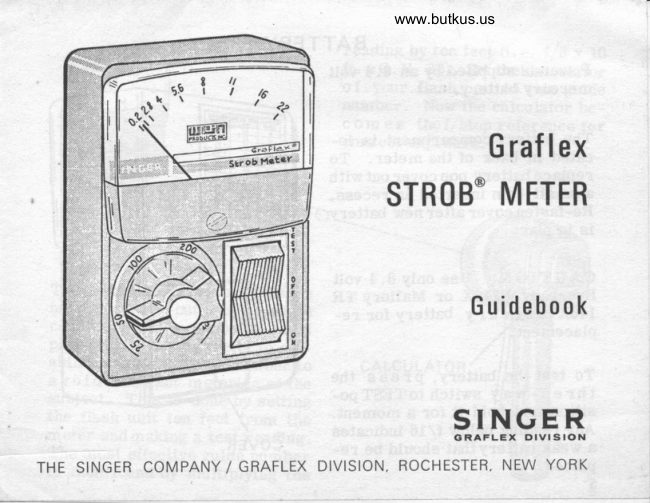
Graflex STROB Meter User manual
User manual for Graflex STROB Meter. 8 pages in English. Read the original PDF, download or print a copy without registration.
8 pagesEnglish1.4 MB PDF
Loading your manual…Open PDF directly
Document details
- Brand
- Graflex
- Model / document
- Graflex STROB Meter
- Document type
- User manual
- Language
- English
- Pages
- 8
- File size
- 1.4 MB
- Category
- Light meters
- Document date
- Not specified in catalog
Search available document text
Find a term, then jump to its page in the original PDF. Image-only pages may not be searchable; check the PDF for exact wording and diagrams.
Page 1 · Read text
www.butkus.us


                                 Graflex
                    STROB'METER


                                   Guidebook


                                      p"l.lfg,E,F"
THE SINGER COMPANY / GRAFLEX  DIVISION, ROCHESIER, NEW YORK
View original page 1Page 2 · Read text
THE GRAFLEX STROB METER
Constructed of "space age" components, your Graflex Strob Meter
will read the brief burst of light from an electronic flash unit and
interpret the reading in direct f/stops for usable exposure informa-
tion. The meter reads incident light only. Aunique Automatic-Flash-
Sync feature eliminates connecting cords that are usually needed.
This fine instrument has many applications. To suggest only a few:
USE IT
   o To determine accurate exfosure for direct flash.
      . To eliminate guessworkwhen usingbounce orbarefube (Globe
       Strob) electronic flash.
   o To determine ratio of key lighting to backlight or highlight
       exposure.
   o To balance flash with ambient light or daylight from a window
      as determined by a standard exposure meter.
   o To eliminate normal bracketing of exposure in color photo-
       graphy.
View original page 2Page 4 · Read text
www.butkus.us


                             METER SCALE


Mike Butkus   Digitally                                          DN:email=mike@butkus.org,Date:cn=Mike2025.01.24signedButkus,by17:09:41Mikeo, ou=Butkus.org,Butkusc=US-05'00'
                     LIGHT COLLECTOR
View original page 4Page 5 · Read text
BATTERY
 Power is supptied by an 8.4 vott
 mercury battery.

 The battery compartment is lo-
 cated in back of the meter. To
 replace battery pop cover out with
 a small coin inserted in recess.
 Re-fasten cover after new battery
 is in place.
CAUTION: Use only 8.4 volt
Eveready E146X or Mallory TR
146X m ercury battery for re-
placement.
To testthe batt€ry, press the
thr e e- way switch toTESTpo-
sition and hold it for a moment.
Any reading below il rc indicates
                                           Ra weak batterythat should be re-     COVE
placed.
5
View original page 5Page 6 · Read text
www.butkus.us
         TO USE THE METER
 t.                                            4.
Set the E.I. (Exposure Index) dial   Fire the flash unit being read by
from the rating chart.              depressing the open flash button.
                             The meter needlewill then move
                                  upscale and come to a halt at the2.                                   correct f/stop.Place the meter in the subject po-
sition with the small white inci-
dent light collector (on the dial
knob) facing the flash unit.       NOTE: ff the meter fails to hold
                                                              t h e needle in the original posi-
                                                      shouldbe3.                                 tion,  your meter
Depress the three-way switch to    che cked by an authoriz ed warran-
the ON position.                     ty station.


                                                    5.
N OT E :  Under certain lighting   Discharge the m eter by returning
conditions, the needlemay creep   the three-way switch to the OFF
upscale slightly when the unit is    position.
turnedon. This meansthe meter
i s measuring ambient light and
incorporating it into the final
reading  .
                                                                                                           A-j
                                                                                                                                a
View original page 6Page 7 · Read text
reading by ten feet (i .e. f/8 x 10
                      \ \\r   ll'                                  ft. -G.N. 80). Set the ca.Iculator                         "r,                                           o f your flash unit to this guide
                            number. Now the calculator be-
                         com es thef/stop reference for
                                   correct exposure.


                               TO FFFr


The method described above is the
most accurate, but under certain
conditions itmay not be the most
practical. You mayprefer to est-
ablish aworking guide number to     CALCULATOR
avoid constant metering of the
subject. This is done by setting
the flash unit ten feet from the
meter andmaking a test reading.
The most effective guide number                               www.butkus.us
is then found by multiplying the
View original page 7Page 8 · Read text
www.butkus.us
            EXPOSURE INDEX
Most photographers prefer touse   EXPOSURE  SET E.I.   ADJUST
an exposure index rating rather     INDEX    DIAI, TO  F STOPthanthe film manufacturers ASA                                              t0                           /arecommendations. This meter                                             32       25    +   l/3is designed to measure in terms                                           40        2\    +  2/1of exposure index.                                        64        50    +  1/a
                                           80        50    +   ?,/a
                                      12s      100     +   1/?,
                                                                 J-6 0      100    +  2/3A chart on the back of the meter
shows exposure index units, the       250      200    +  I/3
correct  dial  setting and the        320      200    +  2/3                                       500      400    +  L/3
speeds other than those marked        650      400    +  2/3
on the dial. EXAIVIPLE: If your        800      400       +l                                                               +l-I/  3film speedis 40 set thedial at 25      1000      400
and add 2/3 f./stop tothe reading       1600      400      +2
you get from the meter. Should       3200      400      +3
your negatives or transparencies   you have established the values
be consistently too thin ortoo    for your negative preferences the
dense, adjust the Exposure Index   meter willprovide consistent €X- r
Knob up or down until the neg-   posure information.
atives are to your liking. Once                                                                    ._jffi,re
View original page 8From the M. Butkus archive. Original publisher and archive notices are retained.
Check the model and edition against your equipment.
PDF verified 2026-10-10.