Film cameras
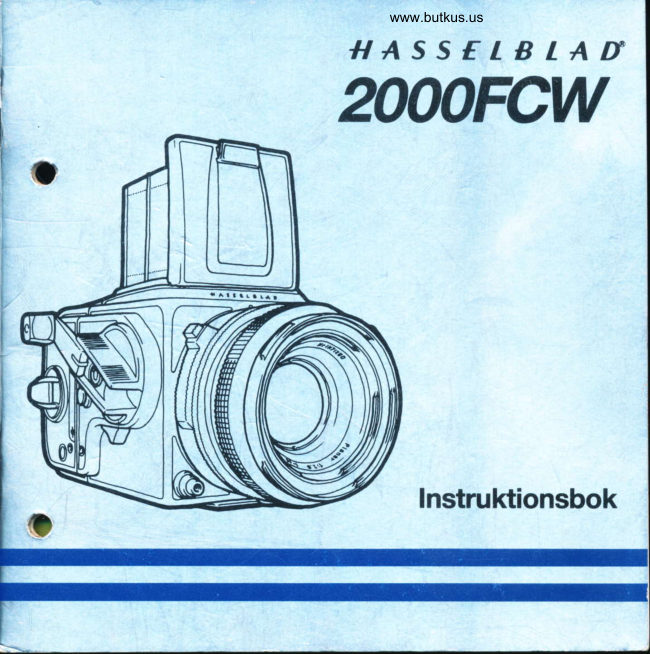
Hasselblad 2003FCW User manual
User manual for Hasselblad 2003FCW. 34 pages in English. Read the original PDF, download or print a copy without registration.
34 pagesEnglish3.8 MB PDF

Loading your manual…Open PDF directly
Document details
- Brand
- Hasselblad
- Model / document
- Hasselblad 2003FCW
- Document type
- User manual
- Language
- English
- Pages
- 34
- File size
- 3.8 MB
- Category
- Film cameras
- Document date
- Not specified in catalog
Search available document text
Find a term, then jump to its page in the original PDF. Image-only pages may not be searchable; check the PDF for exact wording and diagrams.
Page 3 · Read text
Hasselblad2003FCWInstructionManual
This instructionalso appliesto the 2000FCW
Page                                             Page
2  Accessory Chart                            16 The Focal plane Shutter
                                             16  ShutterProtectionMechanism
3   Introduction                               16  Focal-planeShutterSpeeds
                                            17  Lockingthe ShutterSpeedRing
4   Components                             17  Pre-releasingthe Camera(Mirrorup)
6    Front ProtectiveCover                       18  FlashPhotograpy
6   Rear ProtectiveCover                       18  FlashConnection
6   Attachingthe Magazine                     19  Changeof FocusingHoodor Viewfinder
7   Cockingthe shutter                        19  Changingthe Magnifier
7   The Battery                              20  Changingthe FocusingScreen
8    Fittingthe Lens                                            21 The Winding Crank8   Lens Removal                                            21  Removingthe Crank9   Openingthe FocusingHood                                            21   Fittingthe Crank9   The Built-inMagnifier                                             22  The MirrorActionModes
9 ,  Closingthe FocusingHood                   22  Selectinga MirrorActionMode10  Focusand Shoot
10  LeftHandGrip                             24 The Film Magazine      -                                            24  Removingthe Magazine
1 1 Lenses                                   24  Attachingthe Magazine
1'l  F-lenses                                 25  2000FCW:CameraSignal
12  Depth-of-fieldScale                       25  The Magazinelndicator                      €t
12  InterlockedShutterSpeed/Aperture            27  Loadingthe Magazine
12  Operatingthe 2003FCWwith CF-lenses         27  RemovingFilmfromthe Magazine
13  Settingthe CentralShutterMode               28  Load Statusand Film TypeIndicators
14  Selectingthe FocalPlaneShutterMode          28  DoubleExposures
14  Operatingthe 2003FCWwith C-lenses           29  AccessoryMounts
15  Selectingthe CentralShutterMode             30  PME/PMESViewfinderAdjustments
15  SelectingtheFocalPlaneShutterMode          32  CameraCare,serviceand Guarantee

Serviceand Maintenance          Guarantee
Although extremely reliable and  durable,  Hasselbladcamerasare normallycoveredby an
Hasselbladequipmentshould be servicedand    internationalguaranteefor one year.Guarantee
maintainedat an authorizedHasselbladService   conditionsand furtherdetailsarefoundon page
Centreat regularintervals.Furtherinformation  32.
on serviceand maintenanceis foundin page32.

Copyright@1988,VictorHasselbladAB.
All rights reserved. No part of this material may be reproduced, stored in a retrievalsystem, ortransmit-
ted, in any form or by any means, electronic, mechanical, photocopy, recording, or otherwise, without
the prior written permission of the Company.
View original page 3Page 5 · Read text
The Hassefblad2003FCW
The Hasselblad2003FCWis a single-lensreflex
camera featuring lens, magazine,viewfinder
and focusingscreeninterchangeability.
It has the new high brilliancy,high resolution
Acute-Matte*focusingscreenand is highlyim-
provedagainstinternalreflectionsthroughthe
use of the new "Palpas"anti-reflectioncoating.
The grip comfort is also improvedby the in-
troductionof the rubbergrip-padon the lefthand
side of the camerabody.
The 2003FCWcan be operatemanuallyor fitted
with the powerful Hasselbladmotor winder,
which cycles the camera at 1.3 frames per
second.
The 2003FCWalso providesa choiceof shutter
systems-betweenthe-lens leaf shutters or
focal plane shutter-with speeds from 1s to
1/2000s,and allowsthe use of all Hasselblad
lensesmanufacturedsince 1957as well as the
viewfinders,focusingscreens,magazinesand
other accessoriesin the extensiveHasselblad
system.A systemthat is capableof taking your
photographyto inneror outerspace,and almost
anywherein between.
When used with the betweenthe-lens(or cen-
tral) leaf shuttersthe 2003FCWsynchronizes
electronicflashesto 1/500sand when usedwith   With its outstandingversatilityand sophistica-
the camera body's own electronicallytimed   tionthe 2003FCWrightfullydeservesits placeas
titaniumfocal plane shutterit synchronizesat   the flagshipof the Hasselbladcameraline.
1/90sor slower.At fasterspeedsthe synchron-                                        Pleasetake your time to read this instructionizationis disabledto preventthe f lashf romf iring.                                       manual. lt will show you how to set up theA mechanicalmodeallowsthe C and CF lenses                                2003FCWfrom transportationconditionto theto be used at all their shutterspeedsalsowhen                                         operatingmode withoutdamagingthe fragilethe camera'sbatteryrs exhausted.                                            shuttercurtain.lt alsowill enableyou to get the
Doubleexposurescan be initiatedat the touchof   very mostout of your new camera.
a buttonwhich also is used for selectingany of
the camerasthree mirrorprograms.            ?cute-Mattedesignedby MINOLTA
View original page 5
Page 6 · Read text
t'


                                                              21  20  19  18  17


                                         0


                                10  11  12

                                            13  14  15  16

     2003FCWComponents
          1 Focusinghood           10 Mirror mode selector      19 Apertureselectorring
          2 Magazin catch            11 Pre-releasebutton        20 Shutter speed selector ring
          3 Film winder crank         12 Rubber grip-pad         21 Acute-Matte.focusing
                                                                 screen          4 Film plane indicator       13 Main releasebutton
          5 Magazinstatusindicator   14 Interlockingbutton      NOTE:
          6 Frame counterwindow     15 Exposurevalue scale     The 2003FCWhas no status
          7 Winding crank           16 Lens lock releasebutton   indicator'
          8 Strap lug                17 Lens focusingrtng
          9 Mirror mode indicatorand   18 Depth-of-fieldscale
            double exposure button                                          *                                                               Acute-Mattedesigned by MINOLTA
        4
View original page 6Page 7 · Read text
39  38

                  22

                  23

                  24

                  25
  26

  27

  28

  29


22 lnterchangeableview-     28 Batterycassette        34 Magazinsupports
   findermagnifier                        29 Depth-of-fieldpreview    35 Focalplanecurtain
23 strap lug                   button                                               36 Filmspeedand type
24 Focalplaneshutter      30 Lensdriveshaft              indicator
  PC outlet                        31 Batterycompartment    37 Filmholderkey
25 Accessoryrail                        32 Quickcouplingplate     38 Filmconsumptionindicator
26 Battery                        33 Tripodsocket1/4"        39 Magazinslide
27 Shutterspeedring        2003FCWsocket:3/8"
   lockinglever
View original page 7Page 8 · Read text
Front protective cover              Rear protective cover
Turnthe cover(bayonetfitting)in the directionof   Depressthe catchand swingback the cover.Lift
the arrow,and remove.                        the coveroff the magazinesupports.


                                   Attaching the magazine
                                               Insert the magazineslide into the magazine.
                                        Locatethe magazineon the magazinesupports.
                                             Slidethe magazinecatchto the right,then hinge
                                            the magazine forward into contact with the
                                    camerabody.Releasethe maEazine'catch,en-
                                            suringthat it returnsto the left-locked position.
View original page 8Page 9 · Read text
Cocking the shutter              The battery
The focal plane curtainis protectivelyreleased  The electroniccircuit,which preciselycontrols
when a magazineis removedfrom the camera   the focal planeshutterspeeds,is poweredby a
body. lt must therefore be re-cockedafter at-   6 voltbattery(PX28 or equivalent).Batterieswith
tachinga magazine.                        a voltageof lessthan 6 voltsmust not be used.
Use a fingertipto depressthe doubleexposure  Withdrawthe batterycassetteand insertthe bat-
buttonin the centerof the windingcrank.Turn   tery with its (+) terminaltowardsthe cassette's
the crank clockwisea little,whilst keepingthe    (+) index.
button depressed. Now release the double                                               Insertthe batterycassetteintothe camera.exposurebuttonand continuethe wind untilthe
crankstops.The shutteris now fullycocked.
View original page 9
Page 10 · Read text
Fittinga Hasselbladlens
Ensurethat the lens is cocked.
The slot on the drive axle must be alignedwith
the adjacentred dot, as shownin the picture.lf
not,then inserta coin in the driveaxle slot and
turn in the direction of the arrow until it locks.
Alignthe red indexon the lens bayonetwith the
correspondingindexon the body bayonet.
Insertthe lens and rotateit clockwise.A faint
click can be heard as the lens lock drops into
place.The lens will now turn no furtherand is
fullvlockedon.

                               Lens removal
                                      Depressthe lens releasebuttonand rotatethe
                                           lenscounterclockwiseaboutone fifthof a turn.
                                       Note that lens removalis only possibleif the
                                     camerais cocked(fullywound).
View original page 10Page 11 · Read text
Openingthe focusing hood        The built-in magnifier
Liftthe lid firmlyat the rearedge,and swingit up   The magnifierflips up into the viewingposition
to the vertical position. The sides fold up   whenthe ovalbuttonis movedin the directionof
automatically.                               the arrow
                                     ToreJoldthe magnifiersimplypressit downwith
                                         a fingertipuntilit locksback intothe lid.
                                    The magnifiermay be changedfor a correction
                                               lens.See page 19


                                 Closingthe focusing hood
                                           "Pinch" in the side platesat the hinEepoints,
                                     and fold downthe lid.
View original page 11Page 12 · Read text
Focus and shoot                      Left hand grip
Removethe magazineslidefromthe magazine.  The accompanyingpictureshows the best way
A safety interlock now prevents magazine   to hold a 2003FCWwhilstshooting.
removal.The releasebutton(previouslyblocked)                                     The camerais cradledin the left hand with the is freed readyfor exposure.                                                          left index finger on the releasebuttonand the
Rotatethe focusingringon the lensuntilthe sub-   otherfingersrestingon the rubbergrip-pad.
ject is sharpin the viewfinder.                                           This leavesthe right hand free for rewinding,
Depressthe shutter release button to fire the   focusing,exposuresettingand changeof lensor
camera.                               magazrne.
The camera may now be rewound,or can be   Makea habitof the left hand grip!
woundjust priorto the next exposure.The latter
preventing accidentalexposure.


10
View original page 12
Page 13 · Read text
Lenses                           F-lenses
Since the early 1950'sHasselbladlenses have   F-lenseshavebeendevelopedsolelyfor usewith
been manufacturedby Carl Zeiss in West Ger-   the 2000 series Hasselbladcameras and are
many.All of these lensescan be used with the    shutterless.The camera'sfocal planeshutteris
2003FCW as can the zoom lens made by   usedexclusivelywiththeselenses.The aperture
Schneiderin WestGermany.                   settingring is positionedclosestto the camera
                                      body So, through a simple mechanism,bothOverthe years,naturaldevelopmentand design                                             shutter and diaphragm rings can be lockedchanges have resulted in Hasselbladlenses                                           togetherfor cross-coupling.In this mannerthebeingdividedintothree main groups:CF and C                                          speed/aperturecombinationmay be changedlenseswhich have built-incentralleaf shutters,                                           withoutalteringthe exposurevalute(EV).and F-lensesthat have no shutter and can
thereforeonly be usedwith the Hasselblad2000
senes.
Manufactureof C-lensesis discontinued.
View original page 13Page 14 · Read text
Depth of field scale                                 I nterlocked sh uttef speed/aperture
The depth of field scale adjoinsthe focusing  When the interlockingbuttonis depressed,the
distancescaleand showsthe depthof field at dif-   Iensaperturering and the camera'sspeed ring
ferentdiaphragmopenings.                   are lockedtogetherand rotatesimultaneously.In
                                                   this manners, speed/aperturecombinationsDepth of field may also be viewed by stopping                                  may be altered,without change in exposuredown the diaphragmto the requiredaperture                                          value(EV).and viewingthe resultingimageon the focusing
screen.
To stop down the diaphragmsimply slide the
manual previewbutton downwardsuntil it locks  Operatingthe 2003FCW
intothe previewposition.                  with CF-lenses
To release the  button, and reopen the   CF-lensesare fitted with a central(leaf)shutter
diaphragm,press in the lower section of the   and can be usedwith all Hasselbladsinglelens
button.                                          reflexcameras.
                                     The " F" buttonlocksoutthe centralshutterf unc-
                                                    tion,andthe lensmaybe usedin conjuctionwith
                                          a 2003FCWat all focalplaneshutterspeeds.The
                                         camera'sfocal plane shuttermay also be "lock-
                                       ed out" and the lensshutterusedas the primary
                                   meansof exposure.
12
View original page 14Page 15 · Read text
A 2003FCWwith a CF-lensmakes two shutter
systemsavailable.The choiceof systemwill de-
pend uponthe individualrequirementsof a par-  The camera'sfocalplaneshutternow becomes
ticularexposure.                         an untimedauxiliarywiththe lens'scentralshut-
With the focalplaneshutter,exposuresas short   ter takingoverthe task of exposureand timing.
as 1/2000s are available.                  The 2003FCWworkswith allthe centralshutter
Thecentralshutterprovideselectronicf lashsyn-   speeds, and using the lens synchronizationcon-
chronisationfrom 1 s to 1/500s.                    tact, will synchronizeelectronicf lash f rom 1 s to
CF-lenseshave the same type of aperture  1/500 s. In the C-mode with a CF-lens,the
previewbuttonand speed/apertureinterlockas  2003FCWis in a mechanicalmode and is not
the F-lenses.                                     relianton powerfrom the battery.
                                       Note 1. The viewfinderimagedoesnot returnin-
Setting the central shutter mode        stantlyin C-mode.lt returnsduringthe wind, as
(C-mode)                                 the camerais re-cocked.
Rotatethe camera'sshutterspeed ring to the   Note 2. In C-modethe releasebuttonmust be
"C" position.Lockthe speedringby turningthe   held in until the centralshutterhas finished
lockinglever(camera'sleftside)to the "L' posi-   operation.Otherwisethe exposurewill be inter-
tion.                                        rupted.
                                                                             1 3
View original page 15Page 16 · Read text
I

  +

Selectingthe focal plane            Operating the 2003FCWwith
shutter mode (F-mode)             C-lenses
Disengagethe centralshutterby depressingthe    Basicallythese lensesoperatein similarway to
greenbuttonandturningthe speedringuntilthe   the CF-lenseswhen used with the Hasselblad
"F" markingis oppositethe whiteindex.       2003FCW. There are however certain dif-
                                           ferencesthat one should be awareof.Set the requiredshutterspeed on the camera
speedring.
Set the requiredaperture.
Note.The interlockingmechanismmust not be
engagedwhen the CF-lensis in the F-mode.
View original page 16Page 17 · Read text
Selectingthe central                Selectingthe focal plane
shutter mode (C-mode)              shutter mode (F-mode)              n
Set the camera'sspeedring to "C" and lock it.    Set the lens shutterspeedringto "8".
Setthe requiredspeedand apertureon the lens.   Set the synchronizationleverto "X".
The followingpointsshouldbe noted:           Set the requiredshutterspeedon the camera's
                                    speedring.1. l'C" lenses have both X and M flash syn-
   chronization(X for electronicf lash,and M for   Set the requiredapertureon the lens-taking
   bulb flash). A lever adjacent to the syn-   care not to move the speed ring from the "8"
   chronizationcontact is used to change   position.
  modes.                                    The followingshouldbe noted:
2. The selttimeron C-lensescan be used,but     '1.                                       The self-timercannotbe usedin the F-mode.   reouiresa lockablecable releasein orderto
  operatecorrectly.                             2. No instant return mirror function is visible
                                            through the  viewfinder-the viewfinder3. Theviewfinderimagedoesnotreturnafterex-                                        imagereturnsupon rewindingthe camera.   posure.lt returnsas the camerais rewound.


                                                                             1 5
View original page 17Page 18 · Read text
The focal plane shutter.             Focal plane shutter speeds
                                     The Hasselblad2003FCWhas a shutterspeed Shutter protection mechanism                                                ring showingspeedsfrom 1 secondto 1/2000s, Removalof amagazineresultsin the firstcurtain                                                      in additionto "C" and "8". Betweeneach in- of the focal plane shutterbeing automatically                                           dicatedspeedis an unmarked"click-stop" cor- retracted.Resettingthe first curtainshould be                                        respondingto values halfwaybetweenthe in-undertakenfollowingthe steps set out under                                           dicatedspeeds.Recockingthe camera-shutteronly.See page7.
                                  One of the intermediatespeedsis in fact marked Note.When the Hasselbladwinderis attached                                                      in red-that is the 1/90s stop.This is the fastestto the 2003FCW,the firstcurtainis automatically                                      speed for synchronizedelectronicflash. Atrewoundto its fully tensionedpositionwhen a                                                                                                                                                                               I                                      speedsfasterthan 1/90s the flash contactsdomagazineis replacedon the camera.                                            not engage,and the strobewill not light.


16
View original page 18Page 19 · Read text
Locking the shutter speed ring       Pre-releasingthe camera (mirror up)
A convenientlock on the camera'sleft side   Pre-releasingthe cameramechanismallowsvir-
enablesthe shutterspeedringto be fixedat any    tually vibrationfree photography,and reduces
selectedspeed,or function.                   the camera'sreactiontime to a minimum.
L =Locked                                    The pre-releasebutton is located under theO=Open.                                         winder crank. Slide it to the rear to effect a
                                              release.
                                Whenthe mainexposurereleaseis subsequent-
                                                         ly depressed,onlythe shutterwill be operating.
                                          Resettingthe pre-releasedcamerafor conven-
                                                   tional operation may be effected in the same
                                    manner as under "Cocking the shutter" on
                                      page 7.
                                    The 2003FCWis providedwitha signcloseto the
                                             pre-releasebuttonto showthe operation.


                                                                      17
View original page 19Page 20 · Read text
Flash                   C-lenses           F-lenses          CF-lenses
photography    1 s-1/500 s  B setting                 1 s-1/500 s   F setting
                         No specialsettingpossible.Note. When usingC-lensesin
 Bulbflash         M-sync.     the "F'lmode M svnch. mav not be used.
 Electronicflash     X-synch.    X-synch.           Only designedfor X-synch.
 Camera'sshutter
 speedring       C-mode     1 s-1/90 s    1 s-1/90 s   C-mode     1 s-1/90 s
 Flash-
 connection       To lens     To camera   To camera   To lens      To camera
 Fastestsynch.
 speed            1/500s       1/90s        1/90s        1i500s       1/90s.
Flashconnections:
To the camera
                                    The tableshowsthe possiblecombinations,set-
                                                   tings,and the fastestspeedsat which flash syn-
                                             chronizationcan be obtainedwiththe 2003FCW,
                                   when used with differentHasselbladlenses.
                                          Note. When the Hasselblad2003FCWis used
                                           togetherwiththe Hasselbladwinderfor rapidse-
                                     quencesit is possiblethat the camerawill re-
                                             cycle fasterthan the flash recharges.This can
                                                resultin underexposure.
                                         Set your strobe to the "winder" setting-if
                                              available.
View original page 20Page 21 · Read text
->


Changeof focusing hood or         Changingthe magnifier
viewfinder                          The focusing hood has an  easily inter-
Thefilm magazinemustbe detachedbeforethe   changeablemagnifierif you shouldneedto com-
focusing hood or other viewfinder can be   pensatefor your individualeyesight.
removed.                               Lenses with CorrectionFactorsfrom +3 to-4
Removethe hood by sliding it rearwardsin its   are availableand easily interchangeableby
guideslots.Slidethe replacementfinderintothe    following theseinstructions:
slots,and push it forward.                Removethe focusinghoodfromthe cameraand
Attacha magazineto the cameraand re-cockthe  open it.
focalplaneshutteras describedon page 7.       Bringthe magnifierto the viewinEposition.
                                    Push the magnifierhalf way back to its folded
                                             position.
                                     Throughthe undersideof the hood, grip the
                                          loweredgeof the magnifierbetweenthumb and
                                                    forefingerandpull firmly.
                                              Insertionof the replacementmagnifieris the
                                           reverseof the aboveprocedure.

                                                                             1 9
View original page 21Page 22 · Read text
Changingthe focusing screen         Placeyour hand overthe screen,and invertthe
The screenis quicklyinterchangeablewithout  camera. The screen will now drop into your
the requirementof specialtools.              hand.
Detachthe magazineand viewfinder.            Insertthe replacementscreen,ensuringthatthe
                                     smoothflat side of the frameis uppermost,andSlidethe screenlatchesto the side.                                                that all four cornersare seatedon the support
                                            prns.
                                                                        It is not necessaryto returnthe screenlatches.
                                           Thisis doneautomaticallywhenthe viewfinderis
                                           replaced.


20
View original page 22Related documents and language editions
From the M. Butkus archive. Original publisher and archive notices are retained.
Check the model and edition against your equipment.
PDF verified 2026-10-10.