Movie cameras & projectors
Kodak Cine Model B User manual
User manual for Kodak Cine Model B. 24 pages. Read the original PDF, download or print a copy without registration.
24 pagesOriginal document4.1 MB PDF
Loading your manual…Open PDF directly
Document details
- Brand
- Kodak
- Model / document
- Kodak Cine Model B
- Document type
- User manual
- Language
- Check the original document
- Pages
- 24
- File size
- 4.1 MB
- Category
- Movie cameras & projectors
- Document date
- Not specified in catalog
Search available document text
Find a term, then jump to its page in the original PDF. Image-only pages may not be searchable; check the PDF for exact wording and diagrams.
Page 2 · Read text
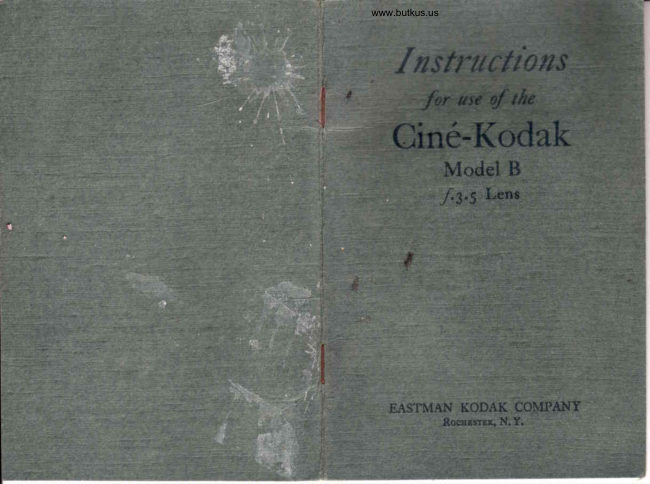
Instructions

for use 4

Ciné-Kodak

Model B

Published
EASTMAN KODAK COMPANY
Rocuesrer, N.Y.
View original page 2
Page 5 · Read text
Digitally signed by Mike Butkus
                             DN: cn=Mike Butkus, o,
                                ou=Butkus.org,Mike Butkus email=mike@butkus.org, c=US
                                  Date: 2024.12.11 22:31:47 -05'00'
View original page 5Page 6 · Read text
Venmo @mike-butkus-camera  Ph. 2083
PayPal Name  Lynn@butkus.org      www.PayPal.me/lynnbutkus
View original page 6
Page 22 · Read text
7                                              \
          IMPORTANT
    Hold the camera steadE.
    This instrument may be used as a f,red foctt's      camera with stops,f.5.6 or smaller by setting
      the focus at 25 feet. It will, with these stops,
      sharply cover all objects from 8 feet to infinity.
      For objects less than 8 feet distant the camera
     must be focused, even when the small stops
      above referred to are used.
    After making a distant view increase the size of
      the diaphragm opening for close-ups under the
    .  same conditions, even with a distant view for
      a background.
    See that the camera is level, particularly u'hen the
       subject photographed has prominent vertical or
       horizontal  lines.
    Twelveseeonds are sufficient for landscapes, street
       scenes and other subjects where the action does
      not show a marked change in character.
      If panoramic pictures are desired, the Cin6-I(odak
       mttst be moved uery slowly arrl steadily, while
      the motor is running, and the subject must' not
      be close to the camera.
   When the footage indicator shows that all the film
       in the camera has been exposed, run the motor
       until the indicator points to the word EMPTY.
      This winds the proiecting end arottnd the ex-
      posed film.
   Do not remove the exposed film from the metal
      container when the film is sent to the labora-
       tory for processing.
    Print your name and address plainly on the yellow
      box which contained the film, before mailing
      the film to the nearest laboratory for finishing.
      EASTMAN KODAK COMPANY
                Rocnpsrnn, N. Y.
\     6-2?-CH-10
View original page 22Page 24 · Read text
7
       IMPORTANT
   Always hold the camera absolutely steady while
      laking a scene.
   Keep the camera in operation for not less than
      eight or ten seconds on any subject.
   Keep the lens clean. A soft linen or cotton cloth,
      free from lint, wrapped around the end of a
     match, maybe used for this purpose. At the
      seashore or on ocean voyages the lens requires
      frequent cleaning.
   When making a scenic panorama where there is
    no moving object to be followed, the camela
     should be moved verl' slowl-v and evenly.
   When panoraming to secure a picture of a mov-
      ing subject, such as a running horse or a speed-
     ing motor boat, the motion of the camera
     depends upon the rapidity with which the sub-
      jcct moves. The subject must not be close to
      the camera. The moving subject should be kept
      as nearly in the center of the finder as possible.
   The most effective pictures are those in 'which
     not more than one-third of the picture area
      consists of sky, sea or very light foreground.
  When makinE a distant view the best effects are
      olrtained b! having some nca,rby object in 1,he
      foregrottnd
   Follow the instructions on the exposure guide on
      the front of the camera.
     HOLD THE CAMERA STEADY.

      4-27-C}l-40
                                                         ,7
View original page 24Related documents and language editions
From the M. Butkus Camera Manual Library. Original publisher and archive notices are retained.
Check the model and edition against your equipment.
PDF verified 2026-10-10.