Film cameras
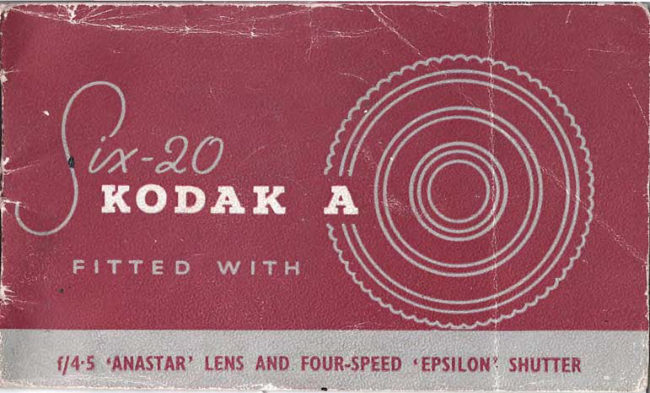
Kodak Six-20 A User manual
User manual for Kodak Six-20 A. 25 pages. Read the original PDF, download or print a copy without registration.
25 pagesOriginal document5.5 MB PDF

Loading your manual…Open PDF directly
Document details
- Brand
- Kodak
- Model / document
- Kodak Six-20 A
- Document type
- User manual
- Language
- Check the original document
- Pages
- 25
- File size
- 5.5 MB
- Category
- Film cameras
- Document date
- Not specified in catalog
Search available document text
Find a term, then jump to its page in the original PDF. Image-only pages may not be searchable; check the PDF for exact wording and diagrams.
Page 3 · Read text
butkus        c=US-04'00'
   mike                 ou=29,        00:14:36  by             butkus,
     signed             cn=mike                    2020.05.29        DigitallyDN:o=orphancameras,email=mike@butkus.org,Date:

mikebutkus
View original page 3Page 7 · Read text
You may load and unload your camera in daylight, but
                                in the shade or indoors, never in direct sunlight.www.butkus.us
                                     I   Raise the catch and open the camera back. Pull out                               -   the winding key.
                                     ,   Swing out the spool holder from the bottom spool                   g  recess. Unclip the empty spool and drop it into the
                              top spool recess. Push in the windi.g key, at the same
                               time turning it to engage the slot in the spool-end.
                   2  Take the newspooloffilm. Breakthewhitepaperband                  9  around it and clip the spool into the spool-holder as
                                shown, with the black side of the spool paper facing inwards.
                           Swing the spool-holder back into the spool recess.
                                     t  Draw off iust sufEcient spool paper to insert thc                                           'f  end into the longer of the two slots in the empty
View original page 7Page 8 · Read text
www.butkus.us

  rp@I. Give the winding key two or three nuns to see
   that thepaper is securely held and winds evenly between
  the spool flanges.
  close the camera. stide aside the cover plate, rook into the
  red window, and turn the winding key. First you will see
  a warning hand, then dots, then a number r. Stop when
  tbe r is central in the window. The firm is now seifor the
   first picnrre. After taking picture r, wind the film to z,
  and so on for a total of eight pictures. Then_
TO   UNITOtrD                                the                            until                                                   paper                                         the                                    .end of              -wind  passes        the red window.                   Open                              the                               camera                                    and                                                       Lut                                        pul
  the windi.g key. Place the hand over the top spool, then
  turn the catnera over so that the fi.lm drops oui into the
 hand. Fold in the end of the spool paper where marked,
 and seal with the white paper sticker provided.
View original page 8
Page 9 · Read text
The viewfinder is a direct-vision type for use at eye level. It folds
flat at the side of the camera when not in use. Hold the camera
steady against the forehead or against the bridge of the nose, then
press gently on the shutter-release to take the picture.

     I
View original page 9Page 10 · Read text
coNrR          www.butkus.us
S''MPLE     There are 3 Simple Controls
to set before taking each photograph:

 l. SELECT THE SHUTTER SPEED: .\lovc
   thc  slru.ttcr specd pointer to the setting
    rcqulrco.
2. FOCUS THE LENS: Estimate the dis-
   tancc exactly lronr thc camcra lctrs to the
    su[riect, thcn turn thc l()cu\ittg ring untrl
   thrs distancc otr thc cngravcd seale ts
   agarnst thc distancc pin.  For drstances of
   5o l!- (()r  | 5 melrcs) and ovcr, turn thc ring
    elockrr rsc as lar as the stop.
 3. SELECT THE LENS APERTURE: A{ove
     tlrc pointcr to the lens apcrture  (1, numbcr)
   requrreo.
The settings r and 3 will depend upon thesubiect and the light-the  following pages tell
you which settings to use.
View original page 10Page 11 · Read text
SUNLIGHT  CLOUDY-BRIGHT CIJOUDY.DULL
Aperture f/22            Aperture f/l   I            Aperture f/8
 Speed l/50            Speed l/50             Speed  | /50
  These settings are for'veichrome' film. For 'super-xx' and ,panatomicLX   fiJfit, see pages r8-r9.
View original page 11
Page 12 · Read text
www.butkus.us


            Bcach, marine and
            snow sccncs, distant
           landscapes an.l
            mountains rvithout
           promincnt  dark
                 ob jccts in the lbrc-
               ground.


                           'I'itts ts a clussificatiort
               of subject only.  Sct
                    ),()ur coillrols as oppo-
                site ttt suit the light
                       cottLlitioils,
View original page 12Page 13 · Read text
www.butkus.us

     ST'NI,IGHT     CTOUDY.BRIGHT    CLOUDY.DUI,L
     Aperture f/16            Aperture f/8             Aperture f/8
      Speed l/50             Speed l/50             Speed l/25
         These settings are for 'verichrotne' .fi\m. For 'Super-xx, drul ,parrctontid-X          fltms, see pages rE-Ig.
View original page 13Page 16 · Read text
www.butkus.us

            Nearby people in
             average surround-
              ings, pictures of
            gardens, building
                   exteriors; scenes with
            nearby or   darl,-
                 coloured obiects.


                  This is a classificarion
                of subject only. Ser
                your controls as oppo-
                   site to suit the ligh
                     conditions.
                                                            r5
View original page 16Page 17 · Read text
www.butkus.us

SUNLIGHT      CLOIIDY.BRIGHT    CLOUDY-DULIT
Aperture f/l  I           Aperture t 16.3
 Speed  | /25             Speed  | /25
  These settings are for 'Verichrome.' For 'Super-XX' and'Panatomic|X films,
  see poges r8-r9.
View original page 17
Page 18 · Read text
www.butkus.us


                  Subjects inshaderlit
               by open sky-as in
                  the shadorv of build-
                ings<rbyreflection
                from light-coloured
                 surroundings.


                    Thisis aclassification
                  of subject only. Set
                 your controls as oppo-
                    site to suit the light
                     conditions.
View original page 18Page 22 · Read text
www.butkus.us
       I
        I    .ff       *    i,f,,i'j,:i  .,.
                  'l             rr trtlic urr ,-rbje.t Ill()\'llIg rrlPi!i lv  rerlLrit'r's
          speei.tl cltrc, bt:cltttr. llt,,'slrulter  Irrltt ItirI lre
           tlttiek ct-ttl'lgll  ltl g1\ c  i.t elear 1.1.lrlt'L  tlllle ss
           tlrc elrrrtcrlr i:; use .i lrr llte ite :,t .r,.lr.rrrltigc.
    '        'l'lrerc itre [\\r) l]railrr,rl: lrr lollrru.  ()rrt rs lrr
   l-,       seieet  ll  [r()slll'.)tt lot  ll]11r11,sr-ltl.lttlttl so lltltt
           Lire rt:0r'ctttcltt  t\  ill  ll riilLLtl,)r)   il\\'t)   ll'ollr  !rrLr
   I           rrt' to11 111.1 ]'r)L.l ilrrrl  rrr,t  rlirtetiV    lrel trss  I Ite
  I          I,i.rrrre  . urttl  tlrrr rrlie rnlrtivc,    il  tlte eon,.litit,rrs
              ltllori,   i:, ttl s*lr:   , iltc ciuner:t s() it\  l() l<cep 1|ls
            1'.1lrjlet in  tlrc  ceirlre  ol  thc',ierrlinclt.r,      lrrrrl
            ()[)erirtc thc slrLitter  tt i \'()t-l tlo s,r.  'l'ltis  lattcr
               r)te  t lrocl is surtlrl.lc  lirl  suir jce ts sue lt trs rltt:ing
                ti.ll'5 rlI slleCti.   it  gir-ct  lt clcltl'Irirtttrt'91       tlt'
               |r)rrr i11q 11[-r1ce  l  ir111 11 [.r11111'ctl  l.lr.kgr,,,.rrrtl.

l-
View original page 22Page 23 · Read text
lneloor pirttr(s
   6y cfayliVhr

Indoors, it will bc ncccssar!' to givc nr()r'-
e xposurc than is obtaincd at thc slorr cst
automatic shuttcr spcecl of   r  ,; 25 scct,nci.                          st$i;a"*Undcr thcsc conditions thc shuttcr sctting'
-l- (Timc) and B (Bricl-timc) comc into usc.
\\'hcn using thcsc scttings  it is csscntial to
stand thc camcra on a tripod or otht'r tlrm
support and to cnsurc that thcrc is no mclvc-
mcnt o1-thc subjcct whilst thc picturc  is takcn.
Iror cxposurcs bctwccn I and 5 scconds, usc
thc Brict'-timc sctting B. 'I-o takc a picturc,
press on thc shuttcr 1glc35c-ssunt tirc

?2

                                                    www.butkus.us
View original page 23Page 24 · Read text
www.butkus.us
exposure time-let go the shutter release.  To determine the exposure for indoor pic-
For exposure times longer than 5 seconds,   tures note first the light conditions outdoors,use the Time setting T. To take a picture,   then consider the amount of light on the
press and let go the shutter release-count    subject. This witl depend upon the size and
the exposure time-then again press and let   arrangement  of the windows and the distance
go the shutter release.                             of the subject from them. Refer to the table
                                                below.

                Anrount of        LIGHT CONDITIONS OUTDOORS
                 Light on the
                  Subject            Sunshine    Cloudy-Bright  Cloudy-Dull
                    Plentiful         2 secs.     4 secs.     8 secs.
                Average            { secs.     8 secs.      16 secs.
                     Little             16 secs.     32 secs,     64 secs.
               Use lens aperture flzz, The cxposure times are for'Verichrome'film.
                For'Panatomic'-X film, give double the exposure time, and for 'Super-XX'
                     film, give half the erposure time.
View original page 24Related documents and language editions
From the M. Butkus archive. Original publisher and archive notices are retained.
Check the model and edition against your equipment.
PDF verified 2026-10-10.