Film cameras
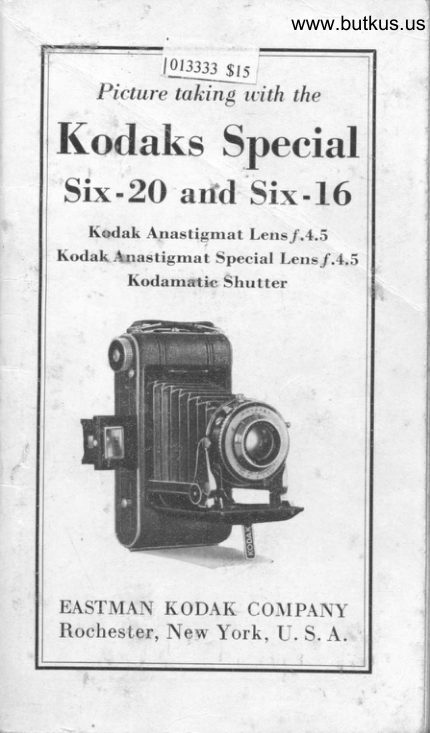
Kodak Special Six-20 / Six-16 User manual
User manual for Kodak Special Six-20 / Six-16. 44 pages in English. Read the original PDF, download or print a copy without registration.
44 pagesEnglish3.4 MB PDF
Loading your manual…Open PDF directly
Document details
- Brand
- Kodak
- Model / document
- Kodak Special Six-20 / Six-16
- Document type
- User manual
- Language
- English
- Pages
- 44
- File size
- 3.4 MB
- Category
- Film cameras
- Document date
- Not specified in catalog
Search available document text
Find a term, then jump to its page in the original PDF. Image-only pages may not be searchable; check the PDF for exact wording and diagrams.
Page 1 · Read text
www.butkus.us
                         -_l             10t3333 s,.
    Pi"tureliFfftrith -the
Kodaks Special
Six-20 arfd Six-16
   Kedak Anastigmat Lens./.4,S
Kodak Anastigrnat Special Lens.f.4.S
        Kodarnatic Shutter


EASTMAN KODAK CO]IPANY
Rochester, New York, U. S. A.
View original page 1Page 2 · Read text
StrRVICE
  DEPARTN,ItrNT

    Aotrrroxer, AssrsraNcE FoR
   Merrrvc Bnrrpn Prcrunps
 A LTHOI'GH we give in this manual'- ,( \  the essential directions for usirrg
  the camera it accompanies, there are
  amateurs who wish for further knowl-
  edge of photography.
    The Service Department is at their
   service, your service.
   Do not hesitate to call on us for in-
  formation on any photographic subject.
 We are at your seru'ice, write to us-
       there is no charge, no obligati,on.

           Address all Communications
      Spnvrcp Dopenr:upxr
 Easrnnex Kooax ColrpANY
       RocspsrEn, N. Y.


                                                                                                                       .a.l
View original page 2Page 3 · Read text
www.butkus.us
      Picture takirtg with the
Kodaks Special
 Six-20 and Six-16
   Kodak Anastigmat Lens /.4.5
Kodak Anastigmat Special Lens /.4.5
       Kodamatic Shutter


                                                                                            -:             Published by
 EASTMAN KODAK COMPANY
     Rocnosron, N.Y., U. S. A.
View original page 3Page 4 · Read text
THB CeuBne


Loek for Back   7. LensIlutton for        8. Optical Direct View  Opening Front      FinderBed             9. Tripod Soeket
                       ScrewsVertical Support- -Horizontal        10. Release for
 Support           Closing FrontShutter        11. Winding ltnolr
   A-Collar for Regulating Speed
   Ii-Stop Opening Pointer
   O-Exposure Lever
   D-Exposure Button
    I,l-Setting Lever
View original page 4Page 5 · Read text
www.butkus.us       IMPORTANT
 pl,lF()Ill,l Lxrcling your Iiodak  rvitl'r
I-D film, and before taking any pic-
tures with it, read these instru-cti,ons
c:rrefully. Take especial care to learn
how_to_operate the shutter, see page g.
  While loading and unloading; be
very careful to keep the protective
paper wound tightly around the film
1o prevent light striking  it. The I(odak
can be loaded or unloaded in daylight.
'l'his should be done in a subrlue.l li[ht,
not in direct sunlight.
         To Lono
         Use film number:
 V 620, SS 620, F 620 or 620 for the
Iiodak Special Six-20.
 V 616, SS 616, F 616 or 616 for l;hc
I{odak Special Six-16.


                    Push the but-
                 ton of the  Iock
              towards  r,he
                      &rrow.
View original page 5Page 6 · Read text
l'ict,rrre takinc u'itlr


                      01rcn tlrc brtclt.l,lrc$


                                 Lifl, up 1lrt'
                    spool holder.
                    in the recess
                      adjoining the
                    hinge of the
                      back and place
                       the roll of film
in it, springing out the flanses until the
ptj"l engage-the holes in the spool.lluke sure lhat the worcl ,,ilOp"' on
l he llaper is on the sicle oltpositc thc
tvintlirrg knob.
View original page 6Page 7 · Read text
www.butkus.us
             Iiodaks Special Six-20 lnrl Six-l(i
    t

         (

   Ilernove the paper banrl and prrss 1he
 protective paper ouer the two rollers.
 :rnrl thread it through the lottoel slii
in the empty reel, rrs far os it  iuill, 0o.


   ll'urn the winding knob once or twicc
1,o bind the paper on the reel, and be
srrre' that the paper is sl arterl sl nighl   .
View original page 7Page 8 · Read text
Pit:ture takirrg rvith the
   Close the back, pressing it so that
 the spring lock snaps into place, se-
 curely fastening the back.
          Push back the slide that
          covers the red window on
          the back of the Kodak. This
              s_l_ide prevents fogging the
             film.
         Turn the winding knob,
         watching the red window.
 After a few turns, a warning hand will
 ?ppear; then turn slowly until the
 figure 1 is in the center of ihe window.


      www.butkus.us

  Push the slide over the red window.
The window should be uncovered onlv
when winding the film.
  The film is now in position for the
first exposure. After eb,ch exposure be
sure to wind the film, bringing the
next number into position. This pre-
vents making two pictures on -the
same section of film.
View original page 8Page 9 · Read text
www.butkus.us
                 liorla,ks Slrccinl Six-20 and Six-l(i
       OpBNrruc THE FRoNT
                     Press  t he
                        button 2,page
                            2, to open the
                      front; then
                draw down
                      the bed until
                                     it locks. This
                  brings the
                           lens and shut-
                         ter into posi-
        \{                 tion.
     To Focus rHE Koonr
    'l'he various distances at which thc
 Iiorlrrk, may be focused ur" errgruu",l
on the beveled edge of the lens mount.  'fhe scale of- -the Kodak Special
                                     O,                                            ^S, t0,Six-20 is marked for 8.5, lr{,!_!.,25 and 50 feerr_and_tiVf, (i"n"itvl.
'I'he scale on the kodak SpeciJ Si*ltOis marke_d           4, 5,6,8,                    10,                         and 50                       lS,2i-"  'fee.I,.,                 (innnityl      a.nd INF.                              .-'
. To bring the Kodak io the correcttocus revolve the lens mount b-y turn_1ng it to the right or left ,rrriil thu
fi,gure. repres_entiig the distance fromthe subject to lens iJat the fucus plint..r-]r', s€€ diagram on page g.
View original page 9Page 10 · Read text
Picture taking with the
  When facing the Kodak, turn the
lens mount to the right for distant
graduations on the scale, and turn to
the left when focusing on nearby or
close subjects.


  The distance between the subject
and Kodak can be estimated without
measuring, when the subject isbeyond
fi,fteen feet; f.or instance, if the focus is
set at 25 f.eet (the usual distance for
ordinary street scenes) the sharpest
part of the picture will be the objects
at that distance from the camera, but
everything from about 13 feet to in-
finity will be in good focus with the
Kodak Special Six-20; and with the

                           8
View original page 10Page 11 · Read text
www.butkus.us             Kodaks Special Six-20 and Six-16

                      Six-                      t6                        everything                               from            ln^ecial  {oda\   about        15                         Z-b             feet to                        feet                                will Ue "shurp,
    if stop /.11 is used.
    For ordinary street pictures the   rocus"          rya51 be_ kgRt at 2b feet, but where
   the principal objecl is nearer or farther
   away,- the focus should be changed
   accordingly.
      tr'or distant views turn the lens  mount until INF. (infinity) corlres
  under the focus pointer.
         THo SHurrBR


                                       Digitally signed by Mike Butkus

                                       manuals, ou=butkus.org,Mike Butkus DN:cameraemail=mike@butkus.org,cn=Mike Butkus, o=Butkus                                               c=US
                                  Date: 2021.04.08 17:49:32 -04'00'
   The Kodamatic Shutter is markecl
  {ql^ry}:f"g exposures of Ut}, tl21,  7150, 1/100 and 11200 second. as weli
  as Tinre and "Bulb', Exposures.
View original page 11Page 12 · Read text
Picture taking with the
   Revolve the knurled collar A on the
 front of the shutter until the white line
 G is at the figure representing the time
 of exposure desired.
   The shutter must be set for all expo-
 sures by pressing the lever E towards
 the top of the shutter. The exposure is
 made by pressing the button D on the
 side of the Kodak. The exposure can
 also be made by pressing the lever C.
The use of button D is recommended
for snapshots, as it assures a steadier
holding of the camera.

       THB Sprr'-Trunn
  There is a self-acting release built
into the shutter, for the convenience
of those who wish to be included in the
picture.
               ttself-Timer,"  To use the               place the
camera on a tripod or some other firm
support, and compose the picture with
the finder. Push the setting lever E
as far as it will go; then push the lever
H to the limit of motion, in the direc-
tion of the arrows in the diagram on
page 9. Push the exposure lever C or
the exposure button D. Get into the
View original page 12Page 13 · Read text
www.butkus.us
           Kodaks Special Six-20 and Six-16
 pieture. After about twelve seconds
 the exposure will be made.
   Do not use the self-actinq release for
 either Time or "Bulb" Exfosures.
   Trun AND ..BULB'' ExPosUREs
   To make a Time Exposure the white
 line G must be at the letter ,,T,, en-
 graved on the.shutter, and the setting
 lever E pushed as far as it will go. Th6
 exposure lever C or exposure button D
 Tust be pressed twice, once to open' the shutter, and again to close it.
  For "Bulb" Exposures the white line G must be at the letter ,,B', en-
 graved on the shutter, and the setting
 lever E pushed _as far as it will go. ThE
exposure lever C or exposure bulton D
must. be pressed down;, the shutter
remains open as long as the lever C or
button D is held down.
  Automatic exposures of 1/10 second
must not be made with the camera
held in the hands. The Kodak has two
tripgd socEets for use with a tripod,
an Optipod or a Kodapod.
  Important: IVeuer oit the shutter.
In case of accident, return the eamera
to your dealer or to us for repairs.
                            1l
View original page 13Page 14 · Read text
Picture taking with the
        Srop OpnxrNcs
  The stop openings regulate  the
amount of light passing through the
lens. The openings are enlarged  or
reduced by moving the pointer B, see
illustration, page 9.
  1.4.5-For exposures of moving ob-
jects on gray days, use 1/100 second;
for portraits indoors, see page 32, use
1/10 second, when the light is very
bright. For outdoor subjects on
cloudy days and during rain in the
middle of the day, use 1/50 second.
For exposures early or late on clear
days (one hour after sunrise or one
hour before sunset) use 1/50 second, if
on a cloudy day, use 1/25 second.
  Importanl.'' When using f.4.5 or
f .5.6, and the distance between sub-
ject and camera is ten feet or less, the
distance must be accurately measured
as the depth of focus is limited, see
table on page 16 or 17.
                               pages  /.5.6-For portraiture, see32 and 33. For exposures of rapidly
moving objects in sunlight use L1200
second. For cloudy days and during
rain in the middle of the day, use 1/25
View original page 14Page 15 · Read text
www.butkus.us              Kodaks Special Six-20 and Six-16
   second. For exposures early or late
   on a clear day (one hour after sunrise
   or one hour before sunset) use ll2|    second, if on a cloudy day, use I'ltO
   second. For portraits and groups in
   the open shade, use 1/25 second-, see
    page 33.
                              exposures on           - /.8-For instantaneous
iI    slightly cloudy or hazy days, use 1/25
   second. For scenes on narrow and
     slightly shaded streets, use 1i25 second.
   For moving objects in very bright sun-
     light, use l/100 second.
    /.11-For all ordinary outdoor pic-
     tures, such as nearby landscapes show-
    ing little or no sky, groups and street
    scenes-, when the subject is in bright
    sunlight, use ll25 second.
    /.16-For open views, when the
    sunlight on the subject is unusually
     stroltg and there are no heavy shadows,
   such as views at the seashore and on
   the water, use 1/50 second; for ordi-
    nar-y land.scapes, in bright sunlight,
   with clear sky overhead, use IIZS
    second;_ also for Interior Time Expo-
    sures, the time for which is giverr in
    table on page 30.
View original page 15Page 16 · Read text
Picture taking with the
  I.22-For instantaneous exposures
 of extremely distant landscapes, ma-
 rines, snow scenes without prominent
 dark objects in the foreground, and
 clouds only, in bright sunlight, use
 1/25 second; also for Time Exposures.
   f .S2-tror Time Exposures Out-
 doors on cloudy days, see table on
page 36. For Interior Time Expo-
sures, see page 31. I{euer for instan-
taneous efrposures.
   Fa,ilure will result, if stop /.82 is
used fovinstantaneous erposures.
  The smaller the stop opening the
greater the depth of focus, see pages
15, 16 and 17.
   All exposures given for outdoor sub-
jects are for the hours from one hour
after sunrise until one hour before sun-
!et, wlren using Kodak Verichrome,
Super Sensitive Panchromatic or Pan-
atomic Film. If Kodak N. C. Film is
used, exposures can be made from 2/2
hours after sunrise until 2ll hours be-
fore sunset. If earlier or later the ex-
posures must be longer.
  For a subject in the shade, under
the roof of a porch or under a tree,
when the light is poor, a time exposure
                          l4
View original page 16Page 17 · Read text
-.               www.butkus.us                I(odaks Special Six-20 and Six-16
    must be made, see page 96. To make
    pictures under these- conditions the
   camera must be placed on some
    steady, firm support.
            Dpprrr oF FoCUs
     _ Depth of focus is the distance from
i    the nearest to the farthest objects that
     will appear sharp in the negative or    print. It_ depends upon the-distance
    between the subject and lens, the focalI    length of the lens, and the size of the
    stop opening used. The smaller the
    opening the-greater the depth of focus.
    Dee the tables on pages 16 and 17 for
    the range of sharpnesi or depth of focus
   of the Kodaks- Special Si*-ZO and
    Six-16.
         Tur .,jf." SysrEM
   A lens is said to work at a certain
   "speed;" this means that the lens will
   give a sharp image from corner to
   corner of the film with an opening a
    certain proportion of its focaj leng"th.
  The focal lbngth of u iers is tL" ai.-
   tance between the lens and the film
  when the Kodak is focused for INF-   (infinity). It should be borne .leur-fy
   in mind that this ,,speed', depends nril
View original page 17Page 20 · Read text
Picture taking with the
u-pon the size of the opening, but upon
the size of the opening ii  proporiion
to the focal length of the lens. The lens
that will give sharp images with the
largest opening is said to have the
greatest "speed."
  The proportional size or "value" of
the stop opening is designated by the
'f." number and is the quotieni ob-
tained by dividing the focal length of
the lens by the diameter of the stop
openrng.

        Kodak Special Six-20

                                 f.g
             f.4.5
                                           f. t,O                                           f. t6
                   f. 5.6
                            d.2?                 !,oooo    f.3?
                     coevnlcxtirezzOBY EASTMAN KODAK CO.

                          18
View original page 20Page 21 · Read text
www.butkus.us         Kodaks Special Six-20 and Six-16

        Kodak Special Six-16


                                     f.tl

                                            f. t6
                         .f 5.6                            f.22
                           f.32           f.+.5oooc

                   ."":ill'S%:Ti               ""                  "".

  The circles on these two pages are
the same size as the stop openings of
the shutter on the Kodaks Special
Six-20 and Six-16. Thev clearlv-show
the relative sizes of theitop ofenings
and how their areas differ.
                        l9
View original page 21Page 22 · Read text
I'ictrrrc taking l'ith the
   Nlaking z Horizonral Picture


        www.butkus.us
         Ilttlrl  t'trttrtt'rr .lirttrllJ trgttitLsl tlrc lucc.
   \\'lrcn rnlliing instuntaneous expo-
srrr('s or snlpshots with the Itodali
Spt,cill, holtl it firrnly against your face
                                                                                                   lr nrl l)ress the exposrlre button as
slrorvn in these  l rvo illtrstnltions. Wlten
pressing ttre exposure button, hold the
lrrellth for the instunt. lf the l(odak
is rrro\'(.rl rltrring tht. exposure, the
lrit'1rrlu u'ill be ltlurretl.
View original page 22From the M. Butkus archive. Original publisher and archive notices are retained.
Check the model and edition against your equipment.
PDF verified 2026-10-10.