Film cameras
Konica Instant Press User manual
User manual for Konica Instant Press. 31 pages in German, French, Spanish, Italian. Read the original PDF, download or print a copy without registration.
31 pagesGerman, French, Spanish, Italian11.0 MB PDF
Loading your manual…Open PDF directly
Document details
- Brand
- Konica
- Model / document
- Konica Instant Press
- Document type
- User manual
- Language
- German, French, Spanish, Italian
- Pages
- 31
- File size
- 11.0 MB
- Category
- Film cameras
- Document date
- Not specified in catalog
Search available document text
Find a term, then jump to its page in the original PDF. Image-only pages may not be searchable; check the PDF for exact wording and diagrams.
Page 1 · Read text
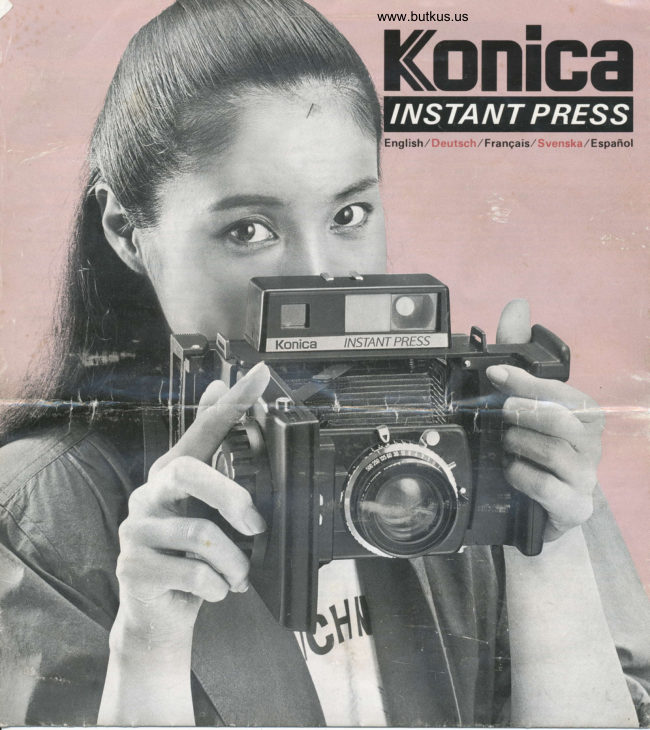
www.butkus.usKonlca

 Eng   I ish,/ D e u t sc h./ Fra nga is,/ S v e n ska./ E spafr ol
View original page 1
Page 4 · Read text
Venmo @mike-butkus-camera  Ph. 2083
PayPal Name  Lynn@butkus.org      www.PayPal.me/lynnbutkus
View original page 4
Page 6 · Read text
www.butkus.us
                                                             Fermeture                                                                  de l'appareil
                                                         [?'ff'"Hi,",:X?H::l  2. Closing the camera :iljifi+'""J;:ffi:"


 I ) 1 urn Focusing Knob  ( l2) to inlinity (€) Squcc/c thc    2) Press both Front Corer Struts (4) in the middle and
lens board lock and push thc'board all the uav back.       fold cover shut.
l) Slcllen Sie den Iiokussicrknopl  ( ll)aul uncndlich(-).    2) Driicken Sie bei Strcbcn der Frontabdeckung  (4) in
l)riicken Sie dic Objcktirstanrjarte /usamnlcn lrnd    der Mitte cin und klappen Sie die Frontabdeckung  zu.
schiebcn Sic sic grnz zuriick.                           2) Appuyer sur la panie m€diane des dcux montants du
l1 lourrrcr lc bouton de misc au point (12) rers l'inlini    capot avant (4) pour fermer le capot en le repliant.
(-  ).                                                 2) Prcssa bide lrinrre locket (4) och knappen  i mitten och
Appulcr sur le rerrou de la plaquc di)bJcctilc-t enfonccr la      fdll ihop locket.
plaquc cntiircmcnt  rcrs I'arrrcrc.                                                        2) Oprima ambos puntalcsde  la cubierta delantera (4) en                                 (llltillsdctl1 \rid lokuscringrknappcn                                             tarcrnol. prtsst     la parte central.  l cicrre la cubierta.                                             hcltlinsbalgcns                   llis och tnck in abrilccn
 I ) Coloquc la pcrilla dc enloque  ( I2) cn inlinito 1-1
Oprirna cl seguro dc la plaqucta del objctiro  r errpujc  la
nk.luetr i,'rttnlctrr:r'nli hactu atri..
View original page 6Page 8 · Read text
www.butkus.us


3) C'lose back cover and closc film holder lock. Be sure   4) Pull the black tab all thc wal out.
the black film tab extends through the opening in thc film    4) Ziehen Sic den schwarzen Streifen ganz heraus.
holder lock.                                     4t   I irer a lond :ur Ia languctrc  noirc.l)  SchlielJen Sic die Rijckwand und die Verricgclung des
Filmrahmens. [)cr schwarzc Filmstreilen rnulJ aus dcr   4) Dra den svarta biten heh \agen igcnom  hl'rlct.
Offnung in der Vcrricgelung des Filmrahmens    4) Tirc dc la lcngijcta negra hasta sacarla por completo
herausragen.
.j) Firmcr le dos el lermer le vcrrou du porte-film.
S'assurcr quc la languetle de filrn noire sorte a lravers
l'ouverture du vcrrou de porte-lilm.
3) SEng igcn bakst\cket och lis filmhillarens  lock. Se till
alt  Lir'n \\arta filmbitcn gi'U igcnom oppningcn    r
lilmhillarens lock.
3) Cicrre la cubierta trasera )  trabe el seguro delportapelicula.  Verilique quc la lengi.ieta ncgra de la
pelicula pase por el orilicio dcl seguro del portapelicula.
View original page 8
Page 9 · Read text
ljlnJf"n :   b                                                                                                                                    i"' ;";XTlf;    . settins expo$ure fi$i'|jf&iil  3,:Ji",illl8                                                                                                                            "o


             www.butkus.us
l) Iurn Aperture (6) and Shuttcr Spccd Ring (17).    2) Cock the Shuttcr Rclease Irtggcr (10).
(Noic: thcrc are no intermcdiate  shulter spccds bctseen     2) Zichcn Sir den VcrschltrfJ aul. l-osen Sic dcn
those on thc scale)                                           Vcrschlul] aur.
l) I)rehen Sic dic Linstcllringc ltir Blendc (6) und    2) Armer l'obtufatcur  (10).
                   (.Annlcrkung;\erschlulJzcit (17).                                      \rr                                                Vcrschlullzcr-     2) I rrck ner artryckarcn   ( I{)). [)ra frarn lilrrt'n.                                          ischcnstcllungcn              lasscn                   sich keinc lutcncinstcllring
ei n\tcllcn.  )                                           2) l-e\antc cl disparador (10) dcl obturador.
l) lourncr les bagues d'ourerture (6) cl de vitc\sc
d'obturatcur   (  | 7).   ( Notc;  ll  n'r a pas de  \ rtcsses
d'obturateur intermtdiaire's entrc celles rnscrltcs sur
l'6chcllc.  )
lj lrid  Ukindar (61 och exponcringstidsringen  (171.
(\otera att dct linns inga Lageil rncljan cicm scrtr stirr
angirna pit matarenl)
 l) Gire losarosdccontroldeabcnura   (6)deldialragmal
de rclocidad dcl oblurador(17). (Nota: \oes posiblelijar
aberuras intermedias entre las indicadas cn la cscala.
View original page 9Page 10 · Read text
-osoulunl  o.rlBur
Iip oilu.rp u.r;-eur 9i lruodLLrot plgd losl\ It lod rlrN  (a
                                              uiliP P\nll
uip uroLr 1.\rloLu EJiteld qJo Lr.ltl()s ut()uii- pl)rl  (l               '(al) .nbolui .p rlluid rl iJrS lEJo.lui ued  (l
                                                                                                                                                                                                                                                     (  I                                          rBIJ JlpPf,                  \nro.l  llrl {;1 ) rrrddlrrls;iuur\nlot  pu \
ilsuPplafn\  il iJippJrnod rni\r\  ?l sltr.\pJl tttpiBit)l    (Z                                       'tiln\ il tn\ lutod nl rstut t1
                             'ur llaruqrltqtni   l  tl|  \rlol\      .ri\rlcrr rnod (al) lurod np.\rur ipuolnoq tl rruJnol  (l
rql rr\ uJupto Pun riLifnq uip riJlnp ilq  u.iIJrlg  (a                                                    (a I ) ldou'lrir\\nl0-l
                                                      .)utPrl lqSuq     tlip irs  Lrillirp iunurellu 1 rip uillrl\ur-l urnz  (l
Ilt  ur ,rrnlJrd .sodu()J ol tJpur.t rql qinoiql loo  l  (a                           snJo.l ol (el) qou) iursn)o.l uJnl  {l


                                            6u1rosn1o3  6ursnco3                                            uarelssnloJ           www.butkus.us
View original page 10Page 11 · Read text
'PpsJolui  e.lptsi eluuef, el .tuiueltilroi                                                 ro\l\ Iip ().llLtat IiPsElsindridns uJpJnh silqop sru.SEur spl opuEn.) (t     s.llqop s.lu.)i€lur  \f,i utptJulot  f,nh ElSeq tllltJd sl .rJtr) (t
                                                                      \n.j()l             ulillrJllrur  I t\crlll()\  .lltl.,j Lri llll ultutulrs ralletu\r l.\rtoLu  rr unlllm\  tl|ut\  lull .tulipltq lllqqnp ip t|\    (t.    uiplrqiiqqnp  \llI  u.ddru)\;-ur.ri\n)ol   ii|l].rllp pu\  (f
                                     JJsllPil lsr IlrlEddc.l ip                      lutprJuroJ lallurJ rlJrf,J il suep \.1:nlt!
lurod nE rsru el tu.rplJUloJ saSEul \nip  sal .tnbsJo  l  (t     sii-eurr xnip sal f,nh iJ p.nbsnl uolnoq  .tl liulnoL  (f
                                                              llil\\n\()l                               uf,rULU(r\ iun)tJ(I  ln/ .ulul.liqf,ns
e.rf,LlIr ) Jp   :\l   l.)pllfl Lliptiq lip  ;1-unltic  r.II  (f     ur riPlrS uiPliq slq ld()ulrit\\n.{o.l ulI Jts u.)rl...l(l {f
                                                    pasnJo   I                                                        'iplf,urol tods
s, er.urEJ  iql   p.uSrlE JJp \J8Bur ilqnop  u.rq,'\\ (l      lf;rluiJ.rql ur sr8lul Jlqnop irll lrlun qoutt .rql ulnl   (f
View original page 11Page 15 · Read text
sqJerrp PI erJEq          el ap elJnSusl €lep er]
{ ne 1a rod Br?ugJ el e8uelsos'apodut"lnJllad       un Jsrrlon iV ([                                    .rr3oq                                             te tcu:oqur1r.1
Etp qJo ltdd)r8ptteq I lllq spu€\ue podul ua Je\ ([
                          alrorp EI sr3,\ u1y np ettan8uel
eira:rtlaaeu8rod z1:ruat pard un.p uorl6rlrln.l apslol ([                                 €qur€ erJ€q 3r1 o  (z
urlr'r\urIr-r  u.rr) u.qir/ pun rsrl .11r:ipueg JJt;;"li":l                                    'tqddn tler erP.t.illl  (iJrp J( uillEq uuep uiPua{rr\ \llEts uli rrq uuJ,'\\ (l                       lnEq al \le\ lroJp lnol rslll €l no (l
                                                          'tq8r: o1        u.rl.u uiqo qreu sne.rpetri q-rn€ uqr uiuuol .llq (i
q€1 urlU IInd pue dr:3pueq ploq'podr:1 € Sursn urq,,\A ([                             dn tqSterls  1t 11nd :g  (1

                                           www.butkus.us


                  I

             u!'er6olol Bun reruol op sgndsi)o    uaoel re plrq ua ue rauS                     en/\ ap aslJd onbeqc sQtlJv        arur{eu}nv rap qreN aIn}C!(
View original page 15Page 18 · Read text
www.butkus.us


                                                  1) Entfernungsmesser mit automatischer  Paral-
                                              laxenkorrektur Der groBe, helle Sucher zeigt  I l07c des
                                                                    Bildfeldes der Aufnahme. Das htsechliche Aufnahmefeld
                                                             befindet sich innerhalb des Lruchtrahmens. Es wird zur
                                                            Parallaxenkorrektur beim Einstellen der Entfernuns auto-
                                                  mati$h ve6choben.
                                                  2) Schneller und genauer Schnittbild-Entfernung-
                                    smess€r Der Schnittbildentfemungsmeswr(Basisweite      oo             O.6 m (2ftl       70mm) macht das Scharfstellen rhnell und leicht. Gute
                                                              Sichtbarkeit und genaue Reaktion.
 Brighl frame parallax compensation markings are    3) Nah-oder Reproaufnahmen bis 6Ocm
 fully coupled to focus control.                     Aufnahmeabstand m<iglich  Bis zu einem Aufnah-
                                                     meabstand von 60cm. was einem AbbildunesmaBstab  von
                                                                       I 3 entspricht. sind Nah-und Reproaufnahien  ohnejedes
                                                   Zubehdr mtiglich. Die automatishe Parallaxenkorrektur
                                                                  funktioniert  iiber den geemten Entfernungsbereich.
                                                     1) Viseuracorrectiondoparallaxeautomatique     lf,
                                               gmnd visur lumineux montre une surface d'image de  I l016.
                                                             la taille et la nosition du edre clair dans  le vireur indiouent
1) Automatic parallax corroction finder    l:rge,    ta zone d'image r6elle. et elles s'ajustent automatiquement
bright vie*,linder shows  I I0% of image area. Size and   pour compensr la parallaxe lorsque le bouton de mise au
position of bright fmme in the finder shows actual image    point est tourne.
area. and adjusts automatimlly as fmus knob is tumed to   2l SystCme de mise au point e double image, rapide
comp€nete for pamllax.                                  et pr6cis k  tClCmbtre coupl€ du type i coincidence de
2| Fast precise double-image focusing system      double imge (longueur de base: 70mm) prmure une mise
Coincidence-type double imge coupled mngefinder  (base   au poini mpide et aise, avec une visibilit6 superieure el une
lengh 70mm) makes fmusing fast and easy. High visibility    reponse raploe.
arn Preclse respon*.                                 3) Mise au point iusqu') 6O cm, pour la photographie
3) Focus in to 6ocm for close-up photos and copying  en gros-plan et la copie   Aucun accessoire  n'est
   No accessories or attachments are needed to fcus in as    n6cesgire pour faire la mise au point jusqu? 60 cm. afin de
clos as 60cm for close-ups or dcument copying at  li 3    r6alirr des gros-plans ou la copie de documents avec un
mgnification. Automatic pamllax correction effective   gmndisrment   | / 3. La correction de parallaxe autornatique
throughout close-up mnge.                                 fonctionne sur toute la plage de gros-plan.
View original page 18Page 19 · Read text
10. Polaroid films for the Konica lnstant Press i:i3J

 al-   1) Automatisk'parallax'  korrigeringsscikare  Sror                                                 Any of these Polaroid lnstant Pack Films (83x l08rnm, eight
 es    ljus siikare visar ll0/6, av motivets yta. Storlek och motivets                                                            exposure per pack) may be used with the Konica lnstant
  ld    position   i den ljusa ramen visar den verkliga motivytan och                                                                               Press:
 ur   justerar automatiskt ndr fokuseringsknappen  vrids for att                                                  lype 107 (B W. ISO 3000. prints require coating)
 o-   kompcnsera fdr'parallax'.                                                                             Type 108 Polacolor 2 (color Print film. ISO 80)
     2| Snabbt, effektivt dubbelbilds   f okuseringssystem                                                   Type 665 (B/W posiprint and negative film. ISO 75.
ng-      Niirliggande dubbelbilder (basldngd 70mm) gbrr                                                                     prints require coating)
 eite fokuseringen bide ldtt och snabb. Hcig synlighetsfaktor  ochl                                                   Type 667 (B w, ISO 3000)
 ute exakt gensvar                                                                                             I                                                  Type 668 Polacolor 2 (color print film. ISO 75)
     3) Fokusering upp till 6ocm fcir makro-motiv ochl                                                   Type 6,69 (Color print film. ISO 80)
m  kopieringsbilder lnga tillbehrir eller extrautrustning                                                                  Please read instruction shcets enclosed with films before use. ah- behcivs fdr att fokusera si n,iira som 6Ocm fcir makro-motiv                                                                         * The optimum temperature for the use of the above films  is
von eller kopiering av dokument med en  tred jedels                                                      24"C. When temperature is substantially higher or lower
 des fdrminskning. Den automatiska'parallax'  korrigeiingen                                                                than this, compensation  in developing or exposure time mayktur fungerar effektivt iiven vid makro-fotografering.                                                         be required. depending on film ty'pc. Refer to film instruc-
      1l Visor con correcci6n autom5tica de paralaje                                                                                               t                                                                tion* Polaroidsheet.  I07 and 665 t1'pe fims require coating im-
 Lr   Este visor amplio y luminoso, permite observar el I I0% del                                                        mediately after development to protect surface from
 c/(. drea de la imagen. El tamafro y la posicion del marco                                                                        ph1'sical darnagc and discoloration. Refer to film rnstruc-
 ent luminoso indican el 6rea real de la imagen, y se ajusta                                                                  tlon sneet. cnt autom6ticamente a medida que se gira el controlde enfoque                                                           * Film quality will deteriorate when exposed to high heat or
 au  para compensar el efecto de parahje.                                                                                     humidity. Once remor"ed from foil wrapping or loaded in
     2) Sistema de enfoque r6pido y preciso, de imagen                                                            camera. protect from extremc heat and humidity.
 de doble   El telemetro tipo imagen doble superpuesta
 de  (longitud de base. 70 mm), pcrmite un enfoque rdpido y
 ise sencillo. Ofrece una notable visibilidad y una respuesta
unc precrsa.
     3) Enfoque a 6Ocm para fotografias de primer plano
 hie y copiado No es necesario utilizar accesorios ni otros
 est dispositir.os para enfoques a distancias tan cortas cot-no
 de 60crn para fotografias de primer plano o copiado de
 un  documcntos con una ampliacion dc  li 3. [-a correccion
que automdtica de paralaje contin0a efectiva aun con enfoques
      para primer plano.
View original page 19Page 20 · Read text
www.butkus.us
taroidfilme frir die Konica Instant Press                Films Polaroid pour le Konica Instant Pr
aroid {ilm fcir Konica Instant Press Direktbildkamsra    Peliculas Polaroid para la Konica Instan

    Folgende Polaroid Instant Pack Filmpacks (83 x l08mm.   ('hacune de ces cartouches de film Polaroid Instant pack
   acht Aul.nahmen pro Pack) sind  fi.ir die Konica Instant     (iruit images 83x108 mm par cartouche) peut etrc utilisee
    Press geeignet:                                          dans le Konica Instant press:
  Typ 107 (S W. ISO 3000. fiir Abzi.ige Beschichtung     I ype 107 (N/ B. ISO 3fin. photos necessitant un
    erforderlich   )                                                    rr:v0tement)
   Typ 108 Polacolor 2 (Farbabztige. ISO 80)              lype 108 Polacolor 2 (filrn couleur. ISO 80)
   Typ 665 (S W Posiprint und Negativfilm. ISO 75. fiir      lype 6,65 (Ni B Posiprint et film n6gatif. ISO 75. photos
   Abztige Beschichtung erforde rlich)                            n6cessitant un revdtement)
   Typ 667 (S w, ISO 3000)                             lype 667 (N B, ISO 3000)
   Typ 66tt Polacolor 2 (Film ftir Farbabztige. ISO 75)        lype 668 Polacolor 2 (film couleur. ISO 75)
   lyp 669 (Film ftir Farbabziige. ISO t30)                  lype 669 (film couleur, ISO 80)
    Bitte lesen Sie vor Gebrauch den Bcioackzettel des     [.ire les feuilles d'instructions accompagnant  les films. avant
   *FilmpacksDie obendurch.angefi.ihrten Filme arbeiten am besten bei der    d'utiliser* l:  temp6ratureces derniers.d'utilisation optimale des films cidessus
   Optimaltemperatur  24o C. Bei crheblich hdheren oder   e;t de 24oC. Lorsoue la temn6rature ambiante est de
   tiefcren Tempcraturen kann je nach Filmsorte   beaucoup superieure'ou inferieuie  i cette valeur.  il peut 0tre
    Belichtungskorrektur odcr vcrdnderte Entwicklungsdauer    necessaire d'apporter une correction a la dur6e de
    erl'orderlich* Bci dcn Filmcnwerden.romSiehe1ypdenpolaroitlBeinackzcttcl107 unddes665Filmnacks.ist it.irdic   developpcmentutilisO. Se refereroui d'exposition,la feuille d'instructionsen fonction dudu film.type de film   Abziige unrnittelbar nach der Entwicklung  eine   * L-es films polaroid de type 107 et 665 n6cessitent un
    Bcschichtung  crfor<terlich. um sie vor Beschiidigu-ng und    rr:vOtement juste aprbs leur developpement. afin d'en
   Ausbleichcn zu schlitzen. Siehe den Beinackzettel des   prot6ger la surface contre tout dommage ph1'sique ou
    Filrnpacks.                                                      dicoloration. Se r6fdrer i  la feuillc d'instructions du film.
   * Die QualilAt des Filmes leidet unter hohen Temperaturen    * l-a qualite du film se degrade lorsque ce dernier esl expose
   o<Jer gro8er Luftfeuchtigkeit. Schijtzen Sie den Film     i une temp6rature ou d une humiditee elevee. l.orsque  le
   nachdcrn Sie ihn aus der Folienvcrpackung genommen    film a et6 retire de son emballage protecteur ou qu'ila 6t6 rnis
   haben und wdhrend er sich in der Camera befindet vor Hitz   er place dans l'appareil, lc proteger d'unc temp6rature ou
   und F'euchtigkeit.                                            d'une humidit6 extrOrnc.
View original page 20Page 21 · Read text
rt Press
stant Press

   Vilken sorn helst al ncdanstiiende  I'olaroid lnstant l'ack    Cualquiera de los siguientes tipos de paquetes de pcliculas
    filmer (81 x l08mm med etn exponeringar  pcr paket) kan    instantaneas Polaroid (83x108mm. ocho exposiciones por
   anv6ndas med Konica Instant Press:                       paquete) pueden ser utilizados con la chmara Konica
   Typ 107 (S V ISO 3000. kopiorna behijver 1'tbehandlas)      lnstant Press:
   Typ 108 Polacolor 2 (frirgbilder papperskopior. ISO tt0)     Tipo 107 (Bi N, ISO 3000. las impresionesdeben serhjadas)
   Typ 665 (S, V positivtryck och negativ'lrlm. ISO 75. kopior   Tipo 108 Polacolor 2 (pelicula para impresiones en color,
    behciver ytbehandling.)                                 rso 80)
   Typ 667 (S V. ISO 1000)                                Tipo 665 (81 N impresi6n positiva y pelicula negativa. ISO
   Typ 668 Polacolor 2 (fergfilm. papperskopior. ISO 75)       75. las impresiones requieren ser fijadas)
   Typ 669 (fiirgfilm. papperskopior. ISO 80)                 Tipo 667 (B N. ISO 3000)
                                                                                                           en color,     Liis igenom den sdrskilda bruksanvisning som fdljer med   lipo 66it Polacolor 2 (pclicula para irnpresiones
    varje enskild film. f6re ibruktagandetl                    rso 75)
   * Den optimala anvindnings temperaturen ftjr de ovan   lipo 669 (Pericula para impresiones en color. ISO 80)
   ndmnda filmerna dr 24"C. Om temperaturen skiljer sig   Se ruega leer atentamente las instrucciones de las respectivas           I
   namvert frin  detta, kan kompensering under    peliculas antes de utilizarlas.
    framkallningen eller vid exponeringen vara nttdl'iindig. Se   * La ternpera optirna para utilizar las peliculas  arriba       I
         fi* lmensPolaroidbruksanvisning.Film Typ 107 och 665. behover ltbchandling    sustancialmentemencionadas es demayor24oC.o_.Simenor_la temperaturaque esta.ambientepuede seres
    ornedelbart  cfter framkallningen fdr att skydda ytan l'rin    necesario compensar modificando  el tiempo de exposicion o       x
    fvsisk skadegorelsc och missfArgning.  Konsultera filrncns   de revelado. segun el tipo de pelicula. Vea la hoja de                                  I
    bruksanvisning.* Filmkvaliten forvimras om den utsetts fiir hctta eller    instrucciones* Las peliculasdetipola pelicula.POI-AROID 107 y665debenserfijadas
    cxtrern kyla och fuktighct. Nar den vdl har tagits ur sln   inmediatamente  despues del revelado. para impedir dafios
    aluminiurnfcirpackning   ellcr laddats  i kamcran. skydda den    fisicos o decoloracion. Vea la hoja de instrucciones de las      d    lrin vdrrnc och fuktiehct.                                         peliculas.                                                          1
                                                                * La calidad dc la pelicula se ve afectada si 6sta es expuesta a       N
                                                humedad o ternperaturas  elevadas. Despues de sacar la
                                                                    pelicula del papel de aluminio protector. o despues de         I
                                                           cargarla en la cdmara. critc exponerla a humedad o
                                                                temperaturas elevadas.
View original page 21From the M. Butkus archive. Original publisher and archive notices are retained.
Check the model and edition against your equipment.
PDF verified 2026-10-10.