Film cameras
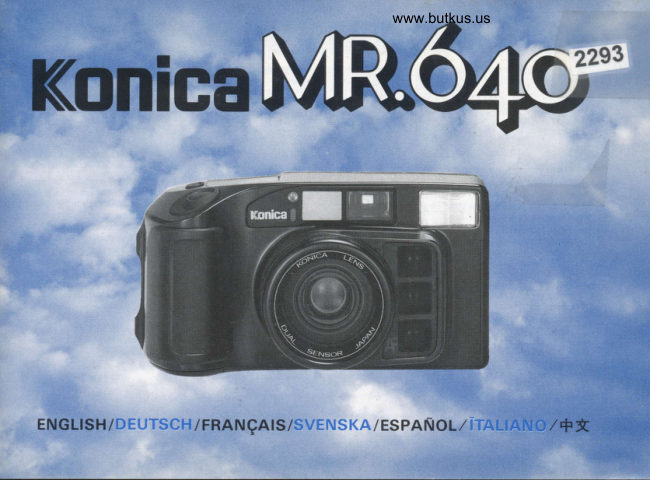
Konica MR 640 User manual
User manual for Konica MR 640. 56 pages in French, Spanish. Read the original PDF, download or print a copy without registration.
56 pagesFrench, Spanish14.9 MB PDF
Loading your manual…Open PDF directly
Document details
- Brand
- Konica
- Model / document
- Konica MR 640
- Document type
- User manual
- Language
- French, Spanish
- Pages
- 56
- File size
- 14.9 MB
- Category
- Film cameras
- Document date
- Not specified in catalog
Search available document text
Find a term, then jump to its page in the original PDF. Image-only pages may not be searchable; check the PDF for exact wording and diagrams.
Page 2 · Read text
f,' lnsert the battery (page 8).                 f, Press the power switch so that the    f; Load the film (page l3).
,;  Batterie einlegen (Seite 8).                frame counier is set to "0" (page l0).    D. Film laden (Seite l3).
F; Mettre la pile en place (cf. page 8)       D, Ein/Aus-Taste  diilcken, soda8 Bild-   F; Mettre la pellicule en place(cf.pagel
S; Saitt  i batterier (se sid. 8).                     zzihlwerk auf "0" steht (Seite l0).       S; SAtr i film (se sid. l3).
fs,- Instale la pila (pigina 8).                       F,' Appuyer sur I'interrupteur pour allu-    fs, Cargue la pelicula (p6gina l3)
 /, lnserire la batteria (pagina  8).            mer I'appareil, le compteur d'lmages     /, lnserire la pellicola (pagina I3;.
4; #,\€rt[. (48tr)                    S, Tryckindiquepe"0"strcimbrytaren(cf. page l0). se att bild-  F;#,\&*. (tSr3F)
                                                rekneverket  visar "0" (se sid. l0).
                                                    fs, Presione el interruptor de alimenta-
                                        ci6n de forma que el contador de
                                            exposiciones se ajuste a "0" (pigina
                                                             l0).
                                                       /, Premere I'interrutore in modo che il
                                       contafotogrammi  i  regolato a "0"
                                            (pagina I0).
                             S ; &T €i,Ftr X, ff&#tS&if &?$E
                                    ,J\H "0". (H108  )
View original page 2Page 4 · Read text
Bitte spenden Sie 2,50 Euro, um diese Website über E-Bay zu unterstützen ... www.PayPal.me/butkusView original page 4
Page 8 · Read text
www.butkus.us
   How tCI use the strap

 Use for the neck-strap
                                ?                           3                              4


     for the wrist-strap
 II


 I


Camera case with belt loop                       Lens protector
View original page 8Page 9 · Read text
Loading the Battery  Einsetzen der Batterie Mise en place de la pile lsettning av batteri
       Instalaci6n de la kpila  Inserendo la Batteria #A€;U r.


Insert a coin into the groove of thc        solrr r lirls  i riktninr Ol'l  \  tich ttr hort    f; Rcplacc the cover. insert thc coin back
Battery Chamber Cover @and turn in       Iockct. Sritt  i  bitttcliet ut  litt   hlll       into the groovc and turn in the direc-
the direction of the OPEN arrow to         rilcci ":  " trclt "   " s()lnc ill)ltcs.             tion o1'the Ct-OSF. arrow. Align the
remove the covcr. Insert thc batterv     Es.' Inserte una moneda en la ranura de la     groove of the battery covcr and the
with "*" and "-"  set as indicated.         tapa del compartimiento de la pila @      indicator a   .
Viinzc in Schlitz clcs llattcncliteh-      y girela en el sentido de la llecha   *  [Jse a single lithium 2CR5 (6V) bat-
dcckcls @ stcckcn rrnd itt [{ichtung     OPEN para extraerla. lnserte la pila       tery. This camera will not operate un-()l)[:\ tilchcn.  ullr l]uttcricluchclcckcl      con "f  " y "-" como se indica.                less the batterv is inscrtcd.
zu ijllncn. lJlttclie pollritritsliehtru     /,  lnselirc  Lntil lltonL'ta  ntlllt sclnalirtut.lt   *  lt's unncccssary remove the batterv
cinsct/cn.                                                       rlt'l r'ilpttr'ltirr tltilil  rtilnrlltrlinlr'nlrr      even il'the camcra  is not to be used lirr
Une rainure est m0nagee sur le couv-       dcllu birttclilr @ e r:ilulc  irr dilc,,ionc     an extended period. To extend the
ercle du logement n pile @. y insercr        ticllu lreceiu di lrpclto (Ol)l:\)   pcr       battcry life, the camcra will switch                                          fnlruo\cfc                                                                                                                                                                        ]lr       itsell'                                                                              rl                                                       copclchio.                                                                                                                             ol'l' automatically al'ter l5                                                                              Irr:ctrrc                             couvercle            faire                tourner leune pibce,                                                                                                           .. F..c                                                                                          mlnutes.                                                                    "     .. lclllr         "OPEN"                                                      buttcrilr co'                                          et                                                                                Jtosizionc                        (ouvrir)dans      le sens
enlever le couvercle. Mettre la pile en        ind icat u.
place en respectant les indications "*"        , f ' ;{e,{F  ffi +&# €ru+ #l@fHFt,  r,to.-
et "-".                                  PENFfrfrt)kEtt' Ef"tlireit, fftf €ru
Opprrir blrttcrilockct @ rncci ctt rrtrnt     +.#:" #/. +,ru. [tnirilft €rof&i+
                             (oru o) f+AT,i(flLr(fir+F-"
View original page 9Page 10 · Read text
www.butkus.us


 0; Batteriefachdeckel  wieder andnicken        rnte med annan batteritvD.               lungo periodo di tempo. Per prolun-   und mit Mrinzc in Richtunq CLOSE   * Ta intc ur hltteriet ui krnrerrn om      garc la durata della batteria. Ia mac-
    drchcn. Schlirz im Barrericfichdeckel      den intc ska anr,dndas cn ltinsre tid.      china fotografica  si spegneri automa-
    mit Kennzeichnung a ausrichten.                l-iil  ltt spura pii barrcrier srJngs       ttcuntenle dopo l! minuti.   Verwendung *                  cine:r                       Lithiumbatterie                                    kameran av automatiskt elter l5  4';#j,€7iUA#, &l )HlfHEnr*,   rfu   2CR5                  Kamc-ra         (6V) Die                               Iunkrionierr       minutcr.                                                                                                                                                                                                 Afr *Ffu I'rA TE fI € ft E H,    nur. bci eingclegter  Baltcr.ic.             fs,'Coloque  la tapa, inserte una moneda    CLOSE
 *  Batterie nicht entnehmcn. wenn die      en su ranura y girela en el sentido de       f+5ri ff € iU A #  ffi ff iE+  +Ff,lr @.
    K antcra lLir liingere Zeit nicht ver-        la flecha CLOSE. Alinee la ranura de   * €TtLftH-^fE €,ltU2CRs(6V,lf-E   wcndcl          werdcn soll.                                Vcrliineern               Zum                                                       la tapa                                                        del compartimiento                                                             de la pila     €,rtL, A+rlffiTfE1'fH.       l.chcnsdaucr    dt'r                                                             a  .                            Batterie                   dcr                                       schiltet      con                                                                el indicator                                                                         * & HT{tH ++ILE,I, t,T#R,U €}U.   sich die Kantera nach I5 Minuten   *  Fmplee unu sola pila de litio 2CR5   automatisch  ah.                           (6V). Esta c6mara no funcionari sin     AfJLt*iE €iFE jjlsrlf+,  ffi H -rx
 f; Remettre  le corrvercle et le rel'ermer en         pila.                       E €.i,H, EIFtrE €rr! ii5*t"
    le tournant dans le sens "C'LOSE" au   * No extraiga la pila cuando no vaya a
   moyen d'une pibce. La rainure doit se     emplear la cAmara durante mucho
   trouver en I'ace de I'indication (a  .          tlempo. Para prolongar la duraci6nrt Utiliser une pile au lithium 2CR5     de la pila, la c6ntara se desconectarir
   (6V). C'et apparcil ne peut fonctionner       autom6ticamgnte  despues de I5 minu-
   sans Dlle.                                           tos.
*  l-aisscr Ia pile en place m€me quand     I   I'e r ricollocarc   il coperchio, inserire la
  on n'envisagc pas d'utiliser I'appareil      nloncta nclla scanalatura e uirare in
    d'ici longtemps. Pour que la pile dure      dirczionc dclla lreccia di-('hiuso
   plus longtemps, I'appareil stteint auto-      (Ct-OSE). Allineare la scanalatura del
   matlquement au bout de l5 minutes.        coperchio della batteria e dell'indica-
S; Siitt tillbaka lockct och lris scnorn att      tore a  .
   vrida dct  i riktrring CLOSE mcd crr   *  Usarc una batteria al litio 2CR5 a 6V,
   mynt. Siitt riilllan  i locket mot indi-      Questa nracchina lbtografica non fun-
   keringcn a   .                                zronera se non c rnserita la batteria.
*  Anvtind endast ett litiumbatteri av   * Non rimuovere la battcria se la mac-
   typen 2CR5 (6V). Kamcran l'ungerar       chinl lirtografica non  i' usata per un
View original page 10Page 17 · Read text
A Changing focal Length of th, -{' Cambio de la distancia focal
dcr l ilrrr rnLrli crncr.lt crttgclcgl parpadear6 en "0'para indicar que la
r. crrlcrr. pelicula no puede bobinarse. Vuelva
* .,\nr Iilnrkontrrrlllcnstcr' @ kiinnrlr a cargar la pelicula. d ic l)atrn dcs icri cil: e r rigclc.utt'n * Observe a trav6s de la ventanilla de
l' ilrns ubsclc:en ri crtlctt. comprobaci6n de la pelicula @ para-
f; Appuyer une fois sur le d6clencheur ver si hay pelicula en la cAmara.
O. Le film avance automatiquement i. I'rcnrcr.c il l)ulsurrtt di Scatto @. La jusqu'ir la premidre pose et le comp- pcllrcola si itr r olqcti poi lrutonlrti
c teur d'images @ indique "l". clrnlcnlc lino lrl printo lotognrntlrlr* Si la pellicule n'a pas 6t6 correctement il ( olttrlolotrurnnri @ sLrl r irrurlizzu- mise en nlace. I'indication "0" du torc irrdrclr "I".
compteur d'images se met i clignoter * Sc la pcllicolu non i'in:clitu ncl ntotlti quand on appuie sur le d6clencheur. !tu\t(). ti ( ()ntu1()t()tlunrnti larrrpcg-
Dans ce cas, recharger I'appareil. !icrlr ul :inrbol,r "0" per in(li!llf cl)c
* La FenOtre @ qui se trouve au dos de llr pcllrcollt lron pu() rssctc ltr t o]llr. f.' Press the Wide-angleiTelephoto
I'appareil permet de v6rifier s'il y a It it :r I rr lr I r' llr it.'l 1,, , 'llr. Switch @ and the lens wilt change
une pellicule en place. * (rL[rrrlrrrc lrttril\crs() il l:rncstIrno tlr from Wide-angle to Telephoto or
S. Irrr:k nctj artr.rckutknul-rpcn @ .^11 ('otttrollo dcllu I'cllrcoiu @ pcr c,rrt- back again. gung I ilnrcn (lrls aul()llratrskt lnrnr t!()ll,le st lu;rellrtolu e inserila D. \\citu inkcl Iclc,\\'cclrsclschaltcr' @
till liilstl bildrrrtan och trrldriikncrcr- ncllil nrilccllilll 1()tollfitllca. hctutitcn Ohicktir :tcilt srch urrl
r'irr. [ct @ iclisplarpanelcrt risar "I". ,l';&T'l*t't+tt{.o, fliEffi }A H -r+ft ts \\citrrinkr'l bzri. Itlt Appuyer pour sur F; le s6lecteur blrrtkar Orn lilrrrcn intc air r'aitt isatt. @* tE (petite changer distance focale la "0" krtn TtJffi-tE, frH " r" ti+&F \t oeh lrlrncn bildllikncrelket i intr dlas lrlrn. Slitt iliintcn igcrr. E!flitt##itft ?SO I. Hzr,11 *. focale : grand angulaire ou grande
rJ Ei€t6ft itft *$ focale : t616objectil).* l:ilrnen kart scs rcttorn ltlntLorttroll * Ei}:+TiEnfr , fl r idr inkcl tclclirloknlrpl"rcn liinstrct @. |-fi!ft?,f*{* "0", )f rll.F.x*tzi S, I rrck pi
Presione une vez el disparadorfs; n\42' @rttcllrnoch r ob.jcktiretitlr rnkrl ochlincilustclcloto.ultcrnutirt @. La Hi+&&E+ftB " X.*:Effilfrtt, pelicula automAtica- se bobinarh mente hasta el primer fotograma, y el ffi6.*f#t+Bia" fs. Presione el interruptor de cambio de
gran angular/ telefoto @, y .l objetivo contador de exposiciones @ del panel * 4A Hi+ifrj.l6@, ntJnI 6fti^E j+.8
visualizador indicarir " l ". Ei+" cambiare de telefoto a gran angular o
* Si la pelicula no est6 correctamente viceversa. cargada, el contador de exposiciones /. I)rcnrr:tc I'lntcrrulolc tli contnrrrtuzi,View original page 17Page 18 · Read text
www.butkus.us

    ()nc (;rilndung()larc Tcle @ c -
     l()blcttt\rr cambrcrl  dlr Widc a fclc.
 rIl;lET /W+)l+frfrtn@,  fH*ffi^t T ({
    ffi.) t116ny,r (rfr), F&tt&ffl.
    frt))')tWtltlftYtr                                 "

 6; The field of vision in the viewfinder
    will change in accordance with the
    focal leneth selected.
 0, Mit Wahl der Brennweire verdndert
    sich das Feld im Sucner.
 F; L'angle de champ du viseur change en
    fonction de la distance focale chdisie.
 S' Bildl'liltet   i scikaren dndras med bvtet
   av hrdnnvidden.
 fs; El campo de vision del visor cambi-
    ar6 de acuerdo con la distancia focal selec-
    cionada.
 I   Il campo nel mirino cambia a
   seconda della lunghezza focale.
F  ; R F *$ H! t[ 91& 5 fH )k$d rJr +n +fr"
View original page 18Page 19 · Read text
Field-of-View Frame
 Bildfeld
Cadre du champ couvert
Ljusram
Marco de la fotografia
Quadro del campo dell'immagine
{*FrfiEtE

Parallax Compensation  Marks (Field-of-
View for Close-uo Pictures)
Parallaxen-Ausgieichsmarkierungen     (ftir
Nahaufnahmen)
Repires de compensation de parallaxe
(Champ de prise de vue raPProch6e)
Faralla'xkomoensationsmiiike  ( bilfiilt vid
nairbild)
Marcas de compensaci6n de paralaje (foto-
grafras de primeros Planos).   .fontrasselni di compensazione paral-lasse (Campo per primi Piani)      o
                                ( *zritliit&EHFrEfit tr Hll4gtd fi
Blisfirfi,H)

Auto-Fmus Frame
 Autofokus-Markierfeld
 Cadre de mise au point automatique
 Ram fcir auto-fokusering
 Marco del autoenfoque
Quadro auto-fuoco
 EAi'ARfE
View original page 19Page 21 · Read text
Holding                                Kamera                              Richtige                 the Camera                                        haltung Gomment                                                                            tenir l'appareil HAll kameran  Cl                                                                   jE-1fr&7"t4|4                                Tenendo             Sujeci6n   fJr  y[11                                       l'Apparecchio                   de la ciimara


                                                        www.butkus.us
f; Ensure that the lens and the auto-    S. Sc trllatt hiir och re nl rntc bcltnncr stg       I,  ,\ssrcLl arsr e hr la crrruhra o r clrppcllr
  locus window are not obstructed by       lranrltjr ob.jcktrrcct cllcr l(jnstret lirr     non \lirn() di lrontc lrll'obicttrro o ul
   anything: fingers, strap, etc.                  aut o-l ok use  ri ng.                                                                                   I rncstr rno dcll'auto-locu..
                                                                                                                                                                                                                                                                                                                    t ; i i'.S: lir ft,  i l. /i 7i.  { li'li';'.?   t'ti h' ifr,  l ;.D, Vtrgcursscrn Sic stch. dalS srch wcdcr     f5; Asegfrese que ni cl cabello ni la correa    I I
   Iragcrrcrncn ntlch Haarc ror dcrn      tapan el ob.jctivo o la vcntanilla del             l'l r,J  iliJ lli  ?ii dii,  \i".tui::ltlEi't.
   Oblcktir odcr drnr r\utolokus-M arkicr,       autoenlirque.
   lcld be lindcn
F; Faire attention que ni la bride, ni dcs
  cheveux ne liennent se placer devant
   I'oblcctil ou liturerture de misc au
   polnt automatlque.
View original page 21Page 25 · Read text
f; Aim the auto-focus frame at the sub-    f, Depress the shutter release button lO      f; With the shutter release button held at
        Ject.                                    part way until the green indicator       this point, compose the picture, and
     0; Das Aufnahmeobjekt mil dem Auto-      turns on.                                then release the shutter.
      lokus-Markierleld zur Deckung brin-    D. Ausldseknopf @ halb driicken. so   *  If you remove your linger lrom thc
       8en.                              daB das qriine Licht aufleuchtet.           shutter release button, the locus lock
     F; Centrer I'objet dans le cadre de mise     f, Enfonceile d€clencheur @ 2r moiti6,        will be released.
      au point aulomatique.                           le vovant vert s'allume dans le viseur.     ,, Mit dem Auslciseknopl in halb gc-
    S; Komponera bilden med motivet mitt   i       vert i'allume dans le viseur.                  d nickter Stellung das gewrinschte Bild-
      ramen for autolokusering.                S; Tryck ned avtryckarknappen @ till         feld- auswiihlen und dann ausldsen.
    fs; Ajuste la composici6n  en el marco del       hiilften sri att den griina lampan lyser    t  [-oslassen des Ausltlseknoplcs  lLihrt
      autoenfoque.                        med fast sken  i siikaren.                 zur F reigabe der Fokusverriegelung.
     I Fissarc il soggetto nel quadro della    fs; Presione a la mitad el disparador @    F, Tout en maintenant  le dEclencheur   ir
      messa a tuoco rutomatica.                de manera que aparezca la luz verde      moiti6 enfonc6, recadrer I'image et
     +;rl.'r  t'l 6,  il-"JJli tt!  /'J ifri&fii H7 i't 4.          en el vrsor.                              prendre la photo.
                                                        I Premere a meti  il pulsante di scattolO   *  Si Ie d6clencheur  est relach6, la mise
                                                      in modo che la spla verde si accenda.      au point est annul6e.
                                                                                     1* t**J E :n"                                                                                                                                                                                                              ' F  ; l:r,Rt'l E  ffl o&T - +,

24
View original page 25Page 28 · Read text
www.butkus.us


     le llash se recharse.                  Flash Photography Range
 S, Irrck netl artlvc'-karknappcn @ halr-   Blitzbereich
     rligs  liir- ittt li)togralcru mcd blirt.      Portee de orise de vue au flash
 *  l:1tcl hlirtlotoglalcring lrscr dcn    Bl ixtf otog raferi ngsomrAde
     rijda ( I )indikcringcn  itrii  till tr.c sc-   Escala de la fotografia con flash
   kundcr Lrndcr blixtens uppladdning   Portata della fotograf ia con flash
    ldf utt dlircltcr slockna. Avtrr.ckar-    ffiI^] ]'E,TTFf;'fiEHfiE    krtirppcn  lil ltr.t undcr uppluddnirrgr.n.
 fs; Prcsione el disparador @ para foto-
    graliar con flash.
 *  Despu6s de emplear el flash, la l6m-
   para roja ( I ) se encender6 durante   dos o tres segundos, mientras est6
   recarg6ndose, y despu6s se apagar6.
   Durante la recarga del flash el dis-
   parador estara trabado.
 I  I'er riprcndcrc unit loto cort rl llush
    prcnterc  il I)ulsantc di Scatto @.
*  I)opo a\cr usAlo il  1'lash. la Spia            O.9m                      8m  1Om    Ilossrr ( t 1.r illrrrnirrcltr ner drrt.o tlr [c(3ftl                                                  (26ft)   (33ftl
    st'etlndi. tltrlrrnte  lir eaii..li ncr n()i    \((rnrpiltilc.l)u|lrnlc la eilrit.ii. il pLrl-   w    rso
   santc di sciltto  i' bloccar().                                                                   I      r00
                             D                       f-l                                       yc,*r IXfrt                                                   lll          e fn, d1T ;F&Tj*
                             E    400                                      3                         LI*f   lti1l(Yc,*f             +Xfrttr,t+'*                   F.Hz                           - "   ft'W tr f,f:EX.,  ts trrrfE #Tti(,F^
   ftr.tl*t'tltffitr"                            T     r00
                             E
                             L
                             E    400
View original page 28Page 29 · Read text
*  Le compte ir rebours des images se  4 ;+Hlitft E-f6tr,  El -tr trt6+ El &+,                                        meme                                         d6clenche                                                        temps                                           en                                                         que le    +Ei+trEarrier"                   I 1-       6'-.\.                                                                                           le                                                                     rembobinage                                            rembobinage.                                                 Quand                                                                                          li+ff,*if *{$ol.&                                                            est                                                     termin6,                                                                        I'indication                                                                               "0" du comp-  r EA#Er.l,             "vr0E l:____{r10N                                           &+sH, +Eli+ft'tffiiEdr|J                                                      d'images                                                    teur                            @ clignote.     Lnl! lY  l;ro"         S, ratsNiir denitersoolassista bildrutanfilmen automatiskt.har expone-       fr'lFFt+.F.N"                  "0"         f  "r-Lt)                     Motorn stannar niir filmen Ar helt a-
                                                        tersoolad.                                                                                       trI\.                                                 Bildriikneverket             the last                   frame                               the     f,- When                                                                       bakit                           of                                    film has   *                                                                                                                               i,vl0E                             O slar om                                                                                            |-l   trnrt0N      been used,                  the                                                                              "0"                           be                                         under                                                     filmens iterspolning                                 automati-                                                                                                           tills                       lilm will
        cally rewound. When the film  is fully      visas och "0" boriar blinka niir iter-      rewound. the molor stoDs automatic-      spolningen iir klai.             tnl!  -:'f;l-rorr         ally.                                                              fs,' Cuando haya empleado el riltimo foto-        f  hffLt)
   * The Frame Counter @ will go back-     grama de la pelicula,6sta se rebobi-
      wards while the film is beins rewound     nare autometicamente. Cuando se   F, When the rewinding has stopped,
     and will return ro '0", th; *0" will     haya rebobinado por completo, el     check that the Frame Counter has
       blink when the rewind is comDlete.        motor se Darare automaticamente.         returned to "0", the "0" will blink.
   D; Nach Belichten der let/ten Auinahme   * La indicaci6n del contador de exoo-     Then open the Back Cover Q and
       eines Films wird dieser automatisch       siciones @ disminui16 hasta "0" mien-      remove the film.
      zunickgespult. Nach vollstiindigem       tras la pelicula se est6 rebobinado y,   * The shutter will lock while the film is
      Rriclspulen stoppt der Motor auto-     cuando finalice el rebobinado, el "0"      beins rewound.
      manscn.                                  parpadea16.                          D; Rric[wand @ offnen und den Film
   * Wiihrend des Riickspulvorgangs      /, Quando I'ultimo fotogramma della      entnehmen.        z?ihlt das Bildziihlwerk'@  riickwer:ts       pellicola d stato usato, la pellicola   *  Wiihrend des RLickspulvorgangs  ist
       bis "0". Blinken der "0" zeigt Ende      sarA riavvolta automaticamente. A      der Auslciser blockiert.
      des Vorgangs an.                          riavvolgimento  ultimato,  il motore  si   F; Quand le rembobinage est termin6,
   F; La pellicule est automatiquement rem-      ferma automaticamente.                      v6rifier que le compteur d'images  est
      bobin6e une fois oue la dernibre vue   * A riavvolgimento  ultimato,  il Conta-       bien revenu il "0" et que ce "0" clig-
      (pose) a 6te prise. quand le rembo-     fotogrammi torna alla posizione di       note. Ouvrir ensuite la Dorte du com-
      binage est termin6, le moteur s'arrete       "0". A riavvolgimento  ultimato  lo "0"      partiment film @ et enlever la pel-
      automatlquement.                            lampeggierir.                                        licule.

2A
View original page 29Page 31 · Read text
D; Der Ein/ Aus-Schalter  ist gleichzei-     F,' fonctions de l'interruPteur             S; Funktionsknappens anvdndning
   tig eine Multifunktionstaste.                                      En appuyant le nombre de fois n6ces-     Kameran kan stiillas in pi fciljande
    Durch mehrfaches Betiitigen dieser       saire sur I'interrupteur,  il est possible      funktioner genom att trycka pe
    Taste werden nacheinander die fol-     de rEgler I'appareil dans I'un des 6tats      denna knapp.
    gende Funktionen gewdhlt:                   suivants:

    Standard-Funktion                         Etat Normal (flash automatique)          Normalfunktion (aomatisk blixt)
    (automatische Blitzzuschaltung)                  .l                                                                                                        I
                                 I                                    Prise au flash (intentionnellement)          Absolut blixtfunktion
     Blitzzuschaltung                                                                             I                                          Blixtlcis funktionI                             I                                    Prise sans flash (intentionnellement)
     Blitzabschaltung                                                                     I                                                  Sj iilutlcisningsfunktionI
                              i                                    Prise avec retardateur
     Selbstausloser-Funktion                                                            I
                                                                                                  A-bsolut iterspolningsfun  k1 jon,
                     I                           Rembobinaec command€
     Rr.ickspul-Funktion        ;                                          I                                Strdmfrin koppling                                 I                                 Appareil 6teint
    Kamera abschaltung
                                                                                        Se sidan 39 fcjr "Absolut iterspolnings-                                                 'pour le rembobinage                                       Cf. page 39                                                                                             funktion".     Frir die Rrickspul-Funktion siehe     command6.
     Seite 39.
View original page 31Page 39 · Read text
prise de vue avec retardateur.
 *  Monter I'appareil sur un pied quand
   on utilise le retardateur.
 S, S.jriliutldsarlampan O bdriar blinka
     niil denna lirnktion slartar.
 *  Funktionsknarrnen  nriistc trvckus
     rurit gurtg t'tt iritt'Erlrlr Incd r.jlilr ut-
    l(isning irnskas.
 *  Anriind  stati\' lijr tirtogralr'ring mcd
     s.iiilvutltisn ing.
 Fs, La lAmpara del autodisparador @
   comenzar6 a parpadear cuando se
    inicie la operaci6n del autodispara-
    dor.                                                                                                  'I'rvck *  Reponga el bot6n selector de modo    f; The self-timer can be used in the   *       cn giing pii lunktionsknappcn
   cada vez que fotografie con el modo     Standard Mode.                                          lrjr att al brvla s.liilvutliisarcn elter dct
   de autodisparador.                  *  Press the Mode Switch Button once if      den starlats.
 *  Para fotografiar con el autodispara-     you wish to cancel the self-timer after    fs; El autodisparador podrir emplearse
   dor emplee un tripode.                                   it has started operating.                  en el modo est6ndar.
 I  t.a Spia di Auto-scatto @ inizicrir a   D. Sclbstausl(iscr kann in der Standard-   *  Si desea cancelar el modo de autodis-
   lampeggialc quando ha inizio l'ope-                  f unktion vcrwcndct wcrdcn.              parador despu6s de que 6ste haya
    razione di Auto-scatto.               *  Multilunktiontastc cinnral betiitigcn.      comenzado a funcionar, presione una
 *  Regolare  il Cornmutatore di Modo    um bcreits gcstartctcn Sclbstausltjscr        vez el bot6n selector de modo.    ogni volta chc si l'a una lirtograt'ia con      wlcdcr 1Ll stoppen.                           /, L'Auto-scatto pud esscrc usitto ncl
    I'Autoscatto.                          F; Le retardateur ne peut fonctionner     Modo Standard.
 *  Llsarc  il trcppicdi quando si lotograla      qu'en mode normal (entidrement auto-   * Sc si dcsidcra disinscrirc l'Auto-
   laccndo uso dell'Auto-scatto.               matique).                                 scatto quando e\ giir ln opera;/lonc.
F;5 H fH#Ef ffiith'tHlEr't, g +HtS  *  Pour arrOter le retardateur, une fois       prcnre rc il Coinmutatorc  di Modo.                                                                   une                                                                                             fois    |F                                                                r6appuyer                                                              est                                                        d6clench6,                                                        qu'il                                                                                              t1l5..F28--fit{Efi,1                                                                               :E                                                                      ATd1-.   Ftffitt<Xf@EE,                *tr,{X"                                                          I'interrupteur.                                              sur                                                                                                                                                                                                                                                                             llrl                                                                  *                                                                        +H# E +46itgitr;fi4h,                                                                  rE#.tH  t1Pw64$Tt            E tfrt5.fr), *                                                                 anviindas                                                                   Sililr                                              kan                                                      utl(jsarcn                                                                                            t nor-                                                  n|J ffi E#ie  S.                                                           q                                                                          F/keTli*Nn+fttii;n"                                             maltunktroncn.       Ar/+ft&fl"  T*
 * t&.Tt E +fr&Ft\,  ffi 1'f H = H*.
View original page 39Page 40 · Read text
www.butkus.us


                                                    /, Premere  il Commutatore di Modo @   $; Tryck en ging till pi funktionsknap-
                                      e I'indicatore  nel Quadro Visualizza-      pen och indikering  fcirsvinner.  Bildrd-
                                                 tore cambieri a (D) per indicare che      kneverket bdrjar blinka om knappen
                                                  I'Auto-scatto C carico.                       trycKs ln lgen.
                                                                                                        6s, Vuelva a presionar el bot6n selector
                                  Lklf++ffizrs.                       delo vuelvemodo ya apareceripresionar, elelindicador.contador deSi
                                                                                           exposlclones parpadeara-
                                                                                                                                 /,' Ripremere  rl Commutatore di Modo
                                                                    e I'indicatore scampariri. La pressi-        7                            one continua del Commutatore di                    /A-)                                                                         Modo, causerir  il lampeggio del Conta-
                                                                                      lotogramml.
F; Press the Mode Switch Button Q and                                F ;Fi&*td9ltfr &fn *li,  f+€miH*,
   the indicator              on the                        display panel                                          will aT;=*f/        ,f*f.+&* Ite  ffl , fit#taft itft ?s f   change                             the self-          to (o)                 to indicate   timer mode.                                                           t6.{X"
D; Multifunktiontaste lD beldrigen. so
   da8 Anzeige im Display (!) zu wech-             lnEffi3slo   selt. um Selbstausldser funktion
   anzuzeigen.                                   f, Press the Mode Switch Buttoo onca
F; Quand I'appareil est allum€, appuyer     more and the indicator will disao-    tiois fois su I'interrupteur  i  comme      pear. Continuing to press will cauie
   pour utiliser  le retardateur, le voyant      the Frame Counter to flash.
   sbllume en face de I'indication (O).      ,; Multifunktiontaste noch einmal betii-S; Tryck pi funktionsknappen @ och       tigen. sodaB Anzeige verschwindet.   indikeringen                             i displaypanelen                                    iindras    Durch                                               erneute: Betiitisen blinkt               anger sj?ilvutlcisnings-    till.{ { ) som                                              BildzAhlwerk.
   lunktlon.                                   F, Appuyer encore une fois sur I'inter-fs Presione el bot6n selector de modo       rupteur.  le voyant s'6teint, et le main-
 Q y el indicador del panel visualiza-       tenir enfonc6, le compteur d'images  dor cambiari a (E) para indicar el      se met a clrgnoter.  modo de autodisDarador.
View original page 40Page 41 · Read text
TttE  \\<      --
   ,vl0E  I -f--------------                   rt 0N
                j;ro" Le!! le9   f h-LU

f; With the Mode Switch Button held    La pellicule sera rembobin6e m0me      ser6 necesario mantener pulsado  el
   down, press the Shutter Release But-         s'il reste des vues ir prendre.               bot6n selector de modo.
   ton O-to select the Manual Rewind   * Une fois que le rembobinage com-        1' Col Commutatore di Modo premuto,
  Mode. The film will then be rewound,     mence, on peut relicher I'interrupteur      premere il Pulsante di Scatto @ per
   even if the roll is not finished.                et le d6clencheur.                       dare inizio al Modo di Riawolei-
* One rewinding beings, it is unneces-   S; Hill funktionsknappen intryckt och     mento forzato. La pellicola  sa"r6
   sary to hold the Shutter Release But-      tryck pi avtryckarinappen Q fi;r att       riavvolta anche se non b finita.
   ton down.                                            stiilla in Absolut iterspolningsfunk-   * Quando  il riavvolgime.nto ha inizio, b
D; Multifunktiontaste  gedrtickt halten       tion. Det gor att filmrullen kan iters-      necessario premere  il Pulsante di
   und gleichzeitig Auslciser @ dnicken,       polas innan den dr slut.                       Scatto.
  um Rtickspulfunktion zu exhalten.   *  Efter det iterspolningen bclrjat be-   f   ; &E*t#tll ffi&.+aa,  Fl r'l&T'R  f-l   Film                         auch ohne     hover        wird zurtickgespult,                                             avtryckarknappen inte hillas    &fl' +tJLffiAL++B#E*t6, f                                                  intryckt.  da8       Filmende                   erreicht ist.* Nach Beginn des Rtickspulvorgangs    fs; Con el bot6n selector de modo pul-     lft'tEr[i+"  kann der Ausldser losgelassen wer-     sado, presione el disparador !  para  * frk#Etra' ELll.&tflIW+, &,+
   den.                                        entrar en el modo de rebobinado for-     Hrfr#El"
F,' Tout en maintenant I'interrupteur     zado. La pelicula se rebobinari
   enfonc6, appuyer sur le d6clencheur      aunque no haya finalizado  el rollo.
   !  pour commander le rembobinage.  * Una vez iniciado el rebobinado. no
View original page 41Page 42 · Read text
www.butkus.us

Using the Auto-date Mechanism
(optional)
Automatische Einbelichtung von
Datum und Zeit (Sonderausfrihrung)
Utilisation du dateur automatique
(option)
Anvdndning med systemet Auto-Date
(valfritt)
Empleo del mecanismo de impresi6n
autom6tica de fechas (opcional)
Uso del Meccanismo di Autodatazione
(Opzione)
H AiE, E #Eil'f Hfi)t                                    ( H AiE, E f/L+H)
View original page 42
Page 43 · Read text
f; The Auto-date model of this camera
  has a ouartz-controlled auto-date
   mechanism (clock/calendar) that  is
   programmed through to December
   3l,20t9.
D; Das Auto-Date-Modell  dieser Ka-
  mera ermciglicht die automatsche
   Einbelichtung von Datum oder Zeit.
                                              D isp   I a v    !?l:,i?i:-fi'Jfi                   i',ii'; Date/ri me
   vorprogrammiert.)'::T'i1!Ti1if
F,' Le modble a dateur automatique  est
   dot6 d'un m6canisme horodateur com-
   mand6 par quartz et programmC jus-
   ou'au 3l d6cembre 2019.
S; Auto-Date  i denna kamera har en
   kvartsstyrd mekanism (tid/datum)
  som programmerats fram  till  3l      Mode Button
   december 2019.
fs, El modelo de impresi6n automitica      SELECT Button
  de fechas de esta c6mara posee un
                (reloj/calendario)   mecanismo                                 contro-      SET Button   lado por cuarzo                que ha sido progra-
  mado hasta el 3l de diciembre de
   2019.
 /; ll modello di Autodatazione  di
   questa macchina fotografica ha  il
   meccanismo                di autodatazione                                  (Oro-   * ;4ttL*.EE*EftrJ H 6rid E #8, E   logio/Calendario)                      regolato al quarzo
   b programmato  fino al 3l dicembre,      AAlZiZItlzoLe+12 E 31 E X rEEq E
   20t9.                       +.  r,fl'El.
View original page 43Page 49 · Read text
the same method as for the hour. (00     Minute blinkt auf. Anschlie8end
                      2 ssl                              Minute auf die gleiche Weise wie                          o To reset the second: Press the "SE-      Stande einstellen. (00    59)      GffiI                                                                                                    -i         L__:-r-J               LECT" Button once more and the ":"  o  Einstellung der Sekunde: Taste "SE-

                                                   Press the "SET" Button       die Sekunden anz-eigt, blinkt auf. Bei          0oo"t                      indicator.indicatorminutes willseparatingflash. Thistheis thehourssecondsand        ":"LECT"zwischenerneutStundedrr-icken,undDoppelpunktMinute. der        SELECT Button               while listening to time signals from     einem Ze\rz.eichen aus Radio oder
                                               radio or television.                        Telefon Taste "SET" drticken.
                                       *  Press the "SELECT" Button once     * Nach Einstellung von Stunde,
                                                                   *SELECT"                                                                                                     erneut druicken. Dop-          ffirfrihl                moreminuteafterand second.resettingThethe":"hour,will        Minuten und Sekunden die T.aste             L___:]tr;-J                   stop flashing and light continu-        pelpunkt ":" blinkt nun nicht
          Boo                       ously,pear.  and the indicator willap-          erscheintmehr, sondernwieder. lcuchtet, Anzeige       ut                                       *  Adjustment  of the day is made in     *  Einstellung des Tages erfolgt bei
           SET Button                the mode for resetting the year,          Einstellen von Jahr. Monat und
                                        month and day.                           Tag.
                   ,,hour,/minute/      *  Use a ballpoint pen to operate the     * Ztr Betiitigung der Tasten einenE; How to reset the
  second"                                         reset button.                               K ueelsch reibcr','erwendcn.
o To reset the hour: With the day, hour  O Einstellen von "Stunde/Minu-     f,. R6gla-ge de: heure, minutes, se-
  and minute in the window, press the     te,/Sekunde"                       condes
  *SELECT" Button once. Pressing  it    .  Einstellen der Stunde: Bei Anzeige  o Reglage de I'heure: Quand le jour,
   once will cause the hour to flash, and     von Tag, Stunde und Minute Taste       I'heure et les minutes sont affich6s,
   the indicator to disappear. Then press    "SELECT" einmal dnicken. Stunde      appuyer une fois sur le bouton "SE-
   "SET" Button and the hour will incre-      blinkt auf, Anzeige verschwindet.     LECT". Les chiffres de I'heure se
   ase by one. The hour increase will     Durch Drticken von Taste "SET"     mettent  i  clignoter et I'indicateur
   continue  if the button is held down.       nickt die Anzeige um eine Stunde vor       stteint. Appuyer ensuite sur le bou-
                                                            gedrt.icktgehaltener                                                                             Taste                                                                                                                   I'heure                                                                                "SET",                                                                                        ton                                               Bei                                                  wiirts.   (0          23)   2                                                                                    vor-                                                                                schnell                                                                                      heure.                                                                                           bouton                                                     Stundenanzeige                                                                                                                        sera*SET"avanc6eest main-d'une                                                       rtickt die                                                                                            Si leo       reset           the minute: Press the  To
  *SELECT" Button once more and the        wiirts. (0 . '23)                        tenq enfonc6. cette avance continue   minute will flash. Then press "SET"  o  Einstellung der Minute: Taste "SE-       (0 :'23).   Button and adiust the minute using    LECT" erneut dnicken: Anzeige  fr.ir   r  R6glage des minutes: Appuyer une
View original page 49From the M. Butkus archive. Original publisher and archive notices are retained.
Check the model and edition against your equipment.
PDF verified 2026-10-10.