Film cameras
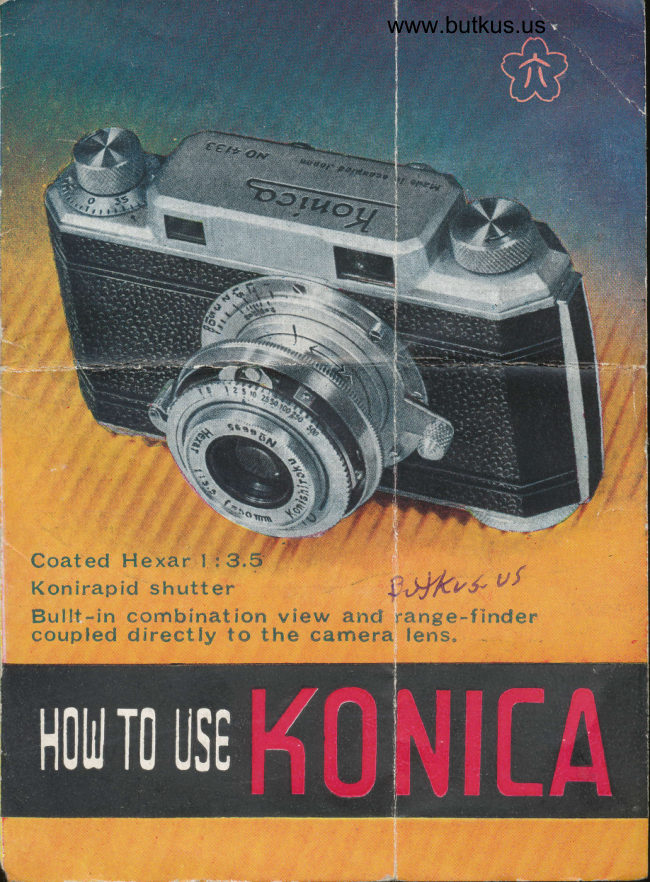
Konica Precision 35mm User manual
User manual for Konica Precision 35mm. 7 pages in English. Read the original PDF, download or print a copy without registration.
7 pagesEnglish5.4 MB PDF
Loading your manual…Open PDF directly
Document details
- Brand
- Konica
- Model / document
- Konica Precision 35mm
- Document type
- User manual
- Language
- English
- Pages
- 7
- File size
- 5.4 MB
- Category
- Film cameras
- Document date
- Not specified in catalog
Search available document text
Find a term, then jump to its page in the original PDF. Image-only pages may not be searchable; check the PDF for exact wording and diagrams.
Page 4 · Read text
www.butkus.us


  Why does Koniea take good
pictures? Thc answer, or the
 ansv,rers are as follows.

  The llexar, the basis of KONI'
CA's gurantee d  diamond sharP
negatives and rich, faithful color
trauiparencies, has been famous
 for tnany years and is recommdn*
ed by photographers of great ex.
perlence for  its  irreproachable
definiton an'l pin-sharpness. No
 fvzz't dges are seen in pictures
taken by CoateC Hexar

  The Konirapid shutter consits of
five sector-leaves and is the most
aeeurate and durable on the market.
Blurred image'are seldom occured
by its smootb action Speeds from
I sec to t/600tb of a see, will
enswer your de-mands at any shots.

  Patented mechanism of the KO-
NICA's Range-finder isls character.
istic   It  is simple inln design but
sturdy an'l precise in contruction,
mechanically and optically View
finder is combined witir range
finder, coupled directly to  the
camera lens which enables you to
take 'Aood photographs in easier
way
View original page 4
Page 5 · Read text
HOW TO USE
  KONTCA


 Lens-mount should be fully  ex.     Mount should b€ turned to riEht      Set revolving knurled ring  tn
;endfJ by  pulling gently until    rg fer ra it will go                   front of the shutter bY matching
                                                                                                                   oPeednoEnt qfcks into place                                                  engiaved figures for deired
                                                                                             Digitally                                                                                    signed                                                                                 by mike butkus           rritn arrow b€ne8th
                                                                      DN: cn=mike                                                                                              butkus,
                                                                        o=orphancameras, ou=29,              mike butkus email=mike@butkus.org, c=US
                                                                                 Date: 2019.07.10 17:13:09 -04'00'

 TOADING FILM


  The, Konica is built to take either    To open the camera back turn      Pull uut rowind knob-, insert film
factory loaded cartridges or bulk 86   dst knurled knob at the bottom of     ertridge or self loaded magazine
mm frlm reeled by hand into maga.   camera to the direction as indicaL     rnto camers and press down rewind
zrnss provid€d with the Konica.      ed by arow "O"                       knob.


 OPERATION OF
 NANGE FINDDR,


  Holrt e.-6mern firmlv in lnth  harYr:r,      Plaee toft eyc st i'ound window       One, e small bright rectangle ln
pitb thumbs on hnch of cautcrs,    of  ranile-firKrer. tten two images     lhe center of the larger lield of
eft tmler an4 mirklrle fingers above      s'ill be seen.                               cigion. indicates the focus
rnd bclow fu:t1r:sing knob.
View original page 5Page 7 · Read text
F'ocus tbe subioct.             P'ess the trigger slowlY wttlt       After taking picture, press down
                                     the middle 6nger of tne right hand.     the button in rangefinder hmsing
                                                                                                  enrl turn the wind knob to transport
                                                                   one frame.


  Turn takeup spool one hglf turn,        |Yrnd over two frames of film          Set 6lm eounter on takoup knob
to make sure film is being trans-                                           to  I' O " by pressing down on coun-
port€d prop€rly. Cloee cemera beck.                                                  ter, turning eithc to rlght or left
locking catch by turning knob in                                                 until alrow points to ',Orr.
direction of srrow {'C "


 the fact that the film will not wind   on .lottom ef camera rYhile thc     Cemera carr tbon be oPened, and
 further, do not ettempt to forco    rewind spool is tunred into crrt-    cartridge removed bY Pulling out
 further winding, Film should b6     ridge or magazine.                  rewind knob
 rewound by holding Cown button
View original page 7Related documents and language editions
From the M. Butkus archive. Original publisher and archive notices are retained.
Check the model and edition against your equipment.
PDF verified 2026-10-10.