Film cameras
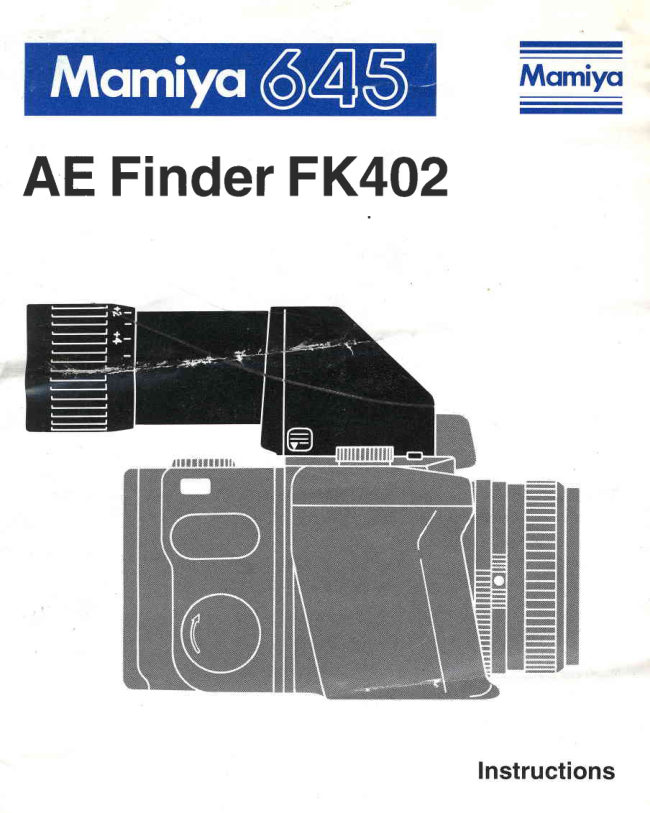
Mamiya 645 AE Finder FK402 User manual
User manual for Mamiya 645 AE Finder FK402. 12 pages in English. Read the original PDF, download or print a copy without registration.
12 pagesEnglish1.4 MB PDF
Loading your manual…Open PDF directly
Document details
- Brand
- Mamiya
- Model / document
- Mamiya 645 AE Finder FK402
- Document type
- User manual
- Language
- English
- Pages
- 12
- File size
- 1.4 MB
- Category
- Film cameras
- Document date
- Not specified in catalog
Search available document text
Find a term, then jump to its page in the original PDF. Image-only pages may not be searchable; check the PDF for exact wording and diagrams.
Page 3 · Read text
AE Finder FK402                                                        tL
The finder showsa laterallycorrectunreversedimageand is idealforaction
photography.The eyepiecefeaturesadjustabledioptercorrectionfrom +5
to -5.
Two meteringmodesare available,aperturepriorityauto exposure(AE) and
MANUALMETERING.

   Four LED's (OrangeLED for AE mode, Green LED for correctexpo-
   sureand two red LEDsfor over and underexposure)on the leftsideof
   finder indicateexposurereadingsThe finder is very usefulfor quick,
  sharpand accuratefocusing.       .i

                       ;*
HandlingPrecautions                 nthB                      ' h ;

1. The FinderFK402is exclusivelydesignedfor 645PRO camera and it
  cannotbe fittedwithM645SUPERcamera.
2. Makesure that the finderis firmlyfixedon the camerabody.
3. Thereare 15 electroniccontactpinson the frontand lowerpartof the AE
  finder. Should dirt'or greaseadhereto thesepins,electroniccoupling
  may be impaired,resultingin malfunctionof the Finder'sAE metering.lf
  the contactsneedcleaning,removethe finder and use a soft,cleancloth
  to gentlyand thoroughlycleanthem.
4. The batteryin the camerabody is usedfor the meteringcircuitsof the AE
  finder. Be sure to checkthe batteryfor properfunctionof the AE finder.
5. The eyepiecehas a built-in"dioptercorrection"device.Be sureto adjust
    it for your eyesightbetorefocusing.


                            www.orphancameras.com
                                                                                              Y
View original page 3Page 4 · Read text
Namesof parts

O  nrober Eye-cup
@ Oiopteradjustmentring
@ flectronicContactpins
@ tock ReleaseButton
@ ntt"ching Latches
@ nttachingpins
@ Loct<Button
View original page 4
Page 5 · Read text
Attaching and Detachingthe Finder
                       Attaching
                          Insertthe two AttachingLatcheson the front
                          of the finderinto the mountingholeson the
                         front of the camera body, as illustrated.
                     Then,depressthe finderuntilthe backof the
                         finderclicksinto placeand firmlylocks.
                                     ( F i g E )


                  Deraeh+nEr--
                                   |.  Pushthe FinderLock-ReleaseButtonwhile
                                                  f$r/)  pushingdown on the buttonon the opposite
                         side.The finderthen can be removedfrom
                        the camerabody.1 fig E  )                                                              i'l

                 How to adjust the diopter to your eye
                                                 ri!  In orderto obtaincriticalfocusing,adjustthe
                        dioptersettingfor your eye sight.( Fig E  )
                          1. Rotatethe diopteradjustmentring until
                     you can clearlysee the lineson the camera's
                       focusingscreen.
                           2. Turn the lens FocusingRing untila target
                     appearssharpand clearand then make fine
                      adjustmentof the eyepiecediopterby rotat-
                         ing the diopteradjustmentring slightly.
                           3. Read the diopterscale and mark or bear
                            in mind of your own retainthe diopterpoint
                            for futurephotography.

                          www.orphancameras.com
View original page 5Page 6 · Read text
UsingAE FinderFK4O2


                1.To switchto the AE mode,align"A" on the Shut-
                    ter Speed Dial on the camera body with the white
                indexline.
                1ris.E)
                    2. Make sure that you have properlyset the speed
                    of the film whichyou haveloaded,on the ISO Dialof
                your rollfilm holder.(Fig.E)
                    3. Beforemetering,makesurethat the lensA-M Le-
                  ver is set at "A". When set at "M", correctexposure
                cannotbe obtained.Also make sure that the Expo-
                 sure MeterCouplerengagesproperlywiththe Aper-
                 ture Ring couplingPin. lf they are not engaged
                  properly,correctexposurescannot be obtained.
                           ( Fig.E,E  )
                  4.After setting the aperture the correct shutter
              speed will be determinedautomatically,corre-
                spondingto the selectedaperture.
                      In the greenLED will illuminatewhen the shutter
                 releasebutton is depressedhalf-way,the shutter
               speedwill be fasterthan 1/60sec.
                                lf the shutterspeedis slowerthan 1/30sec.The un-
                derexposuresymbol (V) will blink to warn against
                 possiblecameramovement.
View original page 6Page 7 · Read text
1. Move the camera'sshutterspeed dial from the AE
modeto any otherspeedsetting,by pressingthe nearby
dialreleasebutton.(Fig E)
  Read the finder displayswith the shutterrelease
buttondepressedhalfway.
2.In order to obtain a correctexposure,adjustthe
Lens ApertureRing or turn the ShutterSpeed Dial
untilthe Green LED illuminatessteadily.
" Please refer to the table 2 LEDs display at the
manualmode.
* The displaywillilluminatefor only 10 secondsand
will then automaticallystop to conserve battery
power.
        (Ar:l               rap,,h,gr.     "
The AEL positionis very usefulwhen makingselec-
tive exposuremeasurementsof importantsubject
areaswhichare not in the centerof screen.This ap-
pliesparticularlyto subjectswith backlighting.
1. Set the ShutterSpeedDialon the camerabodyto
the AEL position.(Fig tr)
2. Whilelookingthroughthe finder, centerthe most
importantpartof the subjectin the centercirclewhile
keepingthe ShutterReleaseButtondepressedhalf
way. In this state, the exposurereadingis memo-
rized.After adjustingfor compositionas desired,re-
leasewww.orphancameras.comthe shutter.
View original page 7Page 8 · Read text
[4] Mirror-upphotographywh€n using
             AE Finder
                       In the AE positiofl"A", mirror-upphotographyin the
                   automaticmode is not possible.So duringmirror-up
                   operations,be sure to photographin the manual
                 mode.
             O However,it is possiblein the AE Lock (AEL)posi-
                       tion. While pressingdown on the ShutterRelease
                   Buttonhalf way, raisethe Mirror-upLeverand then
                   releasethe shutter.lf, at this time, you leaveyour
                     fingeron the buttonfor even an instant,exposure
                         will immediatelylengthen.So, be carefulwhen tak-
                     ing photographsin that mode.( Fig lU )
             O SinceTTL meteringis employed,exposurecor-
                     rectionis unnecessaryeven when lensaccessories,
                 such as filters,auto extensiontubes,bellowsand
                macrolens,whichusuallyrequireexposurecorrec-
                       tion,are used.
             O Ambientlightcominginto the finder throughthe
                  eyepiecewill hardly affect the meteringfor this
                      finder, but be sureto snuglyfit your eye on the eye-
                  cup to preventany incidentallightfrom entering.
O When the Self-timeris used with the finderin the "A" position,the expo-
surewill be determinedan instantbeforethe shuttergoes off.
 When the Self-timeris used with the finderin the "AEL" position,the ex-
posurewill be determinedby lightconditionsan instantbeforethe Self-timer
was activated.
O The electriccontactslocatedon the frontand lowerpartsof the .finderare
very impoftantfor transmittingdata usedfor AE metering.In orderto ensure
correctAE finder functioning,make sure that all contactsare kept clean.
Beforeattachingthe finder,alwayscleanthe surfacesof thesecontactsus-
ing soft cleancloth.
O When the camera is not in use, turn the ShutterReleaseSelectorto the
Red Dot or "OFF"position.The ShutterReleaseButtonwillthenbe lockedto
preventaccidentalrelease.(Fig.l[  )
View original page 8Page 9 · Read text
Usingthe AE viewfinderFK402with Leaf Shutter
  lednses(A55mm,A80mm,A150mmN/L)           :

1.ln the Focal Plane Shutter Mode (F)
As with lensesin barrel,performAE or manualphotography.(The lensshut-
ter speedis in the F position.)

2.In the Lens Shutter Mode
. AE-Mode
    It cannot be possibleto performAE-Modephotography.
*  Manualmode (Use AE finderas an exposuremeter.)
1) Set the determinedshutterspeedon the LeafShutterLensto the Shutter
 Speed Dialon the camerabody.
2) After pressingthe ShutterBgJ_easeButton halfway,light up the Green
 LED by rotatingtfre ApertureRing of the lens.
3) Set the shutter speed dial of the camera to 1/8 sec without fail before
  usingcamera.
4) See instructionmanualwhen usingLeaf shutterlenses.


                            www.orphancameras.com
View original page 9Page 10 · Read text
Checkingth"i         E
The AE Finder FK402 does not provide a batterycheck button. Battery
strengthshouldbe checkedby pressingthe BatteryCheckButton"B.C."on
lowerfront of the camera.
  LED Display in the finder


AE mode (Orange)
Overexposure(Red)
Correctexposure(Green)
Underexposure(Red)

. AEL Mode- AE (orange)LED blinks
.  The Dark Slidein the Roll Film Holder- LED blinksslowly
View original page 10
Page 11 · Read text
How to distinguish LED displays in the finder.

1. Discriminationof the shutterspeed at AE Mode Displaysof three LEDs
will show you the shutterspeedat AE Mode.

Table-l LEDs Display at AE Mode
 Shutterspeed  EtrnEOan*$  Red   O Green Q nec
 ovef exposure   Blinks8Hz   BlinksBHz
 1/1000- 1/500sec  lumnates  llluminates  llluminates
 1/250sec       lumnates               llluminates
 11125- 1/60sec  lumnates               llluminates llluminates
 1/3A* 1/15 sec  lluminates                         Blinks2Hz
 118* 1/2 sec     luminates                          Blinks4Hz
 1 - 4 s e c        luminates                          Blinks8Hz
 under exposure Blinks8Hz                           BlinksBHz

2. Correlationof exposurevalue betweenlens apertureand shutterspeed at
ManualMode:
  Displaysof the threeLEDswill show conditionof exposuretime at Manual
Mode

Table-2 LEDs Display at Manual Mode
                 A neo   O Green  Fned
 Out of meteringin high        BlinksBHz
 brightnessrange
 More than +2 stops oler       Blinks4Hz
 +2 stopsover               Blinks2Hz
 +1 stop over                llluminates
 +1/2 stop over               llluminates  llluminates
 Correctexposure                        llluminates
 -112stop under                          llluminates llluminates
 1 stopunder                                       llluminates
 -2 stopunder                                           BI nks 2Hz
 More than -2 stops under                                 BI nks 4Hz
 Out of meteringin low                                 Blinks8Hz
 brightnessrange
 Bulb                      Blinks2Hz               Blinks2Hz
                            www.orphancameras.com
View original page 11Page 12 · Read text
I SPECTFTCATTONS
                                 *Finder                   Finderin an unreversed,laterallycorrectim-
                     age
                                 *                      lmage magnification: 0.79 x (with B0mm f/
                         2.8 N standardlensat infinity)with 94% fieldof
                       view
Meteringsystem              : TTL center-weighted,open aperturemetering
Aperture Range              : EVl (F2.8,4 sec) - EV19 (F22, 1/1000sec)
                         with 80mm f/2.8standardlens
Control system                : ElectronicAperture-PriorityAE
Shutter Speed Range     : A E          : B s e c - 1 / 1 0 0 0 s e c
                    Manual  .  4 sec - 1/1000sec (1EV step)
Exposure compensation : WithoutExposurecompensationdevice(lt can
                     be possibleto compensateby the film speed
                       (lSO)dialof the rollfilm holder'.)
Finder LED display         : Glowingand flashingat 2,4 and 8Hz of four
                   LEDs indicateshutterspeed at AE mode 3nd
                          stateof the correctexposureat manualmode
AE Lock                            : When the shutterspeeddial on the camerais
                          set to the AEL position,the exposurereadingis
                        storedin the finder
Rangeof diopteradjustment:  - 5 - + 5
Power supply                   : Batteryin the camerabody
View original page 12From the M. Butkus archive. Original publisher and archive notices are retained.
Check the model and edition against your equipment.
PDF verified 2026-10-10.