Film cameras
Mamiya 645 AE Prism Finder User manual
User manual for Mamiya 645 AE Prism Finder. 13 pages in German, French, English. Read the original PDF, download or print a copy without registration.
13 pagesGerman, French, English1.3 MB PDF
Loading your manual…Open PDF directly
Document details
- Brand
- Mamiya
- Model / document
- Mamiya 645 AE Prism Finder
- Document type
- User manual
- Language
- German, French, English
- Pages
- 13
- File size
- 1.3 MB
- Category
- Film cameras
- Document date
- Not specified in catalog
Search available document text
Find a term, then jump to its page in the original PDF. Image-only pages may not be searchable; check the PDF for exact wording and diagrams.
Page 2 · Read text
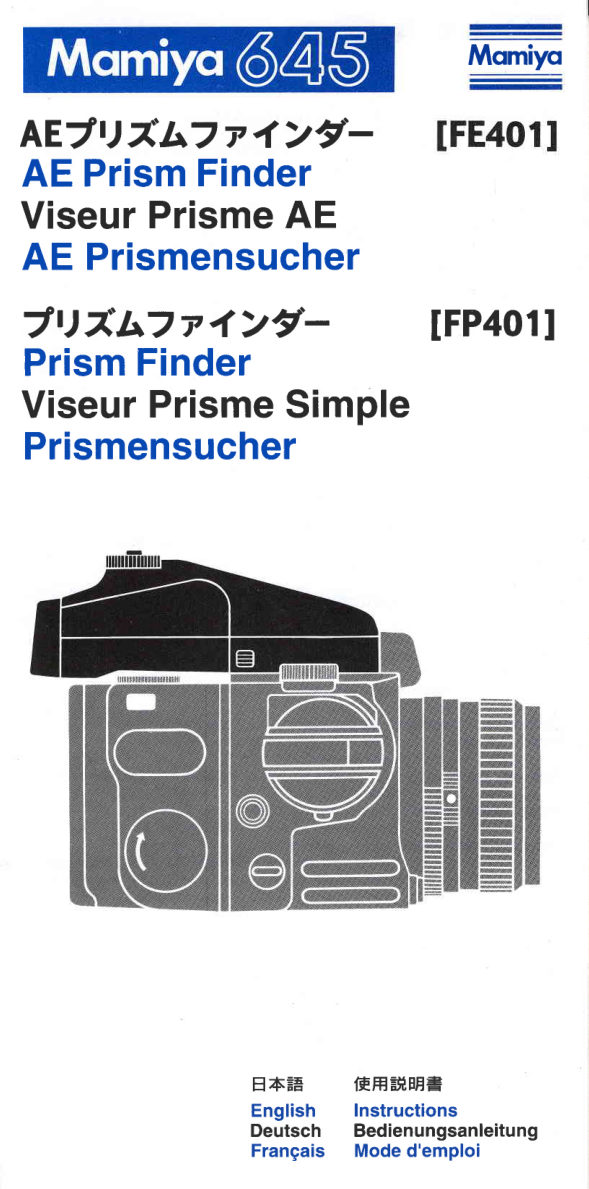
Momiyo

AEJU*L7y1>?-
AE PrismFinder
ViseurPrismeAE
AE Prismensucher
Jt)Z'A7yi>?-       tFP401l
PrismFinder
ViseurPrismeSimple
Prismensucher


                   E6FE    1EH-#EE=
                        English    Instructions
                      Deutsch   Bedienungsanleitung
                       Frangais  Mode d'emploi
View original page 2Page 3 · Read text
@    Epgg{tratigns                                            l     Attaching and Removing the Finder                                                                               Attaching                             "M", correct exposure cannot be ob-
Viewfinder                        : Both the PrismFinderFP401and AE Prism FinderFE401        Insertthe two AttachingLatcheson the    tained. Also make sure that the Expo-
                     o Featureroof prismsand an unreversed,laterallycorrectim-        front of the finderintothe mountingholes   sure Meter Coupler engages properly
                       age. lmage magnificationis 0.79X (with80mm f/2.8Nstan-      on the front of the camera body, as illus-   with the Aperture Ring coupling Pin. lf
                      dard lens)witha built-in2.5X magnifier.                        trated.Then, depressthe finder until the   they are not engaged properly, correct
                                                                        back of the finder clicks into olace and   exposurescannot be obtained.(Fig E  )
 I The following specifications apply to the AE Prism Finder FE401.]                   firmly locks.                                4. For Average Meteringset the Meter-
Metering System             : Therearethreemeteringmodes-Average(AV),Spot(SP)                                                ing Mode Selectorto "AV", for Spot Me-
                    and Auto-shift(AUTOA-S).                          Removing                                tering set to "SP" and/orfor AV-SP Auto-
Aperture Range              : EY 1 (t/2.8,4sec.) to EV1I (t/22, 1/1000 sec.) withf/2.8stan-      Push the Finder Lock Release Button    shift Meteringset to "AUTOA-S". (Fig. E  )
                     dard lens.                                                   while pushingdown on the button       * When "AV" is used, exposure is
Shutter Speed Range     : Auto : 8 sec. - 1/1000 (1/6 intervals)                      on the oppositeside.The finderthen can   measuredover the entire pictureframe
                    Manual        : 4 sec. - 1/1000(fullstop intervals)             be removed from the camera body.      and averaged,while at "SP" only t[e
Exposurecompensataon: +3 stops with click stops at 1/3 stop intervals.                                                            centralarea is measured.When "AUTO
ViewfinderLEDdisplay  : In the meteredautomaticmode,flashingLEDs indicatefull     UsingAE PrismFinderFErml      A-S" is selected, average or spot meter-
                           f/stopshutterspeeds,while,for intermediateexposuretimes                                               ing will be automatically selected ac-
                      two shutterspeedswill simultaneouslyilluminateand flash.        [1] AE Photography                  cording to the lighting condition,thus
                      Overexposurewill be indicatedby flashingLEDs which spell        1. To switch to the AE mode, align "A'   ensuringaccurateexposures"
                        out "OVER"whileunderexposurewill be indicatedby "LT".      on the ShutterSpeed Dial on the camera   5. After selecting the aperture, depress
                              ln the metered manual mode, preselectedshutter speeds      body with the index.(Fig. E  )               the Shutter Release Button half way and
                                will illuminateflashingLEDs,whilethe correctshutterspeed        2. Make sure that you have properlyset   LEDs willilluminatein the vieMinder,in-
                               will blinkslower.This displaywill illuminatefor only 10 sec-      the speed of the film which you have   dicatingeither the meteringmode "AV"
                      onds and willthen automaticallystop to conserve battery      loaded, on the ISO Dial of your roll film    or "SP" and the correctshutterspeedfor
                       power. When batteriesare low, LEDs willflash a warning.       holder.(Fig E  )                          the preselectedaperture.
AE Lock                            : When theshutterspeeddialonthecameraissettothe AEL        3. Before metering, make sure that the     *    lf duringAE photography,two shutter
                          position,the exposure reading is stored in the AE Prism       lens A-M Lever is set at "A". When set at   speeds illuminatesimultaneouslyin the
                         Finder.              www.orphancameras.com Power Supply                  : Batteryinthecamera body'
                                                                                                . " i;.."-.,r.--..ros?*;i..ia-."
View original page 3Page 5 · Read text
Features
The two Prism Findersare opticallyand mechanicallyidentical.Their precisionroof
prisms render a bright, unreversedand laterallycorrect image. Both also have an
Eye-pieceClosure,to preventlightentering,when the camera is remotelyoperated.

Special Features of the AE Prism Finder FE401
"AE" stands for AutomaticExposure.The precisionelectronicsbuilt into this finder  ?
offers:
1. Three automatic exposure modes. Spot, Average and Auto-shift. ln the latter                                                                                                                               ti-mode the meter will change automaticallyfrom Spot to Average,or vice- versa, de-
pendingon subjectmatter.
2. When settingthe shutterspeed manually,the finder will displaythe correctexpo-
sure for only 10 sec. in order to save batterypower.
3. In order to providemost accurateexposuredata, intermediateexposuretimes are    6
also shown.                   www.orphancameras.com
View original page 5
Page 6 · Read text
Names of Parts
@ Eye-pieceClosureLever       @ Loct<Release Button
@ MeteringMode Selector       @ Attaching Latches
@ Loct<Release Button         @ AitachingPins
@ ExposureCompensationDial     @ eye-cup
@ DiopterLens MountingFrame     @ Eye-piece
@ eotO PlatedContactPins       @ Lock Button
View original page 6
Page 7 · Read text
[6] Using the AE Prism Finder FE401 with Leaf Shutter lenses
(A55mm N/L, A80mm N/L, A150mm N/L)

Using with the Power Drive Grip WG401
1. In the Focal Mode (F)
As with focal lenses,performAE or manualphotography.(The lens shutterspeed is in
the F position.)
2. ln the Leaf ShutterMode
O Set the lensto the Leaf ShutterMode and set the shutterspeed on the camerabody
to any positionotherthan "B" (Bulb);automaticallythe shutterspeedwillthenbe set to 1/
8 sec.
@ nn Lf O will illuminatein the viewfinder,per AE meteringto indicatea correctshutter
speed.
*Please note:After pressingthe ShutterReleaseButtonhalf way, the correctshutter
speedwill remainin the memoryfor 10 sec.
@ Turn the Shutterspeed Ring on the lens and selectthe propervalue.
@ See the instructionmanualwhenusing Leaf ShutterLenseswith the Film Advance
CrankAC40l and PowerDriveGrip N.


                             www.orphancameras.com
View original page 7Page 10 · Read text
o SinceTTL meteringis employed,exposurecorrectionis unnecessaryeven when lens
accessories,such as filters,auto extensiontubes,bellowsand macrolens,which usu-
ally requireexposurecorrection,are used.
O Extraneouslight coming into the viewfinderthrough the eye-piecewill affect meter-
ing. So be sure to snuglyhold your eye on the eye-cupto preventany extraneousiignt
from entering.When shootingwithoutthe vievufinder,as in the case of the Self-timeror
remotecontrolmode,closethe Eye-pieceShutterto eliminateall extraneouslight.
O When the Self-timeris used with the finder in the "A" position,the exposurewill be
determinedan instantbefore the shutter goes off.
  When the Self-timeris usedwith the finderin the "AEL"position,the exposurewill be
determinedby light conditionsan instant before the Selttimer was activated.
o The electriccontactslocated on the front and lower parts of the view-finderare very
importantfortransmittingdata usedforAE metering.In ordertoensurecorrectAE finder
functioning,make sure that all contactsare kept clean.Beforeattachingthe finder,al-
ways clean the surfacesof these contacts using a soft clean cloth.
O When the camerais not in use, turn the ShutterReleaseSelectorto the Red Dot or
"OFF" position.The ShutterReleaseButtonwill then be lockedto preventaccidental
release.Also be sureto turnthe OperatingIndicatoron the PowerDriveGripWG401to
"oFF".


                                                                                                            '/*&;,0:;,r                                                              --g
View original page 10Page 11 · Read text
Hints on Selectingthe MeteringMode              ,,, ,

l. Use the Average MeteringMode when you wish to silhouettea subject against
back light.

2. ll the Average MeteringMode is used for photographinga subject indoors by a
bright window or a subjectoutdoors against a bright sky or snowscape,the bright
backgroundwillundulyatfectthemeterreading,resultingin underexposure.Under
these conditions,change the mode to Spot Meteringwhich will eliminateadverse
backgroundinfluenceand assure accurateexposures.
    lf the most importantarea of photo is not in the center of the composition,set the
Shutter Speed Dialto the "AEL" (AE Lock) mode and lock the meteringvalue in the
center. Now you can selectthe desired meteringmode. (See "AE" Lock)

3. In the Auto-shiftMode, if the area read by the spot meter is more than 1 1/2 stops
darker then the area read by average metering,the Spot Metering Mode is auto-
maticallyselected.Whentheareareadbythespotmeterisapproximatelythesame
value as, or brighterthan,that by averagemetering,the Average MeteringMode is
automaticallyselected.When the area read by the spot meter is 3/4to 1 1/2 stops
darker than that read by average metering,the AE Prism Finder automaticallyse-
lects proper intermediateexposurevalue,offeringthe equivalentof a center-weighted
reading.At this time,both "AV" and "SP" will illuminatein the viewfinder.


                            www.orphancameras.com
View original page 11From the M. Butkus archive. Original publisher and archive notices are retained.
Check the model and edition against your equipment.
PDF verified 2026-10-10.