Film cameras
Mamiya 645 Polaroid back User manual
User manual for Mamiya 645 Polaroid back. 8 pages in German, French, English. Read the original PDF, download or print a copy without registration.
8 pagesGerman, French, English1.1 MB PDF
Loading your manual…Open PDF directly
Document details
- Brand
- Mamiya
- Model / document
- Mamiya 645 Polaroid back
- Document type
- User manual
- Language
- German, French, English
- Pages
- 8
- File size
- 1.1 MB
- Category
- Film cameras
- Document date
- Not specified in catalog
Search available document text
Find a term, then jump to its page in the original PDF. Image-only pages may not be searchable; check the PDF for exact wording and diagrams.
Page 2 · Read text
www.orphancameras.com


                               -"rf7E{  F"/tv27    l tbA  frtbu-
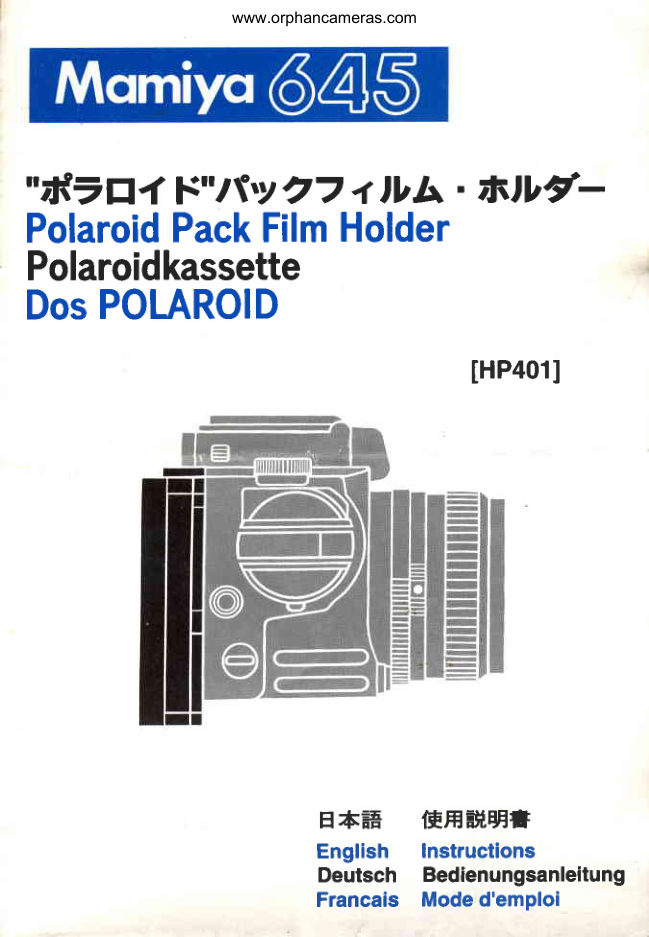
PolaroidPackFilmHolder
Polaroidkassette
DosPOLAROID

                              lHP401l


                H+-#  IFHEH,EE*
                        English  lnstructions
                        Deutsch Bedienungsanleitung
                          Francais Moded'emploi
View original page 2Page 4 · Read text
www.orphancameras.com
 How to Use "Polaroia' p""L-film  nolOer

Loading Film
Alwaysdo this in dim light,to avoid  2.Unlockandopenthe holderback:
foggingthe f ilm.                Push up bothendsof the backdoor
                                                                                      '1.Openthe package:Handlethef ilm   latchand open the back all the way.
bag carefullyand only by the edges.  Besurethedarkslideis pushedallthe
Tearthebagalongthedottedlineand  wayintotheholderbeforeloadingf ilm.
removethe pack.Discardthe mois-  PhotoE
ture-absorbingcardpackedwithsome   3.lnsertthe pack: Holdthef ilmpack
filmpacks.Pleasebe sureto readthe  by the edges as shown.Push the
filminstructionsheetcarefully.       closedendof the packunderthe light
PhotoE

    I|               a


     Verwendungder Polaroidkassette i
View original page 4Page 5 · Read text
www.orphancameras.com_l
       shield,andthendownintothe holder.  the blacktab, whichis the end of the_l      PhotoEI                           safetycover.Pullthe safetycoverall
      4.Checkthe whitetabs: Be surethat   thewayoutof the holder.Pullstraight
(:     theyare notcaughtbetweenthe pack  and be carefulnotto tear it. PhotoE
)r    andthe holder.                  7.Look for the white tab: Whenthe
,1,    S.Closeand lock the back: Holdthe   bafetycover is removed,a whitetab
e     back closedand push down on the   shouldstickout of the smallslot next
1.     centerofthelatch.Theblacktabof the   to the latch.PhotoE
       safetycovermuststickout in frontof      lf you can see a whitetab,the holder
rk     the latch.PhotoE                         is now properlyloaded.
e    6.Removethe safety cover: Grasp   Don'tpullthe whitetab at this time.
It     theholderasshown,andgeta gripon  Nowyou'rereadyto attachthe holder


                                      ET
View original page 5Page 6 · Read text
www.orphancameras.com

to the camera.                  2.Closeand lock the back of the
8.Setthefilmspeeddial,foundat the   holder,makingsurethatthewhitetab
top of the holder,to the speedof the    is outsideand in f rontof the latch.
filmin use.                     Srncethe holderis now readyfor the
                                             firstexposure,mountit on thecamera
lf no white tab appears when you   backis describedbelow.
pull out the safety cover:       O Removethe darkslide.
Do thefollowingin dim light.      O Beforeremovinga loadedholder,
1. Unlockthebackof the holder,open  be sureto replacethe darkslide.
it partway and,withoutdisturbingor  O In this case, however,the cam-
movingthe filmpack,pushthe white  era's double exposure prevention
tab out intothe open.            mechanismdoes not work.
View original page 6Page 7 · Read text
www.orphancameras.com
                                       Name of parts@        Introduction
ThisPolaroidPackFilmHolderallows As you read the text and look at the  O Dark Slide
you to usevarioustypesof f ilm rnthe  pictures,go throughall the motions @ electrical Contact
PolaroidPack Film 100 and 600 se-  of usingthe holder-withoutfilm.   @ tock Release Lever
nes.                      Once you get the simpleoperating @ Attaching Clip
The actualnegativesize is 56mm x   routinedownpat,loada f ilmpack.We @ gack Cover Latch
41.Smmwhenthe M645is used.This suggestthatyou startwith blackand @ fllm Speed Dial
instructionmanualprimarilyexplains white.                               Set this dial to the film speed
the operationof this film holderwith Read carefully the instruction      of film used.
the M645.                      sheet packed with'yourfilm.Those @ Oark Slide Storage Slot
Eageras you may be get at your new  instructionsmay changefromtime
holderand beginmakingpictures, to time, so it's a good ideato review
pleasetakethetimeto go throughthis them occasionally.
bookletcarefullybeforeloadingfilm.
View original page 7Page 8 · Read text
www.orphancameras.com
  Attaching and removing P
l.Positionthe AttachingClip@ of the     darkslideinthedarkslidestorageslot.  PackFilmHofder,in as muchas the
holderproperlyto the holdermounting    O The Dark Slide can be detached M645 camera with PolaroidLand
Bracket@ of the body.              whenthe PolaroidPackFilmHolder  Pack Film Holdermay not fit on cer-
Pressthe upper part of the holder     beeingattachedto the camerabody.  taintypesof tripods.
togetherwiththe body untilclicks.     O Always pay your attentionnot to  O The Neck Strap can not be used
2.lnsertthe DarkSlidebetweenboth     contaminatethe electricalcontacts when the PowerDriveGrip and the
white lines.To removethe holder,    on the RollFilmHolder.            PolaroidPack Film Holderare used
push the Lock/ReleaseLever in the      Priortouse,alwayscleanthe contrcts  at the sametime.
 directionof the arrow €J              withsoftcloth.
O Be sureto insertthe dark slidebe-    O Note that the Polaroid Pack Film
fore removingthe holder,If it is not in-     Holderis not providedwith a double
serted,the safety lock will preventit     exposurepreventionmechanism.
from beingremovedfrom the body.     O Be sure to use the TripodAdapter
O When photographing,store the    N (optional)when usingthe Polaroid
View original page 8
From the M. Butkus archive. Original publisher and archive notices are retained.
Check the model and edition against your equipment.
PDF verified 2026-10-10.