Camera accessories
Mamiya 645 Power Grip WG402 User manual
User manual for Mamiya 645 Power Grip WG402. 8 pages in English. Read the original PDF, download or print a copy without registration.
8 pagesEnglish1.2 MB PDF
Loading your manual…Open PDF directly
Document details
- Brand
- Mamiya
- Model / document
- Mamiya 645 Power Grip WG402
- Document type
- User manual
- Language
- English
- Pages
- 8
- File size
- 1.2 MB
- Category
- Camera accessories
- Document date
- Not specified in catalog
Search available document text
Find a term, then jump to its page in the original PDF. Image-only pages may not be searchable; check the PDF for exact wording and diagrams.
Page 3 · Read text
Features
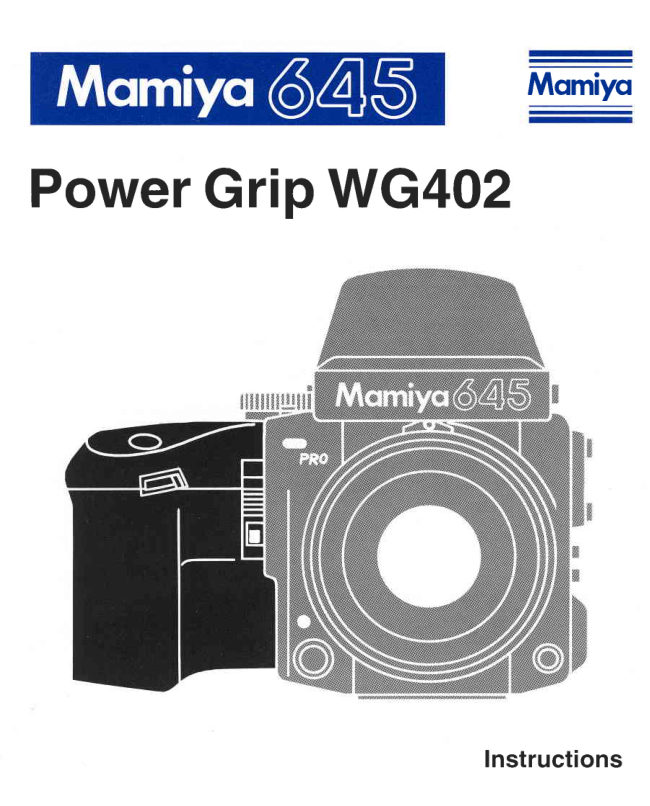
The PowerDriveGripWG402 is designedexclusivelyfor the 645 PRO cam-
era. Providingcompactsize,lightweight,simplicityand comfortablegrip,it
advancesthe film at approximatelyone frameevery0.8 seconds(exceptat
slow shutterspeeds).

 HANDLINGCAUTIONS
  1.The Power Drive Grip WG402 is exclusivelydesignedfor 645 PRO
   cameraand it cannotbe fittedwith M645 SuperCamera.
 2.When the Power Drive Grip WG402 has not been used for a long
    time,checkthe batteryconditionfirstby makingsometest exposures.
  3. Be surethatthe PowerDriveGrip is firmlylockedto the camerabody.
  4.lt is desirableto replacethe batterywith a fresh one as soon as you
    feel that the film advancespeed is sluggish.
  5. Even when using the Power Drive Grip, it is recommendedto also
    attachthe neck strapto the camera as a safetymeasureand for port-
    ability.


   Battery Care
  1. Carefullywipethe contactsof the batterybeforeinsertingit intocham-
    ber.
  2.When not using the Power Drive Grip for a long periodof time, re-
   movethe batteryand store it in dry, cool place.
  3.When goingon trips be sure to carrysparebatteries.
                             www.orphancameras.com
View original page 3Page 4 · Read text
,'..'. ,1,....,',',...,  N,a'mg$'.,Pfi'ffi
   Lock Leverfor Shutter     @ Lock Levero   ReleaseButton        @ Lock ReleaseButton
               @ BatteryChamberCover@ ShutterReleaseButton
               @ BatteryChamberCoverLatch@ ElectricalContacts
@ AttachingPart
View original page 4Page 5 · Read text
Attaching afd DetachingthH
Grip WG402

                   1.To attach,first remove the Film Advance
                   Crank AC401 from the camera body, and pro-
                   ceed as follows.
                 (FisE)          ,.
                        2. Aligh the white index dot on the camera's
                        Multi ExposureLever againstthe white square
                     indexmark.1 Fig E  )
                    3.Then, while pressingon the blue Lock Re-
                     lease Buttonon the grip, push up on the Lock
                    Leverin the directionof the arrow.( Fig E  )

                       gripintothe fourguidepinson the camerabody.     ffii{l          4. Firmlyinsertthe mountingguideholeson the
                    (The Neck Strap Lug also servesas a guide pin
                         for securingthe grip.)
           , " ' "
                       5.Aftermakingsure that the grip has been prop-
                         erly aligned,push the lock leverdownwarduntil
                   you hear a click.
                              *                    The Power DriveGrip WG402 is lockedwhen
                      the Lock Lever is down, while it is unlocked
                 when it is up.


                          www.orphancameras.com
View original page 5Page 6 · Read text
Insertin

                    1.Withyour fingernail,pullthe BatteryChamber
                   Cover Latch on the bottom of the grip as indi-
                    cated by the arrow in the illustration1 fig tr  )


                        2. Lift the cover off and inserl a 2CR-5, 6 Volt
                      LithiumBattery into the batterychamber by tak-
                       ing care to match the + poles of the batterywith
                    those shown in the diagramin the chamber.
                  Then closethe batterychambercoverfirmlywith
                    a click.( FigE  )                             *                 When the film advancespeed sounds slug-
                       gish, it is time to changethe battery.
View original page 6Page 7 · Read text
Operation
E  Wn"n the Start Mark on the roll film is aligned with the Start Mark
( a.  ) on the spool clip.
                           1. Push the ReleaseLock Leverin the direction
                           of the arrow untilit stops.(FigE)
                          2. Pullout the DarkSlideand the camerais then
                      readyfor exposures.
                      3.A single press on the grips ShutterRelease
                      Buttonwill automaticallyadvanceone frame.
                   4.When the final frame has been exposed,the
                   PowerGripautomaticallywindsthe film ontothe
                      take-upspool so that the exposedfilm can be
                      taken out.
                           5. For continuousexposure:
                           1) Alignthe white indexdot on the camera's
                          ShutterReleaseSelectorcollar with the
                           white squaredot in the center.(FigE  )
                           2) Simply keep pressingdown the Shutter
                        ReleaseButtonon the camera body, or
                       you may also use the Electromagnetic
                         Cable Release.
 * Whenthe camerais usedwiththe PowerGrip,set the selectioncollarto the
  red dot exceptthe continuousexposureoperationto preventan accidental
  shutter releaseby touchingthe Shutter ReleaseButton of the camera
  body.
E  Wn"n a loaded roll film holder is attached to the camera in mid-roll
and the film is not advanced to next frame. the shutter cannot be re-
leased.
                           1. Firstinsertthe DarkSlideintothe rollfilm holder.
                          2. To readythe next frame,slightlydepressthe
                        shutterreleasebuttonon the PowerGrip or the
                       BatteryCheck Buttonon the camerabody.The
                      "Auto Winding Mode" built into the camera
                    body is actuated.lFig E  )                               *                    Use the "Auto Winding Mode" featurewhen
                        taking a photographafter changingthe lens or
                       replacingthe holder.
3.Withdrawthe Dark Slideand the camerais then readyfor use.
E Wn"n using the Leaf Shutter Lenses
(A80mm tl2.8NlL, A55mm tl2.8NlL, A150mm f/3.8 N/L)
Cock the leaf shutterin the lensesmanuallyby turningshuttercockingring
on the lens.
*  See Leaf ShutterLens instructionsfor detailedoperationinformation.
  MultipleExposures
                    l.Remove the Power Grip from the camera
                     body by pushingup the Lock Lever while de-
                       pressingthe Lock ReleaseButton.
                        2.Alignthe white dot of the MultipleExposure
                      Leverwith the yellow"Multi" square.(Figtr  )
                         3.Afterattachingthe PowerGrip to the camera
                      body, push down the Lock Lever of the grip
                          firmly.The multipleexposuremode is now
                       operable.(FiglU )
                                *                     To overridethe multipleexposuremode or to
                         returnto normaloperation,be sure to returnthe
                           lever'swhite dot againstthe white square.
                                            .                                              lt is recommendableto use the FilmAdvance
                     Crankfor the multipleexposure.
                       Attach the Film AdvanceQrank insteadof the
                    PowerGrip WG4O2by referringpage 13 of 645
                PRO InstructionBook becausethe Film Ad-
                     vanceCrankis more convenientfor the multiple
                           www.orphancameras.comexposure.
View original page 7Page 8 · Read text
'                                                                  ,lLSp"cifications

Power source          LithiumBattery,2CR5. 6V
Film transport Ratio    Approx.one frame per 0.8 sec (exceptat slower
                       shutterspeedsthan 1/60 sec.)
Operation            Simply by pressingthe ShutterReleaseButton,
                       the PowerGrip will be in the operationmode.
                When the last frame is exposed,it will automati-
                         callyadvancethe remainingfilm onto the take-up
                      spooland then stop.
                When the 135 Film Holderis in use, rewindthe
                          film with the film rewindknob by pressingthe film
                     rewindbuttonafterthe last frame is exposed.
Photographingmode   Singleframe photography(Continuoussequence
                    photographyis possibleby pressingthe Shutter
                    ReleaseButtonof the camerabody.)
Multiple exposures    By the MultipleExposureLever of the camera
                    body
                    (The Power Grip WG402 does not providea
                      switchleverfor multipleexposure.)
Maximum transport    Approx.130 rollsof 12Ofilm with LithiumBattery.
Ratio                (Accordingto Mamiya'sLaboratorytest made at
                    normalroom temperature)
Size            56mm (W) x 83mm (H) x 69mm (L)
Weight             1909 (withoutbattery)


                                                                    ( €


 Specificationsand f'eaturesare subject to change without notice.             Printedin Jaoan
                                                 02590-PK-03E
View original page 8From the M. Butkus archive. Original publisher and archive notices are retained.
Check the model and edition against your equipment.
PDF verified 2026-10-10.