Film cameras
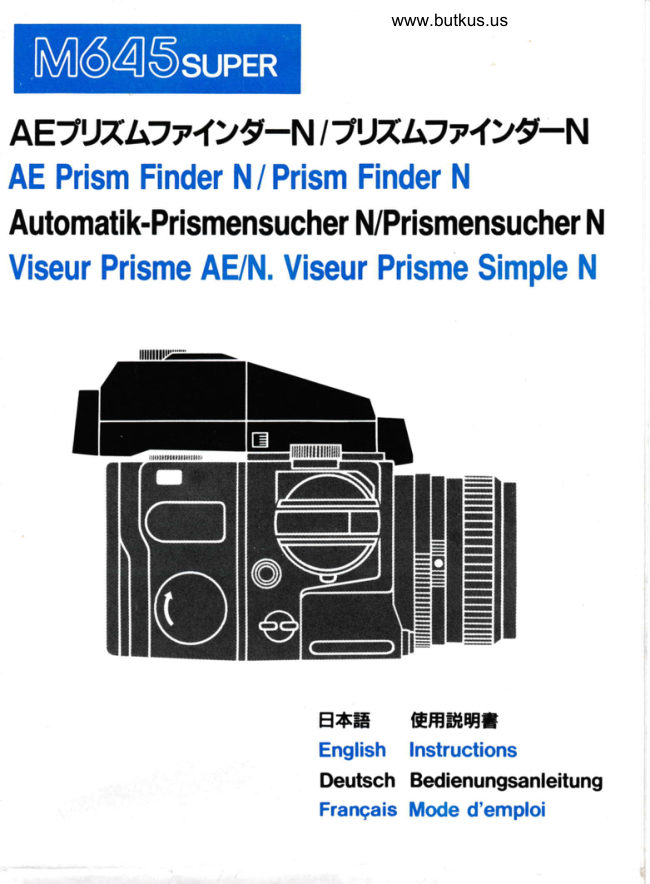
Mamiya M645 Super AE Prism Finder N User manual
User manual for Mamiya M645 Super AE Prism Finder N. 9 pages in German, French, English. Read the original PDF, download or print a copy without registration.
9 pagesGerman, French, English1.0 MB PDF
Loading your manual…Open PDF directly
Document details
- Brand
- Mamiya
- Model / document
- Mamiya M645 Super AE Prism Finder N
- Document type
- User manual
- Language
- German, French, English
- Pages
- 9
- File size
- 1.0 MB
- Category
- Film cameras
- Document date
- Not specified in catalog
Search available document text
Find a term, then jump to its page in the original PDF. Image-only pages may not be searchable; check the PDF for exact wording and diagrams.
Page 2 · Read text
www.orphancameras.com

AEJIJTh7 v lrt-  N | 7U7 l:'7 t 1)t:  N
AEPrismFinderN/ PrismFinderN
Automatik-PrismensucherN/PrismensucherN
ViseurPrismeAE/N.ViseurPrismeSimpleN


                     ESE   EH#HI
                             English  lnstructions
                           Deutsch Bedienungsanleitung
                            Frangais Mode d'emploi
View original page 2Page 3 · Read text
www.orphancameras.com

AEiU7b771>9-N       AE Prism Finder N
&ffiAAf,I              Nameof Parts
O r ' t u - 2 2 < ' v ? - v , s -       @ Eye-pieceBlind Lever
@ ut;rr=tr)l q *s L /' 4 r tv      @ MeteringMode Selector
@ o', ?frqwtr, >          @ ExposureCompensation
@ m,umE.r 4 r )v                       Dial Lock ReleaseButton
@ +F,EMJEV > AWI) TIIJT, <     @ ExposureCompensationDial                  @ DiopterLens MountingFrame@ c+t*,*
O q r u* L , r t  >          @ ElectricalContact                                    Lock Release                                                   Button                  @    q        ftIr'>v>@ qx                                        Attaching                                              Latches                  @   gx,l       rteR@         {f                                       Attaching                                              Pins                  @
jtJTlflzlrE-N              Prism Finder N
AE7 t) A L7  r 4 > /'-Ni";AE.   iH{)E This Finder Performsthe same optical
ffifrU,tFAtrt z  r 4 > /-T.     )t#fft/s    function as the AE Prism Finder N but
{t+fi lJ * ->t:  ( lFl D rf"   AE' iHil)8ffi68 does not have meteringcapability.
t'L'Et  Lttt.f&F7rfJ. w>7tv3    t  @ Eye-cup
= x  l- )s-7   ,r'?>  7-hrffihT-f-    @ FinderWindow
                  @ Lock Button@ r . t h ' v 7 "
@ z r 4 > / - 8 .
@ gx tl fFLs  'v ?fraw':"^?>
View original page 3Page 5 · Read text
www.orphancameras.com

   SpecialFeatures
     1. The AE Prism FinderN is a roof prismdesign,providingan unre-
    versed, laterallycorrecl image and quartz-controlledaperture-priori$
    auto exposure.
     2. Three AE meteringmodes can be selected;Spot, Average,and
     Auto-Shift(automaticchangeoverfrom Spot to Averageor vice-versa)
     3. When using a manual shutter speed setting,the viewfinderwill
    displayproper exposurefor 10 secondstherebyconservingbattery
    consumption.
     4. Three operationscan be selectedfor exposurecompensation:AE
    Lock,ExposureCompensationDial(+3 Stops),and MeteredManual
    Exposure.
                                         i' :""t1   SPecification
    Viewfinder: Boththe PrismFinderN and AE PrismFinderN provide
      an unreversed, laterally correct image provided by roof prism
       designwith imagemagnificationof 0.79 x (with80mm f/2.8stan'
       dard lens at infinity).There is also a built-in2.5 x magnifier.
         ,  (The followingspecificationapply to the AE Prism FinderN.)
   AE Metering System: Average (AV), Spot (SP), and Auto-Shift
      (AUTO A-S) for three way quartz-controlledaperturepriorityAE
       metering.
     i/btering Range: EV 1 (t12.8,4 sec.) to EV19 (f/'16,1/'1000sec.)
        with ISO/ASA100 film and 80mm f/2.8 standardlens.
    Shutter Speed Range: AE;4 sec.- 1/1000sec. (1/6stop intervals)
       Manual;4 sec. - 1/1000sec. (full stop intervals)
    Exposure Compensation: +3 Stops with click stops at 1/3 stop
       ,   intervals.    'Viwfinder           LED Display: Flashing LED's indicate overexposure
      (OVER),underexposure(LT),and weak battery(shutterspeeds).
       :   ln meteredmanualmode, preselectedshutterspeed illuminates
        ,  with flash.This displaywill be illuminatedfor only 10 secondsand
          wiil UeautomaticaltytumeOoff to conservebatteryconsumption.
   AE Lock: When the ShutterSpeed Dial is set to "!"  and Shutter
       Release Button is depressedhalfway,the exposurereadingis
       storedby the AE Prism Finder.
    Power Supply: Camera body battery

l:mtl
View original page 5Page 6 · Read text
I L J T         "                 www.orphancameras.com


Removingand Attaching the FinderN
Attaching               Removing
Insed two Attaching Latches at the   Push the FinderLock ReleaseButton
front of the finder into the mounting   (O) while pushing down the Button
holes at the front of the camera body      ( J ) at the oppositeside and lift it up.
as illustrated.Depressthe finder until
the rear of the finder clicks into place
and is firmly secured.

Hints on Selectingthe MeteringMode

1. When photographinga subjectindoorsby a brightwindowor outdoors
againsta brightsky or snow scapeand usingAveraged-metering,the bright
backgroundwillundulyinfluencethe meterreading,resultingin underexposure
of subject.Undersuchconditionsyou can accuratelyexposefor the subject
withoutthe adverseinfluenceof the backgroundby switchingto the Spot-
meteringmode.ForSpot-metering,usethe circlein the centerof the Focusing
Screenas a referencepoint.
2. ln a backlitsituationwhen you wish to recordthe subjectas a silhouette,
use the Averaged-meteringmode..   lf the Keypointof a subjectis not in the centerof the scene,adjustthe Shutter
Speeddial to "8" (AE Lock)and lockthe meteringvaluein the center.Now
you can selectyourdesiredmeteringmode.(referto AE Lock.)
3. In the Auto-Shiftmode,if the area read by the Spot-meteringsystemis
morethan 1 1/2 stopsdarkerthan the area read by the Averaged-metering
system,the Spot-meteringmode is automaticallyselected.When the area
readby the Spotand Averagemeteringsystemsare approximatelyequal,the
Average-meteringmode is automaticallyselected.When the area measured
by the Spot-meteringsystemis 0.75- 1.5 EV (314to 1 112stops)darkerthan
that measuredby the Average-meteringsystem.The AE Prism FinderN
automaticallyselectsan intermediatevalue,offeringthe equivalentof a center-
weightedreading.
View original page 6
Page 7 · Read text
www.orphancameras.com


How to Use AE Prims Finder N

                                  dance with the lightingsituation.AE Photography
1. Set the ShutterSpeed Dial of the   5. After selecting the aperture, ?fl
camerabody at the click-stop(O) which  depress the Shutter Release Buttonhal
is the AE position.(Fig.1)               way, LED's will illuminatesin the view
                                             finder, indicatingboth the meteringmod
2. Set the correctfilm speedon the Film   ("AV" or "SP") and the appropriateshu
SpeedDialof the film holder.(Fig.2)                                               ter speed for the preselectedaperture
3. Beforemetering,checkthat the lens
A.M.leveris set at "A". Whenit is set at  LED Display in the Viewfinde
"M", proper AE exposurecannot be                                     o When "LT"  is illuminatessteadilyobtained.(Fig.3)
Also,checkthat ExposureMeterCoupler  indicates corrects exposure of over on                                     second, but no longerthan four secondis engagedwiththe ApertureRingCoupl-                                     o When "OVER" is flickeringquicklying Pin.lf the aredisengaged,the correct                                         indicatesoverexposure,and "LT" is flicexposurecannotbe obtained.                                        keringquickly,it indicatesunderexposu
4. Set the MeteringMode Selectorto   o When using the qauto-Shift mode
"AV" for Averagedmetering,"SP" for   either AV or SP illuminatesindicati
Spotmetering,or "AUTOA-S"for AV-SP  which of the mode metring system ha
Auto-Shiftmetering.(Fig.a)               automaticallybeen selected.AV and S*An    exposuremeasurementis mode of    will illuminateat the same time if the are
the entirefieldwhenthe MeteringMode  measuredby the spot meteringsystemi
Slectoris set to "AV". A selectivespot  314 to 1-112stops darker than the are
readingis madeof the centralareawhen  measuredby the averagedmeteringsys
sgt to "SP".                          tem.
When set to "AUTOA-S",the exposure  o lf the display flickers slowly for an
measurementsystemwill automatically shutter speed value (2 times/seconds)
selectAveragedor Spot metering,mak-   indicatesa week battery.Please replac
ing accurateexposurereadingin accor-  the batteriesimmediately.(Fig.5)
View original page 7Page 8 · Read text
www.orphancameras.com


             (, / \r-.',\
          \v.)                      \=,/


                                   Release Button is depressedall the wayExposureCorrection
                                      before the shutter speed readout illumi-
1. AE Lock                        nates in the viewfinder,incorrectexposure
                              may result.Therefore,do not releasethe
This procedure is highly effective for                                         shutter until the shutter speed readout
making an exposuremeasurementof the                                         illuminates.
most important area  of  the  subject.
Although AE Lock can be used with
either meteringmode, it is most effective  2. Exposure CompensationDialwith Spot-metering.
Set the Shutter Speed Dial of the AE  Whilepressingthe ExposureCompensa-
Prism Finder to the AE Lock position  tion DialLockButtonlocatedin thecenter
("8"). To unlockthe ShutterSpeed Dial   of ExposureCompensationDial,turnthe
from the "O" and "E" position,depress  dialto selectthe compensationvalue.for
the Lock Release Button and rotate dial  compensation,the dial stopsat 1/3 stop
to "E". (Fig.6)                         clickpointsfrom+3EVto -3EV. Turning
Next, while looking through the viewfin-  the dial in the "+ directionincreasesthe
der, align the most importantpaft of the  exposure(OVER),whileturningit in "-"
subject within the circle in the center of   direction decreases the  exposure
the Focusing Screen and depress the  (UNDER).This ExposureCompensation
Shutter Release Button halfway.As long   Dial is usedfor not only exposurecom-
as the Shutter Release Button is held  pensationunderspecialshootingcondi-
halfway down, the exposure reading will   tions but  also  for  special lighting
be memorized. After adjusting the com-  techniques.(Fig.7)
positionas desired, release the shutter.   o Whenthe AE PrismFinderN is used
                                     with 300mmf/5.6 lens,be sure to com-
o Correct exposure cannot be obtained  pensatethe exposure-1-113 EV by
with the Remote Control Unit if the Shut-   rotating the Exposure Compensation
ter Speed Dial is set to the AE lock posi-   Dial.lf the exposureis notcompensated,
tion.                             a correctmeteringvalue cannotbe ob-
o When using AE Lock, if the Shutter  tained.
View original page 8Page 9 · Read text
www.orphancameras.com


                  .(


3. MeteredManualExposure  Caution
                                    o Since TTL metering is employed, ex-When the Shutter Speed Dial is not in                                     posure correction is not required eveneither AE position (O E), the metered                               when lens accessoriesare used whichmanual mode  is selected. When the
                                      normally require exposure correctioShutter Release Button is depressed                                      (such as a filters, Auto Extension Ringhalfway, the LED for the preselected                                      bellows and macro lens).shutterspeedwill glow steadilyin the view-                                    o Extraneouslight enters the viewfindefinder. At the same time, the shutter                                     through the eye-piecewindow has an in-speed that the metering system deems                                       fluence upon exposure metering. Holdappropriatewill flicker in the vieMinder.                                      your eyes at the eyecup securelyto pre-In order to obtain a proper exposure,                                       vent light enteringthrough the eye-piecadjust the lens Aperture Ring or turn the                                   window. When shooting without lookingShutterSpeed Dial until there is only one                                             into the viewfinder, for example whenshutter speed illuminatedin the viewfin-                                      using a remote control, close the Eyeder. (Fig.8)                                         Blind Shutterto prevent light from affect
Diopter Correction Lens (Fig.g)   ing your exposure.
                                    o The respective electric contact pointsThe viewfindersystem is adjustedfor the                                        located at the front and lower pafis ofeyesight of the average person.  lt  is                                        viewfinder are very important for trans-
therefore recommended that far-sighted                                          mitting data used for AE Metering. ln
and near-sighted person not wearing                                        order to operate the AE Finder correctly
eyeglasses use a  Diopter Correction  take special care to keep each electric
Lens. Six types of Diopter Correction  cotnact clean. When attachingthe finder
Lenses are available,offering t3  diopter  wipe the surfaces of these electric con-
correction.To insert the Diopter Correc-   tact points, using a soft clean cloth
tion Lens inseft the top of the Diopter  o When the camera is not in use, set the
Lens Frame into the top frame of the   Shutter Release Selector at "OFF" (red
eyecup. Now, press the bottom side to   circle).
secure. To remove the Diopter Correc-
tion Lens, push the bottom side upward.
View original page 9Related documents and language editions
From the M. Butkus archive. Original publisher and archive notices are retained.
Check the model and edition against your equipment.
PDF verified 2026-10-10.