Film cameras
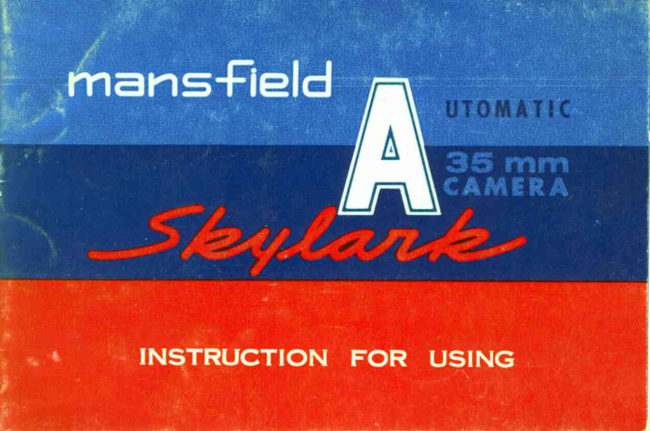
Mansfield Skylark Automatic User manual
User manual for Mansfield Skylark Automatic. 16 pages. Read the original PDF, download or print a copy without registration.
16 pagesOriginal document1.7 MB PDF
Loading your manual…Open PDF directly
Document details
- Brand
- Mansfield
- Model / document
- Mansfield Skylark Automatic
- Document type
- User manual
- Language
- Check the original document
- Pages
- 16
- File size
- 1.7 MB
- Category
- Film cameras
- Document date
- Not specified in catalog
Search available document text
Find a term, then jump to its page in the original PDF. Image-only pages may not be searchable; check the PDF for exact wording and diagrams.
Page 5 · Read text
I I Fufly outomotic operotion.
                               Exposure settings ore outomoticolly set  for
                                you by the comero.  All you do  is oim ond
                                 press the releose button.
                                        2l Universol focus "Luminor" 40 mm lens, fully
FEATURES                  color-correctedwith excellentresolvingpower,
                                           for shorp ond cleor imoges.
                                    3) Bright frome view-finder for bright ond cleor
                                   vlew.
                                         4l Insuficient Light Indicotor prevents you from
                                     toking underexposedpictures.
                                        5l Compoct, procticol, ottroctive design.
                                6 l S i z e '     l l l x 2 8 x 5 8  m m .
                                Weight :  450 groms.


                          www.butkus.us
View original page 5Page 9 · Read text
*  O n  t h e  l e n s b o r r e l , y o u w i l l  f i ; r d t h e m o r k i n g sB . 2 , 3 ,  4 , 5 ,  6 . R e f e r r i n g
     to  the Film Guide on the bock cover move the  lever to  the number
     identified with the film you hove lodded.
    The shuttermechonismhos thus been coupled exoctly with the built-in Auto-
    motic light meter.
*   The second lever on the lens borrel must be set ot the "Auto"  position.
*   Now simply " f rome' your subiect in the viewfinder ond press the releose
     lever. The comero outomoticolly sets the correct exposure.
*      lf o Green signol oppeors in the viewfinderwindow, it meonsthe ovoiloble
      light is suficient.  lf this signol does not oppeor, then pleose use flosh
    equipment.

                        www.butkus.us
View original page 9Page 10 · Read text
*   When using flosh pleose refer to the Flosh Guide in
     the bock of  this booklet.
*   The lever must be move from "Auto"  to the distonce
    zone (ft. 8, 12 or  25l..
*   The Film Guide Lever must be set ot     , r 2 r , .
View original page 10Page 11 · Read text
*  In cose you toke o picture with color film . . .
  When you use o doylight type film, ond with home electricol light, you
  must use o blue colored type B filter.
  When you use tungstentype film outdoors, you must use o type A  filter.
  When using monochromefilm ond filters, note the filter foctor ond opply
    it to the film speed setting diol.
  For eoch foctor  {l x s1 2 x etc.) for the filter use the correspondinglower
   film guide number. For exomple if the filter foctor is  I x chonge from 4
    t o 3 .   l f   i t   i s 2 x c h o n g e  f r o m 4   t o 2 e t c .


                     www.butkus.us
View original page 11Page 12 · Read text
After exposureoll of the film, push ond hold down the Film Counter
Shoft button (4) wind the Film RewindingCronk (81 clockwiseuntil the
film is completely rewound into the cortridge. When the film is
rewound, You will  feel thot thc resistonceof  film rewinding will
disoppeor. Then open the bock cover ond toke oui the cortridge
from the film chomber. The removed cortridge should be put in o
proper contoiner to prevent it from unnecessoryexposure to  light.
View original page 12
Page 13 · Read text
By using o tripod, your comero con be held stecdily ond you con
ovoid unpleosontblur coused by your honds  This is especiolly
u s e f u l f o r  t o k i n g p o r l r o i t s ,s t i l l  l i f e e l c .


Store your comero in o dry ploce, especiollyduring domp weother.
Use only soft tissue or  soft lens brush to cleon the lens. Keep
the comero in its cose to cvoid unnecessoryinfiltrotionof dust.
When  it  is dusty, wipe dust off with o soft brush.
Do not wrpe forcefully ond never use oil or solvents,

            www.butkus.us
View original page 13Page 14 · Read text
Eoch time you operote lever (31, it winds film
{orword one frome, chonges the number in film
counier (5) ond cocks the shutter. After cocking,
press to toke o picture.
O Alwoys operote lever (3) with core. Move
  smoothlyto right until it stops, then let  it move
   s l o w l y b o c k .
View original page 14Page 16 · Read text
Lens                    :    " L u m i n o r " A n o s t i g m o t
                  3 - e l e m e n 3t - p i e c e s .
Shutter              :  A S A  I O - A S A 2 O O
               X - S y n c h r o n i z o t i o n .
Focusing           :  UniversolFocus.
Finder                 :   Bright  f rome v iew finder.
Exposurem€ter :  Coupled ElectricEye system.
W i n d i n g             :  S i n g l es t r o k e ,s e l f - c o c k i n g .
Rewind               ;  Cronk rewinder.
D i m e n t i o n        :      I I I x 78 x 58  ffiffi, 450 groms.
View original page 16From the M. Butkus archive. Original publisher and archive notices are retained.
Check the model and edition against your equipment.
PDF verified 2026-10-10.