Film cameras
Mercury Satellite 127 User manual
User manual for Mercury Satellite 127. 7 pages in English. Read the original PDF, download or print a copy without registration.
7 pagesEnglish0.7 MB PDF
Loading your manual…Open PDF directly
Document details
- Brand
- Various brands
- Model / document
- Mercury Satellite 127
- Document type
- User manual
- Language
- English
- Pages
- 7
- File size
- 0.7 MB
- Category
- Film cameras
- Document date
- Not specified in catalog
Search available document text
Find a term, then jump to its page in the original PDF. Image-only pages may not be searchable; check the PDF for exact wording and diagrams.
Page 2 · Read text
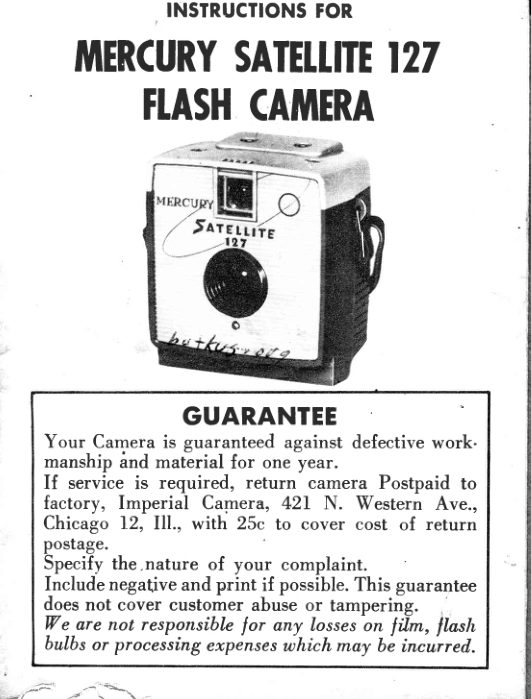
INSTRUCTIONSFOR
  TUIERCURYSATETIITE127
      FI.ASHCATUIERA


         GUARANTEE
    Your Camera is guaranteed against defective work-
    manship ind  material for one year.
       If  service  is required,  return  camera Postpaid  to
     factory,  Imperial  Camera,  42L N.  Western  Ave.,
    Chicago  f2,   Ill.,  with  25c to cover cost of return
    postage.
    Specify the,nature  of your  complaint,
     Include negative and print  if possibl". This guarantee
    does not cover customer abuse or tampering.      .'
   We are not respottsible lor any losses on  \il*,   flash,
    bulbs or processing expenses which may be incurred.

-.41 F                '4  ---=.*.-\                 \
View original page 2Page 3 · Read text
V I E W F I N D E R
          P I C T U R E
           T A K I N G  L E N S
          S H U T T E R
         R E L E A S E
         C A M E R A  L O C K
           F I L M W I N D I . N G
              N O B


   Use size 127 block qnd white
            or color films

HOW TO LOAD THE CAMERA

              Caution:  Never Load Film  in  bright,
                            direct light.
                          l.  Turn lock knob to "Open" position.
                 This releases back, which may be
                   easily slid out of position.
                2.  Place end of film spool in hole in
                 lower spring on side opposite wind-
                  ing knob,  Iift upper spring slightly,
               and slide spool in place.
                 3.  Place empty spool in plaee in same
                manner.  Turn   film  knob  several
                  times, until  spool turns with knob.
                Only turn  film knob clockwise.

                www.orphancameras.com
                                                                                                                              o-4s..                                              .{
View original page 3Page 4 · Read text
4.  Break film seal and thread pointed
                      end of film into slot in empty spool.
                    Be sure paper is centered bn empty
                          spool. Give winding knob one futl
                             turn, to make sure film  is on spool
                            straight and tight.
                         5. Lock knob must be in open posi-
                             tion before replacing cover. Replace
                       back on camera. Turn lock knob to                                          ttlocktt.
                         6.  Turn  film knob  until  figure   I  ap-
                        pears  in  red window  in  back  of
                       camera.
7. BACK  LoCK-If    lock lever cannot be moved in  either
    direction when the camera is closed slide back  ofi  urrd.
   before replacing  it, move the lever to "open"   po.itio".
   Then close camera while  in  this position and *ou"  the
    lever downward to "Lock"  position. It will then be locked
    securely.
8.  LITE  TRAP-Space   above back cover is clearance for
   easy cover removal. Lite trap  is built on body and cover
   and completely seals film compartment.
  HOW TO UNTOAD THE CAMERA

                     Caution:  Never  unloacl  camera  in
                                    bright,  direcr  light.

                                       l.  After  12th picture has been taken.
          \,             wind knob  until end of paper has
                     passedred window and is wound on
                            fiIm spool.
                        2. Turn lock knob to ',open" and re-
                   move back.
                        3. Grasp film spool_near upper spring
                     and pull outward.
View original page 4Page 5 · Read text
R.EMEMBERTHESERUTES
      FOR BETTERPHOTOGRAPHY

           t . Hold camera steady and level; slightest move-
        ment will causeblurring.

      2. Be sure you see our subject in the view finder
         before snapping the shutter.

      3. Load or unload film in shade only.

       4. Wind film immediately after taking each picture
          to avoid double exposure.

       5. Developsoon as possible.

       6. Clean lenseswith a dry, soft cloth or lens brush.

       7. Be sure to use a new flash bulb for every new pic-
           ture. Change batteries every three months.

         Stay at least 6 feet from your subject. If you get
         too close,your picture will be Iuzzy and indistinct.
[ 8

         Before loading camera with film or attaching flash
           unit, operateshutter lever severaltimes to seethat
                 it  is working  properly. This insures smoother
         operation.

                               www.orphancameras.com
                                                                                                                                                                                                                              i:.,;,:            J'J?t'f           "
View original page 5Page 6 · Read text
OPTIONAT ACCESSORIES

Since the Flash Unit  is not available in retail stores,
a special arrangement has been made with  Imperial
Camera to make it available to all owners of the Mer-
cury Satellite Camera.

To receive your  optional accessory flash kit, please
 fill out the form  in next column and send it  in with
$2.00 in check, cash or money order.

You  will  then receive postpaid a complete  flash at-
tachment, 2 Ray-O-Vac  long  li{e  flash batteries and
4M2  flash bulbs (as illustrated).

                     i  Flqsh Unit
                 .  4-M2 Flqsh Bulbs
        o 2-Rqy-O-Vqc long  life
           Flqsh Botteries
View original page 6From the M. Butkus archive. Original publisher and archive notices are retained.
Check the model and edition against your equipment.
PDF verified 2026-10-10.