Film cameras
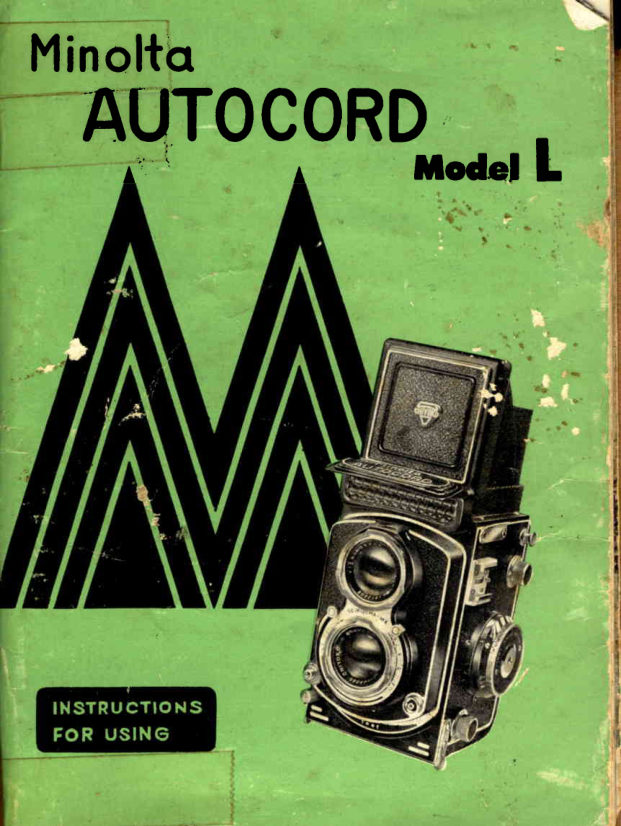
Minolta Autocord I User manual
User manual for Minolta Autocord I. 27 pages in English. Read the original PDF, download or print a copy without registration.
27 pagesEnglish2.6 MB PDF
Loading your manual…Open PDF directly
Document details
- Brand
- Minolta
- Model / document
- Minolta Autocord I
- Document type
- User manual
- Language
- English
- Pages
- 27
- File size
- 2.6 MB
- Category
- Film cameras
- Document date
- Not specified in catalog
Search available document text
Find a term, then jump to its page in the original PDF. Image-only pages may not be searchable; check the PDF for exact wording and diagrams.
Page 6 · Read text
rHE       *linolta   lfrilocord

The new Minolta Autocord Model  It Ltt  is a superautomatic
camera that does everything for the photographer - but think.
               ttLtlThe Model      incorporates all of the exclusive features that
have zocmed the Minolta Autocord to popularity in thetU.  S.
 in a few  short years.  However, the company that manufac-
tures these cameras is one oF the  old"rt' camera and optical
plants in Japan, the Chiyoda Kogaku ieiko  K. K. .
In addition to  the many .gnique automatic features of  the
Minolta Autocord, Model  tt Lil has a  built-in  ,'Light Value
          //Meter    that  takes the  guess work  out  of, exposure time
without adding a single bit  of  equipment or changing the
shape, size or bulk oF the twin-lens reflex camera.
            tt    tlModel   L   has a sturdy die cast aluminum body for maximum
precision and durability. The exclusive Helicoid focusjng lever
is  at  the  bottom  of  the  camera directly under the  lens,
enabling the photographer to  fccus a picbure at a distance
oF a.s  feet  to  infinity with one finger.
This one   f inger,  lever f,ocusing in  contrast  to  the  two
fingers required to  turn a focusing knob  is a  distinct ad-
vantage.  The photographer can hold the camera, focus  it
and press the trigger with one hand - leaving the other hand
f ree  to  hold  a   f lashgun away    f rom  the  camera.  The
modelling that  is possible with   off  - the - camera lighting
                           www.orphancameras.com
View original page 6Page 7 · Read text
$F rdel    l,

                                                                                  /'eliminates the  criticism oF  "  f lat  lighting    that  is  often
levied a3ainst flashlighted photographs.
The taking lens ab the bcttom  of  the camera is a Rokkor
F g.s - 75 mm. I+ - elenient, f,ully coeted lens.     lt  is criti-
cally sharp and possessesgreat resolving power.  The view-
ing  lens, on  top,   is an F  3.2  Rokkor.   lt  is also  f ully
coated and  it provides a brilliant im:ge on the ground g,lass
with   " Fresnel Lens "  for easy focusing and composing. The
taking  lens  renders color as  perfectly  as   it  does  black
                                        /t                        uses the Seikosha-MX precisionand white.   flodel   " L
shutter  flor trouble-free, accuraLe operation, and advances
the film auLomaticallywith  a single back and forth motion
of  the handle.


                   ^    ,,.;:ri- .1j                         o
View original page 7Page 8 · Read text
HOW TO USE
      The Minolto  Autocord  Model    t
             R,emove the Lens Cop
                       by flipping up the lower section then turning
                         the upper port in a count-.r-clockwise direction.
                      Always keep the lens cap on when the camera
                                 is not  in use to  protect  the  lenses against
                        scratches or  fingerprints.   Never touch the
                        lenses ond use o soft camel's hoir brush to
                         dust them lightly, or a lens tissue.  (Do not
                      use  lint  cloth,  facial  cleonsing tissues  or
                            fingers.)
              To rqise  the  Hood
                                 liFt the rear edge by  its border.  The hood
                                will spring up revealing the ground glass fo-
                        cusing and viewing screen.
              To focus more  occurqtefy
                      use  the  magnifier (29).  To  bring   it  into
                            position, press the front  of the focusing hood
                     where the name " Chiyoko'/  appeors.
                     To remove the mognifier tip   it down  gently'
                       from the back.
             To use the Sports Finder
                       continue pushing the front flap until  it snaps
                            into a horizontal position.  Then look through
                         the smoll window (30) in the reor of the hood
                             for  a  direct view oF the accurotely framed
                          picture just os  it  will oppeor on the  film.
              To cfose the Hood
                       press the  button  (31)  on  the  rear of  the
                     hood to release the center flap  iF the sports
                          finder  is open, then press the magnifier down.
                    The hood  will  told  automatically when you
                       press back and downward on the  front.

                    www.orphancameras.com
View original page 8Page 9 · Read text
a p p e a r  i n a w ' i n d c w ( . i 6 ) c n   t o p o f   t h e v i e w i n g   l e n s , a n d a r e s e l e c t e d b y
m o v i n g t h e   l e v e r ( 6 ) o n   t h e  r i g h t s i d e o f  t h e  t a k i n g  l e n s r i m .  T h e m a r k i n g s
                                   . l 0 ,
a r e B ,  f , 2 , 5 ,       a n d u p  t o 5 0 0 .   B m e a n s B u l b , a n d   t h e  s h u t t e r w i l l
stay c p 3 n  at   t h i .  s e t t i n g a s   l o n g a s th e sh u tte r re le a se b u tto n (1 0 )  r em ains
depres s ed.  T h e  n u r r , b e r s s t a n d fo r   I  se co nd ,   t f z,   |  ' 5 a n d so o n  thr ough
 l, '5Oo t h  s ec cn d .   A  c a b l e  r e le a se o r  a  se lt-time r ca n  b e  scre w ed  into
t he  s oc k et o F  t h e  s h u t t e r  r e l e ase b u tto n .


eppe a r in a w i n d o w   ( 1 6 ) c n   t o p o f  th e vie win g  le n s.  Th e y a re com m only
r eFerred t c  a s  " t / /   s t o p s a n d are se t b y mo vin g th e  le ve r (lB) o n the  leF t
side o f   t h e  t e k i n g  l e n s  r i m .  T he  " F // sto p d e te rmin e s th e a mcu n t oF light
passin g t h rc ug h  t h e   l e r r s a s w e l l a s th e a re a o f sh a rp fo cu s  in yo u r pictur e.
Rete r  t c  p a g e 1 I   t o r  a n e x p l a n e tio n o f  h o *  th e se Fa cto rs a re a tfected by
t h e  "  t ' i  s t o p s e t t i n g o F  t h e    l e n s .


Whe n    t hc He l i c o i d   l e v e r  ( l 2  ) mo ve s Fro m rig h t to  le Ft, th e  tro n t  oi  the
cam era mo v e s o u t a n d  i n . T h i s  t o cu se s th e le n s o n th e su b je ct yo u a re photo-
gr ap h ing.  lF y o t r p r e t e r   t o   f o c u s b y me a su rin g o r e stima tin g th e  distance
bet w e e n   t he  c a m e r a a n d  s u b j ect  in ste a d o F sh a rp e n in g th e ima g e on the
gr cund  gla s s , m o v e  t h e     l e v e r u n til  th e  silve r a rro w p o in ts to  th e cor r ect
dist anc e in   f e e t ,   i n o t h e r w o r d s, ycu  p re se t th e  to cu s.
 l F F o c u s i r ' gl e v e r  i s a d j u s t e d  t o   r e d    l 5  a n d   i r i s d i a p h r a g m  l e v e r  t o   r e d 7 ,
all c b jec t s F r o m a b o u t   l 0   t o 3 0 tt.  will  b e  in  fo cu s to r sn a p sh o ts.
Not e-t o   p re s e t  t h e   f o c u s w h e n yo u a re u sin g in fra re d film, p o in t the  r ed
ar r o w  in s t e a d o f   t h e s i l v e r a t th e d e sire d d ista n ce .
                                                                                    (,
View original page 9Page 11 · Read text
Ncte z  620 Film Spools  will  not   fit  this
        camera.  Use No. 120 Film only.
 1. Pull  the  top  btrtton  (24)  on  the   lett
    side to open the camera.
 2. Remove the empty  tilm  spool trom  the
    u p p e r  f i l m  s l o t a n d p u t  i t    i n  t h e   l o w e r .
   To do  this  pull and twist the knob (26)
    right below the opening buEton. I his will
   cause the knob  to  stay out so You can
    easily remove the spool.   Put the empty
   spool  in the lower  film  slot,  iitting   it
'    into position at the right hand side with
    the lett hand knob (28)  to  hold  it. The
     lett  hand knob  will  stay  out   it    it  is
    pulled and twisted.
 3. Put the  roll of  film  in the upper  slot,
    fitting   it  into the right hand button and
    holding  it  in place with  the  lett hand
   knob (26), which returns to place when
    twisted.
 4 . P u l l o u t   t h e   f i l m   l e a d e r a n d   i n s e r t   i t   i n
    the  longer groove  of  the empty  spool.
     \flith  the camera back open,  wind  the
       f i l m a d v a n c e c r a n k  ( 7 ) u n t i l  t h e a r r o w s
   on  the  film  - backing  line up  exactly
    with  the  red dots (33) on both sides of
    the  film  rail of the camera.  Then close
    the back of  the camera until you  hear
    a c l i c k .
 5.  !/hen   the  camera  back  is  closed,  a
   mark \Z appears in the exposure counter
     (4).   \flind the film advance crank until
    the number (1) appears.   At  this  point
    the arm will move no Farther.
 Note  :  When  the camera is not loaded the
 mark  \z   will  appear  in  the  exposure
 counter.     lt   it has not appeared, turn  the
 crank  one  half  turn  anti-clockwise  and
 return handle to  holder.
View original page 11Page 12 · Read text
faking  Pictures

1. Tuin  the  film advance crank  until   it stops (about  2ft   turns),  and  the
    n u mber @  a p p e a r s  i n  t h e e xp o su re co u n te r win d o w  (4 ).  Th e num ber
   O    . uy  a p p e a r b e f o r e   t h e  h a n d le sto p s tu rn in g  b u t co n tin ue winding
    u n t il  it  s t o p s .   T h e n  t u rn th e h a n d le b a ck a n d sn a p  it  in to the  cr ank
                              'now                                 cocked (ready  to  snap open and shut)    rack'  (3).'  The  shutter  is
    a n d  t h e   f i l m    i s w o u n d   t o  th e first tra me , a t th is time th e wa rning signal
    (9)   t u r n s  t o   r e d .      ( N o t e :   Th e sh u tte r ca n n o t b e  re le a se d until the
    film advance crank  is returned  to  the handle holder  position.)
2. Set  the  desired  shutter  and  diaphragm  opening.  These  are  set  by
   moving the levers on either  side of  the  taking lens rim, and their values
   appear  in separate windows  on top  of  the viewing  lens.

   While viewing  the  picture on  the  square focusing  glass  in  the  hood,
   move  the  helicoid  lever  at  the  bottom  of  the camera back and  forth
    until  the image  is clear.  Use the  magnifier  to sharpen the  tocus.
4. Compose the  picture you want on the viewer, then  release the  shutter
   by pressing gently on the  shutter  release button on the lower right side
    of  the  front  of  the camera.

   Turn  the  film  advance crank  until    it  stops, then  turn   it back  in the
    opposite  direction  to  the handle  holder  position.   N". @   will  appear
     in the exposure counter and you are ready to make your second picture.
   Repeat 3, 4, and 5  etc.  for subsequent pictures.

    (Note:      lf you  are  taking  rapid sequence shots  it  is not necessary to
   snap the handle  into the crank rack after each exposure but  it is a good
    idea, otherwise, as it prevents the handle from being turned by accident  )
6. A f t e r   t a k i n g 1 2 p i c t u r e s , tu rn  th e  film a d va n ce cra n k u n til  all the  film
     is wound  on  the  bottom  spool,  (about'4   full  turns.)  Then  turn  the
   crank back  in the opposite  direction  to  the handle holder position and
   open the back of  the camera to remove the  spool.

7.   It you do not expect  to use your loaded camera for some time, keep the
    lens cap on/ turn your diaphragm setting to F 22 and, release the shutter.
   To use the camera again,  turn  the  crank  in the  reverse direction  just
    once, (see lntentional Double Exposure P 7.)  This will cock the  shutter
    without  wasting  a frame  of  film.
@                     www.orphancameras.com
View original page 12Page 13 · Read text
To make a time exposure
 ( k e e p   t h e  s h u t t e r  o p e n
w i t h o u t  c o n t i n u o u s p r e s -
su re   on   the   release
button) move the shutter
l e v e r u n t i l     i t  p o i n t s   t o
B  ( b u l b )  ; p r e s s t h e b u t -
t o n  a n d  h o l d     i t  d o w n
w h i l e   y o u      l o c k      i t   b y
m a k i n g   t h e  d o t  o n   t h e
outer  ring of the release button  coincide with the  dot on the  inner  ring.
To close the  shutter  again,  separate  the  dots  trom  one  another and  the
s h u t t e r w i l l c l o s e .  N e v e r w i n d   t h e    f i l m  a d v a n c e  c r a n k w h i l r    t h e
s h u t t c r   r e l e a s e b u t t o n    i s   l o c k e d a s   i t w i l l  c a u s e  t r o u b l e .


A F t e r  t a k i n g  a  p i c t u r e   t h e  s h u t t e r  c a n  n o t  b e   r e l e a s e d a g a i n  u n t i l    t h e
t i l m    i s a d v a n c e d  t o   t h e  n e x t  p i c t u r e p o s i t i o n .


l F y o u w a n t   t o m o k e a d o u b l e o r   t r i p l e  e x p o s u r e  o n    t h e  s a m e   t r a m e  o F
t i l m , s l i d e t h e  c r a n k  r e v e r s i n g b u t t o n   ( 5 )   t o   t h e    l e f t ,   t u r n   t h e  c r a n k b a c k - .
w a r d s   ( c o u n t e r  c l o c k w i s e ) o n e F u l l  r e v o l u t i o n a n d    i t w i l l  s t o p a t   t h e  c r a n k
r a c k .   T h e o r i g i n a l   t r a m e    i s n o w    i n  p o s i t i o n  t o r  a d o u b l e e x p o s u r e .   T o
triple  expose, simply  repeat the  operation.   You  can make as many expo-
s u r e s a s y o u w a n t  o n o n e  p i e c e o F  f i l m .
                            When  the  shutter  cocked,  conversion oF
                                      the speed to  +1-,oosec.  trom  the  others
                         m a y b e d i f t i c u l t .       I n s u c h a c a s e , a t t e r
                                                              r e l e a s i n g   t h e  s h u t t e r w i t h    t h e    l e n s c a p
                                  on  set  the  speed  to  l,'-'1111s€c. then  cock
                                      the  shutter  again  by one  full  backward
                                                                           t u r n  o F  t h e  c r a n k .


                                  T h e r e  a r e  c l e a r     l i n e s  d r a w n   o n     t h e
                                     g r o u n d  g l a s s o n  a l l    f o u r  s i d e s .  T h e s e
                                                                                              l i n e s  h e l p    t o  c o m p o s e   t h e  p i c t u r e      i n
                                     e i t h e r a h o r i z o n t a l o r  v e r t i c a l  s h a p e a l -
                                                                           t h o u g h    t h e    f i l m     i t s e l t     i s  s q u a r e .  T h e
                                                                                              l i r r e s a r e  s o  a r r a n g e d    t h a t  a  p i c t u r e
                                          c o m p o s e d w i t h i n    t h e m     i n  e i t h e r  d i r e c -
                                                                           t i o n w i l l   t i t  t h e m e a s u r e m e n t s o F s t a n d a r d
                                     p r i n t i n g p a p e r s /  t h a t    i s , 1 ' s , ) i o /  e t c .

                                                                                                                                          \1,
View original page 13Page 14 · Read text
t t       ' tT h e M i n o l t a M o d e l   L   b u i l t - i n Light Value meter  is the simplest of  all

electric cell exposure  meters  to  o p e r a t e ;  a n d    i t    i s b o t h d e p e n d a b l e a n d
accu rate.
                        1 .  There   is  a  wheel  (B )  on  the  lett  of

                                                                         t h e  c a m e r a .   T u r n   t h e  k n o b  u n t i l    t h e

                                      part  of   the  wheel  marked  A S A    is

                                 toward  the  bottom.   Continue  turning

                                          until  the  number  opposite  the   silver

                                                                         t r i a n g l e  ( C )     i s   t h e  s a m e a s   t h e  g u i d e

                              number  given  in  the  instruction  sheet

                                                                         f o r    t h e    f i l m   t h a t  y o u  a r e u s i n g .    ( s e e

                                 F i g .  I )


       F i g .  I
    T o o b t a i n a  r e a d i n g w i t h   t h e   l i g h t v a l u e m e t e r w h e n u s i n g a  f i l t e r o v e r
         t h e    l e n s , s i m p l y   t u r n    t h e  p s r t  o f    t h e w h e e l  b e g i n n i n g w i t h  A S A
     u n t i l  t h e g u i d e n u m b e r o f    t h e    t i l m    i s o p p o s i t e - 1   i f   t h e   t i l t e r   f a c t o r
            i s 2 .      l F  t h e   t i l t e r   f e c t o r   i s 4 , m a t c h   t h e  g u i d e  n u m b e r o F   t h e   f i l m
         t o - 2 .   ( s e e F i g .  I  )

2.   Flip  up  the  nameplate (D)  on  the  tront  of  the  camera to  exPose
         t h e    l i g h t  c e l l   ( E ) .  W h e n    t h e     l i g h t  h i t s   t h e  c e l l    i t  c a u s e s a   r e d
     n e e d l e  ( F )    t o a p p e a r b e s i d e a n u m b e r o n   t o p o F  t h e  k n o b .  ( s e e F i g .

i s )                       www.orphancameras.com
View original page 14Page 16 · Read text
How  to  Cqlculote qn Exposure wirh  the
          Built-in Lighr Vqlue Meter

'l
  .  Portraits :  When takino a p o rtra it  in  th e su n lig h t, b rin g th e  light cell
                                u p clo se to th e su b je ct' s fa ce , (6 -t2   inches) ,
                            and measure be.th the  light and shadow sides
                                      of  the  face.  An  average  between  the two
                           numbers suggested by the meter  will  give an
                              accurate reading.  Be sure that the shadow of
                                the  camera  does  not   fall  on  the  subiect
                        wh ile yo u ' a re g a u g in g th e  lig h t.
                                     2.  Landscapes :   To    t! readtt  a  landscape
                                                tilt  th e ca me ra d o wn wa rd u n til th e  light cell
                                          is tacing midway between  your  feet and the
                                h o rizo n  lin e .    If  yo u  sh o u ld h a p p en  to  in-
                               clude the sky  in your measurement, the read-
                                                             . in g will  b e  fa r  to o  h ig h .

                               3 .  ln a cce ssib le Su b ie cts:    It yo u a re unable
                                     to  bring the meter close to  a subject (when
                             photographing  a game from an arena/ caged
                             animals  or  celebrities  protected  by  police),
                           measure  the   light  ref lecLed  f rom  the  palm
                                o f yo u r  h a n d .  Ho ld  yo u r p o lm  th e  nor m al
                                d ista n ce tro m  th e  Iig h t ce ll  (6 -t2   inches)
                            and  make  your  exposure  according  to  this
                                reading.  An  attachment  is available to mea-
                               sure the  light  projected  to  an  object  with                             extreme  color  contrast.                  tt

          NOTES ON I.IANDLINGTI.{EMETER
1.  The Light Value meter should not be subjected to any unnecessary shocks.
2.  Try  to  avoid humidity.
3.  Keep your wrist watch avyay as the meter is magnetic and may damage it.
 4.  The adjusting  screw  of  the  meter  (A)   should  be  moved  as   little
    as possible.      lf  the  needle  should  slip  from   its 0  position, move  it
     carefully and slowly  in either  direction  to  return   it  to  0.
@                       www.orphancameras.com
View original page 16Page 17 · Read text
Relctive Diophrogm  Openings
            to Shuffer Speeds


The  Diaphragm  Opening   of  a  Lens  controls  the Volume  of  Light  that
r eac h e s t he   f i l m    i n a g i v e n p e rio d o f  e xp o su re .  Th e Dia l Ma rkings indi-
cate this Volume  of  Liqht  in the  followino   ratio.

F, No.  35   4    5.6   8        il   16   22
        (-) gl     f)      $ E3 9,3{t
            %V+%Ve%zYi'imr3    r

Each Stop opening  indicated on the  dial by the numbers 4  to 22  reduces
the amount of  llght passing through  the  lens by 16, or conversely, opening
the lend trom one mark to  the  next from the number 22  to  4  doubles the
amo unt of  lig h t p a s s i n g t h r o u gh  th e  le n s,  (f  :.s,  is   | \s  time s  f + ).   T he
numbers are called  "  f  // stops and  the  speed  of  a  lens  is designated by
the  largest  "  tlt  stop on  its diaphragm, such as  f 3.5.

The  shutter  controls  the amount of  light  reaching the  film  by the  length
of  time   it remains open,  i.e.,  I second, /6, second,  ],t second, etc.   Now,
suppose you have determined by an exposure meter reading or other means
that   t h e c orr e c t e x p o s u r e   f o r  yo u r  film  u n d e r ce rta in  lig h t co n d i tions is
](g  second  at    t g, and you  want  to use a faster shutter speed because
your subjecb is  in motion.

A  shutter speed of  11 1111second cuts the  light  in  half, so you must open
t he lens one s t o p  t o   I s . 6 , w hich  will  a llo w twice  a s mu ch  lig h t to pass
through  as  before  and  the  amount  of  exposure  remains  the  same  as
before.  Conversely,  if you need to  stop down  the  lens for greater depth-
of-ti"ld  (see explanation of Depth-of-Field  next) and you  select  t6  as the
correct stop opening you have reduced the amount of  light  to   li.    Then
you  must  give  the  tilm  an exposure  4  times as long or  Ytg second,  in
this case you  select the  nearest shutter speed which  is  lrio second.
                         @
View original page 17Page 18 · Read text
Depfh-Of-Field


The  depth-of-field   of  a  lens  is  the  range  of  distance  within  whicfi   all

objects  are  in  relatively  sharp  focus when  the  lens  is  set  for  a given

distance.  This  range  varies  with  the  diaphragm opening,  being  greatest

when  the  lens  is stopped down and least when   it  is open  full.  The range

also varies with  the. distance tor which  the  lens  is set being least at close

digtances and  greatest  at  farther  distances up  to  a point where   it takes

in everything beyond an intermediate distance to  infinity, which  is indicated
by o  on the distance scale.   (See explanation  of  Depth  - of  - Field  Scale        {

              b e l o w a n d D e p t h - o f-Fie ld Ta b le o n ' p a g e  2 1 .)

        Deprh - Of - Field Scole


                             The  depth-of-field  at any distance can be

                              worked   out  by  this  scale.  The   inner

                                   side figures  denote the  distance and the
                                   outer  ones on  both  sides  of  the  arrow            f
                              mark  denote   the   diaphragm  openi?rgs.

                                     After  focusing,  turn  the  inner table  right
                                   o r  le ft u n til th e a rro w ma rk in d icates the     t\
object  distance shown on the disrance scale.  Then the pairs of diaphragm
f igu res  in d ica t e  t h e  n e a r a n d fa r  Jimits o f sh a rp fo cu s co rre sp o n d ing with
t he  d iaphra g m o p e n i n g  c h o s e n .

For  instance, fccused  at    t 5  feet  with  the diaphragm opening  of   f a, the

depth of  field  is from about  t2  to  2  t  feet.

@                        www.orphancameras.com
View original page 18Page 19 · Read text
forACCES$c*"lEg
     The Minoltcr Aufocord  Model  L

 The following  exclusive  accessories are  available  for  the  Minolta Auto-
                 ,,Ltl   and are recommended in order  to  obtain  the  best results cord Model
 wttn'  .    I   lE.
                              'l                                .   Minolta Lens Shade
               2 -   Minolta  Filters
               3 .  M i n o l t a J u n i o r  B' C'  Fla sh
               4 -   Self-timer
                 5.   Close-up Lenses and Parallax Correction  Kit
               6 -  M i n o l t a P a r a j u ste r

     Minolto  Lens Shcide

 The Minolta Lens Shade  is  square'  This shape
  is better because a round shade sometimes cuts
  of f  the  outer  corners  of  the  negative  i$  it's
  large enough  to  cut  out  stray  light  effectively'
 A  lens shade  is necessary to  Prevent stray light
  from  hitting  the  lens  and  causing  light-flare
  spots  or  streaks on  the  photograph'   A  lens
 shade   is   particularly  necessary  when  using
   fl ash.

                        Minollcl   Filters
                                            Filters help you  to  take  better  pictures
                                  and to secure unusual  effects'


                                 @
View original page 19Page 22 · Read text
The  Min o lt a  A u t o c o r d M o d el   " L  tl

can   t o c u s on l y o n o b j e c t s a t d i sta n ce s

gr ea t e r    t h a n  3 . 3    f e e t .   F o r  to kin g

clos e- u p p ict u r e s , s p e c i a l c l o s e -u p   le n se s a re  n e ce ssa ry.  \X /h e n a  twin-

lens ref le x c a m e r a  i s u s e d a t  sh o rt  d ista n ce s, p a ra lla x ca u se s th e  im age

see n  t h rough  t h e  v i e w i n g    l e n s to  b e  slig h tly  d ifFe re n L tro m  th a t seen by

t he   t a k ing le n s .   T h i s    i s  d u e  to  th e se p a ra tio n b e twe e n th e two  lenses

and  t he   f ac t   t h a t   t h e i r a x e s a re p a ra lle l.  Pa ra lla x is q u ite a p p a rent when

t he c a mera  i s u s e d a t c l o s e d i :ta n ce s, th e re fo re , a  sp e cia l p a ir o f  close-

up  le n s e s p lu s a p a r a l l a x c o r r ectio n le n s is n e e d e d to co rre ct th is  elfect,

Two  s e t s  of  c l o s e - u p    l e n s e s a re  a va ila b le , a n d  e a ch co rrta in s 2 convex

 l e n . e s o l r r s a n r i s m a t i c l e n s .

Set N o .  I  e n a b l e s y c u    t o   t a ke clo se -u p s a L d ista n ce s b e twe e n   I 5 and 26

inches .  S e t N o . 2  p e r m i t s c l ose -u p s to  b :  ta ke n a t d ista n ce s b e tween 1 4

a n d  l B    i n c h e s .


€D                       www.orphancameras.com
View original page 22
Page 23 · Read text
T h e M i n o l t a  P a r aj u s t e r  e l i m i n a t e s
t h e e t f e c t s  o f  P a r a l l a x  u n d e r  a l l
c o n d i t i o n s i n  c l o s e - u p p h o t o g r a p h y '
 It also obviates the need ior  special
prisma ic close - up  lenses. The  Parajuster produces the  exact image on
 t h e g r o u n d  g l a s s   t h a t w i l l  b e    t a k e n  b y    t h e    t a k i n g    l e n s , b e c a u s e  t h e
mechanism shitts the taking lens  into  the  position occupied by the view-
 i n g  l e n s w h i l e   f r a m i r g a n d F o c u s i n g t h e p i c t u r e  C l o s e - u p s c a n ' b e   t a k e n
w i t h a s i n g l e c l o s e > u p ( p r o x a r )   l e n s b y u s i n g   i t o n   t h e v i e w i n g   l e n s w h e n
 f o c u s i n g , t h e n   r e m o v i n g    i t  a n d  p l a c i n g    i t  o v e r   t h e    t a k i n g    l e n s  * h i l e
 making the exposure.   Or  two  identical proxar lenses may be used' one
 o v e r t h e v i e w i n g a n d  t h e o t h e r o v e r  t h e   t a k i n g   l e n s .
 T h e A d v a n t a g e s  o f    t h e  P a r a i u s t e r  a r e 3
  l .   T h e p i c t u r e  t h a t    i s  t a k e n   i s  t h e  p i c t u r e  t h a t w a s s e e n o n   t h e g r o u n d
     g l a s s .
  I    Objects are relatively in the same posi-
          t i o n s a s t h e y a P P e a r e di n  t h e g r o u n d g l a s s '
    The picture won't show unexpected  re-
           t l e c t i o n s t h a t w e r e n ' t  i n  t h e g r o u n d g l a s s
     because o[  the  slightly ditferent level oF
     the lenses.
 4 .  N o n e o F t h e h i g h l i g h t s  t h a t y o u s a w w i l l
      d isap pea r.
 5 .      ' f h e c o m p o s i t i o n o F  t h e  p i c t u r e w i l l  b e
      e x a c t l y a s    i t w a s  o n   t h e g r o u n d g l a s s '
 6 .  P i c t u r e s d r e   f r e e t r o m  t h e d i s t o r t i o n t h a t
               i s s o m e t i m e s p r o d u c e d b y  p r i s m a t i c c o r -
      rection oF tcrcus (through an additional
               l e n s) .
 7 .  N o  s l i p - u p s c a n o c c u r b e c a r t s e o f m a l -
      a d j u s t m e n t o F  t h e p r i s m s w i t h  c l o s e - u p
       le n ses.
 8 .  Two or more close-up lenses can be trsed
      together  to permit even closer work than
                i s  p o s s i b l e w i t h   a   s i n g l e  c l o s e - u P
           ( p r o x a r )    l e n s .
View original page 23Page 24 · Read text
Since    th e   estab lis h me nt    of       -l     the  lenses,  production   of   the
 Chiyoda         Kogaku                   Seiko                             K.                               K.                                          in
                   r e    t h a n                     3 0   d                                                                      i f f e                                  re n                                                                      t  E    shuttersassembly andand cameratesting  ofbodiesthe com-and 19 2 7r  mo
 mcdels  . efi  cameras  have  been   El    pleted  product,  are   all  carried
                                              out  within  our  own  resoective put  on the  market.   They have                                                 tactories.   At   the  same  time,
 been  so  successful  .in  meeting         however,   in  view   of   providir,g t h e d e man d s o f    t h e  p u b l i c  th a t   (^    for  further  expansion of our o*n
 today the  Minolta  is the  tavorire    {     as  well  as  the  general  camera
 wi t h   c a me r a ,   f a n s     t h e .  wo rld            in d u stry  th ro u g h o u t  Japan, we
 over.                                   have adopted the use of the ncted You may recognize  ycur  favorite o   Se iko sh a -MX S h u tte r  in our new
 ca mera  am o n g      t h e      f o l l o w in g  F    Minolta  Autocord   and   Minclta
 names oF cameras produced in the        Au to co rd Mo d e l "L //.
 quarter century  since our found-                                     Osaka  l-'lead Office     ' in g : NiFc a r e t t e ,N i f c a k l a p p , N i fca -
 dox,  Nifcasport,  Hup,py, Minolta           3-chome, Kitakyuhoji-machi,
                                                                        "   Hisashi-ku, OSAKA. Baby;  Minolta Vest,  Minolta Six, Minolta Semi, Minolta Press, Auto o   To lyo  B ra n ch Off ice :
 Press Minolta, Auto Semi Minolta,     rl        3-chome, Ginza,  Chuo-ku,
 Minoltaflex, ALitomati etc.  Since          TOKYO.
  t 9 4 5  a n im p r o v e d m o d e l o f  th e        Head  C{f ice Factory ;
 Minolta Semi, Type - P has made              Minolta   Autocord,   Minolta
 its debut while the production  of                 3        Autccord  Model   "  Lt/   and                                                                                                                                                          I
 t h e  Min o lta  M e m o   h a s  be e n            Min o lta   I 6  a re ma de in this
su s p e n d e d . T h e    i m p r o v e d m od e l                factory.Mi nolt a -os M o d e l     l I ,    . a v a i la b le z    Ita mi Fa cto ry:
wi t h  F 2  o r  F z . A     l e n s     i s  th e                                                  Optical  Glass Production. latest design of  its kind.   Simi- o
 larly the  previous  Minoltaflex    ll    F    Sakain  l  . Factoryt  .  .  l           :
B has been superseded  by  the             F o r s n r n g  a n o  F i n i s h i n g o f
                                                                  -l        Lenses to be used in variousne w Minolt a - f l e x  I l I ,  a n d a t th e
same time                production            the                                  of  its                                                   //, D        MinoltaIn a d d itioCamerasn L e n seiss anddonePrhere.ism ssister      model              the                            " Minolta-cord
                                                          for                                                         overseas                                                     various                                                                         custo-                                             "and     the          Minolta-Autocord                          was              "                                                                                         .                                   me rs                                                       a re b e in                                                                g ma de in                                                                                   thisbe g u     n .        Th                             i s   l i n e n o w c u l m                                                                         i n                               a te s
                                                     factory.    Also   the   entirein  the lMinolta  Autocord  Model   rt
" L  t l.   A     t 6 m m .  s u b - m i n i a tu re             Minolta-g5  cdmera   is  Dro-
                                          duced here.ca mera ;   t h e M i n o l t a    t 6 ,  a n d  a D
35 mm. c ame r a /   t h e  . M i n o l t a    ' A'         Toyokawa  Factory :are currently  in production.      =       Th e  h o me  o f  th e M inolta-
A  distinctive  feature  of  Minolta   tn         c o r d , a n d   t h e M i n o l t a  ' A ' .
Cameras is the  fact that the pro-         Nishinomiya Research Laboratories:duction of the entire .u."ru   Frorn v        Reiearch in optical glass for-
tormulation oF the  optical  gl6ss,          mu la tio n  a n d   th e  devising
its me lt in g , c r y s t a l i z i n g , g r i n d in g ,            and testing  of new  lenses is
po lis h ing an d    f i n a l  a s s e m b l y o f    (rl       done  here.
@                       www.orphancameras.com
View original page 24From the M. Butkus archive. Original publisher and archive notices are retained.
Check the model and edition against your equipment.
PDF verified 2026-10-10.