Light meters
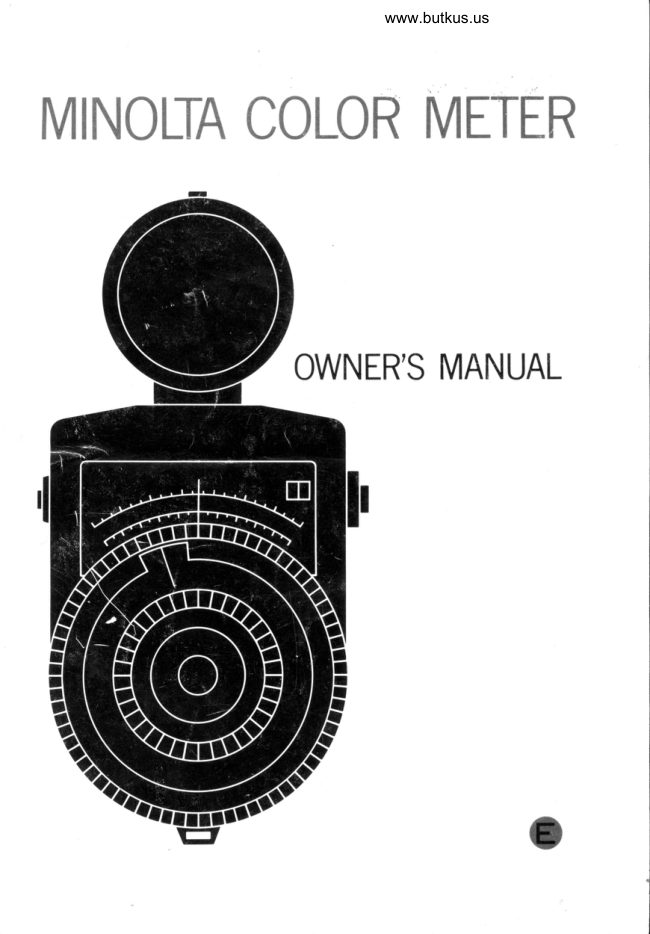
Minolta Color Meter User manual
User manual for Minolta Color Meter. 16 pages in English. Read the original PDF, download or print a copy without registration.
16 pagesEnglish4.8 MB PDF
Loading your manual…Open PDF directly
Document details
- Brand
- Minolta
- Model / document
- Minolta Color Meter
- Document type
- User manual
- Language
- English
- Pages
- 16
- File size
- 4.8 MB
- Category
- Light meters
- Document date
- Not specified in catalog
Search available document text
Find a term, then jump to its page in the original PDF. Image-only pages may not be searchable; check the PDF for exact wording and diagrams.
Page 5 · Read text
SPECIFICATIONS


         Type: Incident-light, 3-color-measuring type color temperature meter for
                   professional use, featuring high compactness, one-hand operation,
                     direct MIRED, Kelvin-Degree, and built-ln balancing- and correction.
                         filter reading, and high accuracy over an unusually wide illumination
                   range
       Blue-Red: For measuring color temperature and selecting L.B. filters
                  Measuring Ranges: T1: 4O0-3O0 MIRED (2500-33OO"K)
                                T2: 362-263 MIRED (275O-3800"K)
                              Dl:27O- 170 MIRED (3700-5800"K)
                                 D2: L80-80 MIRED (5560-12500'K)
                   Scale range:    From     MIRED to +50 MIRED on a single                               -50                                       equal-distance scale
             Accuracy;     *5 MIRED
      Green-Red: For selecting C.C. filters
                  Measuring Range: 3OO-80 MIRED (3330-12500'K)
             Accuracy;    *12 MIRED
      lllumination x 1 setting:            f O- 128O luces
Measuring Range: x 100 setting:  10OO-128O0O luces
                on same log scale
       Accuracy: Wlthin +0.2 EV
  Lieht receptors: 4 flat-type silicon blue photo-diode detectors
   Power source: 5 1.3v mercury batteries, i.e., Mallory RM 625 or equivalent
 Size and weight: L52x72x54mm (6x2%x2% in.);500e Q7.6 oz.)
     Accessories: Case and neck strap
         Other: Needle automatically locked in place when reading button released
                   Battery-check button
                 One-hand operation
                   Zero-adjustment screw
                    Correction filter, Lux, ft-C conversion scales on back of body
View original page 5Page 6 · Read text
www.butkus.us

BEFORE USING THE MINOLTA COLOR METER


                                          Settlng Zero Adjustment of Meter
                                          Before installing batteries in the meter,
                                     check zero reading by depressing reading
                                             button.


                                                                          lf needf e rests exactly on zero graduation on
                                MIRED scale, no zero adjustment is neces-
                                                sary. lf needle is to left or right of zero line,
                                             turn set screw on back of meter as necessa-
                                                  ry to properly adjust zero reading registered
                                   when reading button is depressed.
                                     CAUTION:
                          o Be sure to make zero adjustment  before
                                                      installing batteries.
                   O Turn the set screw only little at a time.
View original page 6Page 7 · Read text
Installlng Batteries
l. Remove battery compartment cover
   from rotating receptor head by grasping
   the cover's grooved rim and unscrewing
     it counterclockwise.


2. Insert five PX-625 type batteries into
   the two battery chambers with plus and
   minus sides positioned as indicated.


3. Replace the battery cover by first posi'
   tioning the alignment pin located inside
   of cover in the hole of the batterY
   chamber and then turning the cover
   clockwise.
o  Before installing the batteries, clean both
   sides of each battery with a dry cloth.
o Then be sure not to touch battery ter-
   minals with moist or soiled hands. lf
   contaminated, the battery contacts can
    deteriorate, and batteries may not work.
a   lf the Color Meter is not to be used for
   two weeks or more, remove the batteries
   and store it in a cool, dry place.
View original page 7Page 8 · Read text
www.butkus.us


Checking Batteries
1. As in making initial check above, depress
   the reading button and the batterycheck
   button simultaneously from time to
   time to check condition of batteries.


2.  lf indicator needle stays within the red
    B.C. (battery check) zone at the right end
   of the illuminance scale, battery can
   be regarded as functioning properly. lf
   needle registers reading outside B.C.
   zone, replace all the batteries with new
   ones at the same time.

   Be sure to push both the reading button
   and the battery check button all the way
    in and at the same time.
View original page 8Page 9 · Read text
HOW TO USE THE MINOLTA COLOR METER


                                          Setting Meter for Light Source(s)
                                    The smallest center dial of the Minolta
                                       Color Meter is marked for four click-stop
                                         measuring positions (TL, T2, D1, D2) that
                                        enable you to set the color temperature
                                      measuring range of meter to suit light
                                              source(s) being used. Before making color
II                                        temperature measuring readings, turn the
                                              knurled-rim knob of the small center dial to
                                                  align index with the designation of the rangeI/"S                                           that include the color temperature of your
                                                      light source(s).


                                          Setting for Film Type
                                       1. Then lifting up on center dial-knob
                                         mentioned above to disengage it from
                                        moving dial and index, turn it until the
                                                small red triangular film-index pointer is
                                                   set on the letter for type of film being
                                                               u sed.
                                       2. Types of film indicated are Type B (bal-
                                            anced for exposure under illumination of
                                              3200'K), Type A (for exposure in 3400"K
                                                          light), Type F (for exposure at 3800'K)
                                 and Daylight Type (for exposure  in
                                                          light of 55OO'K) with Kodak  f ilms. Other
                                                 intermediate values can of course be set
                                                to suit barance of other film makes and
                                                      types.
                                      CAUTION:
                   O Be sure not to forget setting the meter
                                             for film type, or you will be unable to
                                             obtain true color temperature readings.
View original page 9Page 10 · Read text
www.butkus.us


 Ghecking Llght Intensity

    With the Minolta Color Meter, a minimum
    lieht intensity of 3 foot.candles  ( 32
    luces) is necessary to obtain accurate
    color temperature measurements.
 1. To check light intensity, set the function
    selector lever located beside the reading-
    lock button on the side of the meter so
    that the dot is aligned with the letter "l."


 2.  Point the receptor at the light source and
    depress the reading button.
 3.  lf the needle indicator registers within
   or to the right of the black portion of
    the illuminance scale located above the
   MIRED scale, this indicates that there is
    sufficient light to permit accurate color
   temperature measurment.


NOTE:
O Because of unique circuit design, the
    Minolta Color Meter offers accurate color
   temperature measurement over an un.
   usually broad range of light intensity.
   This means that changes in distancefrom
   the light sources will not affect accurate
    color temperature readings, unless light
    intensity drops below the minimum level
   mentioned above.
O When making intensity readings, be sure
   that the illumination range selector on
   the head of the light reeeptor is set at its
   1X position.
View original page 10Page 12 · Read text
www.butkus.us


Determining Light Balancing Filter(s)
  Once a B/R ratio reading has been made
and the red index line matched with the
needle refer to the conversion table on back
of meter to convert the light balancing filter
reference number indicated by main index
to an actual filter indication.
  For example,  if a blue LB reference num-
ber of 5.5 is indicated, filters needed for
proper color balance would be one No. 82
and one 82C. lt may be necessary to combine
two or more filters to equal a total value to
match or approximate the reference num-
ber. For reasons of optical performance,
however, it is recommended to combine as
few filters as practicable-preferably not
more than two-to obtain proper color bal-
ance.

Green/Red Ratlo Readings
  G/R ratio readings are of primary import-
ance under fluorescent, certain dischange-
lamp, or mixed lighting conditions. For mea-
surements under such conditions. it  is
necessary to combine the color correction
(CC) filters indicated by G/R ratio measure-
ment with the necessary light balancing
filters called for by the B/R ratio reading.
1. With the main index in the position to
   which it was set in making the B/R read-
    ing, turn function selector lever to G/R
    position.
View original page 12Page 14 · Read text
www.butkus.us


Selecting Light Balancing Filters and G C Filters

 As already mentioned, the back of the  mended for best results that,  if practicable,       11
Minolta Color Meter provides a conversion  you select for use a single filter that comes
table  f or selecting correct  f iltration to obtain   closest to the reference number indicated,
properly balanced color rendition. Scale   rather than two filters. However, when the
values on front of meter are reference num.   reference number exceeds 4.5 on the blue
bers for use with this table to determine LB   scale or 5.3 on the yellow scale, it will be
or CC filters needed.                        necessary to combine two filters to attain
  B/R ratio readings refer to the reference   the degree of filtration indicated.
numbers in the LB filter window. These    The above also applies to selection of CC
reference numbers are shown on blue or   filters after the G/R reading. Here reference
yellow scales. Convert these reference num-  numbers are shown on green and magenta
bers to filter designations by referring to   scales and should be converted to CC filter
the conversion table on the back of the me-   values using the conversion table on back
ter. The letters "Y" and "B" designate yel-   of meter in which green-scale readings are
low- and blue-scale reference numbers, res-   indicated by G and magenta ones by M.
pectively.                               To keep to a minimum the required num.
 When making conversions, try to mini.   ber of filters for color correction,  it is im.
mize the number of separate color filters   portant that the photographer seledt the
to be used. You should not use more than   film best suited to his light source(s).
two filters in combination. lt is recom-
View original page 14
Page 16 · Read text
www.butkus.us


                                            llluminance readings indicated by the      13
                                             needle can be read directly and used in the
                                                 scale unit or converted to EV values through
                                          use of the table on back of meter.
                                          For EV numbers at lOOX sensitivity, add
                                       EV 6.6 to EV numbers shown on conversion
                                           chart which is calibrated for lX readings
                                                      only.
                                               For exanrple, the table will indicate EV 7
                                                 for a needle reading of 29.7 foot candles or
                                    32O luces. Simply add EV 6.6 to EY 7 for a
                                                  total correct reading or EV 13.6 if selector
                                                           is set at IOOX.


CARE AND STORAGE OF YOUR MINOLTA COLOR METER


Be careful not to touch the surface the      lf you have any questions, ask your
incident receptor. lf it becomes soiled, use   Minolta dealer. He is knowledgeable in all
a rubber ball blower to blow dust from its   aspects of photography, and he can help you
 surf ace, then gently wipe it with a soft cloth   with all of your photographic needs.
or tissue.
                                         Minolta Camera Co., Ltd., 18, 4-chome,o Try to keep the receptor clean, brush it     Shiomachidori, Minami-ku, Osaka, Japan
   with a soft brush from time to time.       Minolta Corporation,2OO  Park Avenue South
O The Color Meter should not be subjected    New York, N.Y. 1OO03, U.S.A.
   to shocks or vibration.                 M inolta Camera Han delsgesellschaft m. b.H.,
o Do not store the Color Meter in high   2 Hamburg 1, Spaldingstrasse 1, West
   temperature or humidity.                  Germany.
O When leaving the Color Meter unused
   for a long time, remove the mercury bat-
   tery from  it.
o When storing the Color Meter for a long
   period of time, it should ideally be placed
   in its original package and sealed in an
   air-tight container with a small bag of a
   drying agent such as silica gel.
View original page 16From the M. Butkus archive. Original publisher and archive notices are retained.
Check the model and edition against your equipment.
PDF verified 2026-10-10.