Light meters
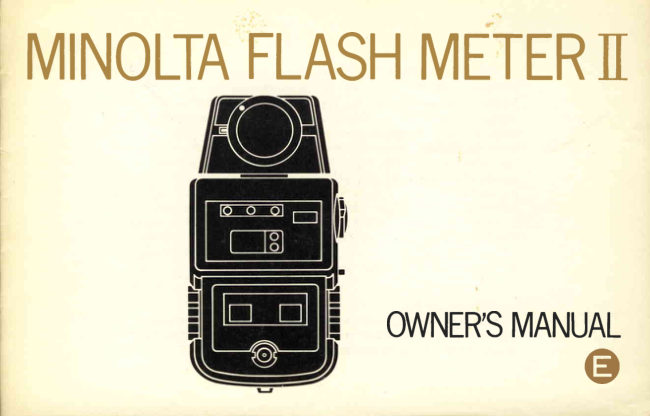
Minolta Flash Meter II User manual
User manual for Minolta Flash Meter II. 40 pages in English. Read the original PDF, download or print a copy without registration.
40 pagesEnglish2.6 MB PDF
Loading your manual…Open PDF directly
Document details
- Brand
- Minolta
- Model / document
- Minolta Flash Meter II
- Document type
- User manual
- Language
- English
- Pages
- 40
- File size
- 2.6 MB
- Category
- Light meters
- Document date
- Not specified in catalog
Search available document text
Find a term, then jump to its page in the original PDF. Image-only pages may not be searchable; check the PDF for exact wording and diagrams.
Page 3 · Read text
Your Minolta Flash Meter  ll makes precise incident- or reflected-lightreadingsof
electronicor bulb flash, or continuous illumination,or combinationsof them. Simply
pushing a button registersthe applicable f-number directly in a large glowing LED
digital display to within 1/3-stop accuracy without calculationsor conversionsof any
kind. Strobe readingscan even be taken cordlessly. A wide selection of measuring
times (corresponding to shutter speeds) makes fill-in flash easy. This lightweight,
up-to-the-minute unit incorporates specially designed large-scaleintegrated circuits for
computation and analogue-digitalconversion; these will also store measurementsfor
cumulative exposure with any number of successiveflashes.A full range of accessories
further increasesthe Flash Meter ll's versatility in specializeduses.
   Before using this meter for the first time, please read this manual carefully while
installingthe battery and handling and acquaintingyourself with the parts and features
of your Minolta Flash Meter  ll.  In this way, you can make excellent exposuresand
begin to realize its potential right from the start.


   Since for accurate, practical readings it  is essential to measure the same amount of
light as that  for  the actual exposure, be sure to observe the important notes about
measuringtimes, shutter speeds,and synchronization on p. 7.


               www.orphancameras.com
View original page 3Page 4 · Read text
CONTENTS

NAMES OF PARTS                                     . . 2      o P E R A T | O N . : .  . .                    1 9
                                              Measuringelectronic-flashlight         20PREPARATION AND BASICS                   . . 4                                                 Using sync. cord  .                  20  lnstallingbattery                                       . . 4
  Checkingbattery                                       . . 5          Without sync. cord                22
  Setting film speed                                     . . 6         Measuringcumu lative brightness
  Setting measuringtime (shutter speed)    . . 6           with any number of bursts         25
  Selectingmeasuringmode                         . . 7       MeasuringM-classf lashbulblight        28
  Attaching and removing diffuser                 Measuringcontinuouslight            30
   o r a t t a c h m e n t                        . . . . . i . .     . . 9       Measuringfill-in f lashand
  Measuringincident light                            . 1 0        ambient continuouslight            32
  Measuringreflected light   .                        . 1 0                                    OPTIONAL ACCESSORIES            33
   Usingthe Viewfinder 10o                       . 1 2
  Aperture indication and setting lens         . 1 4    SPECIFICATIONS                   35
    Aperture display range  . . .                    . 1 5    C A R E A N D S T O R A G E           r . .  . . . . . . .  37
  Using sync. cords                                      . 1 6
    Flash-unitsync. cord                              . 1 6
    Optional Sync. Cord ll   . ..                    . 1 7
  Measuring-leveladjuster  ...                     . 1 8
View original page 4Page 6 · Read text
Ref lected-light conversion scale
Accessory-receptor iac k
M easuri ng-level adj uster
ASA/DlN combination table
Apertu relspeed conversion d ial
Serial number
Tripod socket
Battery-chamber cover
R ef lected-ligh t attach ment
View original page 6
Page 7 · Read text
P R E P A R A T I O N A N D B A S I C S


                                            2. Attach a 9-volt battery, Mallory
Installingbattery                   M1604 or equivalent, by snap-   3. Close the compartment by align-
1. Remove  the  battery-chamber      ping the corresponding contacts      ing the cover carefully and slid-
   cover by  sliding  it  off  in the      securely onto the battery termi-       ing it on toward the head of the
   direction  of the arrow toward       nals and insert the battery into        unit  until   it snaps securely in
   the bottom of the unit.               the chamber.                         place.


                        www.orphancameras.com
View original page 7Page 8 · Read text
Checkingbattery                          C A U T I O N
   With  the measuring-mode selector set so       Remove  the  snapon  contacts   f rom  the
that "CORD"  appears in the mode indication      battery terminals as shown. Do not pull on the
window, push the measuring button halfway in.     cpnnecting wires, as they may become detach-
lf the green reset/batterycheck lamp lights, the      ed.
battery is serviceable; if not, replace the battery
with a fresh one.                          N O T E
                                                 o The battery-check lamp goes out when the
                                                      button  is pushed all the way to  its measur-
                                                        ing point at which a click is heard.
                                                 o A fresh battery will generally allow measur-
                                                        ing about 1,000 times in "CORD" mode or
                                                 about  half  as many  on  "NON.C"   or
                                                 "MULT|,"  but   it should be checked from
                                                   time to time.
                                                 o Remove the battery to avoid the possibility
                                                               of corrosion whenever the meter is not to be
                                               used for more than a month.
                                                 o The measuring-mode selector should be kept
                                                                 in  its "OFF"  position when the unit is not
                                                             In use.
View original page 8Page 9 · Read text
Setting film speed
    !r,/hile pushing  the  film-speed  selector  re
lease, rotate  the  film-speed  selector by  click
stops   until   the  applicable  ASA   indication
appears opposate the  index  in the  film-speed
indication  window.  The two dots on the scale
between  "12"   and  "25"   indicate  respective
speeds of 16 and 20, while  the ones between      Setting measuring time (shutter speedl
"800"  and  "16(X)"  stand  for  values of 10OO        Rotate  the  measuring-time  selector  knob
and  7250,  and  those  between  "160O"  and       until  the  value corresponding  to  the  carnra
"320(J"   indicate  speeds of  200O and 250O,      shutter speed being used (the reciprocal of the
respectively.                                       scale figurel  clicks  into  position aligned with
CAUTION                                          the index.
 .  Do  not  attempt   to  rotate  the  film-speed        Each time the meter is activated  (i.e., by the
   selector without pushing the release.           measuring button  in "CORD"  mode or by an
 o Do not set the red separatangband between      electronic-flash   pulse   on   "NON.C"     or
    "12"  and "320(J" opposite the index.            "MULT|,"     it will measure for the
                 +


                www.orphancameras.com
View original page 9Page 10 · Read text
CAUTION                                       Selectingmeasuringmode
   Do not set the dial at intermediate positions       The Flash Meter ll can be used in any of its
between click-stops, as the  reading  will  be     three measuring modes. These are set by  rotat-
incorrect.                                           ing the measuring-mode selector to the click-
                                                 stop  at which  the  desired mode  indication
I M P O R T A N T                                appears in the window. As summarized in the
o   lt  is necessary to  select a measuring time      table  on  the  next  page, these modes are
   long enough to cover the total flash dura-     intended for use under the following conditions
   tion: Thus for large studio-type electronic-     with either incident or reflected measurements:
      f fash units, use "60";   for  M-class bulbs,      -,   "15" should yield most satisfactory results,
   though a test shooting is recommended,and   T  OFF  T. --...   there may be variations from bulb to bulb.     l--,
o The Flash Meter  ll starts measuring when
   the click is heard at the end of the measur-
   ing button's stroke and at the same time
   triggers the flash. For proper exposure as
   measured,   therefore,   the  camera's   "X"
   synchronization  must  be used even  with
   M-class flashbulbs.


                                                                                                                                                                                                                                                     ;.i;;,,-          ;.  .,.,.,:--
View original page 10Page 11 · Read text
, , C O R D " :                                                                               , , M U L T I " :
1. Measuring electronic-flash light using flash-    Measuringnon-synchronizedmultiple or succes-
    unit sync. cord or Sync. Cord  ll                  sive electronic flashesalong with any surround-
2. Measuring flashbulb light using flash-unit     ing light
   sync. cord of Sync. Cord  ll                  On both "NON.C" and "MULTl," exposure
3. Measuring continuous available light, day-      for both  f lash (fill-in) and surroundingcontinu-
    light or artif icial, without any sync. cord        ous or coincident light is measured cordlessly
4. Mea suring   synchro-daylight   or   other     with electronic flash, but neither flashbulb light
   synchronizedf ill-in f lash,electronicor bulb,     nor continuous light alone will  activate the
   using flash unit sync. cord or Sync. Cord ll      meter.
, , N O N . C " :                           NOTE
Measuring a single electronic-flash burst from        Measuring mode(s) for use with accessories
one or more synchronized units along with any     are indicated in the instruction sheets packed
surroundinglight                                   with the accessorybeing used.
     ---=\                                   to be                   ------\-\ Light source(s)                                          Electronic flash    M-class flashbulbs     Continuous light                               meaSUfed                   _--.--\                    (in clu d ing                  ( including        (daylight or artificial )                                 ---                                                          fill-in use)                fill- in use)    Measuring mode
               ,,CORD"
                                    Yes             Yes               Yes                 (Cord systeml
     lncident
     or           ,,NON.C"
                                    Yes              No               No     reflected       (Cordlesssystem)
    measuring
                ,,MULTI"
                                     Yes              No                No                   (Additive systeml
                www.orphancameras.com

                                                                                                                           --'-i$di!si*a.
View original page 11Page 12 · Read text
Attaching and rernovirrgdiffuser or attachrnent
   The  spherical diffuser and  reflected-light
attachment are attached and removed as fol-
lows:

To attach                                    To remove
   Align the dot on the rim of the diffuser or        Turn the diffuser/attachment counterclock-
attachment with  the receptor-bayonet index;    wise until the dot on   it  is aligned with the
insert the bayonet  into the mount over the     receptor bayonet index and  lift the diffuser/-
receptor; and  turn  the  diffuser/attachment    attachment out of the receptor mount.
clockwiseas far as it will go (about 1/8 turn) to    N O T E
securert.                                     The optional Viewf inder 1Oo is attached and
                                          removed as explained on p. 12.
View original page 12Page 13 · Read text
Measuringincident light                         Measuringreflected light
   Regardlessof the measuring mode, with or        Regardlessof the measuring mode with or
without  sync. cord, light incident upon the     without  sync. cord,  light reflected from  the
subject  is measured for  usual photographic     subject is normally measured for usual overall
exposure using the spherical diffuser supplied     photographic exposure using the reflected-light
with the Flash Meter  ll. This is attached and     attachment supplied with the Flash Meter ll.  lt
removed as explained on the preceding page.          is attached and removed as shown on p. 9.
   The  reading  is taken   f rom  the  subject       Readings are taken from the camera posi-
position with  the spherical diff user pointed      tion, with the head turned so that the receptor
toward the camera and the meter held so that  it        is pointed toward the center of the subject or
receivesthe same light as the subject.                picture area. The angle of acceptance of the
   Incident readingsmay also be made with the      reflected-light attachment is about 40o, about
optional mini receptor (seep. 33l-, 2X spherical    enough to cover the f ield of a normal lens.
ND  filter            (p. 341, or  flat diffuser (p. 3a) for                                            l/      purposes.special


               www.orphancameras.com
View original page 13Page 14 · Read text
Another means of compensation that  will
   For  reflected-light  readings, exposure must      result in direct aperture readings is to set the
fu  reduced bV  three sfops  (3 EV)  from  that     meter for  a  film  speed three times  (3 EV)
indicated bV the aperture readout on the meter.      higher than the one applicable. For example, if
This is readily done by referring to the reflect-    you are using ASA 100 film, set the film-speed
ed-light conversion scale on the back of  the      selector for a speed of 800  (i.e., 100 to 200 =
receptor head.  For  example,   if  the  digital      the first stop; 2OO to 400, the second; and 400
readout  is  fl4,  as indicated on  the  upper      to 800, the 3rd stop's reduction), and set the
"DISPLAY"  side of  the scale line, the lens    camera lens to the same f-number indicated by
should be set af t111, ?s indicated by "11"      the digital display. Using this method decreases
befow "4" on the "REF." side of the line.           the aperture-display range (seep. 15).
View original page 14
Page 15 · Read text
Using the Viewfinder 10"
   Reflected light readings may also be taken
with  the optional Viewfinder 10" (see p.33).
To use that accessory:
1. Attach  the  Viewfinder 10o to  the meter     2. Rotate the meter's receptor head 180" so
   head by positioning it and the red dot on its         that the eyepiece of  the finder  is on the
   grooved  attaching  ring  aligned  with  the          front  side of the meter above the readout
   receptor-bayonet index as shown, inserting       windows.
     its bayonet  into  the receptor mount, and
   turning the ring clockwise as far as it will go.
   (The dot will be out of sight; the Viewf inder
   10o can be removed by turning the  ring
    until the dot is once more aligned with the
   index and  lifting the bayonet out  of the
   socket.)
                                             )


                www.orphancameras.com
View original page 15Page 16 · Read text
3. Look through the eyepiece at your subiect      4. With the area to be measured visible within
   from the camera position. The broken circle         the  circle, push the measuring button  to
   visible in the f inder indicates the field of the       make the  reading. The  resulting aperture
   10" angle of acceptance with   it, while the         indication requires 3EV adiustment as de-
   dot indicates the center of the f ield.                 scribed in the preceding section.

                                     C A U T I O N
                                          Do not point the Viewfinder 1Oo'sreceptor
                                                    lens at the sun or other extremely bright light
                                                   sources, as this may damage the meter.
View original page 16Page 17 · Read text
Aperture indications and setting lens               For example,  if a reading results in a display
  When  light  within  the  meter's range  is          f igure of  "8"  with  only the upper third-stop
measured, an aperture figure will appear as a      indicator lighted, the lens should be set one
red  digital display  in the window  designated     third  of  the way between  tlB and  Il11  (as
"FNo."  given adequate battery power.  lf only      pictured below)  for  optimum  exposure with
the  digital  f-number  figure   is  lighted,  the      incident  light. The third-stop exposure reduc-
camera lens should be set exactly at that same     tions  of  course also apply  to  the f-number
aperture for optimum exposure with  incident      resulting from  the  three-stop adiustment for
readings. With  reflected  light  readings, three-      reflected-light readings (p. 10). For example, if
stop adjustment as explained on p. 1 1 must be     as above proper exposure for  incident  light
made.                                          would  be  obtained  by  setting  the  camera
    Lighting of  the upper third-stop indicator     aperture 113 of the way between f/8 and t111,
designated " 1 13" indicates one third  of a stop      the proper setting for reflected light would be
less exposure, while  if both that and the lower     113 ot the way between tl22 and f/32  ff18 -  3
third-stop indicator marked "2l3"  are lighted     stops = t122, -  113 stop).
two  thirds of a stop less exposure is indicated.
I


                www.orphancameras.com
View original page 17Page 18 · Read text
Lighting of the indicator marked "UNDER"      Aperture display range
instead of  an aperture indication when  the       The range of  f-numbers that  will be dis-
reading is taken  indicates that  brightness is     played by the Flash Meter  ll depends upon the
below the measuring range of the meter.               film  speed set, as outlined by the following
      lf  the  indicator marked "OV ER"  lights     table of main values:
instead, brightness is above the measuring range         Film                                                                                         rpeed         1 2   25   50   100 2m  400  8m  1600 3200                                                                              (ASAI
of the meter. Use of the optional 4X spherical         Aperture-     from   1 0   1 . 4   2 0   2.8   4.0   5.6   8 0    1  l    1 6
ND filter (see p. 34) may permit incident-light         dirplay?.m.          tO    22    32   45   e4    (n     90    90    90    90
measurementsunder the same conditions if the
"OVER"   indicator  lights using the  normal
diffuser.
View original page 18Page 19 · Read text
Using sync. cords


Flash-unit sync. cord                                2. Re-connect the sync. cord to the camera to
1.  Insert the PC plug normally connested to       make the actual exposure.
   the sync. terminal  of the camera into the                 lf  the  flash unit's sync. cord  is not  long
   sync. terminal of the Flash Meter  ll. Flash       enough to permit reflected or incident read-
    will    f ire when  the  measuring button   is         ings as desired, the optional Sync. Cord  ll
   pushed to take the reading.                         (see p. 33) can be used instead as follows:


                www.orphancameras.com
View original page 19Page 20 · Read text
3.  Insert the remaining plug into
                                                                              the X  sync. terminal on the
                                                                     camera, making sure that single-
                                                                              terminal models are also set for
                                                               X synchronization. Incident or
Optional Sync. Cord ll                                                              reflected readings may be made
1. Insert the PC plug with  the                                          as necessarywith  all three plugs
   threaded collar  into  the sync.                                        connected, as the flash will fire
   terminal of the Flash Meter  ll    2. Connect  the  smaller  of  the     when the reading is made and
   and turn the collar to screw it       cord's two other plugs with the       also when shutter is tripped to
   securely in place.                      flash-unit sync. cord's PC plug.     make the exposure.


                                                                                          Camera


                                                  Fo r ca mer a's sync.
                                                         term  i na I
                                    Fo r fla sh -u n it syn c.
                                        co rd ' s PC p lu g
View original page 20Page 21 · Read text
Measuring-level ad juster
   The brightness-readinglevel of  the  Flash
Meter    | |   is properly  adjusted  to M inolta's
standard during manufacture. Fine adjustment
of the measuringlevel up to 1 EV over or under
the standard setting is possible as individually
desirable. This  is done by  inserting a small
screwdriver or similar instrument into the slot
of  the  measuring-level adjuster's ,ruhite screw
head as shown and turning the screw clockwise
or counterclockwise until the slot is aligned as             + 1 EV       _ 1 E V
desired. The graduation marks on the red collar
surrounding the screw represent 113 EV steps as       (-)  side-will produce a lower light reading; to
shown by the diagram. With the same level of      the plus (+l side, d higher one. In other words,
illumination, turning the adjuster to the minus     the  aperture  indication  (e.9.,  flSl  becomes
                                                 numerically smaller (e.9., t15.6l as the screw is
                                                 turned  clockwise;  numerically  larger  (e.g.,
                                                                                                 t | 1 1), counterclockwise.
                                    CAUTION
                                           Do not attempt  to  turn  the screw beyond
                                                  the plus or minus 1 EV limits.
                                  NOTE
                                              The measuring level should be adjusted only
                                                                                             if considered desirable after determining the
                                                  meter's characteristicsfrom expenence.

                www.orphancameras.com
View original page 21Page 22 · Read text
OPERATION

   Select the appropriate measuring mode and instructions according to your  light source(sl and
picture-taking needs from the table below. All items are applicable to either incident- or reflected-
light readings.

    Light souroe            Other conditions          Measuring mode   Detailed instrustions
                    Using sync. cord               ,,CORD"          e . 2 0
  Electronic flash     without sync. cord          NON C            p . 2 2
  ("strobe"  l
                    Measuring total exposure from
                                              ,,MULTI'           p . 2 5                    two or more non-synchronized
                      flashes
                                          ,,CORD" M-clcs flahbulbs    Sync. cord necessary                                                                  p . 2 8
 Continuous light    Use as a general photographic
  (natural or           (or illuminance) light meter       ,,CORD"             p. 30   artificial)

 Continuous               light                   Synchronized                                                 fill-in flash with     ,,CORD" plus electronic                                                                              p. 31                 or    sy                           nc. cord bulb flash

 Continuous light
 plus electronic     Synchronized f ill-in f lash with-     NON C               p. 31
 flash                out sync. cord.
View original page 22Page 23 · Read text
Measuringelectronic-flash light


Using sync.  cord  (either  of  flash
unit or Sync. Cord  lll
1. With serviceable battery proper-
    ly installed (p. 4), film speed set
    (p. 6),  and arrangement made
    for  incident or  reflected meas-                                        3. Set measuring time correspond-
   urement (p. 10, 1 1), move the    2. Attach desired sync. cord; flash'       ing to appropriate shutter speed
   measuring-mode   selector   to        unit cords as indicated on p. 16,       (p.6),  €.g., 1/60 sec. for large
   "COR D" position.                  Sync. Cord llas on p. 17.             studio-type units.


                         www.orphancameras.com
View original page 23From the M. Butkus archive. Original publisher and archive notices are retained.
Check the model and edition against your equipment.
PDF verified 2026-10-10.