Film cameras
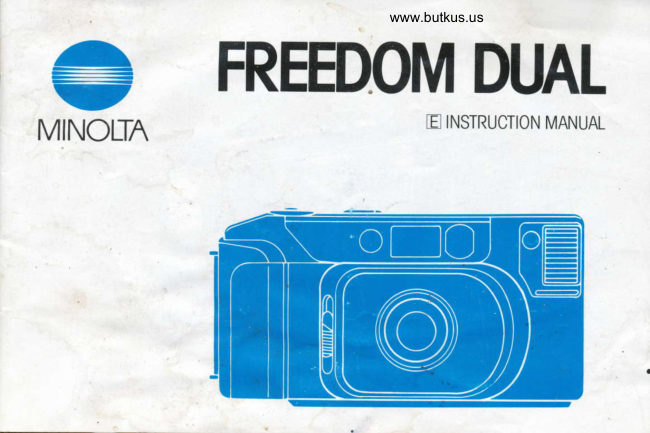
Minolta Freedom Dual User manual
User manual for Minolta Freedom Dual. 23 pages in English. Read the original PDF, download or print a copy without registration.
23 pagesEnglish3.2 MB PDF
Loading your manual…Open PDF directly
Document details
- Brand
- Minolta
- Model / document
- Minolta Freedom Dual
- Document type
- User manual
- Language
- English
- Pages
- 23
- File size
- 3.2 MB
- Category
- Film cameras
- Document date
- Not specified in catalog
Search available document text
Find a term, then jump to its page in the original PDF. Image-only pages may not be searchable; check the PDF for exact wording and diagrams.
Page 3 · Read text
www.butkus.us
MAIN FEATURES
  Your Minolta FREEDOM DUAL is a  o Two-way power system. uses a lithium
compact 35mm camera that offers many      battery pack for extra-long life and quick
advanced features to simplify operation and      recycling or four AAA-size batteries.
improve picture qual ity:
                             To learn how to operate your camera
o Dual-range lens selection:                 properly and obtain satisfying results right    . 35mm lens for group shots and scenics  from the start, please read the following    . 50mm lens for portraits and candids     instructions and cautions carefully beforeo Autofocus with cancelable focus hold       taking pictures.
o Auto close-up function                                 lf you have any questions about this
o Programmed automatic exposure with  camera, feel free to contact your local
    su bject-weighted metering                camera dealer or the Minolta distributor oro Automatic switchover flash with fast   subsidiary in your area.
   recycling
o Auto film-speed setting for DX-coded
      f ilms
o Fully automatic film transport:
    .  Auto advance to the first frame
    .  Auto winding
    .  Auto stop and rewind at end of roll
    .  Auto rewind stop
             j\
View original page 3Page 6 · Read text
www.butkus.us

                                                    Pressure plate"                Viewfinder LED
                     o* contacts     Viewfinder eyepiece* |
    Take-up drum


                                                          Back cover

         ca I'
                  www.butkus.us
Back cover release                       Battery chamber cover        *Do not touch
View original page 6Page 7 · Read text
STRAP                      POWE R
Attach strap as shown for added safety and   Battery types
convenience.                           The Freedom DUAL can be Powered bY
                                          either four AAA-size alkaline-manganese
                                              batteries, or a 6v lithium battery pack
                              (DURACELL DL223A, Panasonic BR-P2P)
                                                 for longer life and faster flash recycling.
View original page 7Page 8 · Read text
www.butkus.us


Installing battery                           2. Insert lithium pack or AAA batteries into
1. Open battery chamber cover.              battery chamber as shown, making sure *
                            and   contacts face in correct direction.
                                     Then snap cover shut.
View original page 8Page 10 · Read text
www.butkus.us
HOW TO LOAD F ILM


1. Open back cover.                         2. Place film cartridge into film chamber as
o Make sure frame counter  is at "0" before  shown above.
opening.

                                 CAUTION
                                                         .  Load film in subdued light, keeping it
                                           shaded from direct sunlight.
View original page 10Page 11 · Read text
Film tip position mark


                           o

3. Lay film flat between the guide rails and   4. Close back cover. Film will be advanced
extend the tip of the film over the take-up   automatically to the first frame. When "1"
drum to the film tip position mark. lf the   appears in frame counter, you are ready to
film extends too far, gently push the excess   start taking Pictures.
back into the cartridge.                              .   lf the film is not loaded correctlv, the
                                            camera's motor will run for about between 5
                                  and 10 seconds and then stop; the frame
                                            counter will continue to show "0". Open the
                                          back cover and reload the film correctly.
View original page 11Page 12 · Read text
www.butkus.us
 LENS COVER                             LENS SELECTION


                          www.butkus.us
                                                      50mm Lens Set
  When the lens cover is closed, the camera    When the lens cover is opened, the
is switched off, To take pictures, first move   camera's 35mm lens is automatically set. To
the lens cover slide downward. When you are    select the 50mm lens, press the lens selectioh
finished taking pictures, close the lens cover   button. To reselect the 35mm lens, press the
to protect the lens and prevent accidental   button again. Viewfinder magnification  is
exposu res.                                    adjusted automatically to show the proper
                                             framing for the focal length in use.
View original page 12Page 13 · Read text
HOLDING THE CAMERA          FRAMING


  For greatest stability when taking pic-    Frame subjects according to distance
tures, hold camera as shown above. Make    indicated:
sure that lens, flash, autofocus windows, and   a. Subjects beyond 2.6fr. (0.8m) with
meter cell are notobstructed by your hands,    35mm lens, 3.9ft. (1.2m) with 50mm
camera strap, etc. For vertical pictures.        lens
the flash should be on top.                     b. Subjects from 1.7 to 2.6ft. (0.52 to
                                      0.8m) with 35mm lens, 2.0 to 3.9ft.
                                                  (0.62 to 1.2m) with 50mm lens
View original page 13Page 14 · Read text
www.butkus.us
    TAKING PICTURES

i
                                                                                 ../.,J                                                ()                               -51:::l:::                                                                                                        -                                                                                                                                                                              \:i      : ::i                                                                                                                   , t'tf'\


       Subject in center of frame          O IF RED VIEWFINDER LED GLOWS,
        Frame picture so subject fills autofocus  the shutter is locked and you need to wait
       zone, then press shutter release button all the  a few seconds for the flash to charge. Keep
     way down to take the picture. In low light.  your finger on the shutter release button
     the flash fires automatically to  ensure   until the red light goes off. Lift your finger
      correct exposure. After the exposure,  from the button. then press it all the way\       release your finger from the button.         down to take the picture.
  I
I
View original page 14Page 16 · Read text
www.butkus.us
FOCUS HOLD


                             d>


  Aim camera so autofocus zone is on subject     While keeping button slightly  p ressed, recom-
and press shutter release button partway down.       pose as desired and take picture.
Subject not in the center                            .  Focus hold can be cancelled by lifting
     lf you want to compose the picture with   your finger from the shutter release button.
the subject not in the center of the frame,
use focus hold. (ln low light, first check that
the flash is charged.)


                                                                                                        13
View original page 16Page 17 · Read text
Special focusing situations                 Auto close-up function
     Focus hold is also useful for obtaining    When the subject is closer than approxi-
   accurate focus on subiects difficult for  mately 2.5ft. (0.75m), auto close-up func-
   autofocusing, such as those listed below. In  tion lets you get sharp pictures of close-up
   such cases, use focus hold to set the focus   subjects.
                                                                         people or animals   distance on another object at an equal  o Do not take pictures of
   distance away.                                at close distances, since the flash may bother
  a Highly reflective surfaces: water, mirrors,   their eyes
        etc.                                                 .  For best results, the subject should not be
   o  Unsubstantial objects: flame, fireworks,   closer than 1.7ft. (0.52m) using the 35mm
        hair, etc.                                          lens, or 2.Oft. (0.62m) using the 50mm lens.
    Dark objects and surfaces with low
         ref lectivity
  o Objects behind glass, windows, etc.
    .  Small subjects that do not  fill  the
      autofocus zone.


14
                                                     J
View original page 17Page 18 · Read text
www.butkus.us


o To make it  easier to determine the
camera's minimum focus distance, adlust the
shoqlder strap so that extends 1.7ft. (52cm)
as shown in the diagram above.
View original page 18
Page 19 · Read text
Auto film advance                       Auto rewinding
   After you take a picture, the camera will    Approximately four seconds after the last
automatically advance the film one frame, frame is exposed, the camera automatically
and the frame counter will advance to the  starts rewinding the film. When rewinding is
next number.                              finished, the motor shuts off and frame
o  lf the film stops advancing before the end counter shows "0". Open the back cover and
of the roll; replace batteries. DO NOT OPEN remove the film.
BACK COVER.                 o  lf the rewind motor stops before the
                                       frame counter returns to "0", replace the
                                              batteries. DO NOT OPEN THE BACK
                                 COV E R.

                                               After taking pictures
                                          Close the lens cover. This protects the
                                              lens and also locks the shutter to prevent
                                                  accidental exposures.
                                                                                        ii
                                                                                                                                                                                                                                                                                                                           I
View original page 19Page 20 · Read text
www.butkus.us
TROUBLESHOOTING GUIDE
   Problem               Cause                              Solution
Entire picture      Camera movement            Hold camera steady and release shutter gently.
blurred
Subject out of      Autofocus windows          Keep hands, camera strap, and other objects away.
focus               obstructed
                    Subject too close to camera    Make sure subject is at least 1.7ft. (0.52m1 away
                                                 with 35mm lens, 2.oft. (0.62m) with 50mm lens.
                  Autofocus zone not on-or      Use focus hold (See p. 13)
                    only partly on-main subject
                    Special focusing situation      Use focus hold on another object that is
                                                an equal distance away (See p. 14)
Picture foggy or     Dirty lens                    Clean lens as explained in Care and
has blurry areas                                      Storage section.
Picture too dark,    Lens or flash obstructed       Keep hands, camera strap, and other objects away.
or partial picture    Subject beyond flash range      ln low light, make sure subject  is within  f lash
                                                        range. (See p. 12)
Main subject      Sun or bright background      Keep sun behind you or to one side, or position
too dark             (such as window or snow)       subject against darker background.
                   behind subject
Shutter cannot b€   Lens cover is closed          Open lens cover.
released             Flash isn't fully charged        Keep your finger on the shutter release button
                                                            until the red light goes off   .
                      Batteries are exhaused          Replace batteries.
                                                                                                       17
View original page 20Page 21 · Read text
CARE AND STORAGE
o  lf lens becomes dirty, clean it gently with  to keep it warm and carry fresh spare
a lens brush. lf necessary, moisten a sheet of   batteries. Do not transfer camera directly
lens tissue with one drop of lens-cleaning   from an extremely cold to warm area, since
fluid and gently wipe lens. Never touch lens   condensation may form inside and prevent
surface with your  f ingers.                    normal operation.
o Never use alcohol or chemical solvents on c Avoid getting camera wet. Water seepage
the camera body. lf it isdirty,wipe  it gently could result in costly or irreparable damage
with a soft, clean, dry cloth.                 to internal parts.
.  Never subject camera to shock, high heat,  o When not in use, keep camera in a cool,
or humidity. Be particularly careful not to  dry place away from dust and chemicals.
leave it in the glove compartment or other   Batteries (especially old ones) should be
places in motor vehicles where it may be  removed if camera will not be used for more
subjected to high temperatures.               than two weeks. For extended storage, place
o Using the camera at very low tempera-   camera in an airtight container with a drying
tures impairs its  perf ormance. In cold   agent such as silica gel.
weather, carry the camera inside your coat


                                                                       I
View original page 21Page 22 · Read text
www.butkus.us
                           TECHNICAL DETAILS
o  lf you have questions about your camera,  Type: Compact autofocus 35mm camera
contact your local camera dealer. For more  with dual lens selection
information, write to the Minolta distributor   Lenses: 35mm  f /3.5 lens, 50mm f/5.6 lens,
or subsidiary in your area (addresses listed   build-in micromotor to change lens
on the back of this manual).                 Focusing:  Inf rared active-type autofocus
o To assure prompt service, please contact  with cancelable focus hold; range: 2.5 ft.
your Authorized Minolta Service Center  (0.ZSm) to infinity, auto close-up function
before sending your camerafor repairs.       for pictures closer than 2.5 tt.  (0.75m);
                                        range: 1.7 ft. (0.52m) to 2.5ft. (0.75m)
                                       with 35mm lens, 2.0 ft. (0.62m) to 2.5 ft.
                                           (0.75m) with 50mm lens.
                                        Exposure system: Subject-wetgnreo meter-
                                               ing; programmed automatic exposure (AE)
                                            range at ISO 100: EV I EV 16.2 with 35mm
                                                     lens, EV 10.4 to EV 17 .1 with 50mm lens
                                           Film-speed range: ISO 100 to 1000 DX-
                                     coded color negative film and ISO 100 or
                                  400 DX-coded color reversal film; ISO 100'
                                                     set when using films without DX coding
View original page 22Page 23 · Read text
Viewfinder: Bright-frame type with auto-   Battery performance:
                                                 D L223A: 54 rolls,focus zone, normal-f raming and close-  DU RACE LL
framing guides; red LED (flash-wait); magni-   Panasonic BR-P2P: 40 rolls
fication changes automatically with lens   Alkaline cells: 20 rolls
                                        (Based on Minolta's standard test method,setting
Film transport: Automatic threading, ad-   using 24-exposure film with flash on 50% of
vance to first frame, winding, rewind, and   exposures)
rewind stop                                   Flash recycling:
                                                                                                       1 .2 sec.,Flash system: Automatic charge activation;  DU RACE LL D L223A:
flash automatically fires in low light or when   Panasonic BR-P2P: 2.4 sec.
                                                                                                 1 .8 sec.subject is cioser than approx. 2.5  ft.   Alkaline-manganese cells:
 (0.75m), shutter locks until flash charged;  Dimensions: 5-3/16 (W) x2'314 (H)x 2-1116
red viewfinder LED illuminates  if  f lash is not   (D) in. (132x29.5x 51mm)
ready to fire                                Weight: 9-11116 oz. 12759) without batteries
Power: 6v   lithium  batterY Pack
(DURACELL DL223A, Panasonic BR-P2P), Specifications subject to change without
                                                                                                                                                                                                                                                                                                                                                                                                                                                                                         Ior four AAA-size alkaline cells                 notice.
View original page 23From the M. Butkus archive. Original publisher and archive notices are retained.
Check the model and edition against your equipment.
PDF verified 2026-10-10.