Film cameras
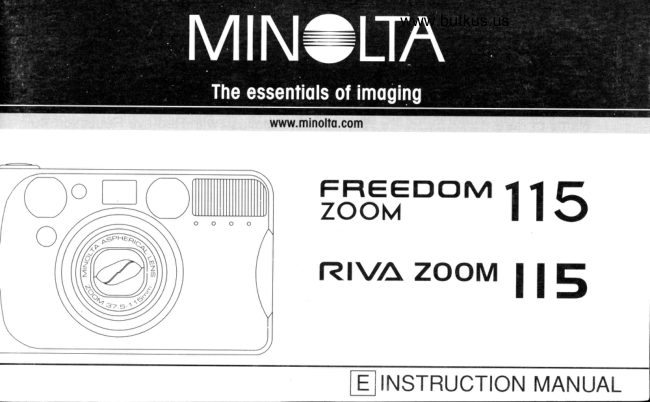
Minolta Freedom Zoom 115 Minolta RIVA Zoom 115 User manual
User manual for Minolta Freedom Zoom 115 Minolta RIVA Zoom 115. 64 pages in English. Read the original PDF, download or print a copy without registration.
64 pagesEnglish7.7 MB PDF
Loading your manual…Open PDF directly
Document details
- Brand
- Minolta
- Model / document
- Minolta Freedom Zoom 115 Minolta RIVA Zoom 115
- Document type
- User manual
- Language
- English
- Pages
- 64
- File size
- 7.7 MB
- Category
- Film cameras
- Document date
- Not specified in catalog
Search available document text
Find a term, then jump to its page in the original PDF. Image-only pages may not be searchable; check the PDF for exact wording and diagrams.
Page 1 · Read text
www.butkus.us


tF"l,=DoM 115
Rr\la zooM                   I          l5


   LEJ INSTRUCTION MANUAL
View original page 1
Page 3 · Read text
www.butkus.us
    Read and understand  all warnings and cautions before using this product.
          A WARNING
     Using batteries improperly can cause them to leak harmful solutions, overheat,
     or explode which may damage property or cause personal injury. Do not ignore
     the following warnings.
      . Only use the batteries specified in this instruction manual.
     . Do not install the batteries with the polarity (+l-) reversed.
     . Do not use batteries which show wear or damage.
     . Do not expose batteries to fire, high temperatures, water, or moisture.
il    . Do not attempt to recharge, short, or disassemble batteries.
     . Do not store batteries near or in metallic products.
     Do not use leaking batteries.  lf fluid from the batteries enters your eye,lt     '
      immediately rinse the eye with plenty of fresh water and contact a doctor.  lf
        fluid from the batteries makes contact with your skin or clothing, wash the area
      thoroughly with water.
View original page 3Page 4 · Read text
Venmo @mike-butkus-camera  Ph. 2083
PayPal Name  Lynn@butkus.org      www.PayPal.me/lynnbutkus
View original page 4
Page 5 · Read text
. Tape over lithium battery contacts to avoid short-circuiting during disposal;
  always follow local regulations for battery disposal.
. Do not disassemble this product. Electric shock may cause injury if a high
  voltage circuit inside the product is touched. Take the product to a Minolta
  Service Facility when repairs are required.
. lmmediately remove the batteries and discontinue use if the camera is
  dropped or subjected to an impact in which the interior, especially the flash
  unit, is exposed. The flash has a high voltage circuit which may cause an
  electric shock resulting in injury. The continued use of a damaged product or
  part may cause injuries.
. Keep batteries or small parts that could be swallowed away from infants.
  Contact a doctor immediately if an object is swallowed.
. Store this product out of reach of children. Be careful when around children,
  not to harm them with the product or parts.
. Do not fire the flash directly into the eyes.  lt may damage eyesight.
4
View original page 5
Page 6 · Read text
www.butkus.us
                                                                                                                                                                ii\\\\
  Do not fire the flash at vehicle operators.  lt may cause a distraction or'
  temporary blindness which may lead to an accident.
 Do not look directly at the sun or strong light sources through the viewfinder.  lt'
 may damage your eyesight or cause blindness.
 Do not use the product near inflammable gases or liquids such as gasoline,'
  benzine, or paint thinner. Do not use inflammable products such as alcohol,
  benzine, or paint thinner to clean the product. The use of inflammable cleaners
  and solvents may cause an explosion or fire.
       product emits a strange odor, heat, or smoke, discontinue use.'  lf the
  lmmediately remove the batteries taking care not to burn yourself. The
  continued use of a damaged product or part may cause injuries.
  Take the product to a Minolta Service Facility when repairs are required.'
View original page 6Page 7 · Read text
cAUTloN         a. Do not use or store the product in a hot or humid environment such as the
  glove compartment or trunk of a car. lt may damage the product and batteries
 which may result in burns or injuries caused by heat, fire, explosion, or leaking
  battery fluid.
.  lf batteries are leaking, discontinue use of the product.
. The lens retracts when the camera is turned off or the auto-power-off function
  is activated. Touching the lens barrel while it is retracting may cause injury.
. Do not fire the flash while it is in contact with people or objects. The flash unit
  discharges a large amount of energy which may cause burns.


6
View original page 7
Page 8 · Read text
www.butkus.us


This device complies with Part 15 of the FCC Rules. Operation is subject to the
following two conditions: (1) This device may not cause harmful interference, and
(2) this device must accept any interference received, including interference that
may cause undesired operation. Changes or modifications not approved by the
party responsible for compliance could void the user's authority to operate the
equipment. This equipment has been tested and found to comply with the limits
for a Class B digital device, pursuant to Part 15 of the FCC Rules. These limits
are designed to provide reasonable protection against harmful interference  in a
residential installation. This equipment generates, uses and can radiate radio
frequency energy and, if not installed and used in accordance with the
instructions, may cause harmful interference to radio communications. However,
there is,no guarantee that interference  will not occur in a particular installation.

                                                      Continued on next page.   7
View original page 8Page 9 · Read text
lf this equipment does cause harmful interference to radio or television
reception, which can be deter:mined by turning the equipment off and on, the
user is encouraged to try to correct the interference by one or more of the
following measures:
. Reorient or relocate the receiving antenna.
. Increase the separation between the equipment and the receiver.
. Connect the equipment to an outlet on a circuit different from that to which the
  receiver is connected.
. Consult the dealer or an experienced radio/TV technician for help.

This Class B digital apparatus complies with Canadian ICES-003.
              This mark on your camera certifies that this camera meets the
               requirements  of the EU (European Union) concerning interference causing
             equipment regulations. CE stands for Conformit6 Europ6enne (European
                Conformity).

8
View original page 9Page 15 · Read text
Your camera uses one 3-volt CR123A or DL123A lithium battery.

                                            1. Open the battery-chamber door
                              by sliding the battery-chamber
                                  release in the direction
                                     indicated.


                             www.butkus.us                               ffii

     . Quartz-date model:The date and time must be reset (p.50).
     . When changing batteries, make sure the main switch is off.
View original page 15Page 16 · Read text
www.butkus.us
2.Insert the battery matching the positive
  terminal mark inside the battery chamber-
  door, then click the door closed.


                                     15
View original page 16Page 17 · Read text
Each time the camera is turned on, a symbol will appear on the data panel to
indicate the power status of the battery.

                               Briefly appears. Power is sufficient for
                                    all camera operations.

                      Power is sufficient, but the battery must           :5   7'n i -?           -.ft                      be replaced soon. oUto    o--fl
                         /
       ,E+r                          {*.i/  -|'z    -   Replace the battery. The shutter will lock             I    tt                         until the battery is replaced.

16
View original page 17Page 18 · Read text
www.butkus.us
                                               1. Slide the back-cover release
                           down to open the back cover.ffi)
\,@l
re
      '  lf the back cover does not open, turn the main switch off and on to release
      the film chamber lock.
     . Use only 35mm, DX-coded film rated between ISO 25 and 3200.
     . Do not use Polaroid instant 35mm film. Winding problems may occur.
     . ISO 400 film is recommended  for best results.
     . Always load and unload film in subdued light.
                                                     Continued on next page. 17
View original page 18Page 19 · Read text
2.Place the film cartridge into the
                                       film chamber. Extend the film
                                    leader to the "FILM TlP" mark.
                              making sure it lays flat.


                    www.butkus.us               ffiru


            lf the film tip extends beyond the index mark, push the excess film backffi1.EJ   into the cartridge.
18
View original page 19Page 20 · Read text
www.butkus.us
                             3. Close the back cover.
                                . The film automatically advances to the first frame
                     and .--.i appears on the data panel.
                             .  lf the film has been loaded improperly, . c will
                               blink on the data panel and the shutter will
                        remain locked. Open the back cover and repeat
                          the loading procedure.


' once the film is loaded, the back cover will lock preventing accidental
 opening until the film is rewound (film chamber lock),
                                                  19
View original page 20Page 21 · Read text
Your camera automatically rewinds the film after the last exposure  is taken.
                When o blinks on the data panel, open the
                     back cover and remove the film.      )o4li


     . When you want to rewind quietly (silent rewind), push the manual-rewind
      button while the film is rewinding (p.23).
View original page 21Page 22 · Read text
::.\i
                                            www.butkus.us:r r\:-   :a iN
U'   Do not open the back cover until the rewind motor stops. Never use force.
                lf the rewind motor stops before the film has been completely rewound, allthe        '
         indicators will blink. Remove and insert the battery or press the manual-rewind
        button.
             lf the back cover does not open, turn the main switch off and on to release        '
       the film chamber lock.
                        pictures than specified on the roll may be taken, the film        ' Although more
       processor may not print more than the number specified on the film cassette.


                                                      Continued on next page.    21
View original page 22Page 24 · Read text
.WSW      NN   www.butkus.us                     *
 SILENT REWIND
This camera has a silent-rewind function to minimize the noise of film
rewinding. Use the silent-rewind mode when the rewinding noise would be
distracting such as during a wedding ceremony.
    5i I  rtr nL-            thePressfilmtheis manual-rewindrewinding. Pressbuttonthe buttonwhile
                             again to return to normal winding speed.        o if                                       . SlLEnt appears on the data panel to
                                       indicate the silent-rewind mode.


    The mode will remain selected for rewinding the next time.
     Rewinding in this mode takes longer than normal rewinding.
View original page 24Page 26 · Read text
www.butkus.us
                                        1. Press the main switch to turn
                               the camera on.
                                            . Auto Power Off :To conserve power, the   g              ONAFF        camera automatically turns off if it is not
     @           operated for more than 8 minutes.
. Do not obstruct or hold the lens barrel.
                                  2. Hold the camera steady, making
                           sure your fingers do not cover the  '/1:                                 flash, lens, or AF windows.
                                        . As shown, for vertically framed pictures, turn
                                                                               top.              I      \                   the camera so the flash is on

                                                 Continued on next page. 25
View original page 26Page 27 · Read text
3. Look through the viewfinder
                    and push the zoom lever (T) to
                  zoom in or (W) to zoom out.


              T(elephoto) :zoom inf@)Tl[*----- t--l.                          I
            W(ide angle) :zoom outf7-lk(@l
View original page 27Page 29 · Read text
5. When the green ready lamp
                              glows, press the shutter-release
                              button all the way down to take
                             the picture.
                                       . Press the shutter-release button with
                                     slow, steady pressure.
                                           . The film automatically advances to the
                                    next frame.
                     www.butkus.us                                         . After use, press the main switch to turn
                                  the camera off.


. The flash will fire automatically in low-light (p.39).
View original page 29From the M. Butkus archive. Original publisher and archive notices are retained.
Check the model and edition against your equipment.
PDF verified 2026-10-10.