Film cameras
Minolta "memory" section User manual
User manual for Minolta "memory" section. 72 pages in English. Read the original PDF, download or print a copy without registration.
72 pagesEnglish5.8 MB PDF
Loading your manual…Open PDF directly
Document details
- Brand
- Minolta
- Model / document
- Minolta "memory" section
- Document type
- User manual
- Language
- English
- Pages
- 72
- File size
- 5.8 MB
- Category
- Film cameras
- Document date
- Not specified in catalog
Search available document text
Find a term, then jump to its page in the original PDF. Image-only pages may not be searchable; check the PDF for exact wording and diagrams.
Page 1 · Read text
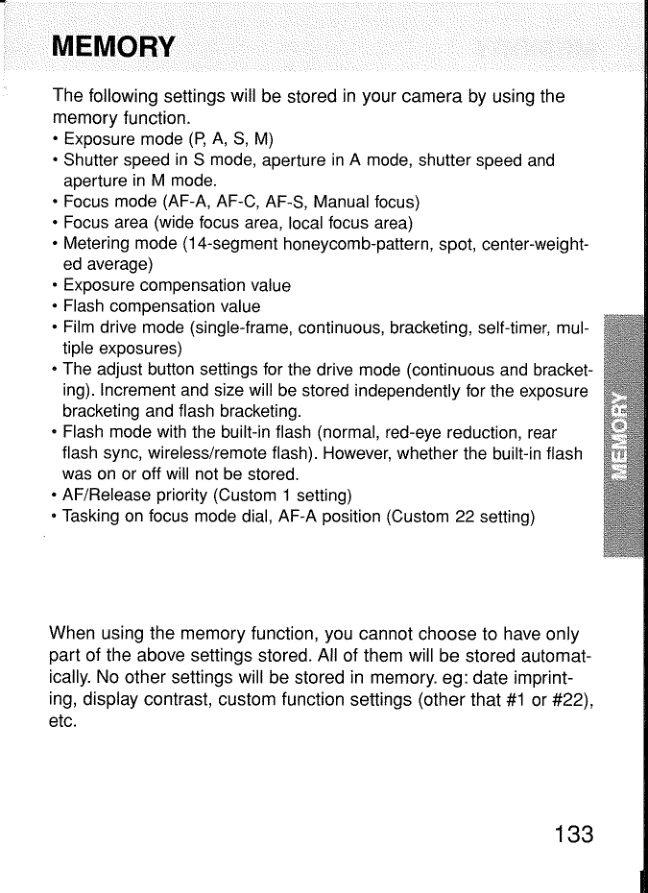
MEMORY

‘The following settings will be stored in your camera by using the

memory function.

+ Exposure mode (P, A, S, M)

+ Shutter speed in S mode, aperture in A mode, shutter speed and
aperture in M mode.

+ Focus mode (AF-A, AF-C, AF-S, Manual focus)

+ Focus area (wide focus area, local focus area)

+ Metering mode (14-segment honeycomb-pattern, spot, center-weight-
ed average)

+ Exposure compensation value

+ Flash compensation value

+ Film drive mode (single-frame, continuous, bracketing, self-imer, mul-
tiple exposures)

+ The adjust button settings for the drive mode (continuous and bracket-
ing). Increment and size will be stored independently for the exposure
bracketing and flash bracketing,

+ Flash mode with the built-in flash (normal, red-eye reduction, rear
flash syne, wireless/remote flash). However, whether the built-in flash
was on or off will not be stored.

+ AF /Release priority (Custom 1 setting)

+ Tasking on focus mode dial, AF-A position (Custom 22 setting)

When using the memory function, you cannot choose to have only
part of the above settings stored. All of them will be stored automat-
ically. No other settings will be stored in memory. eg: date imprint-

19, display contrast, custom function settings (other that #1 or #22),
etc.

133
View original page 1
Page 2 · Read text
Your camera is capable of storing three different sets of camera
function settings. This feature is convenient when you will be repeat-
ing the same shooting conditions and want to use the same settings
each time.

Fullauto

Memory 1
Memory 2
Memory 3

When positions 1, 2, 3, oF full-auto are select-
ed, the settings of the controls do not neces-
sarily correspond to the actual camera set-
tings. The upper part of the display turns black
to let you know.

+ Beautifully defocused images can be produced using the STF
(Smooth Trans Focus) mode, which can be used instead of memo-
Ty 3 . See page 180.

134
View original page 2
Page 10 · Read text
butkus        c=US-04'00'
   mike                 ou=29,        22:13:40  by            butkus,
     signed            cn=mike                    2019.09.21       DigitallyDN:o=orphancameras,email=mike@butkus.org,Date:

mikebutkus
View original page 10Related documents and language editions
From the M. Butkus archive. Original publisher and archive notices are retained.
Check the model and edition against your equipment.
PDF verified 2026-10-10.