Film cameras
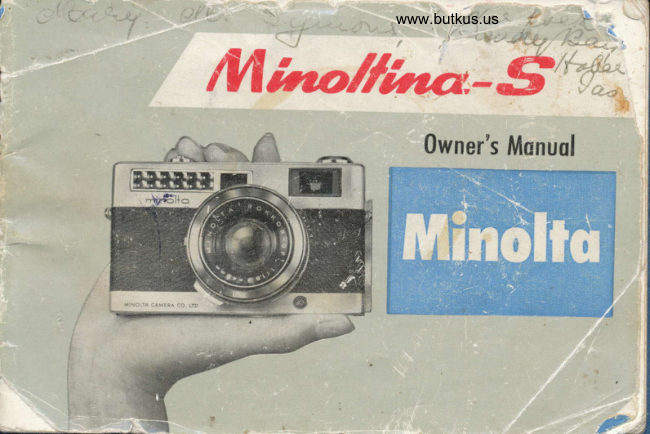
Minolta Minoltina - S User manual
User manual for Minolta Minoltina - S. 40 pages in English. Read the original PDF, download or print a copy without registration.
40 pagesEnglish12.0 MB PDF
Loading your manual…Open PDF directly
Document details
- Brand
- Minolta
- Model / document
- Minolta Minoltina - S
- Document type
- User manual
- Language
- English
- Pages
- 40
- File size
- 12.0 MB
- Category
- Film cameras
- Document date
- Not specified in catalog
Search available document text
Find a term, then jump to its page in the original PDF. Image-only pages may not be searchable; check the PDF for exact wording and diagrams.
Page 6 · Read text
www.butkus.us
                                                               \
 Specif ication
 Type:              Picture size 24X36 mm (standard size) on 35 mm film.
                    Cross-coupled built-in exposure meter.
Lens:             Rokkor QF f 1.8-40 mm, 6 elements in 4 groups.
Shutter:..          Seiko SLV, B, 1-11500 and built-in self-timer.
Flash
Syncaronization    :  M and X contact point.
Exposure Meter:-   Zero method, cross-coupled with shutter speed and diaphragm.
                  Meter working range is EV 6.7-17 (on ASA 100).Range of
    Usable Films: ASA 25 - 800. DIN 15 _ 30.
Viewfiner:         Lumi-framed viewfinder with coupled range-finder and parallax
                    correction marks.
Minimum
  Focus Distance   :  0.8 m 12.6 feet)
Winding of Film:  Lever-type winding, automatic shutter cocking, and rotary angle-
                  140'. Double expcsure prevention. Crank type film rewinding.
Counter:          Automatic zero return.
Accessories:       Lens shade G2 p).
                  Screwed-in filter (40.5 g).
Size and Weight:  128 (height)x74 (depth,r x60 (width; mm.
                   540 g.
View original page 6Page 10 · Read text
www.butkus.us
                                                                            1

Load the film.                            Decide shutter speed according to the
(Detailed explanation for loading film      amount of light on the object photo-
is given on page 10.)                   graphed. Set the needle of the ex-Set film speed.                            posure indicator to the fixed pointer(Set the fiim speed using the film speed       of the black line by turing the dia-
Set lever. See page 16.)                  phragm ring. (This can also be done                             by turning the shutter sPeed ring,
                                             after the diaphragm is set.)
View original page 10Page 11 · Read text
A   Focus.'ffi
                       When the object is seen through the
                                 viewer as a single image (rather than
                         a double image),  it is in focus.
                                                 5. Compose picture frame, and press the
                                  shutter release button.
                        The picture frame is the area within
                                  the bright frame inside the viewfinder.
                              Before taking pictures, make it sure
                                                   if M or X is seen in the MXV window.
                              For general purpose photography, use
                                the X mark. If V appears, the self
                                timer is in operation.
View original page 11Page 13 · Read text
\
Wind the film until  its                                         6. Shut the back cover after
perforations are engaged                                      confirming proper advan-
                                                               Whenwith the gears of the                          s         pressedcing of slightly,the film.the                                                                              backsprocket. If the winding                                  cover shuts automatical-
lever stops on the way,                                                       ly.
press the shutter release
button for  continuing
winding.


                                                  www.butkus.us
View original page 13Page 15 · Read text
Shutter speed artd diaphragm
                  Shutter
              The shutter speed determines the amount
                 of light that will strike to the film.
           When the shutter speed is raised one
              step at the same diaphragm,  light
               volume is halved. The shutter speed of
                 this camera ranges from I  second to
                 1/500 second. Use B (bulb) for giving
                 exposures more than 1 se:ond.
             The B position, or bulb, enables you to
              keep the shutter open as long as the
H            Atshutterspeedsreleaseslowerbuttonthan isl,rspressedseconddown.or B
                   position,  it is advisable to use a tripod
              and cable release.

                Fast-moving object requires fast shutter
               speeds so there will be no blur-1,t25
              second is recommended for  general
                  photography.
View original page 15Page 17 · Read text
When taking pictures outdoors, the aperture opening shoult be small
          (large in F value), while on cloudy day or in a dark place it should
        be large (small in F value).
               r-\     s^3                            \-/
                            .,r.ii:,:.:r:.:t:,,_:ailr.:.i          i


l5
View original page 17Page 18 · Read text
www.butkus.us


Hou'to decide exposure
l. To set the ASA speed, move the film
   speed set lever to the speed of the
    film used.
   (For DIN emulsion, convert into
  ASA according.to the ASA-DIN con-
    version, table attached to the back of
   the camera.)


                                              16
View original page 18Page 19 · Read text
2. When the camera is pointed at the
                               object to be photographed, you will
                          see the green needle moves in the
                                exposure indicator window on top of
                               the camera.
                         Turn the shutter speed ring or dia-
                           phragm ring so that the needle lines
                          up on the golden index.
                         Then for further shutter speed adjust-
                               ments, use the diaphragm setting con-
                                     trol.  It  is suggested that you do this
                              because the diaphragm ring has inter-
                              mediate stops while the shutter speed
                             has not.
                                                                 'r' If  your MINOLTINA S has a black-
                               colored surface finish the needle of the
                             exposure meter is red and the index
                         mark is black.


ffi
View original page 19Page 20 · Read text
www.butkus.us
   Hints on measuring
3.* When taking pictures of fast moving objects, first set'the shutter to the fastest
    position, turning the diaphragm control.
    If you want to focus on large group people or on things of deep depth, small
   the aperture opening (refer to Depth of Field on P. 19) and adjust the exposure
   meter, turning the shutter speed ring. When the shutter speed ring comes to
   the centerr.set  it to the stop on either side, then adjust the needle turning the   diaphragm ring. Be careful to hold the camera steady when the shutter speed
    is slower than 1/30 second.
   While taking pictures of people, stand as close as possible
  When shooting a landscape, be careful that no reflection of the sky light enters.
  'The adjustable range of the film speed is ASA 25-800 (DIN 15-30).
  When using ASA 100 film, the working range of exposure meter is EV 6.7 (F 1.8,
   1/30)-EV 17 (F 22, r/500).
  The expcsure meter will not function if the light is less'than EV 6.7
    If the green needle cannot be made to move by turning. the diaphragm ring,   adjust it by turning the shutter speed ring.
          using a filter, exposure must be increased by the same extent as the light   "lVhen    inultiple of the filter. In this case, all you have to do is apply onto the camera   the value obtained through division of ASA speed value by the light multiple
   of the filter used
   (For instance, when usinga filter of "2 times" light multiple for ASA 100 film,
   50 (ASA 100 : 2: 50) is set to the camera.)


                                                                                           18
View original page 20Page 25 · Read text
When out of focus
As shown in the picture, when the object
is seen double in the diamond. it  is still
out of focus.


When in focus
As shown in the picture, the object has
overlapped in the diamond and is already
in focus.
The distance index of the camera will
now show the distance to the object.
View original page 25
Page 26 · Read text
www.butkus.us
                         As you look through the viewfinder you
Viewfinder                         will note a white bright frime near the
                                  outer edge. The actual picture you take
                                    will be inside this frame. Make sure vour
                                      picture is composed inside the bright frame.
                         When taking a close-up picture, because                              of parallax (the difference between what
                            the viewfinder 'sees' and what the lens
                                          'sees,') you have to compose your picture
                                       inside of the lumi-mark, using as the edges
                               the hook mark seen on the upper left, fue
                                short line on the upper right and the                                   vertical line on the lower left.


                                                                                          24
View original page 26Page 28 · Read text
www.butkus.us

How to hold the camera
There are basic two ways to hold you
camera while taking pictures ; verticz
and horizontal. Press the  shutte
release button gently, supporting th
camera rigidly against your face so  i
does not move.


Note: If the number 36 or 20 appear
       in the film counter window an,
      the film winding lever feel
         stiff, it means you have com
      to the end of the film.  For
        cible winding may cut the filn
      or cause it  to be pulled of
       the magazine, making rewindinl
        impossible.
View original page 28Page 31 · Read text
Uuloading fihn
Before removing the magazine the exposed 6lm must be rewond ir\to the magazine.
Todo this, simply depress  Lift the rewinding crank  When all resistance isthe rewinding button on   and turn it to the direc-   gone, open the camerathe bottom of the camera.  tion of the arrow. As   back and take out theIt is not necessary to keep  the film comes off the    magazine.the button depressed spool, a slight resistancewhile rewinding - it will      is felt. When you feel re-return to.its regular posi-   sistance, the rewinding is
tion when winding the    nearly done.
lever.
View original page 31
Page 33 · Read text
Taking flash pictures
                          When taking pictures at night or in-
                                   doors where light is dim, it  is ad-
                                    visable to use a flash bulb or a
                                        speed-light (Stolobo).
                                      Insert the plug of the flash gun's
.f,@w                              cord in the synchro-terminal.  Set
f?#i                        the"X" forMXVspeed-light,changingandleverto theto "M"the
    ilm                              for M bulbs.                ffi                For taking flash pictures, exposure                                        is decided according to the guide
                                 number of the flash bulb or the speed-
                          :s                                 :qt:6                      light.                                 :                   c##-d$                  This camera synchronizes with all              F       ,oj                 speeds of both "M" and "X".
View original page 33Page 34 · Read text
www.butkus.us
                                           i
  When setting the MXV changing lever to
   the "X".

 . When setting the MXV changing lever to
   the "M".
Setting exposur!.
l. When using flash bulb or speed-light,
  read the corresponding guide number accord-
  ing to the film used and the shutter speed.
  (The guide numbers are given in the ex-
  planation for flash bulbs or speed-lights.)
2. When the guide number is found, diaphragm
  or distance to the object is obtained by the
  following formula:
        .           Guide number  Ijlapnragm '  Dist'arrce to the object
                         Gqide number  Distance to the object:                         Diaphragm

                                                                          a,'
View original page 34Page 36 · Read text
www.butkus.us
                                                  'I
1.  Move the MXV changing lever toward
   the direction of the arrow, and you will
   see the "V" appear. This sets the self-
    timer.

2. After deciding the diaphragm and the
    shutter speed, push the shutter release
    button.

J.  The shutter will be released approximate-
    ly 10 seconds later.

@ When the MXV changing lever is set to
    "V", the synchro contact point becomes
   "X". When you use a flash-bulb, set the
    shutter speed at l/30 second.


                                               34
View original page 36Page 38 · Read text
www.butkus.us
For enjoying color 'pictures, we recommend
the Minolta Mini 35 Slide Projector.
It projects slides on a large screen even in
a small room and will give you many hours
of enjoyment.


                                             Jb
View original page 38Page 39 · Read text
ff*
      Other cameras bY Minolta
     MINOLTA SR-7   World's firs still camera with                       -
        built-in CdS light meter.  Brilliant pentaprism
       viewfinder, automatic pre-set diaphragm, instant
       return mirror and many other professional  fea-
       tures. Rokkor lens F1.4/58 mm (or F1.8/55 mm),
       speeds I to 1/1000.

     MINOLTA AUTO ZOOM 8-You sight and shoot'
    A powerful CdS light meter automatically calcu-
         lates correct exposure for you. Power zooming
       from wide angle to tight telephoto, pan or zoom
       from dark shadows to bright light. Rokkor lens
       F1.4/8.5-34 mm, speeds 12, 16, 24 FPS, and single
        frame.

       37
View original page 39From the M. Butkus archive. Original publisher and archive notices are retained.
Check the model and edition against your equipment.
PDF verified 2026-10-10.