Film cameras
Minolta RIVA Zoom 70EX Minolta Freedom Zoom 70EX User manual
User manual for Minolta RIVA Zoom 70EX Minolta Freedom Zoom 70EX. 29 pages in English. Read the original PDF, download or print a copy without registration.
29 pagesEnglish6.2 MB PDF
Loading your manual…Open PDF directly
Document details
- Brand
- Minolta
- Model / document
- Minolta RIVA Zoom 70EX Minolta Freedom Zoom 70EX
- Document type
- User manual
- Language
- English
- Pages
- 29
- File size
- 6.2 MB
- Category
- Film cameras
- Document date
- Not specified in catalog
Search available document text
Find a term, then jump to its page in the original PDF. Image-only pages may not be searchable; check the PDF for exact wording and diagrams.
Page 1 · Read text
www.butkus.us
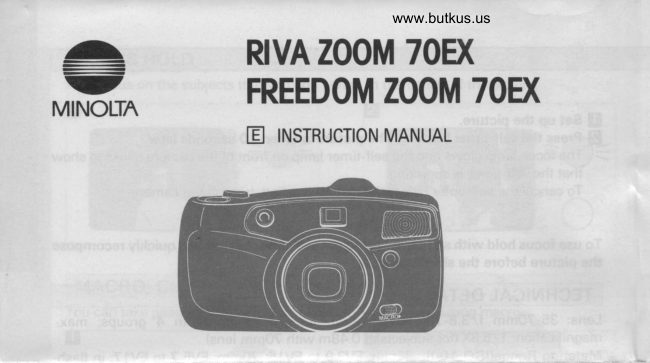
            RIVA ZOOM TOEX
 -          FREEDOM ZOOM 7OD(MINOLTA
  -                         INSTRUCTION MANUAL                    tr
View original page 1Page 2 · Read text
Congratulations on your purchase of this Minolta camera. This manual gives you short
explanations for each function, plus all the information you'll need to understand and
operate this camera properly.
To begin taking pictures in the easiest way possible, read Getting Started. Later, when
you're ready to learn how to use the camera's other buttons and functions to improve
your pictures, move along to Advanced Operation.


 NAMES OF PARTS
             61reL1.'
View original page 2Page 4 · Read text
Venmo @mike-butkus-camera  Ph. 2083
PayPal Name  Lynn@butkus.org      www.PayPal.me/lynnbutkus
View original page 4
Page 5 · Read text
Y:-'-         7. Meter-cell window*
 !;             8. Autofocus windows*               9. Lens*
             10. Macro control
                1 1. Red-eye-reduction,/self-timer  lamp
              12. Viewfinder window*
             13. Flash
             14. Back-cover release
                   1 5. Viewfinder eyepiece
             16. Focus lamp
             17. Flash lamp
             18. Power button
                   1 9. Manual-rewind button
            20. Film window
            21. Battery cover
             22. Strap eyelet
            23. Back cover
             24. Tripod socket
            * Do not touch
View original page 5Page 7 · Read text
i VTEWFTNDER                                                                                         _l
              o-'
         F-
 1. Focus frame                            3. Focus lamp:
     Camera focuses on the subjects            Glowing:    Focus is locked.
      within this frame.                                Blinking:    Subject is too close.
2. Close-framing guides                  4. Flash lamp
    When your subject is closer than            Glowing:    Flash will fire with
    O.9m (2.9 ft.) at 35mm or 1.3m                         next picture.
      (4.3 ft.) at 7Omm, the picture              Blinking    Camera-shake warn-
     should be composed within this              slowly:        ing.
      frame.                                           Blinking     Flash is charging.
                                                          quickly:
I TNSERTTNG BATTERY
Your camera uses a 3-volt lithium battery (CRl23A/ DLl23A)that supplies power for all
camera operations.

 BATTERY CAUTIONS
 o Read and follow all warnings and instructions supplied by the battery manu-
  facturer.
 o Keep batteries away from children.
 o Do not attempt to disassemble, recharge, short out, or subject batteries to high
 temperatures or fire.
View original page 7Page 9 · Read text
a coin to open the battery cover.E Usep Insert the battery as shown on the inside of the battery chamber and snap the
   cover closed.
View original page 9
Page 10 · Read text
www.butkus.us
LOW-BATTERY SYMBOL
                                         lf the blinking low-battery symbol appears in the data             ){-z-=
                #&*  &&       .r*"             camera,panel withbut thethe batteryother indicators,will have toyoube replacedcan stillsoon.use the  A{"JTffi ffi   $ffi

           ;{-z=           lf the blinking low-battery symbol appears alone, replace                           the battery.


I LOADING FILM
You should only use DX-coded, 35mm film with ISO ratings 25 to 3200.
             T-                  il
    r,-lr S


                                     Mike Butkus                            Digitally                                                                                                                                                                                                                                      DN:email=mike@butkus.org,Date:cn=Mike2023.06.25signedButkus,by12:22:13Mikeo=ButkusButkusc=US-04'00'camera manuals, ou=butkus.org,
  -ITurn on the camera and make sure O is displayed in the data panel.I
                                                                 release.E Open the back cover by sliding down the back-coverp Place the film cartridge, bottom first, into the film chamber as shown.
   Always load your film in the shade or away from direct sunlight.
   Polaroid instant 35mm films cannot be used.
View original page 10Page 12 · Read text
www.butkus.us

             reCI)/I       es-t'   /'n


4  l-ay the film flat between the guide rails and extend
   the film to the "FILM TlP" mark.
      lf the film extends too far, gently push the excess back
    into the cartridge.
p Snap the back cover closed.
   The film automatically advances to the first frame and   1 appears in the data panel.             &.                              O--1                                          ^*-o*
  !f O blinks in the data panel, ihe film w'as incorrectly' loaded. Open the back
  cover and re-load the film.
View original page 12Page 26 · Read text
*;e*gE;eI:fii  g;                                        E   FEEE       EFE !$      f
www.butkus.us iii=ctEgE;+Elgsis Ertgl,=;E ;F i
 ;EE;EiE:gEE-gEE
 IiEiEiFgEggFgEE
 Esslgt'i*E;fgiiEf,a
 ttigrf;giE'[EEg*EiEEt
              i;Rrg {sErsH "E;';gnEEcH                         g:Fifii€*:rF?iFnrH _EE$E,i
l::E*i5FsEfg ;=$Ers siE€rs
View original page 26From the M. Butkus archive. Original publisher and archive notices are retained.
Check the model and edition against your equipment.
PDF verified 2026-10-10.