Film cameras
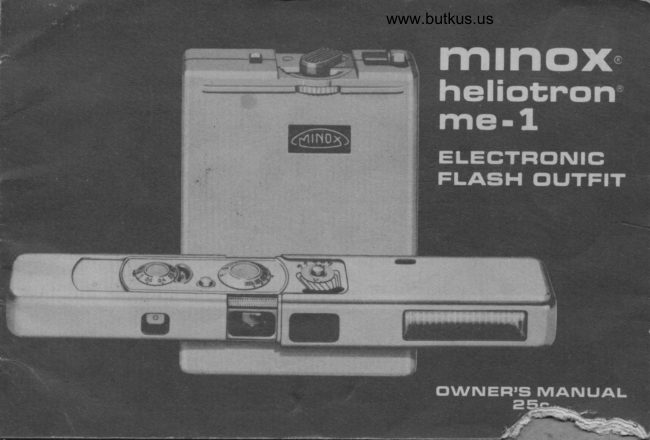
Minox Heliotron ME-1 User manual
User manual for Minox Heliotron ME-1. 13 pages in English. Read the original PDF, download or print a copy without registration.
13 pagesEnglish3.5 MB PDF
Loading your manual…Open PDF directly
Document details
- Brand
- Minox
- Model / document
- Minox Heliotron ME-1
- Document type
- User manual
- Language
- English
- Pages
- 13
- File size
- 3.5 MB
- Category
- Film cameras
- Document date
- Not specified in catalog
Search available document text
Find a term, then jump to its page in the original PDF. Image-only pages may not be searchable; check the PDF for exact wording and diagrams.
Page 2 · Read text
, .+--jf!*a-\      YOUR NEW
                                                                         '--:L-                         lTl  t n CrX" heliotron  irlG! - 1       E                                                                                                                           'l                         ELEcTFlotvtc FLAsiH cturFtr                                                                                                7."'5                                               A-  i                                              will give you greater "around-the-clock" picture-taking
                   lL                       enjoyment with your MINOX. lt is easy to use . .  affords the       r-'(c}t..                                     convenience and advantages of  f lash photography at lowest
                                       possible cost The built-in nickel cadmium battery can be
                                      recharged again and again for thousands of llashes
 l4oD € LL 5  Cr'/ *t CNH        Wherever you are   you will always be ready for                       ,9 Nf - 7-ie-68   wonderful flash pictures of family, friends and associates-D € t,t  ..'7 ttl
  lV - | -GGcc                   whether at home, on vacation or at business meettngs. For
                                        best results, please take lust a few minutes and read the
                                     simple instructions and suggestions on the {ollowing pages
                                      The Minox ME-l Flash Unit does not fit the Minox IIIS and earlier models.

                       Before using your MINOX-Heliotron for the  f irst time, sive  IMpORTANT                                     it a full 16-18 hour battery charge. (See page 1O)
    For consistently good results and long life, the built-in nickel cadmium battery of your
    MINOX-Heliotron-like any rechargeable battery--requires attention. As you know,your automobile            :
     battery maintains its efficiency and adequate power only because  it is automatically recharged when
    necessary while the car engine is running. Similarly, the battery of your MINOX-Heliotron should be
    recharged 16-18 hours:-after every busy shooting session
                               the ready sigiral takes more than 3O seconds to glow after each flash
                                    -if        or after extended storage.
                      -before      "OFF" during a shooting pause or before you store it away!                        MINOX-Heliotron
View original page 2Page 3 · Read text
www.butkus.us
                                                                                                                                                                              a\                  tF r,l' r
                                            {

                                  --.
       t1  ir
  ffi    *   il     +t
ATTACH FLASH HEAD:        CONNECT CABLE:           THE CONVENIENT POWER
The llash hcad of the                lnsert the angled plug of          PACK:
lllNOX lJcliotron  firs              the connecting cable firmly       You can slip the
drrectly on thc MINOX.             into the keyhole socket at         power pack into your
Slide thc flash hcacr               the end of the flash head.          coat or shirt pocket . .
all the way onto the canrera         .   . and the straight plug                .   or loop it with its         .
wrth the  f lash rr",indow and          into the keyhole socket            snap button over your
cut-out facrng in the same          of the power pack (to the           trouserbelt...
dircciion as the camera lens.       right of the diats )   .                      or open the snap'Does not lit ilB   ot,                                                           bLrtton and slide the loop
 earlier models                                                    over your hand
                                                                  --,3  i
View original page 3Page 5 · Read text
SET THE ASA FILM SPEED:      Brackets/Sections on
                                Turn the knurled ring to set        the left: (shaded black
                                   the ASA number of the  f ilm         bracket or red section
                              you are using to the index         marked " F") For exposures
                                       at the black scale. ASA            with gray  f ilter before
                                speeds shown by lines            camera tens.
                                between the scale numbers                                                                                                                    lf the {ull power setting                                         are : 1 6-20-25-32-40-50-                                                                         gives you too much light                                 64-80-1 00-1 25-1 60-200-
                             250-320-400.                                                          f or close distance shootrng,                                                                           turn the Flash Range Switch
                         FLASH RANGE:                    to partial power (small
                               Turn the Flash Range Switch        circle on the right  )
                                     to full power (large circle       CAUTION: Hold the switch
                             on the lef t)    .                          in the middle position for
                            The while distance scale          one second before switching
                                       in combination rryith the              all the way. (This brief
                                  adjacent black brackets              interval serves to eoualize
                                                                      (f or black-and-white   f ilm   )          the charge of the
                                  or red sections (for color            built-in condensers    )This shading                                   {ilm) indicates the distance       Now. read the flash distance
indrcates red on unit.               range within which you will        ranges as explained above
                                   get properly exposed            Due to the exposure latitude
                                     pictures with the specific           of {ilms (particularly
                                     film and   f lash power setting        black-and-white)  . the
                                  Brackets/Sections on              distance ranges with   f ull
                                   the right. For Exposures             or partial power overlap
                                 without filter                       to some extent.
View original page 5Page 6 · Read text
TYPICAL EXAMPLES OF                          www.butkus.usFLASH DISTANCE RANGES:  1
 lf you are using color film (Minochrome or Color Negative CN14)         ($
 set the ASA scale at 20 (first line
 above 25) and read distance
 scale next to red sections.
1 FULL POWER-switch turned to
large circle on the left:
Without filter: subjects between
 5 and l0 feet
With gray filter: subjects between
 abt. 11.1 and 21ta f eet.
2 PARTIAL POWER-switch turned to
small circle on the right:                                                                                                                                   Digitally signed by Mike Butkus
                                                                                                                                               cn=Mike                                                                                                                                                                                  Butkus,                                                                                                                                                                  o=ButkusWithout   f ilter: subjects between                                                                                      DN:camera                                                                                                                                                                 manuals,                                                                                                                                                                             ou=butkus.org,3t/z and 7 teet                           Mike Butkus email=mike@butkus.org, c=US
With gray  f ilter: subjects between                                                                                                 Date: 2021.07.19 19:39:29 -04'00'
 abt. lr/4 and 2 feet.
 lf you are using ASA 25 black-and-
white  f ilm, set the ASA scale at 25,
and read distance scale next to
black brackets.
3 FUtL POWER switch turned to
large circle on the left:
Without  filter: subjects from
 abt, 4t/z to 14 feet
With gray filter: subjects from
abt. 1tla to 3Vz feet.
4 PARTIAL POWER-switch turned
to small circle on the right:
Without filter: subjects from
abt. 3 to l0 feet
With gray filter: subjects from
abt. 10 in. to 2'10".
View original page 6Page 8 · Read text
www.butkus.us


                                                    SWITGH OFF:
                                                             Push the sliding switch
                                                             backward (red signal at the
FLASH:                                                            switch disappears)  . Make it
You can shoot as soon as the "ready                             a habit to switch your
light" at the side of the llash head glows.                          MINOX-Heliotron off
Sight the subject through the viewf inder                           whenever there is a pause
and squeeze the shutter release button.                                in picture-taking, or before
Wait   f or the ready light to glow again                            you store the unit awayl
be{ore you take the next llash picture.                                 This practice will assure
With partial power, the interval is about                           you the maximum number
6 seconds when the battery is fully                                      of  f lashes from each
charged. when switched to  f ull power,                                   battery charge Otherwise
the interval is about 1O seconds.                                   you waste the power for
When the rnterval increases to 2O or                               one flash during every
30 seconds, the battery must be recharged                           minute vou leave the unit
(See page 10)                                                           needlessly swjtched on
View original page 8Page 9 · Read text
EXTREME CLOSE-UPS:
For close-ups at 1B inches
or less. the flash head
should be taken of f the
camera, as the lateral
distance between {lash and
camera woulcl cause uneven
lighting of the subiect
area at this close range
For such close-ups-and   f or
"off-the-camera" {lash
general lY-rtu  an accessorY
flash extension cord to
connect the flash contact
of the camera to the contact
plug of the flash head.
(See iliustration)
For "f lat" shadowless
lighting, hold the flash head
flush against the underside
of your MINOX so that the
lens window and the {lash
r,,,lindow arc closc together.
lf you preier "three-
dimensional " illumination
with shadows, hold the
flash head separatelY so that
the light will {all on the
View original page 9Page 10 · Read text
www.butkus.us
subject at an angle from
above, being sufe that
neither you nor the
camcra will thlovv a shaclow
on the subject
When copying clocuments,
book pages. illustrations,
etc . it is best to  f lash at a
45'angle {rom one side
so that there will be no
reflections from the
copied surface.
Remcmbcr. whenever you
use the  f iash heacl of f thc
carncra: Th,:  f lash to-sLrbjcct
distance (NOT the
camer.a-to-sLrb  jc-.ct d  i sta nce  )is shown otr the flash                                  \I
range sc;rle o{ yor-rr
M INOX-Heiiotron.
                                        -l
View original page 10Page 12 · Read text
FLASHING FROM AC GURRENT:     SERVIGE:          www.butkus.usMINOX HELIOTRON
 lf you must use your             The MINOX-Heliotron ME-1       SPECIFICATIONS
MINOX-Heliotron before                is guaranteed to the original                Flash head : weight 2 ounces
you have had an opportunity         registered owner as shown              Power pack : 0rmenst0ns:weight.l0 ounces
to recharge the battery,           on the guarantee certificate                      3Vaxlx4in.
you may Jlash direct  f rom           supplied with each new unit        Color temperature  : balanced for daylight
an AC outlet. (Use an                        lf repair or adjustment                  Powet sources : colorrechargeablefilms    nickelextension cord if necessary.   )       should become necessary,                          cadmium battery,
Connect the AC/Charge            send the MINOX-Heliotron                              (l10-240110-117 Vv ACAcCord, as for charging, and            (directly or through an                                 with accessory
connect the flash head to           authorized dealer) carefully                          AClCharge Cord)
the power pack. Wait ior            packed, prepaid and               Number 0f flashes : withbatterY:f ull charged
the ready signal in the llash        accompanied by the                                             partial power:160                                                                                                                                             full power:100head to go on as usual; then          original guarantee card to:               Flash interval  : partial power:f lash in the normal manner.        Minox Deoartment                                 6 seconds
Flashing direct {rom AC            Photo-Tech Repair                         with battery full power:                                                                                                          l0 seconds
power is. however. an              Service lnc..                                 Flash interval  : partial power:
emergency measure;   f lash        78 East 13th Street                            with AC 30 seconds
intervals are about 40           New York. N.Y. 10003                                           full40 secondspower:
seconds or even longer if        A brief description                        Flash duration I partial power:
the unit has been idle               explaining the trouble                                             full1,/700power:secondfor an extended time               encountered should                                         1,2500 second
                                                                                                                              head,without recharging                accompany lne pacKage,                  0utlit includes : Flash                                                                                                     powerGAUTION: Never open up the housing     which must contain all four                           connectingpack, cord,
of the power pack or flash head! All         components o{ the outf it                               110-117 V
electronic flash units have high voltage              (f lash head. power pack.                              ACICharger Cord.charges on some internal contacts, Severe
electrical shock may result  if this warning     connecting cord and
is disregarded.                      AC/Charger Cord.)
View original page 12From the M. Butkus archive. Original publisher and archive notices are retained.
Check the model and edition against your equipment.
PDF verified 2026-10-10.